MoveMaster – Motion Studio
Compare Video & Analyze Motion
Designed for iPhone, iPad, iPod touch
In-app purchases
- Age rating4+
- CategoryEducation
- DeveloperTAKASHI TADAOKA
- LanguagesEnglish
- Size129.4 MB
Links to the official App Store page
Download.org hosts no file of MoveMaster – Motion Studio. The button opens its official App Store page, published by TAKASHI TADAOKA. Listing last checked on Nov 23, 2026.
Screenshots

About
◆ Turn “something feels different” into differences you can see.
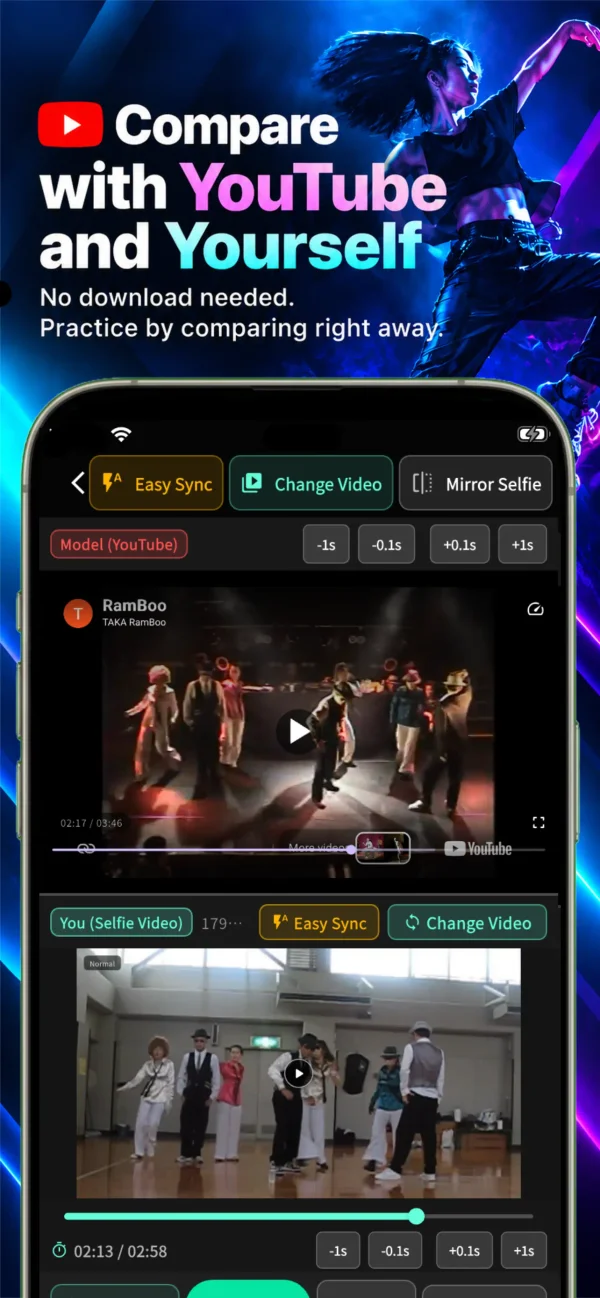
Compare your movement with a YouTube reference or a video saved on your device.
MoveMaster helps you observe, compare, and discover differences in body positions and timing. Bring what you notice into your next practice.
For dance, ballet, sports, martial arts, and traditional dance—a new perspective on your movement.
■ Compare with YouTube
Use a YouTube video URL to display choreography or a lesson alongside your own recording.
Compare arm and leg positions, body direction, movement size, and timing on one screen. Turn the videos you learn from into references for reviewing your practice.
■ Examine saved videos
Compare two saved videos vertically, horizontally, or with an overlay.
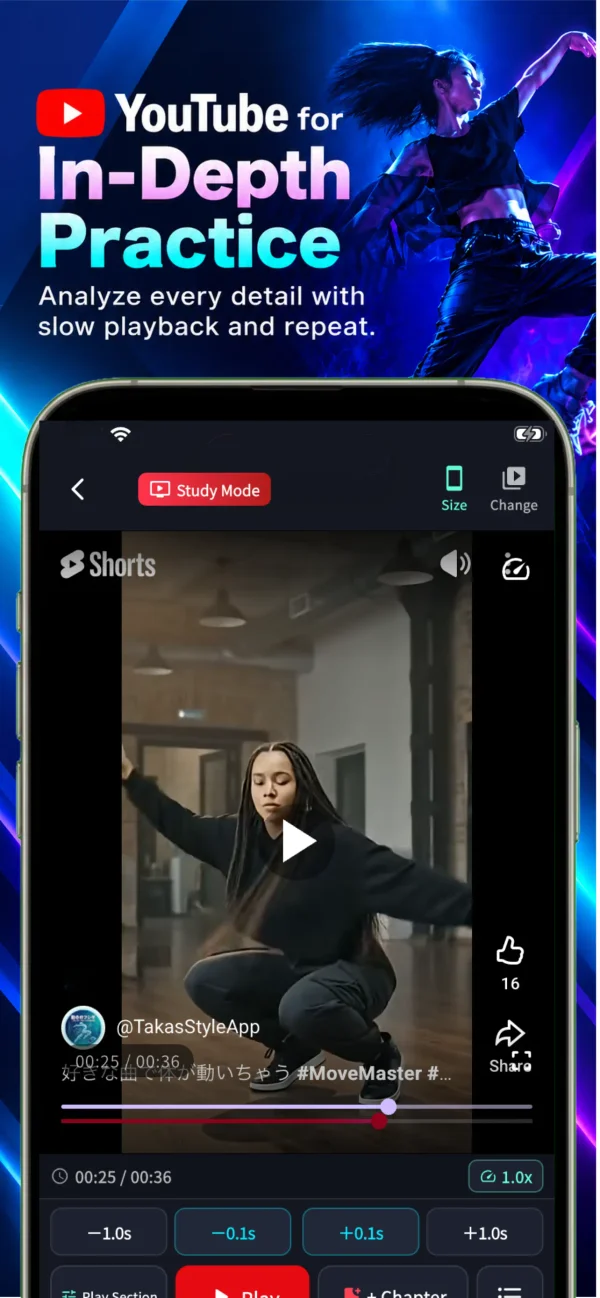
Slow motion and frame-by-frame playback help you examine fast movements. Mirroring helps you match directions and learn choreography.
Check when a movement starts, where it stops, and how your posture or rhythm differs.
■ Align sound and timing
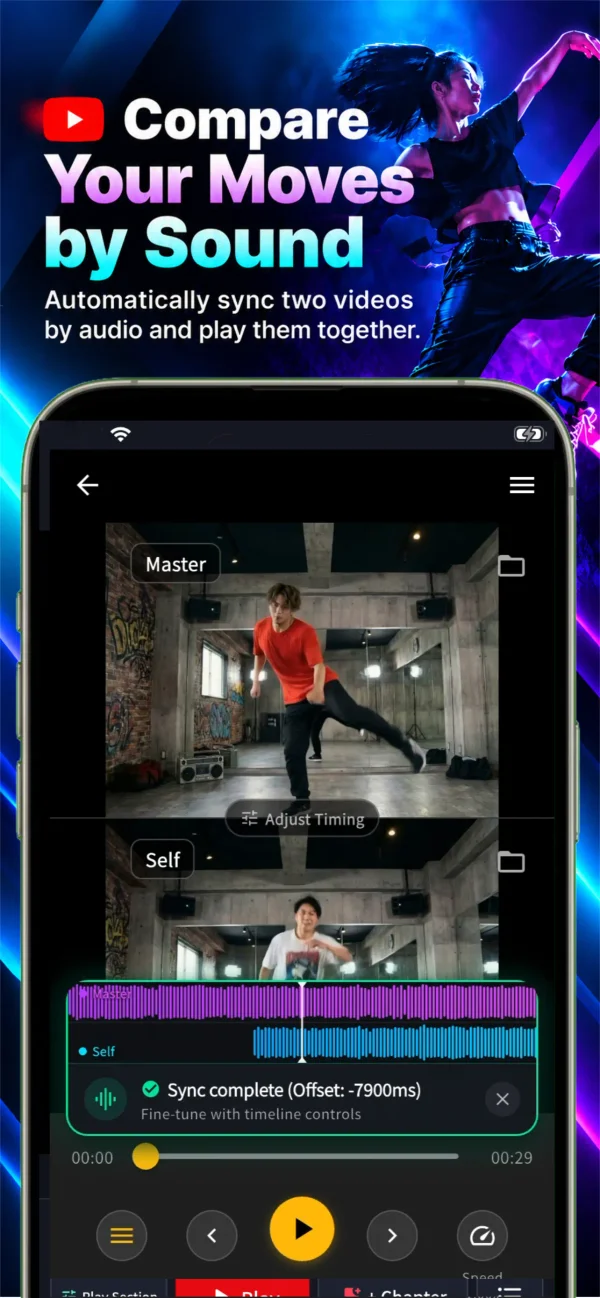
For two saved videos, audio synchronization automatically aligns playback positions. Linked playback turns on after synchronization so you can control both together.
See when you move with the music, where you pause, and which beats you emphasize.
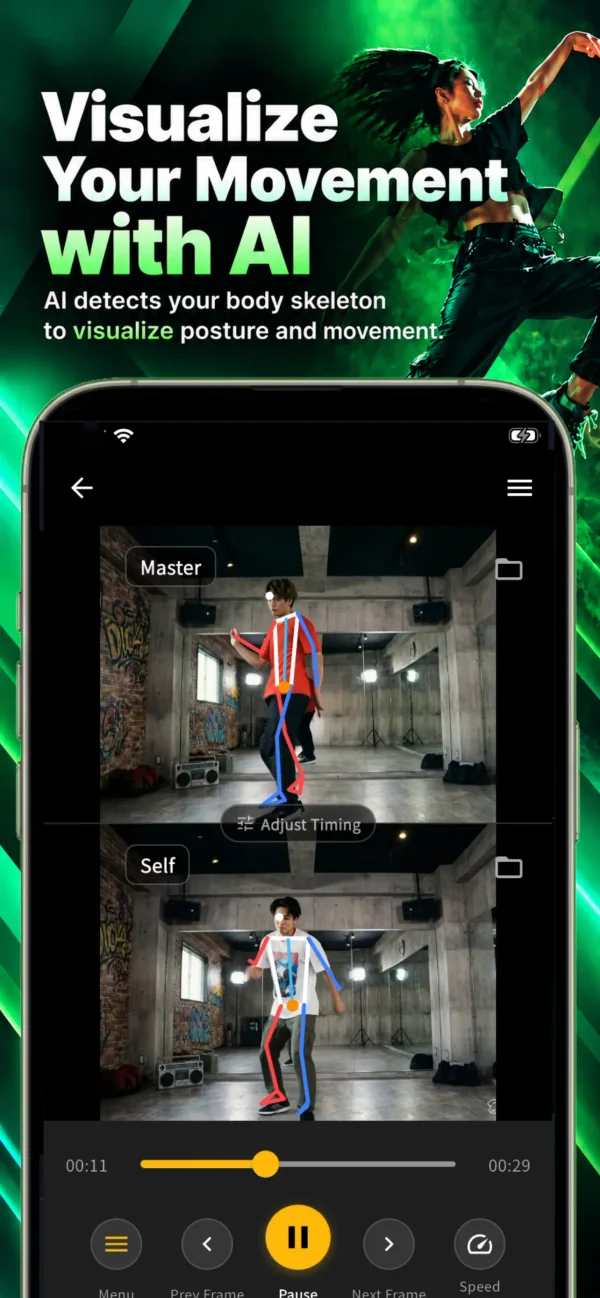
■ AI skeleton display
On-device analysis displays skeletal lines to help you inspect shoulder tilt, hip position, and arm and leg angles.
Review your form from another perspective.
Skeleton analysis runs on your device. Your videos are not sent to an external server for this analysis.
■ Motion paths and changes
Motion Trace shows the paths your body follows. Colors and effects visualize detected movement changes, helping you examine smooth transitions, sudden changes, and sharp stops.
Look beyond the final pose to see how you reached it.
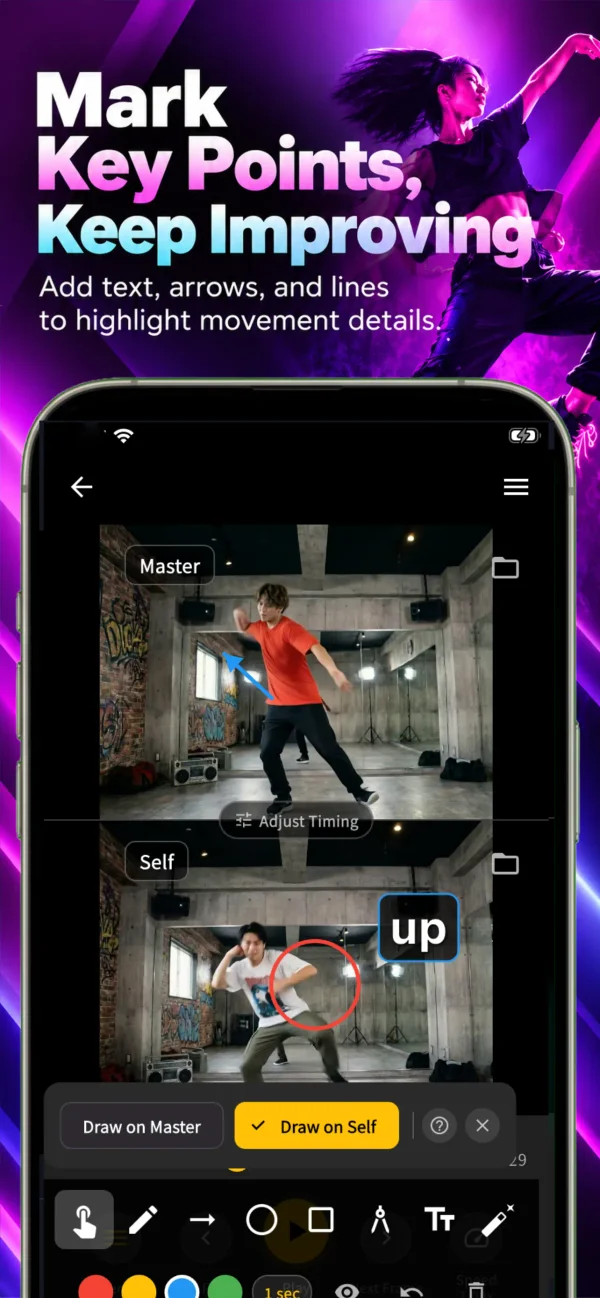
■ Annotate your discoveries
Pause a video and add lines, arrows, or text.
“Lower this shoulder.”
“Reach this far.”
“This moment is slightly late.”
Record observations and your teacher’s advice directly on the video. Export and import annotation data.
Watch, notice, record, practice, and review—build your own movement notebook.
■ Listen and repeat
Audio waveforms show sound intensity and timing. Drum Boost makes drum sounds easier to hear.
Adjust playback speed, loop a section with AB repeat, or use chapters to revisit key moments.
Start slowly, then work toward the original speed at your own pace.
■ Practice without the reference
Following a video and performing without it are different skills.
Training features help you gradually reduce reliance on the reference and practice recalling choreography independently.
■ Edit and save
Trim, crop, split, and merge recordings, including different formats such as MOV and MP4.
Save videos at an adjusted speed or export a two-screen comparison to review your practice.
Features and export duration depend on your plan and settings.
Available features differ between YouTube comparisons and saved-video comparisons.
■ For your practice
• Compare yourself with YouTube references
• Discover why a movement looks different
• Learn K-pop, street dance, and other choreography
• Review timing, transitions, and sharp stops
• Keep visual notes from lessons
• Practice independently or at home
• Review form in ballet, cheerleading, rhythmic gymnastics, sports, martial arts, and traditional dance
■ A new perspective
Watch your movement. Compare it with a reference. Notice a difference. Adjust and try again.
MoveMaster supports this cycle, helping you review what you learned and explore what feels different.
Turn videos you watch into videos you learn from.
■ Access
Some features are free.
Access to all features requires a one-time purchase or a subscription.
Terms of use:
https://taka0918.github.io/move_master_docs/terms_ja.html
This app follows Apple’s standard End User License Agreement (EULA):
https://www.apple.com/legal/internet-services/itunes/dev/stdeula/
What’s new
Version 1.0.15 · Nov 21, 2026
【NEW】Alternate Playback for Two Videos!
We've added "Alternate Playback," a new feature that lets you switch between your reference video and your own recording with a single tap.
When you play one video, the other automatically pauses. Each video keeps its playback position, making it easy to study the reference and compare it with your own movements.
Perfect for dance and sports technique practice, as well as language learning and musical instrument practice.
We've also improved usability and fixed minor bugs.
App privacy
What TAKASHI TADAOKA declares on the App Store about how this app handles data.
-
Data not collected
The developer does not collect any data from this app.
Privacy practices may vary, for example with the features you use or your age.
Information
- Seller
- TAKASHI TADAOKA
- Category
- Education
- Version
- 1.0.15
- Updated
- Nov 21, 2026
- Released
- Aug 3, 2026
- Size
- 129.4 MB
- Requires
- iOS 15.0 or later
- Age rating
- 4+
- In-app purchases
- Yes
- Languages
- English
- Copyright
- © 2026 Taka's Style App
You might also like
-
 Cloop ダンス練習ループ再生Education
-
 Ballet DicoEnjoy Learn Ballet Terms
-
 MyTri(マイトリー)_多言語学習アプリEducation
-
 AI DANCE LABEducation
-
 地図記号を覚えようEducation
-
 CopyKatta - Watch, Learn, CopyLearn Dance, Yoga & More
-
 薬剤師国家試験 | 音勉Education
-
 AC Camera LiteEducation
-
 Karalearn - Learn ChineseFun HSK Exercises with music
-
 Rhythmee - Rhythm TrainingImprove Rhythm & Reading