
MoveToPlay: Earn Screen Time
Kids Chores & Exercise Rewards
Designed for iPhone, iPad
Free · In-app purchases
- Age rating4+
- CategoryHealth & Fitness
- DeveloperDuke & Duke
- LanguagesEnglish
- Size19.8 MB
Links to the official App Store page
Download.org hosts no file of MoveToPlay: Earn Screen Time. The button opens its official App Store page, published by Duke & Duke. Listing last checked on Nov 21, 2026.
Screenshots

About
Manage your family’s activity and screen time.
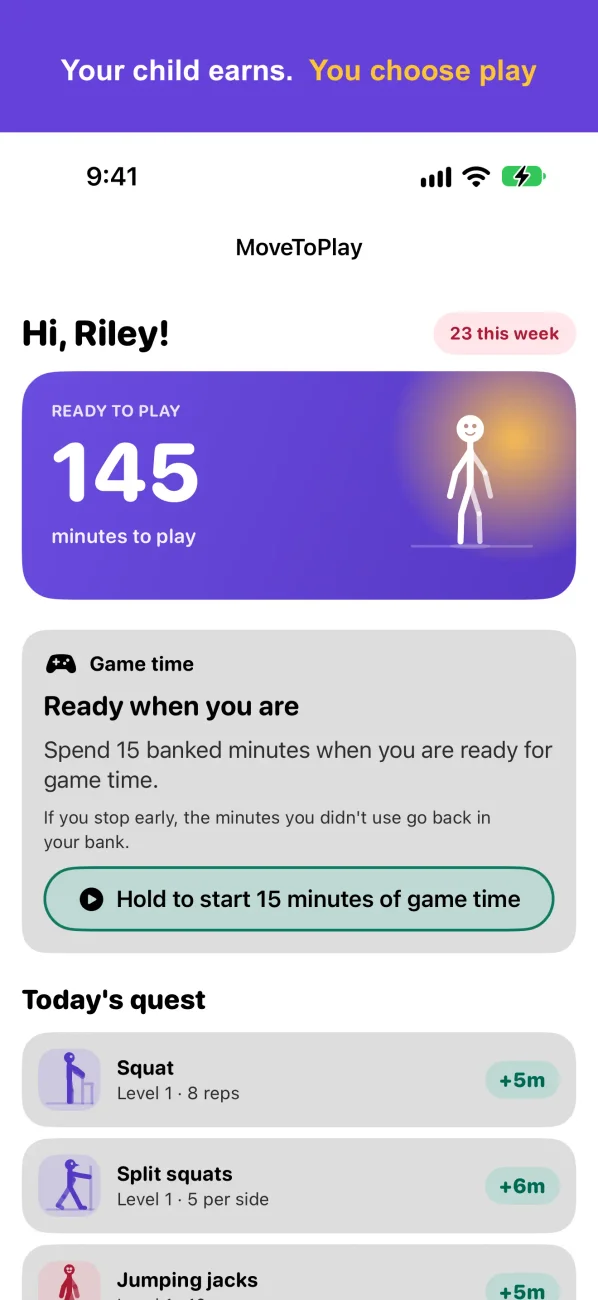
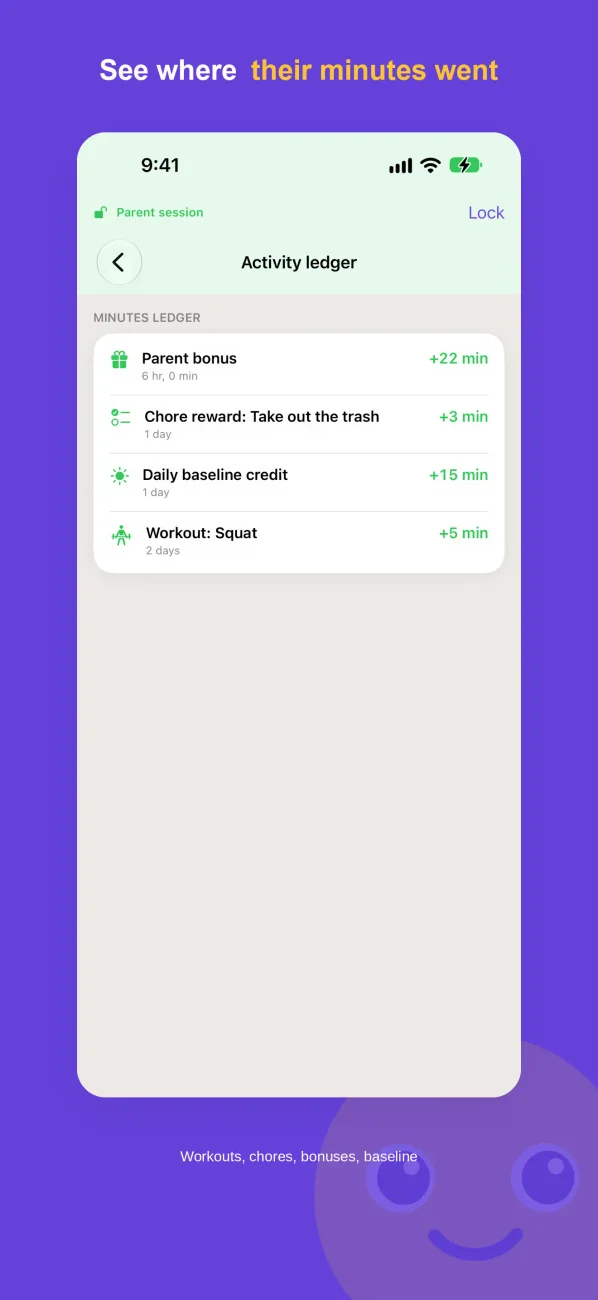
Your child banks minutes through workouts and chores.
You choose the play rewards. Banked minutes never expire.
HOW IT WORKS
Your child completes real movements — strength, balance, cardio, and recovery — plus chores you approve. Completed activities and chores both bank minutes, and both count toward the weekly maximum you set. Once banked, those minutes never expire: no midnight wipe, no weekly reset, no use-it-or-lose-it. When they've saved enough, they spend them on a timed play session you've set up — a game, an app, whatever you picked as the reward. Offer two or three session lengths. If they stop early, unused minutes return to the bank.
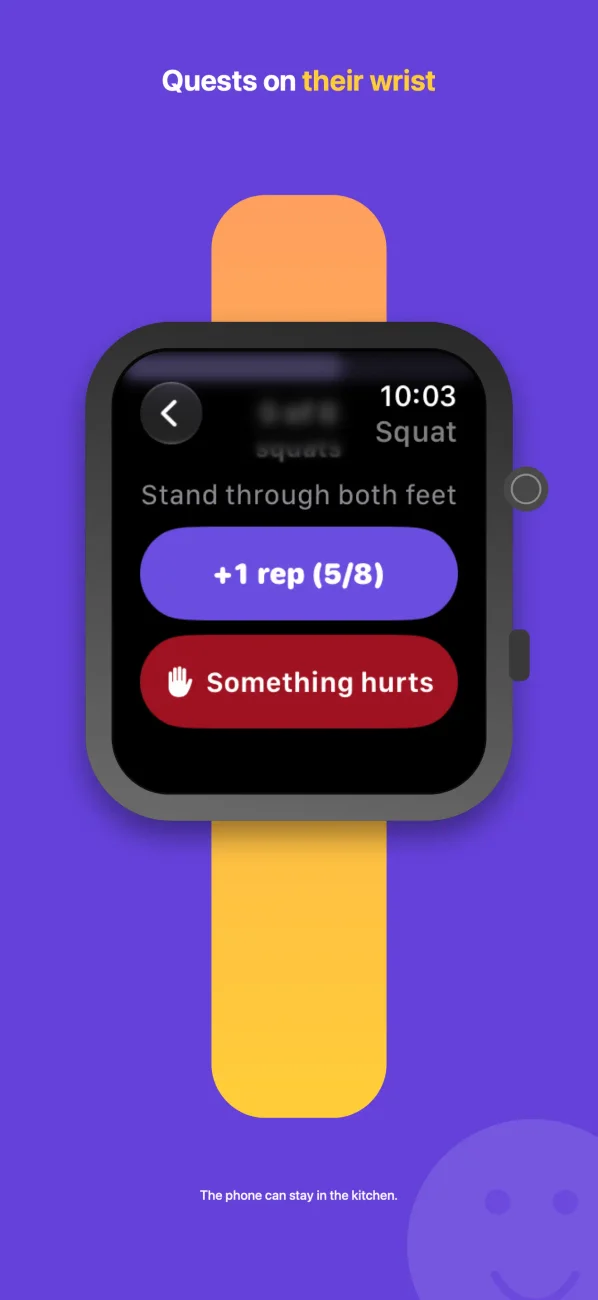
ON APPLE WATCH
Exercises, instructions, and rep tracking run natively on Apple Watch. Your child can finish a full quest without picking up iPhone or iPad.
AT A GLANCE
A home screen widget on iPhone or iPad shows the current bank without opening the app. During your child’s play session, a Live Activity shows a countdown on the Lock Screen and Dynamic Island on supported devices.
SIBLINGS WELCOME
Each child has their own bank, quests, progression, and reward history. A child's device shows only their own data. You can add a second parent's iPhone or iPad with a private iCloud invitation.
PARENT CONTROLS
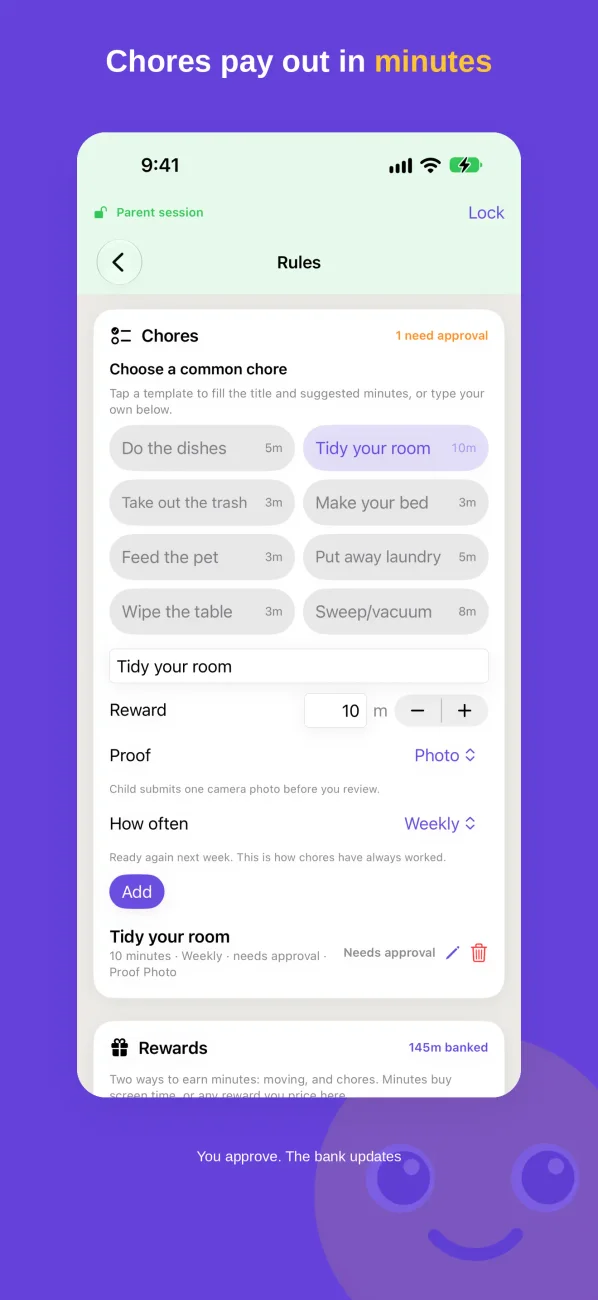
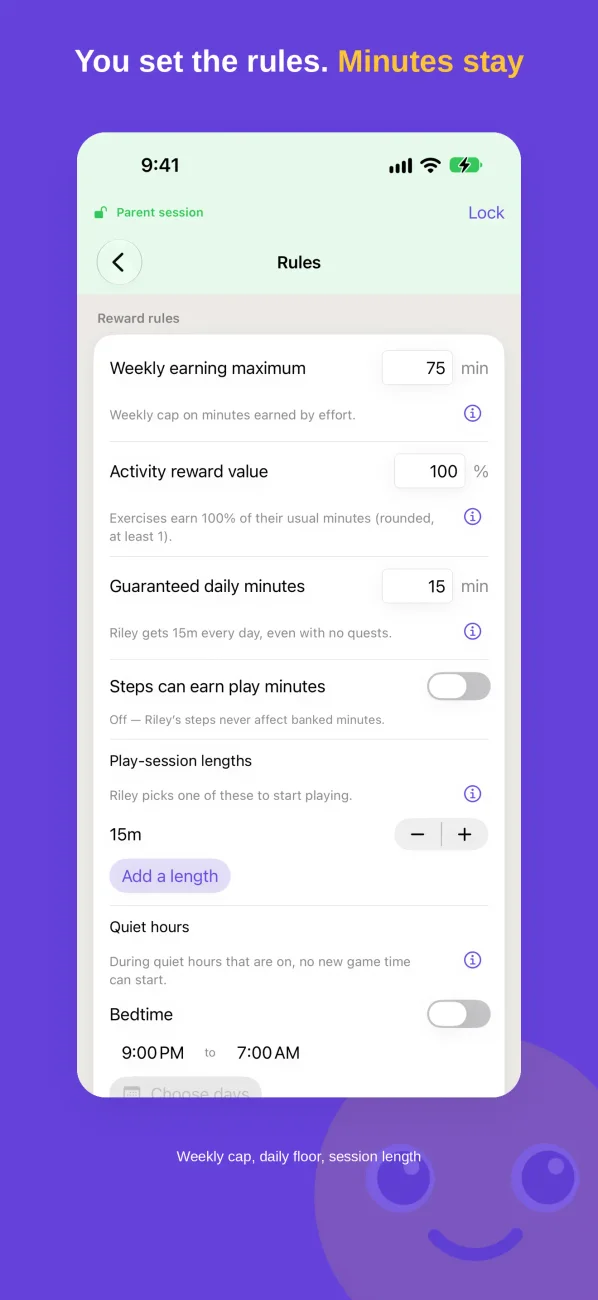
A PIN-protected parent dashboard stays separate from what the child sees. You decide exactly how much each chore is worth, an overall dial for how much activities pay out, a weekly maximum on what a child earns through their own effort — activities, walking and chores together (a daily baseline and any bonus you give sit outside it), whether a guaranteed daily baseline is credited even on quiet days, and exactly which play sessions exist. Chore values, activity payout, the weekly maximum and the baseline are set per child; play sessions apply family-wide. Chore templates fill in a title and a suggested reward so you're not starting from a blank box.
Minutes are the only thing a child earns, and minutes buy everything. Parents and grandparents can log real-world rewards — a movie night, a trip to the mall, extra allowance — and you set what each costs in minutes. One currency, one bank.
SUPPORT YOUR CHILD’S ACTIVITY
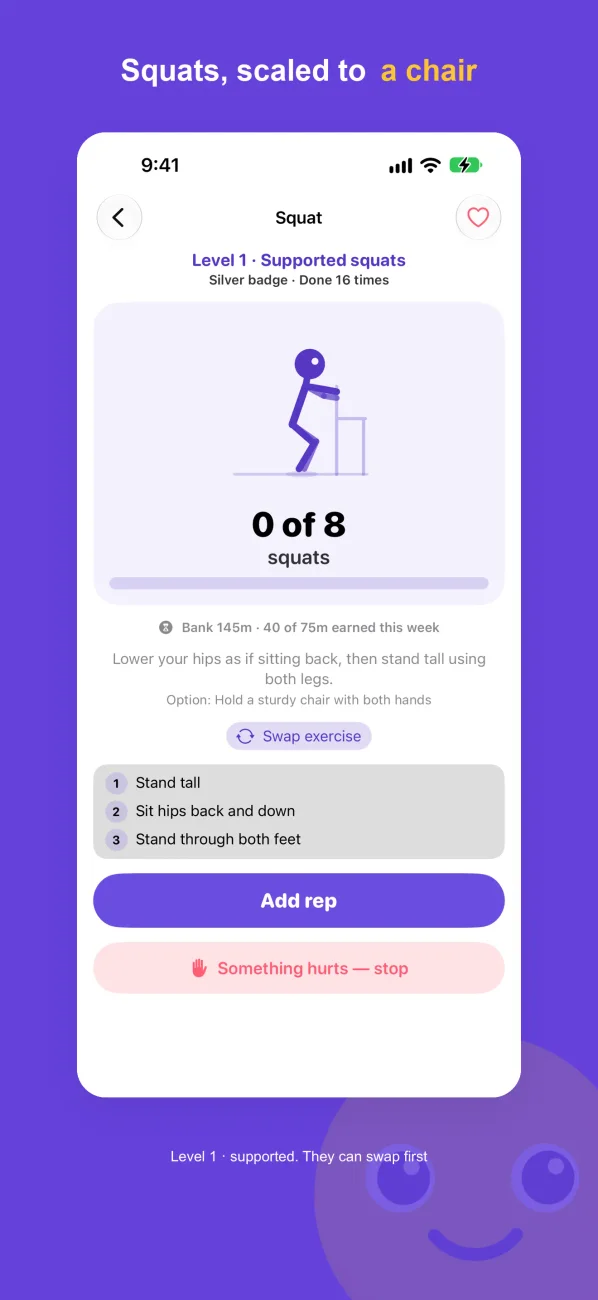
Movements include easier variations, like a chair-supported squat. If something hurt, the child can report it. The parent dashboard groups those pain reports from the last two weeks by activity, body region, and category. Calm Mode, a parent toggle, turns off full-screen celebrations, celebration haptics and bounce animations for easily overstimulated kids. Exercise demos still show the movement.
PROGRESS THAT'S ACTUALLY TRUE
A Move Buddy grows with real effort. A Journey Map spans 104 weeks. A Badge Shelf tracks mastery tiers earned through repetition. Rank and XP mark your child’s progress. If it didn't happen, it isn't shown.
WHAT'S FREE AND WHAT'S PREMIUM
MoveToPlay is free to download and set up. To use the app, start an Annual or Monthly Family subscription, or buy Lifetime with a one-time purchase.
New subscribers get a 2-week free trial. Starting the trial means confirming a subscription with Apple; nothing is charged during the trial, and if you cancel at least 24 hours before it ends you pay nothing. To cancel: Settings > your name > Subscriptions > MoveToPlay. Otherwise Apple charges the price shown in the app when the trial ends, and the subscription renews automatically unless canceled. One introductory offer per Apple Account per subscription group. Lifetime has no trial.
Purchases support Apple's Family Sharing. Family progress, minutes, and reward rules sync over iCloud when enabled.
HOW WE DON'T BUILD
No ads. No fabricated streaks. No guilt messages. No dark patterns.
Manage family activity and chore rewards on iPhone, iPad, and Apple Watch. Built by Duke & Duke.
Terms of Use (EULA): https://www.apple.com/legal/internet-services/itunes/dev/stdeula/
Privacy Policy: https://dukeandduke.uk/privacy/
What’s new
Version 1.19 · Nov 19, 2026
Choosing a plan
• The plan screen now shows the one-time Lifetime purchase first, followed by the Annual and Monthly subscriptions. Prices, the free trial for new subscribers and how to cancel are unchanged.
App privacy
What Duke & Duke declares on the App Store about how this app handles data.
-
Data linked to you
May be collected and linked to your identity.
- Contact info
- User content
- Diagnostics
Privacy practices may vary, for example with the features you use or your age.
Information
- Seller
- Duke & Duke Commodities Brokers LLC
- Category
- Health & Fitness
- Version
- 1.19
- Updated
- Nov 19, 2026
- Released
- Aug 16, 2026
- Size
- 19.8 MB
- Requires
- iOS 18.0 or later
- Age rating
- 4+
- Price
- Free
- In-app purchases
- Yes
- Languages
- English
- Copyright
- © 2026 Duke & Duke Commodities Brokers LLC
You might also like
-
 Early BeaverHealth & Fitness
-
 WorkoutSmithLift. Walk. Run. Compete.
-
 Dopi: Earn Your Screen TimeExercise Before You Scroll
-
 MovinEarn Points Let's Go!
-
 Mantis: Smart WorkoutsRep Counter & Workout Battles
-
 Little Me: Reflect & HealJournal, Insight & Mood Diary
-
 Movana: Running App for WomenGentle fitness. Real results.
-
 Time: Watch Sleep TrackerLucid Alarm & Dream Journal
-
 PushCount - Earn Screen TimePush-ups unlock your apps
-
 Nail Shape AI ScannerHand & Nail Analysis