Movie Maker Slideshow Pro
Photo to Video Maker
Designed for iPhone, iPad
Free · In-app purchases
- Age rating4+
- CategoryPhoto & Video
- DeveloperSandeep Bhandari
- LanguagesEnglish+ 15 more
- Size24.4 MB
Links to the official App Store page
Download.org hosts no file of Movie Maker Slideshow Pro. The button opens its official App Store page, published by Sandeep Bhandari. Listing last checked on Nov 14, 2026.
Screenshots



About
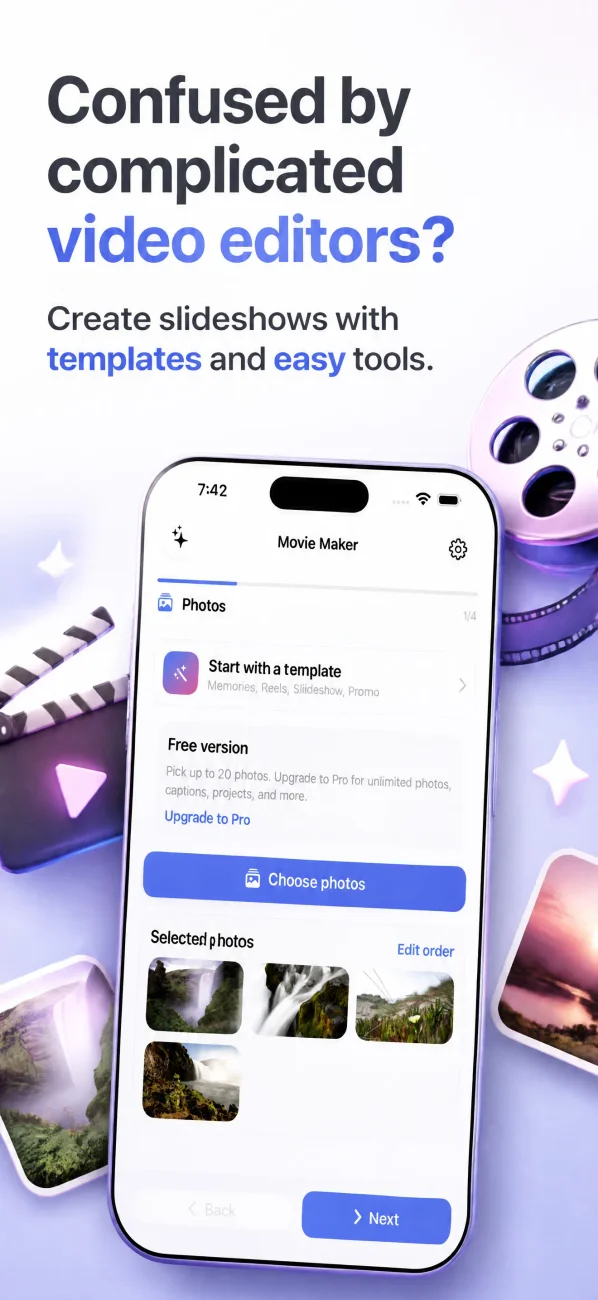
Turn a pile of photos into a polished slideshow video without wrestling with complicated editors. Pick your pictures, add music, preview the result, and share a movie people will actually want to watch.
Movie Maker Slideshow Pro helps anyone make a photo video with music, captions, and simple style controls.
WHAT YOU CAN DO
- Start quickly with slideshow templates like Memories, Reels, Slideshow, and Promo that fill in timing, canvas, and transition choices for you.
- Make a photo video from your pictures, reorder slides, set the pace, and export a video you can save or share.
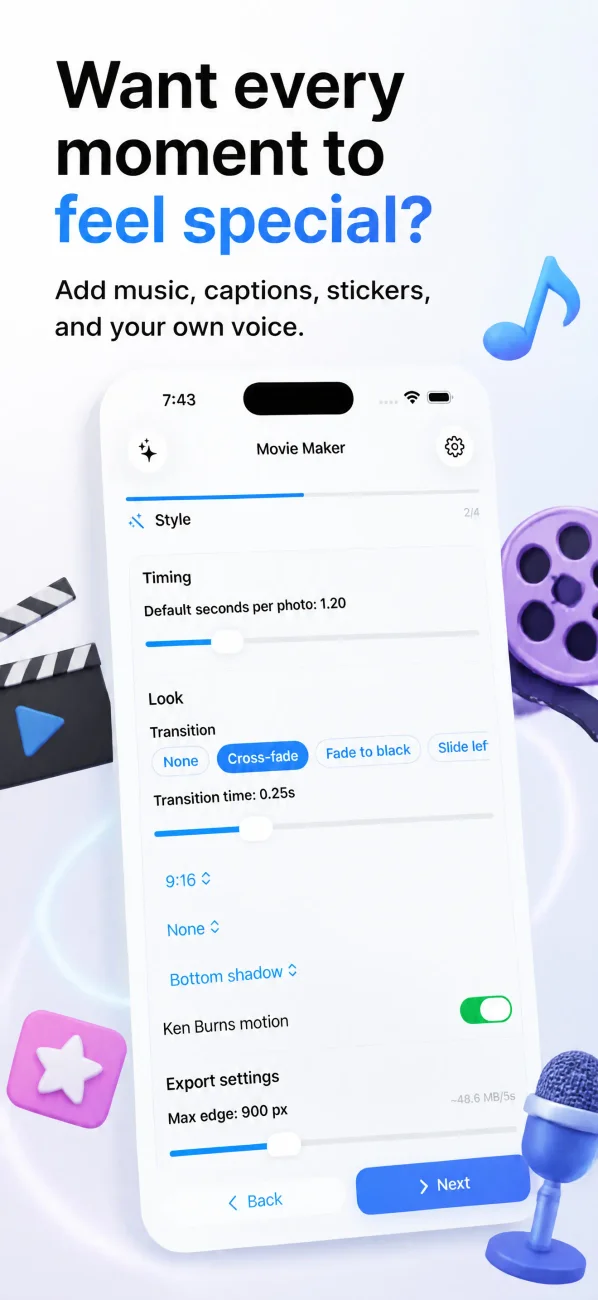
- Pick transitions including Cross-fade, Fade to black, and Slide left, then preview the finished movie before you export.
- Add music from the built-in royalty-free library or choose your own audio, then shape the sound with fade in and fade out controls.
- Scrub your preview from the Photo Strip, tap any thumbnail to jump to that moment, and check recent exports from the tray on the Export step.
- Set the look with canvas sizes like Original, square, portrait, and 4:5, plus filters like None and Mono.
- Add personality with a sticker and Ken Burns motion in free mode, or go further with captions and more slide-by-slide controls in Pro.
PERFECT FOR
Birthday slideshows and family memories.
Quick recap videos for trips, school events, and weekends.
Simple promo clips made from photos.
Portrait slideshow posts with music and text.
Saving your latest photos into one shareable movie.
WHY Movie Maker Slideshow Pro
It keeps the process focused: Photos, Style, Music, Export. You can preview the final video inside the app, use recent exports to share again fast, and even make a slideshow from your latest photos with a built-in shortcut.
Go Pro for bigger projects and more control: use up to 200 photos, add captions on every slide, place stickers on every slide, use extra canvases and filters, and choose added transitions like Zoom blur, Push, Flip, and Swipe. Pro also adds slide-by-slide motion direction, higher-quality export, smoother frame rate choices, project save and load, automatic restore after an interrupted edit, voiceover recording, and a multi-track mixer for music, voice, and sound effects.
Permissions are only requested when needed: photo access for picking or saving videos, and microphone access only when you choose to record voiceover.
Make your next slideshow video in minutes and turn everyday photos into a movie worth sharing.
Terms of Use (EULA) - http://www.apple.com/legal/itunes/appstore/dev/stdeula
What’s new
Version 2.2 · Aug 28, 2026
Bug fixes and enhancements
App privacy
What Sandeep Bhandari declares on the App Store about how this app handles data.
-
Data used to track you
May be used to track you across apps and websites owned by other companies.
- Identifiers
- Usage data
-
Data linked to you
May be collected and linked to your identity.
- Identifiers
- Usage data
-
Data not linked to you
May be collected but is not linked to your identity.
- Diagnostics
Privacy practices may vary, for example with the features you use or your age.
Information
- Seller
- Sandeep Bhandari
- Category
- Photo & Video
- Version
- 2.2
- Updated
- Aug 28, 2026
- Released
- Sep 3, 2016
- Size
- 24.4 MB
- Requires
- iOS 26.0 or later
- Age rating
- 4+
- Price
- Free
- In-app purchases
- Yes
- Languages
- English, Arabic, Dutch, French, German, Hindi, Italian, Japanese, Korean, Polish, Portuguese, Russian + 4 more
- Copyright
- © Indrani Solutions
You might also like
-
 Slide Show Maker ⁺Slideshow Maker, Music Video
-
 MakeMyMovie-Movie makerSlideshow maker photo to video
-
 Photos & Slideshow PixFolioCloud Gallery & Digital Frame
-
 Slideshow MakerSlide show maker with music
-
 Slideshow Maker (SlidePlus)Photo Slideshow with Music
-
 Slideshow Add Music to PhotosPhoto slide show, video maker
-
 Perfect Video Editor, CollageGreen Screen, Movie Maker
-
 Slideshow Maker & Music VideoVideo collage, photo slideshow
-
 Magisto Video Editor & MakerEdit Videos Quickly and Easily
-
 Slideshow Maker Video & PhotoSlide show editor with music