- Age rating4+
- CategoryBusiness
- DeveloperSHARE PAY INTERNET INC
- LanguagesEnglish
- Size37.6 MB
Links to the official App Store page
Download.org hosts no file of MRBOSS iPrint. The button opens its official App Store page, published by SHARE PAY INTERNET INC. Listing last checked on Nov 23, 2026.
Screenshots
About
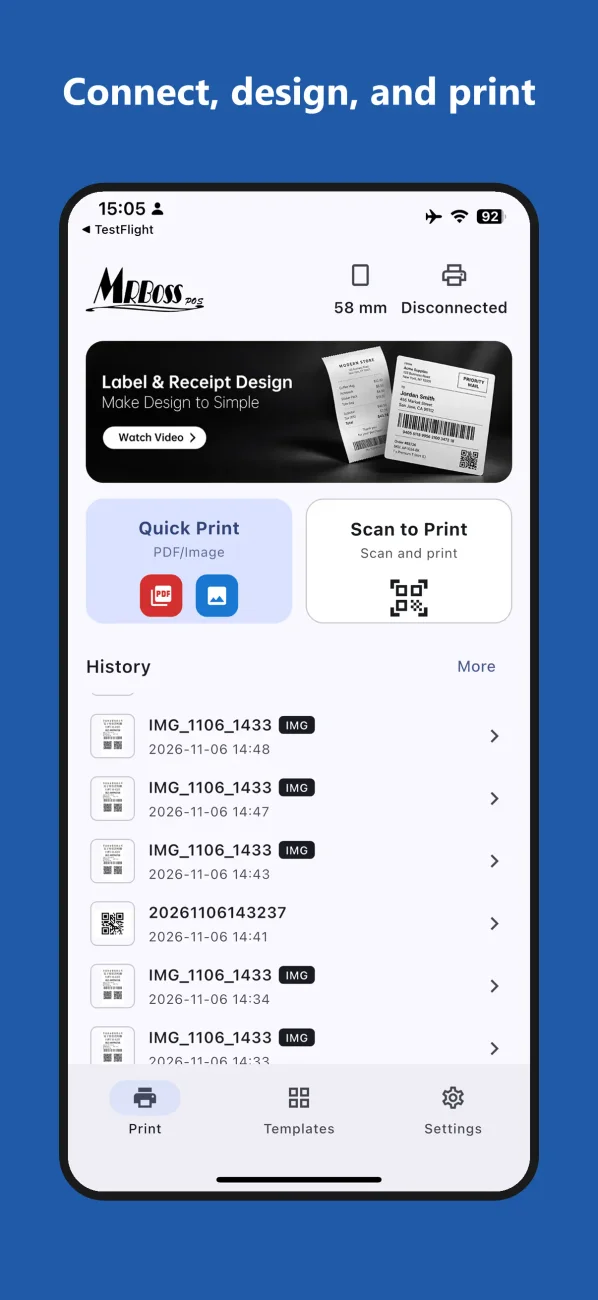
Mrboss iPrint is a label and receipt app for Bluetooth thermal printers. Connect your printer, design a label on the phone, and print it without a computer.
DESIGN ON THE PHONE
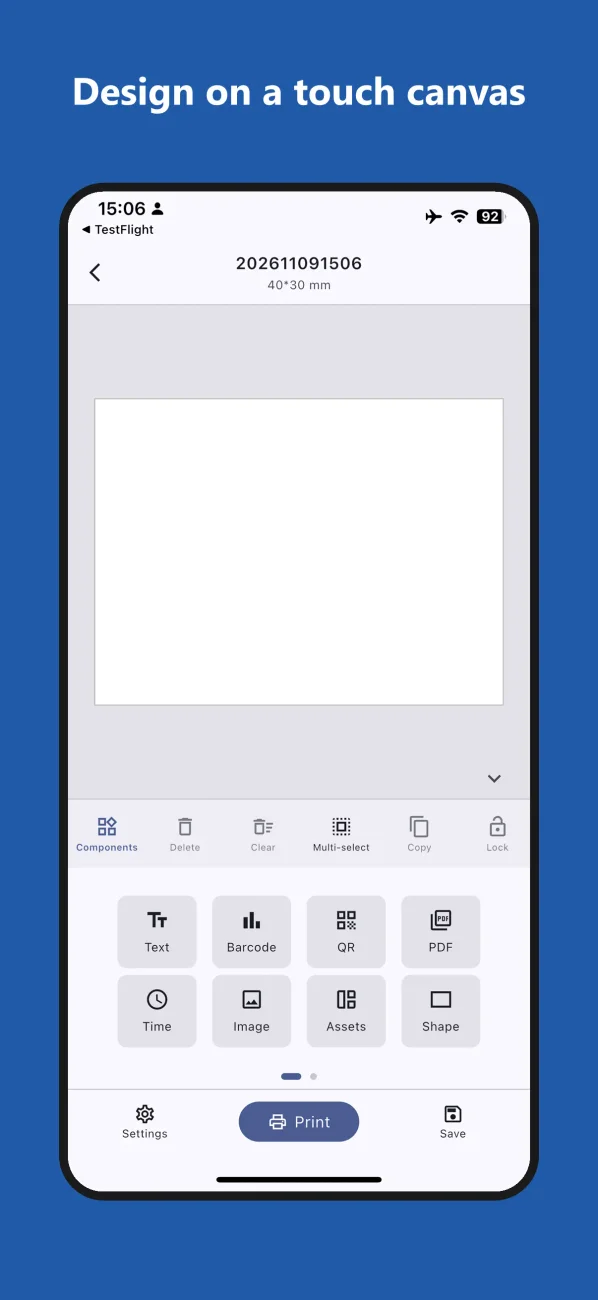
The designer works on a touch canvas at the real label size: 40 x 30 mm, 58 mm rolls, or any custom size you enter. Add text, barcodes, QR codes, dates and times, images, PDF pages, or symbols. Move, resize, rotate, align and lock elements, and use multi-select and copy for repeated layouts.
PRINT LABELS AND RECEIPTS
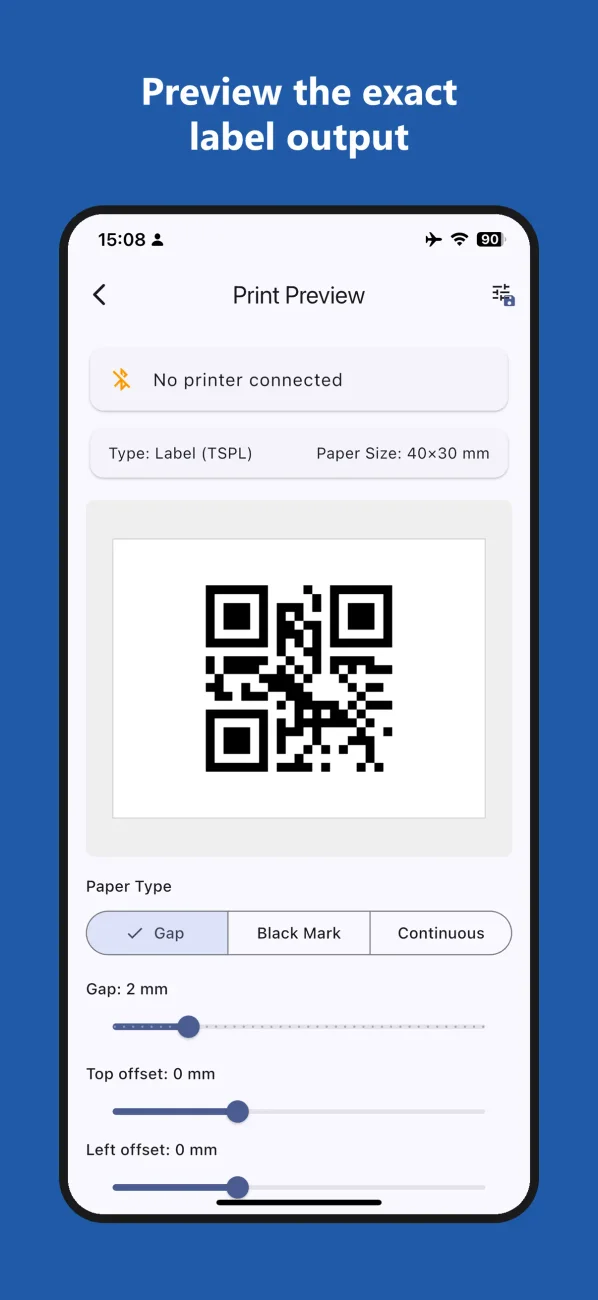
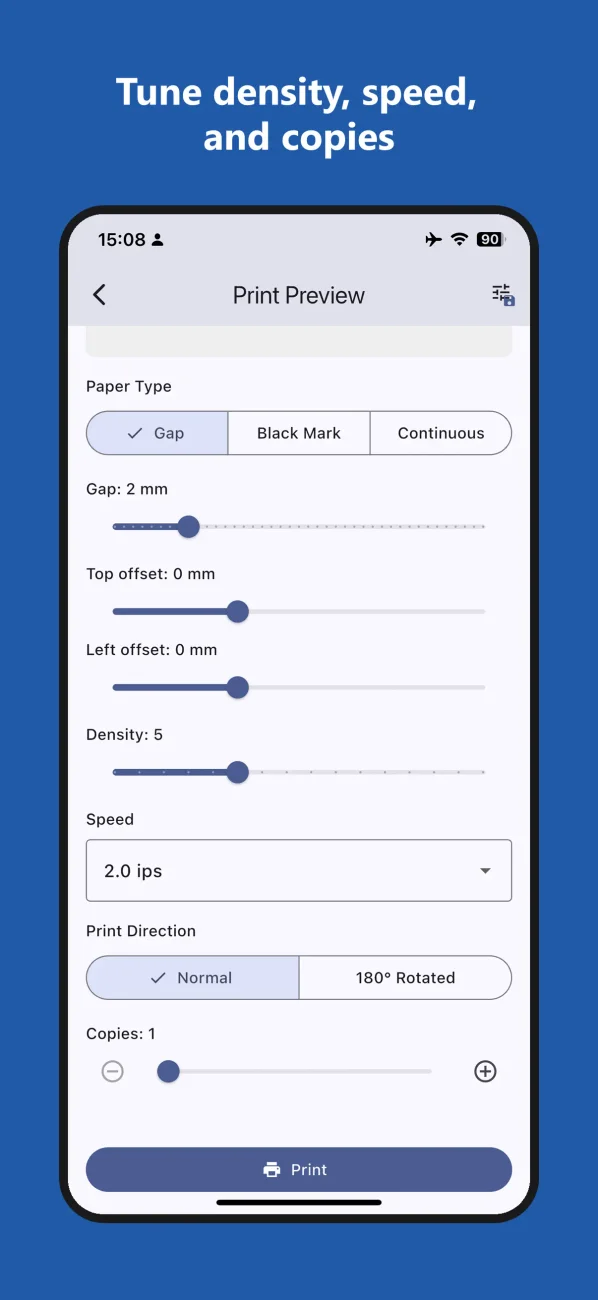
Two print paths are supported: TSPL for label printers and ESC/POS for receipt printers. Before printing you set paper type (gap, black mark or continuous), gap height, top and left offsets, density, speed in ips, print direction, and copies, with a preview of the exact output.
IMPORT, SCAN, AND REPRINT
Send a PDF or an image straight to the printer without opening the designer, fill in label data by scanning a barcode or QR code with the camera, and reprint any job from the history list.
TEMPLATE LIBRARY
Browse professionally designed label templates by category and language, preview them, and download the ones you need. Downloaded templates can be edited, saved to your own templates and printed offline.
PRINTER SUPPORT
Automatic model recognition covers 14 printer profiles, including YD589, YD805, i58DW, i80DW, RP410, CN810, CN811, E2000, KP307, JK-201PL and SX219. Models are matched from Bluetooth advertisement data, so the app applies the right command set and connection settings. Unrecognized printers are filtered out instead of being connected with the wrong protocol.
LANGUAGES
English, Simplified Chinese, Traditional Chinese, Japanese, Korean, German, French, Spanish, Portuguese, Russian, and Arabic.
PRIVACY
No account and no third-party ad SDK. Labels and your own templates stay on your device. We show our own product promotions in the app; they are not targeted and do not use tracking. The app uses the network only to check for updates and to download optional templates, symbols, materials, fonts and promotions from the app's own server.
Note: a Bluetooth label or receipt printer is required to print. Without a printer you can still create designs, save templates and open the print preview.
What’s new
Version 1.0.181 · Nov 19, 2026
Bug fixes and performance improvements.
- Rotated elements on the canvas now drag, align and select correctly.
- The template list menu icon is readable in dark mode.
- Bluetooth printer recognition is more reliable.
App privacy
What SHARE PAY INTERNET INC declares on the App Store about how this app handles data.
-
Data not linked to you
May be collected but is not linked to your identity.
- Usage data
Privacy practices may vary, for example with the features you use or your age.
Information
- Seller
- SHARE PAY INTERNET INC
- Category
- Business
- Version
- 1.0.181
- Updated
- Nov 19, 2026
- Released
- Nov 9, 2026
- Size
- 37.6 MB
- Requires
- iOS 15.0 or later
- Age rating
- 4+
- Price
- Free
- Languages
- English
- Copyright
- © 2026 Share Pay Internet INC
You might also like
-
 FatoraProFatoraPro App
-
 Cash Register MultiManage several currencies
-
 Invoice Maker: BillNovaEstimates, PDF & Payments
-
 Cococart Point of Sale (POS)Take orders from POS
-
 PDF To PPT AppPDF To PPT Convertor
-
 PoS Cash RegisterBusiness
-
 California Water ServiceBusiness
-
 Take App Point of Sale (POS)Take orders & get paid better
-
 EasyStore: Unified CommerceBusiness
-
 inFlow InventoryInventory software made easy