MRI Guard
Protect your devices from MRI
Designed for iPhone
Free · In-app purchases
- Age rating4+
- CategoryUtilities
- DeveloperDavid Grodzki
- LanguagesEnglish+ 9 more
- Size10.7 MB
Links to the official App Store page
Download.org hosts no file of MRI Guard. The button opens its official App Store page, published by David Grodzki. Listing last checked on Nov 13, 2026.
Screenshots

About
Your iPhone and Apple Watch are among your most valuable companions — photos, chats, cards, half your life. And of all places, their most dangerous opponent waits at your workplace: an MRI scanner's magnet is never off. One step too far, and the field can wipe or damage your device — or tear it from your hand. We all know to be careful — and still it happens: an emergency, stress, one moment of distraction — and a device that holds so much is done for.
Made for everyone who regularly deals with MRI: radiographers and MRI technologists, radiologists, other physicians and nurses in hospitals and practices, service engineers and researchers — and patients with a smartphone in their pocket.
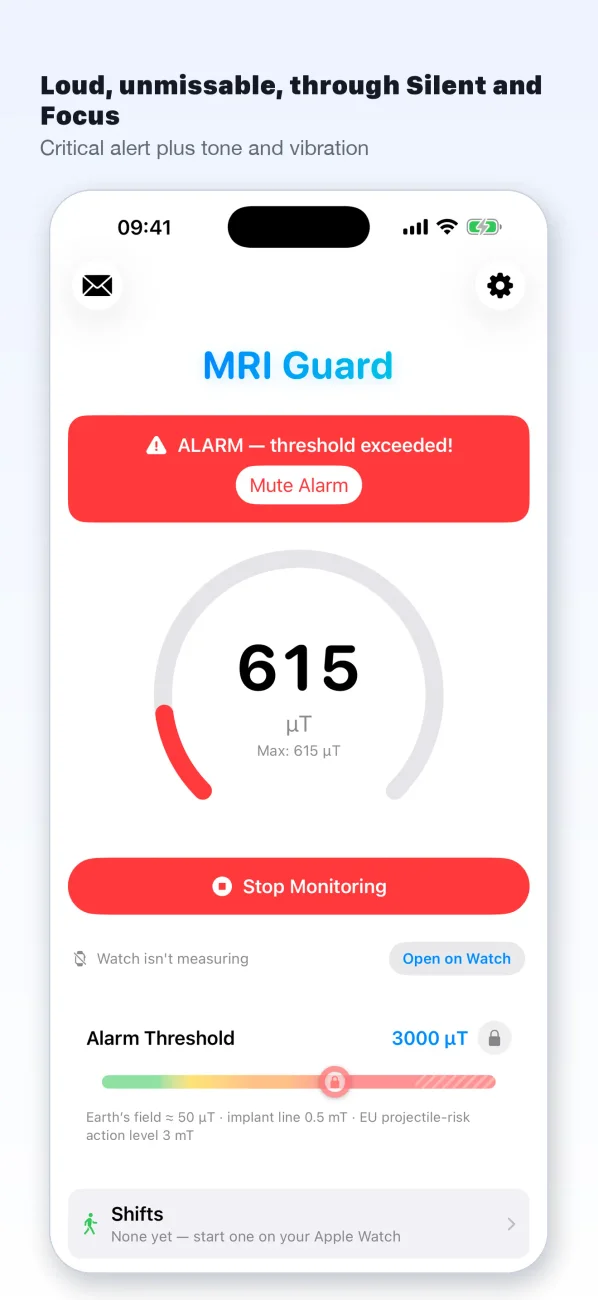
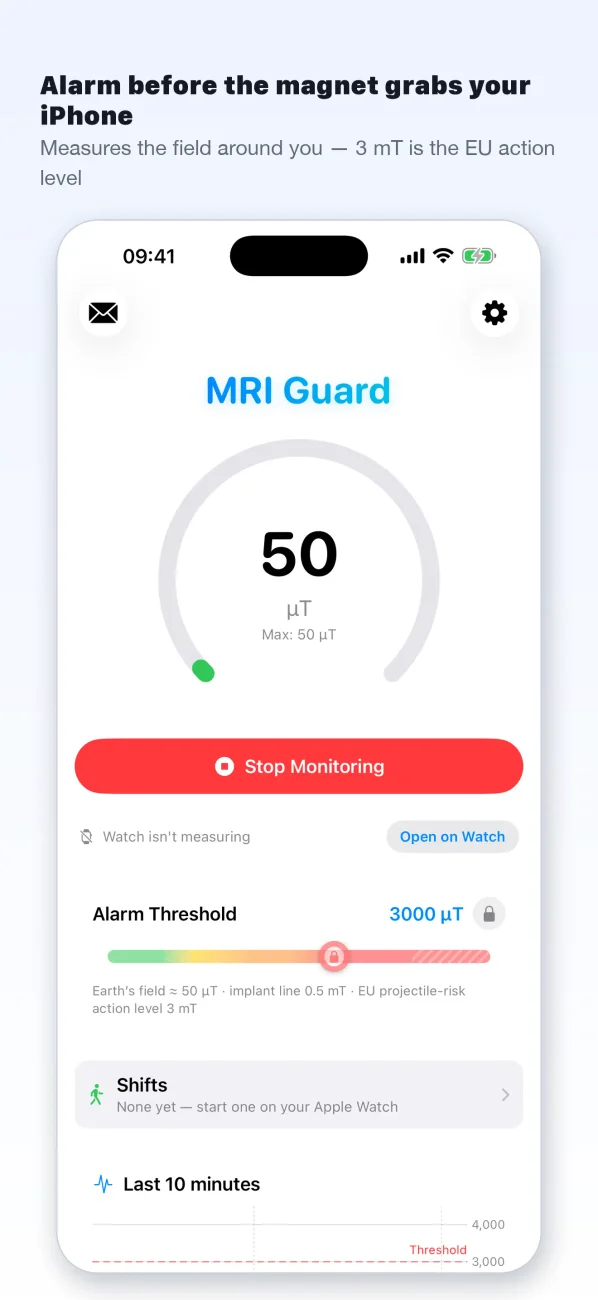
With MRI Guard, your devices protect themselves: the app reads the magnetic field around them and sounds a loud, unmistakable alarm as it climbs toward the danger zone — your moment to stop, check, and step back.
MADE BY AN MRI PHYSICIST
MRI Guard comes from Dr. David Grodzki — MR physicist, inventor of numerous MR patents, and multi-award-winning innovator, including the German Future Award for Technology and Innovation (Deutscher Zukunftspreis), presented by the German President. He builds the app as a hobby, outside his work at Siemens Healthineers — a private project, independent of his employer — and is deliberately careful about what it claims.
WHAT IT DOES
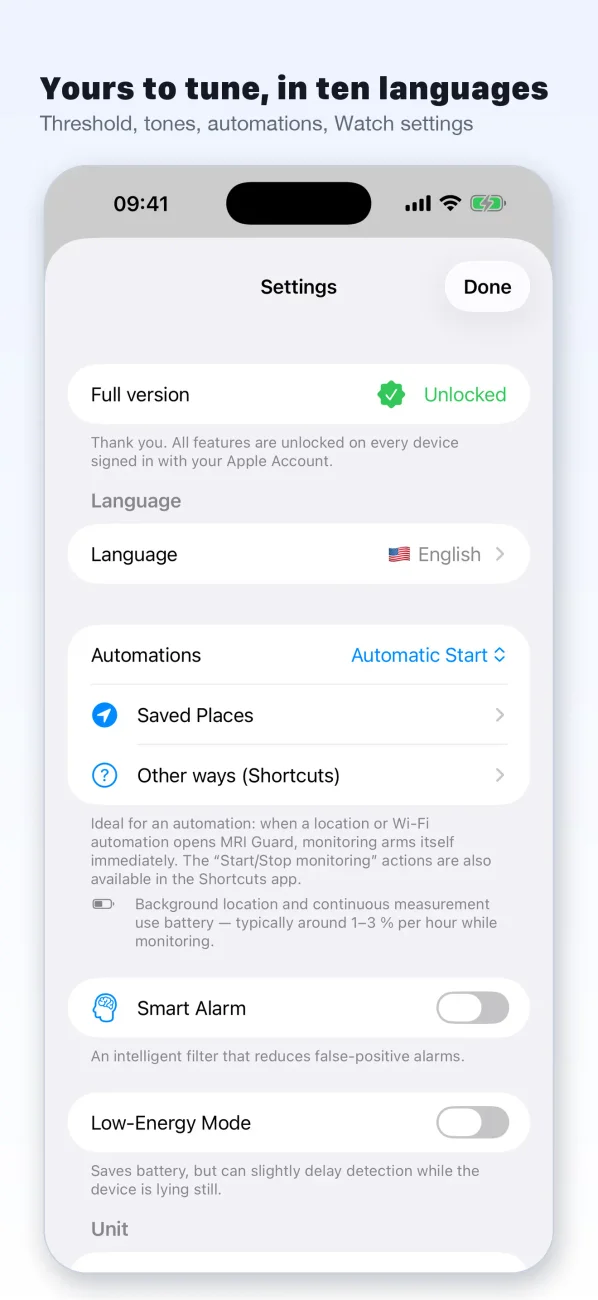
• Live magnetic-field reading with a clear colour scale (green → red)
• Adjustable alarm threshold — default 3 mT, the EU action level for attraction and projectile risk (Directive 2013/35/EU); adjustable from 0.1 to 5 mT
• Loud alarm and vibration when the field crosses your threshold — as a critical alert, through Silent and Focus
• Keeps monitoring in the background, even with the screen locked
• Smart Alarm against false alarms — on by default
• Choose your units: microtesla (µT), millitesla (mT) or gauss (G)
• Pauses itself while charging (induction charging creates fields of its own) and resumes right after
• Warns you when iOS Low Power Mode could delay monitoring
• Share places, alarm and notification settings with colleagues — by link or QR code
• 10 languages
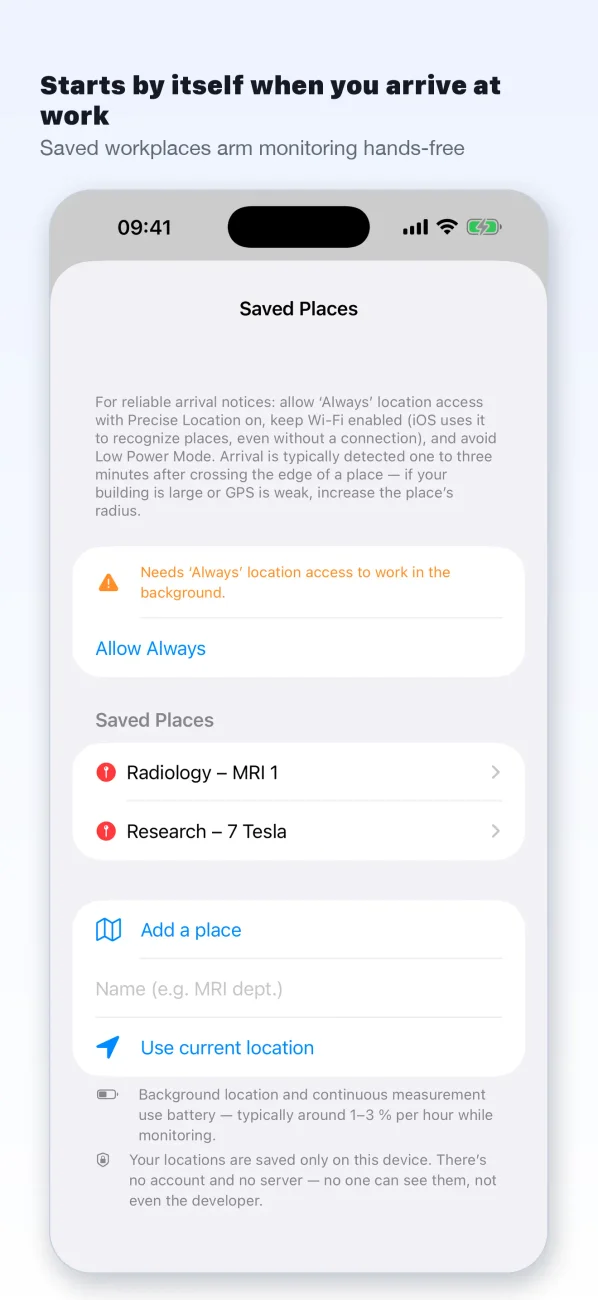
STARTS BY ITSELF AT YOUR WORKPLACE (iPhone)
Save your workplace once and MRI Guard arms itself the moment you arrive — hands-free, with a notification confirming it — and stops when you leave. Prefer to decide yourself? Switch to an arrival reminder and start with one tap instead. For reliable detection, allow 'Always' location with Precise Location on and keep Wi-Fi enabled. Shortcuts and Siri are supported too.
APPLE WATCH: YOUR SHIFT AS A WORKOUT
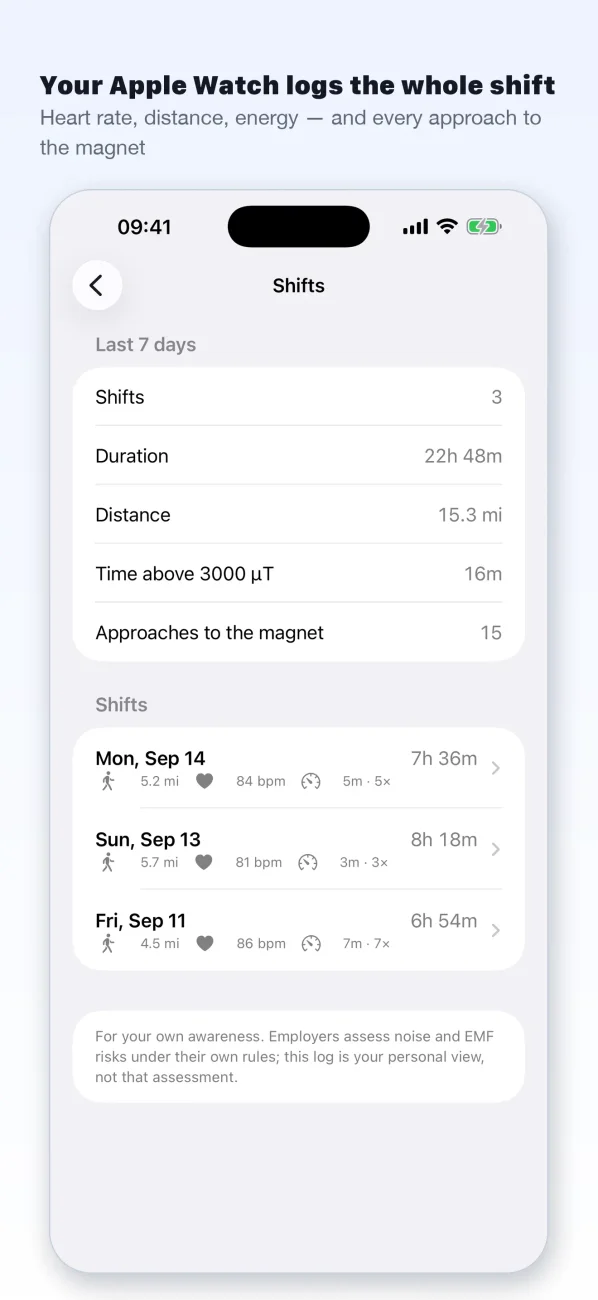
Record your shift as a workout: the watch shows heart rate, distance and energy live and saves the shift to Apple Health as a Walking workout; your rings fill. Summary and history on the iPhone add steps, stand time, daylight and sound level. During the shift the watch also alarms on your wrist when the magnetic field rises. Leave the workplace and the watch asks. Health data stays on your device.
FREE & FULL VERSION
Measuring and the live display are free forever. The alarm, automations, Apple Watch and Shortcuts are part of the full version: try everything free for 3 days, then one single purchase — no subscription.
PRIVATE BY DESIGN
No account, no sign-in. Your saved locations stay on your device — the app never uploads them; they only leave it if you share them yourself. The app can share anonymous, aggregate usage statistics to help improve it — you can turn that off anytime in Settings.
IMPORTANT — PLEASE READ
MRI Guard is an awareness aid, not a certified safety device or medical instrument. The magnetic sensor in a phone or watch is uncalibrated and saturates at a few millitesla, so it cannot measure strong fields accurately and may not react in every situation. Never rely on it for safety-critical decisions. Always follow your site's MR safety rules and use approved measuring equipment. You are responsible for your own safety and your devices.
What’s new
Version 1.3 · Sep 30, 2026
New: share your places, alarm and notification settings with colleagues — by link or QR code.
Longer battery life on Apple Watch.
Searching for and saving your workplace is now easier.
Improved alarm on Apple Watch. Plus smaller improvements and fixes.
App privacy
What David Grodzki declares on the App Store about how this app handles data.
-
Data not linked to you
May be collected but is not linked to your identity.
- Health and fitness
- Usage data
- Diagnostics
Privacy practices may vary, for example with the features you use or your age.
Information
- Seller
- David Grodzki
- Category
- Utilities
- Version
- 1.3
- Updated
- Sep 30, 2026
- Released
- Sep 11, 2026
- Size
- 10.7 MB
- Requires
- iOS 17.0 or later
- Age rating
- 4+
- Price
- Free
- In-app purchases
- Yes
- Languages
- English, Arabic, French, German, Italian, Japanese, Korean, Portuguese, Simplified Chinese, Spanish
- Copyright
- © 2026 David Grodzki
You might also like
-
 RF Safety AssistantRF exposure & EMF calculator
-
 Row PalCrochet & Knit Row Counter
-
 Tension Meter CompanionBRECOflex Belt Tension Meter
-
 Belty - Belt TunerSonic belt tensioner
-
 Dowse: Hidden Camera DetectorBug Sweep & Bluetooth Finder
-
 Ticket HolderWallet for purchased tickets
-
 TimekeptBest way to time any debate
-
 Unwelcome - Predator LocatorOffender Map & Alerts
-
 CarnamicCarnamic Mobile App