MSGEE – Mass Text & Reminders
Texts to many, no group chat
Designed for iPhone
Free · In-app purchases
- Age rating17+
- CategoryBusiness
- Developer(주)넥스텔
- LanguagesEnglish+ 1 more
- Size29.2 MB
Links to the official App Store page
Download.org hosts no file of MSGEE – Mass Text & Reminders. The button opens its official App Store page, published by (주)넥스텔. Listing last checked on Nov 17, 2026.
Screenshots


About
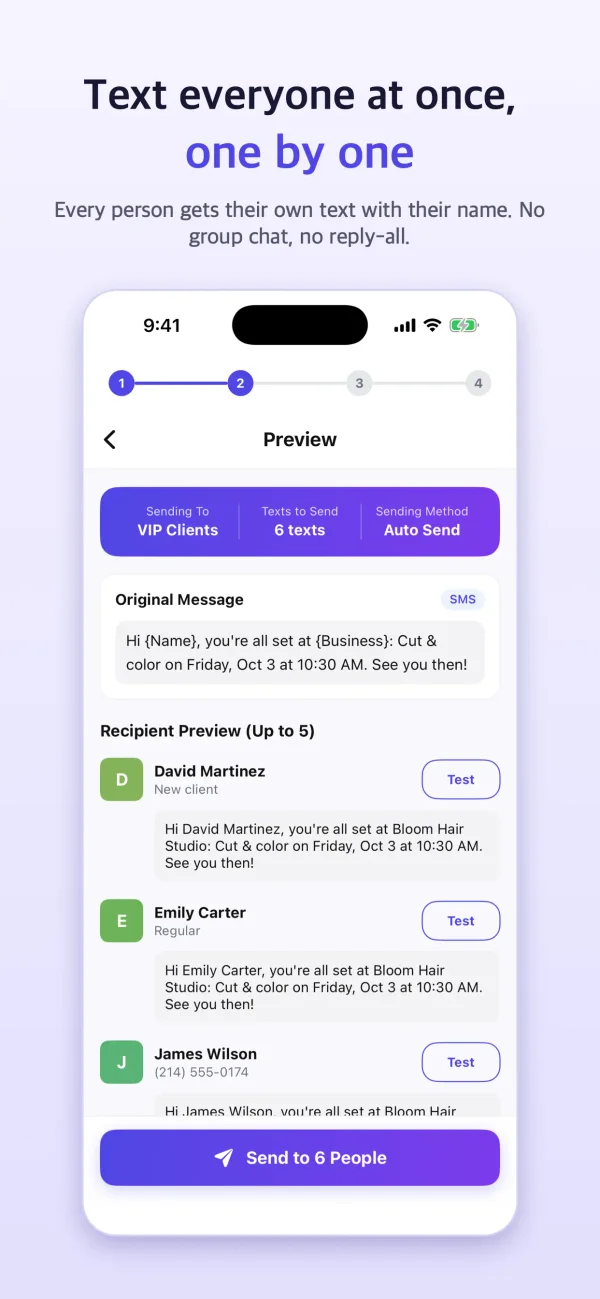
MSGEE lets you text a whole group from your own iPhone number, one person at a time. Everyone gets a personal text with their own name, and nobody sees who else got it. No group chat. No reply-all chaos.
Made for small businesses and busy organizers: salons and barbers, coaches and team parents, churches and nonprofits, and anyone who sends the same update to lots of people.
■ PERSONAL TEXTS, SENT TO MANY
· Pick one or more groups, choose a template, and preview every message before it goes out.
· Add {Name}, {Date}, {Business} and more, and each person gets their own version.
· Someone in two groups? They still get just one text.
· Fill in the blanks like [date] or [time] once, right before you send.
■ TWO WAYS TO SEND
· Auto Send: set up the free "MSGEE Send" shortcut once in Apple's Shortcuts app, and your texts go out one after another without tapping Send for each person.
· Review & Send: no setup. Messages opens for each person and you tap Send.
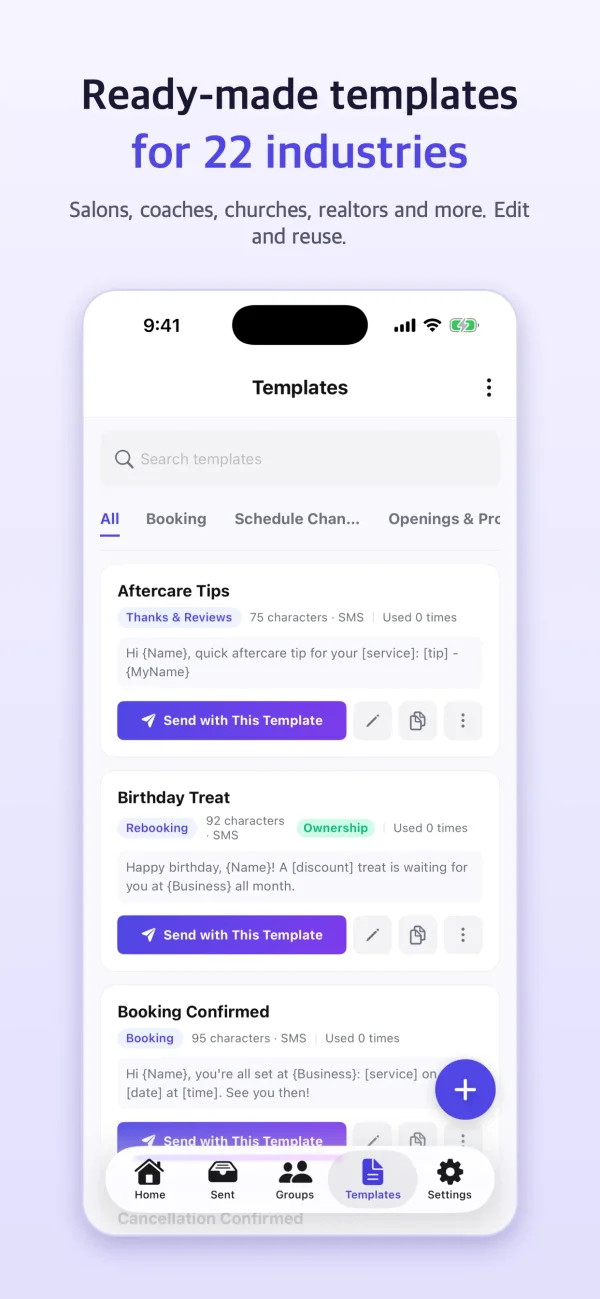
■ READY-MADE TEMPLATES FOR 22 INDUSTRIES
Booking confirmations, reminders, schedule changes, thank-yous, reviews, and promotions for salons, auto repair, fitness, real estate, churches, clubs, tutoring, restaurants, and more. Edit them or write your own.
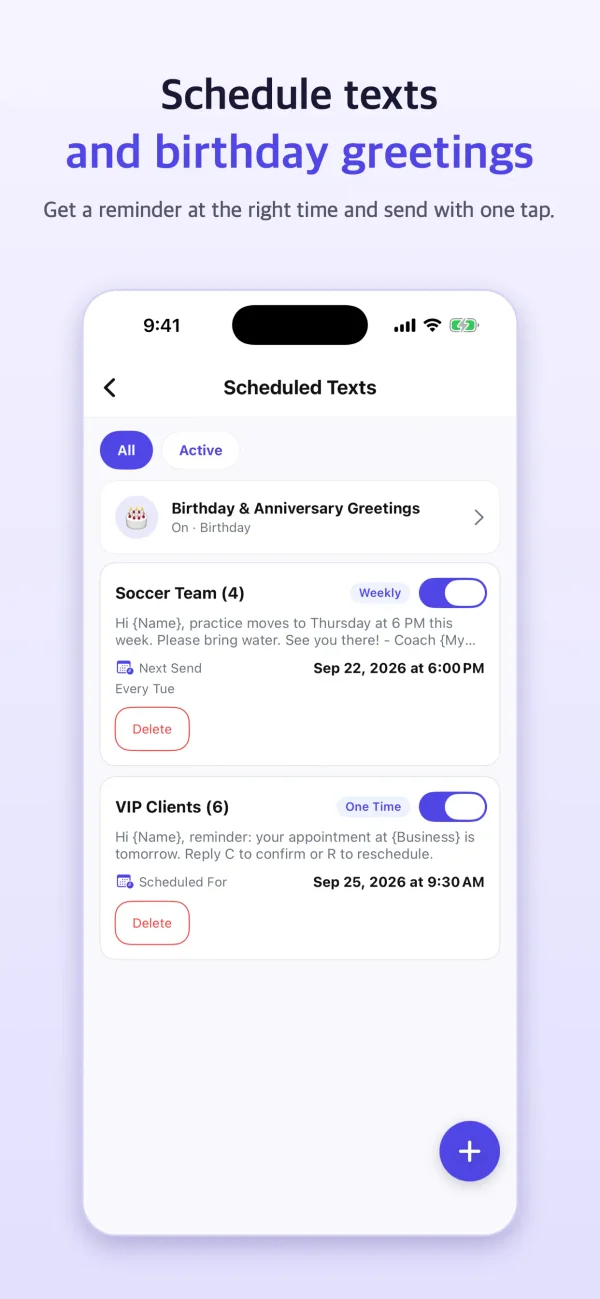
■ SCHEDULED TEXTS AND GREETINGS
· Schedule a text for later, or repeat it daily, weekly, or monthly.
· Birthday and anniversary greetings remind you on the day so you never miss one.
· iPhone apps can't send texts on their own, so MSGEE reminds you and you send with a tap.
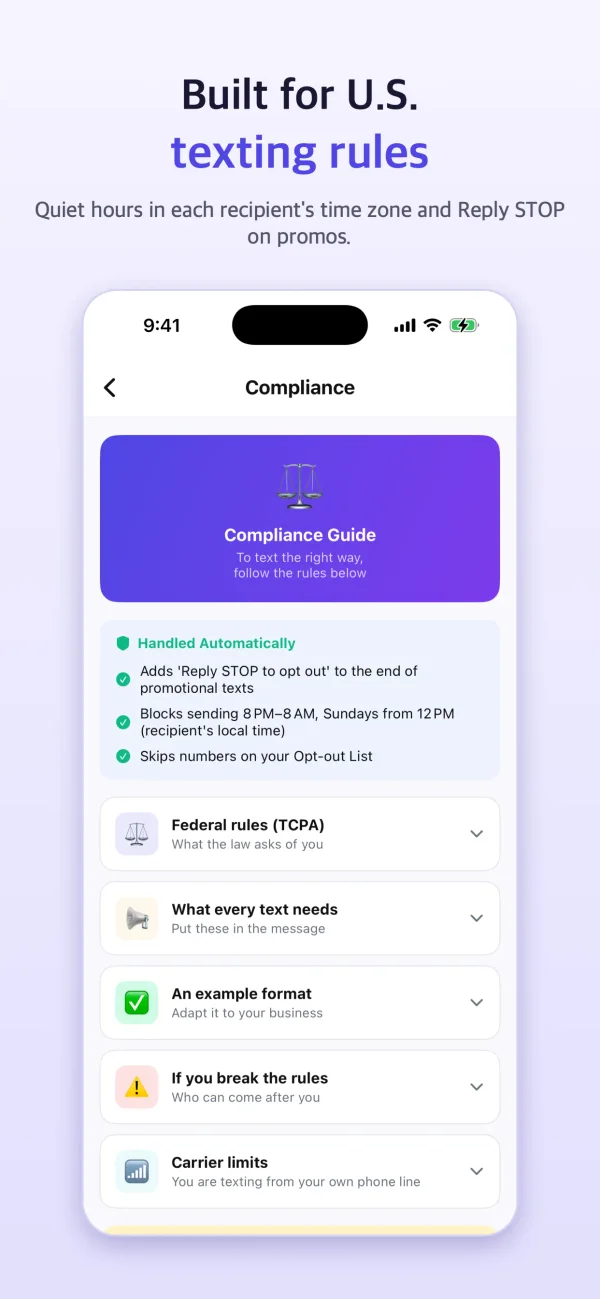
■ HELPERS FOR U.S. TEXTING RULES
· Quiet Hours skip anyone for whom it's 8 PM–8 AM in their own time zone, or Sunday morning, based on the area code.
· Promos to TX, FL, OK, MD, and WA numbers go only to people you marked as opted in.
· Promotional texts automatically end with "Reply STOP to opt out."
· Keep an Opt-out List, record who opted in and how you got their consent, and leave out anyone who already got 3 promotional texts today.
· Hourly, daily, and monthly limits help keep your line out of spam filters.
· A built-in Compliance guide explains the TCPA basics.
■ MORE WAYS TO SAVE TIME (PRO)
· Send to a CSV list with your own columns, like {Appointment} or {Amount}.
· Scan a paper list or business card to add contacts.
· AI Assistant on Apple Intelligence iPhones: polish, change tone, shorten to one text, and check for promotional wording—all on device.
· Widgets, Siri, and a Live Activity that shows sending progress.
■ YOUR DATA STAYS ON YOUR IPHONE
No account, no servers, no ads, no tracking. Your contacts and messages stay on your device. Lock the app with Face ID and back up to a password-locked file.
■ FREE AND PRO
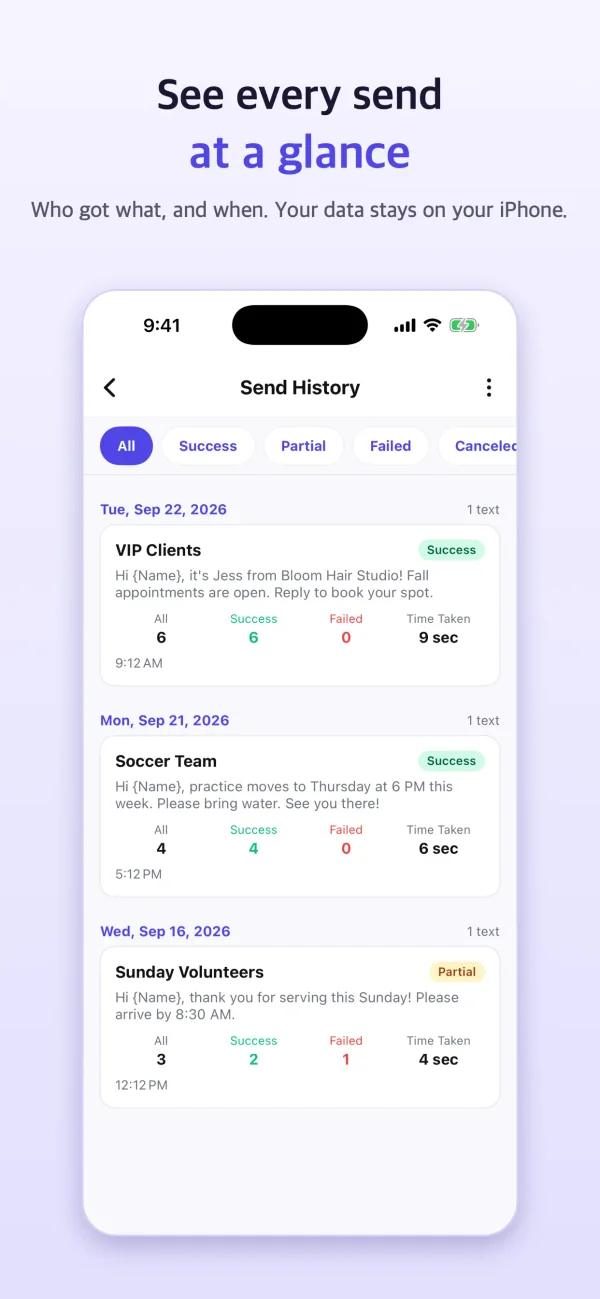
Free: 3 groups, 3 templates, and 30 days of send history.
Pro: unlimited groups and templates, scheduled texts, multiple groups per send, CSV lists, the AI Assistant, and adjustable sending limits.
MSGEE Pro is available as a monthly or yearly auto-renewing subscription, or as a one-time lifetime purchase. Prices are shown in the app.
Payment is charged to your Apple ID account when you confirm the purchase. Subscriptions renew automatically unless canceled at least 24 hours before the end of the current period, and renewal is charged within 24 hours before the period ends. You can manage or cancel subscriptions in Settings > your name > Subscriptions.
Terms of Use (EULA): https://www.apple.com/legal/internet-services/itunes/dev/stdeula/
Additional Terms of Use: http://www.nextel.co.kr/html/msgee_ios_terms_en.html
Privacy Policy: http://www.nextel.co.kr/html/msgee_ios_privacy_en.html
PLEASE NOTE
· Texts are sent from your own phone line, and your carrier's usual messaging rates apply.
· You are responsible for getting consent before sending promotional texts and for honoring opt-outs.
· MSGEE's helpers are not legal compliance: Quiet Hours guess the time zone from the area code, the sending limits are MSGEE's own and not your carrier's, and MSGEE can't read replies, so it can't catch an opt-out or check do-not-call lists.
What’s new
Version 1.3 · Sep 29, 2026
MSGEE is now available in the United States.
• Built for U.S. texting rules: Quiet Hours in each recipient's time zone, "Reply STOP to opt out" on promotional texts, consent records, and promos to TX, FL, OK, MD, and WA numbers only for people you marked as opted in.
• Ready-made templates for 22 industries.
• Birthday and anniversary greetings (Pro): get reminded on the day and send with a tap.
• Backups are now locked with a password you choose.
• Long-press a template to edit it as your own message or copy its text.
App privacy
What (주)넥스텔 declares on the App Store about how this app handles data.
-
Data not collected
The developer does not collect any data from this app.
Privacy practices may vary, for example with the features you use or your age.
Information
- Seller
- NEXTEL CO.,LTD
- Category
- Business
- Version
- 1.3
- Updated
- Sep 29, 2026
- Released
- Sep 29, 2026
- Size
- 29.2 MB
- Requires
- iOS 18.0 or later
- Age rating
- 17+
- Price
- Free
- In-app purchases
- Yes
- Languages
- English, Korean
- Copyright
- 2026 © Nextel Inc. All Rights Reserved.