Multi-Module Counter & Timers
Side by side, all running
Designed for iPhone
In-app purchases
- Age rating4+
- CategoryUtilities
- DeveloperHiroyuki Kako
- LanguagesEnglish+ 6 more
- Size6.4 MB
Links to the official App Store page
Download.org hosts no file of Multi-Module Counter & Timers. The button opens its official App Store page, published by Hiroyuki Kako. Listing last checked on Nov 8, 2026.
Screenshots
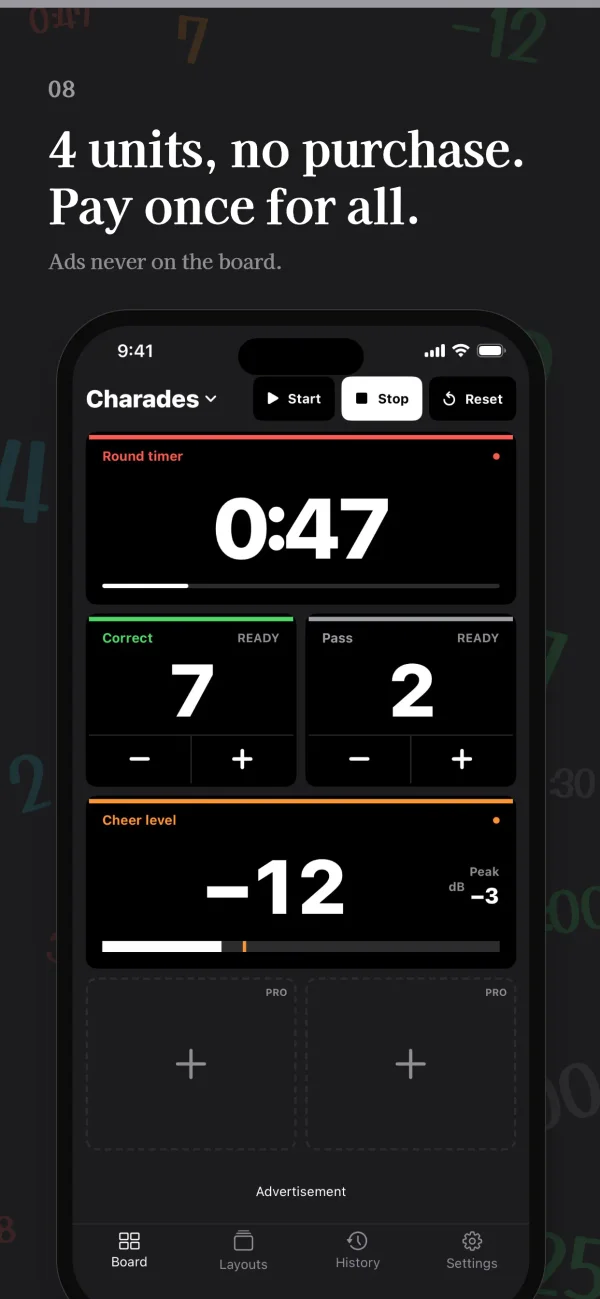
About
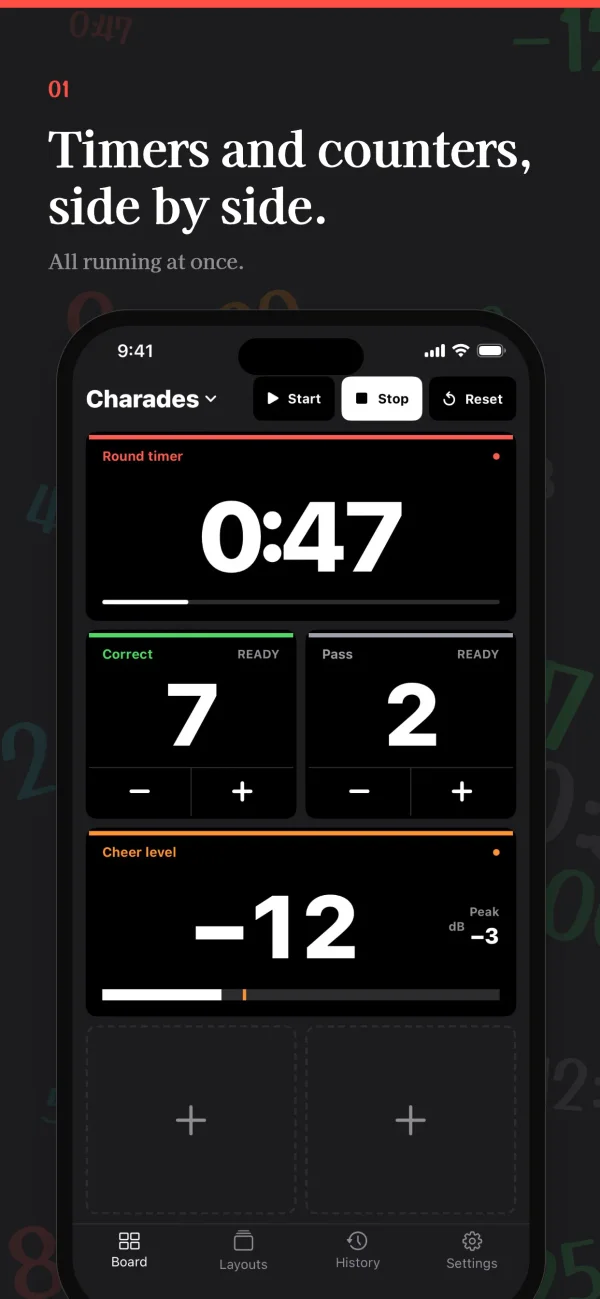
A timer in one app, a counter in another, and you lose count while switching between them. Multi-Module Counter puts all of it on one screen.
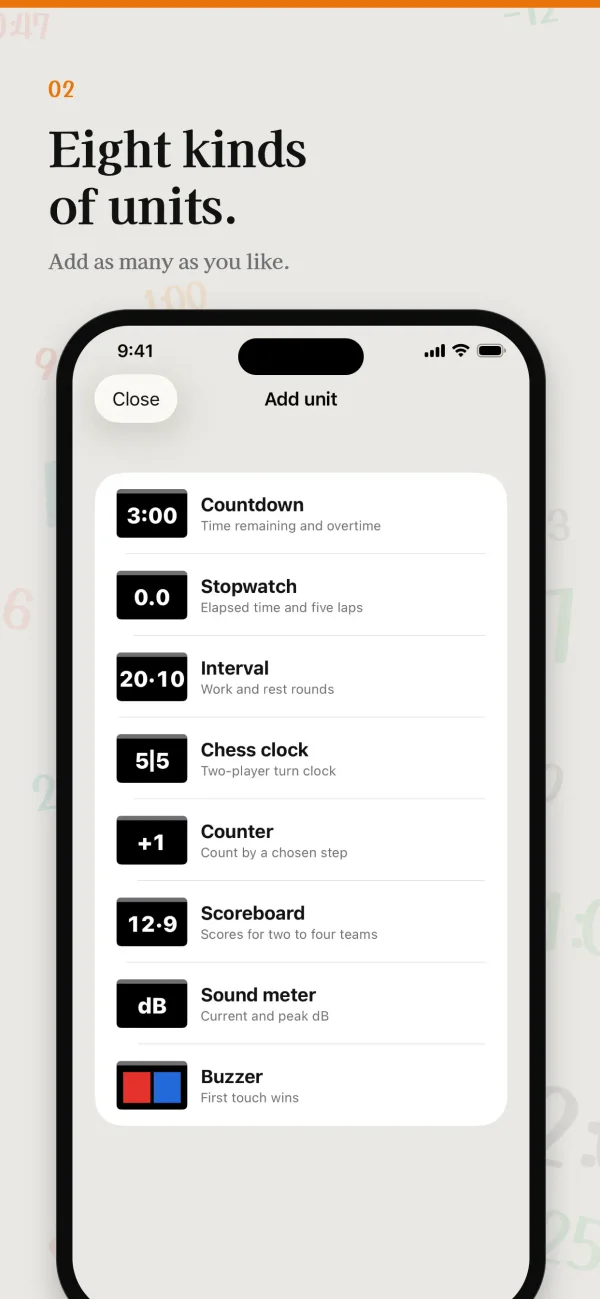
■ Eight kinds of units, as many as you like
• Countdown — keeps counting the overtime after it hits zero
• Stopwatch — with laps
• Interval — work and rest, round after round
• Chess clock — two players, tap to switch turns
• Counter — name it, color it, count with + and −
• Scoreboard — 2 to 4 teams side by side
• Level meter — crowd level in dB with peak hold
• Buzzer — gather around the phone; the first color to tap wins
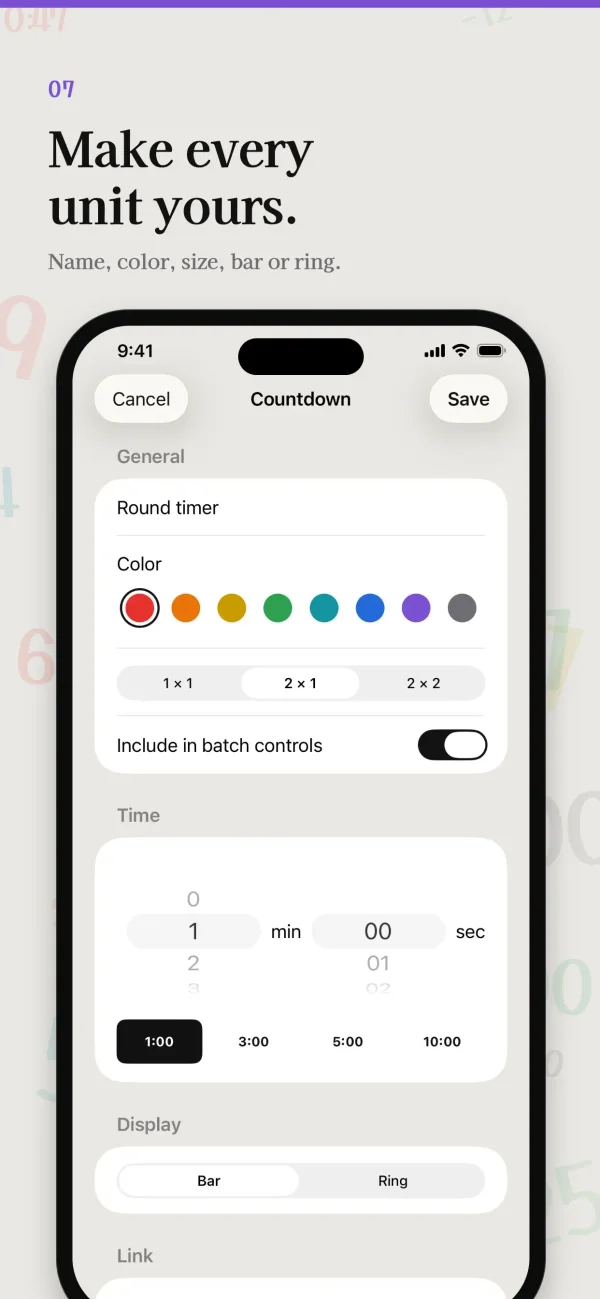
Units come in 1×1 and 2×1 sizes. Timers can show a bar or a ring.
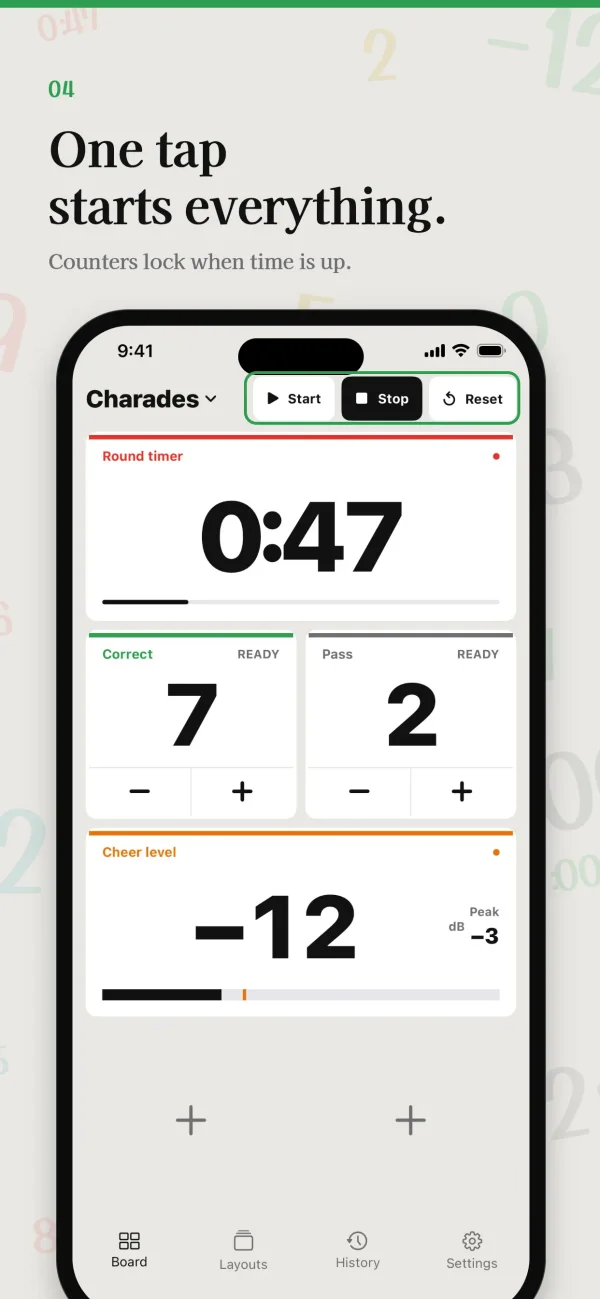
■ One start. Everything runs.
The three keys at the top control the whole board. Link units, like locking a counter the moment a timer runs out, and you get an exact count of what happened within the time.
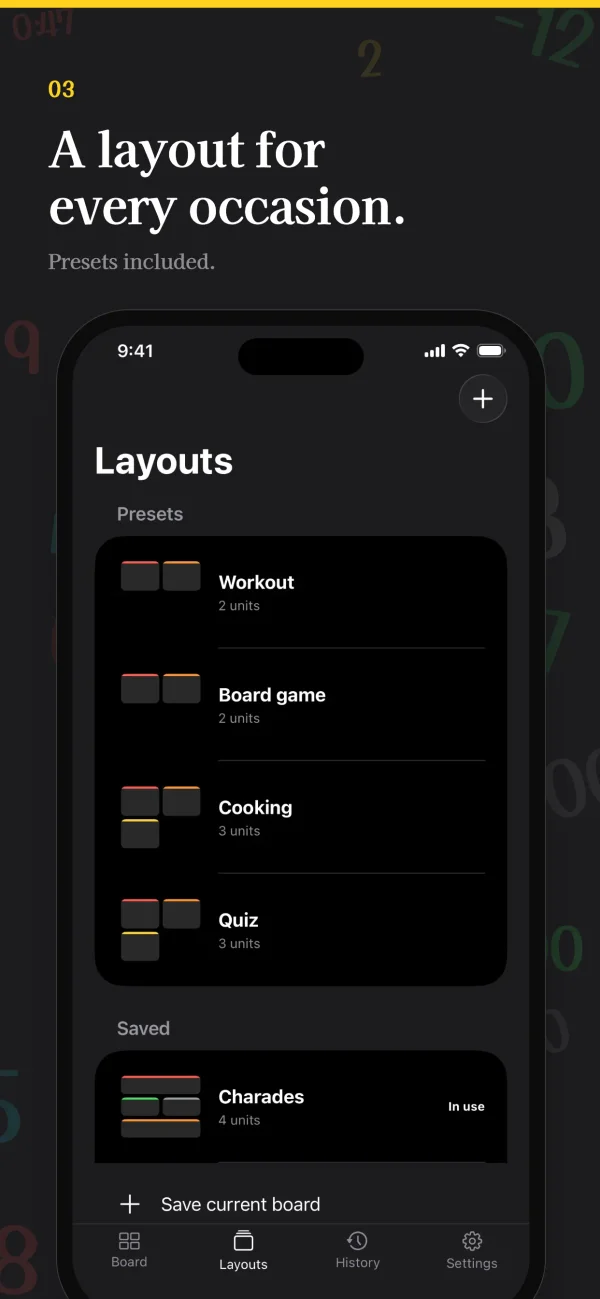
■ Save a layout for every occasion
Charades, workout, board game, cooking, quiz. Start from a preset, then save and switch your own layouts.
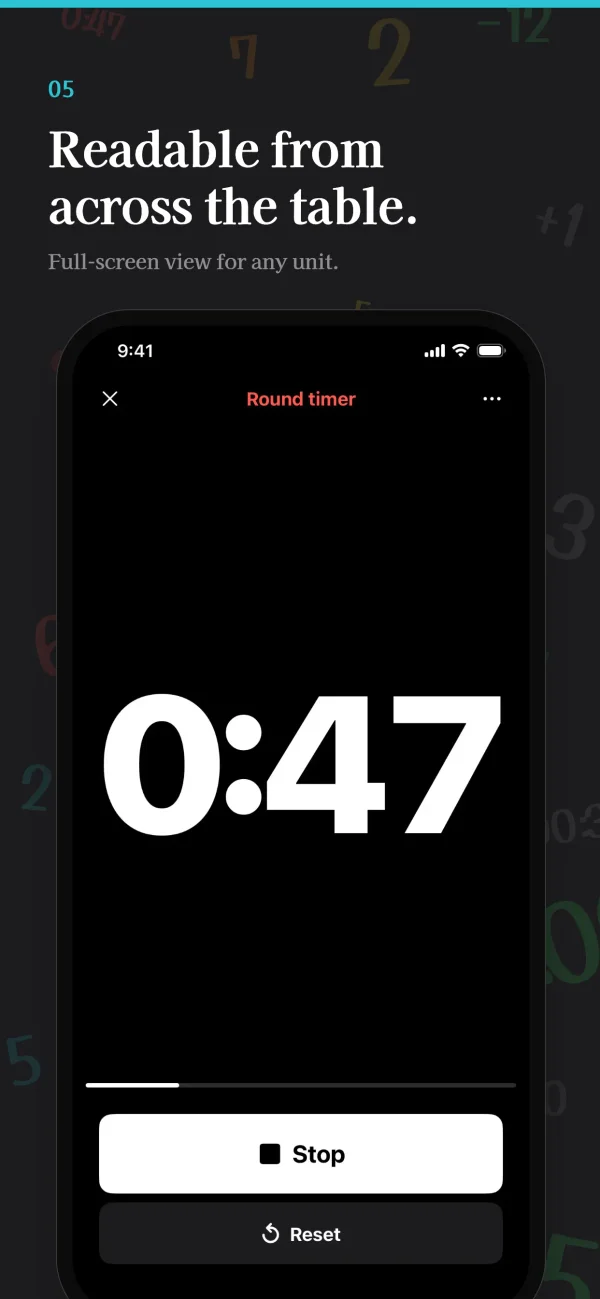
■ Readable from across the table
Big, heavy, monospaced digits you can read with the phone in the middle of the table. Works in portrait and landscape. The last 10 seconds are shown in color and sound (sound can be turned off).
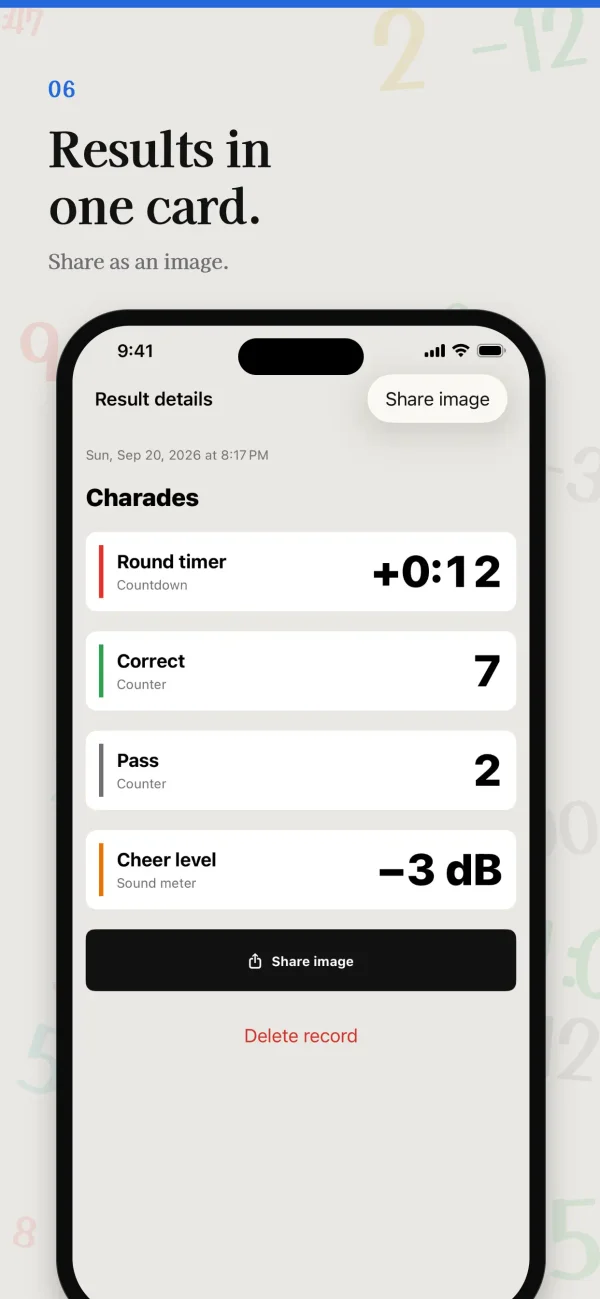
■ Keep and share results
Stop the board and every unit’s final value lands on one result card. Share it as an image.
■ Free
Up to 4 units, 2 layouts and 20 results. One small banner at the bottom of the screen, never on the board, plus a full-screen ad only at natural breaks such as when a timer ends or the board is stopped.
■ Pro (one-time purchase)
• Unlimited units, layouts and results
• iCloud sync
• Ads and share-image watermark hidden
No subscription, no free trial, no upsell.
■ Please note
The level meter uses the phone’s microphone and is indicative only. The buzzer judges tap order on a single device.
Languages: English, Japanese, Chinese (Simplified & Traditional), Korean, Spanish, Portuguese (Brazil)
What’s new
Version 1.0.2 · Oct 31, 2026
• Now optimized for iPhone Duo. You want one, don't you?
• Minor fixes and improvements
App privacy
What Hiroyuki Kako declares on the App Store about how this app handles data.
-
Data used to track you
May be used to track you across apps and websites owned by other companies.
- Usage data
-
Data not linked to you
May be collected but is not linked to your identity.
- Usage data
Privacy practices may vary, for example with the features you use or your age.
Information
- Seller
- Hiroyuki Kako
- Category
- Utilities
- Version
- 1.0.2
- Updated
- Oct 31, 2026
- Released
- Sep 25, 2026
- Size
- 6.4 MB
- Requires
- iOS 17.0 or later
- Age rating
- 4+
- In-app purchases
- Yes
- Languages
- English, Japanese, Korean, Portuguese, Spanish, Traditional Chinese, Simplified Chinese
- Copyright
- © 2026 Kako no Nikomi
You might also like
-
 Hz Lab: Frequency GeneratorMosquito Tone, Water Eject, Hz
-
 NewE BMSUtilities
-
 ++TimerMulti-Timers, Bulk Start/Stop
-
 マルチカウンター - 広告なしで複数管理可能なカウントアプリUtilities
-
 Frequency Generator: Hz Tones528 & 432 Hertz Healing Sounds
-
 Tier List Maker: Build & ShareCreate tiers, share lists fast
-
 Brynhildr - Remote DesktopUtilities