Multi Timer - Run Many At Once
Cooking, Workout & Daily Timer
Designed for iPhone, iPod touch
In-app purchases
- Age rating+4
- CategoryEntertainment
- Developerpilyeong heo
- LanguagesPortuguese+ 8 more
- Size36.5 MB
Links to the official App Store page
Download.org hosts no file of Multi Timer - Run Many At Once. The button opens its official App Store page, published by pilyeong heo. Listing last checked on Nov 27, 2026.
Screenshots
About
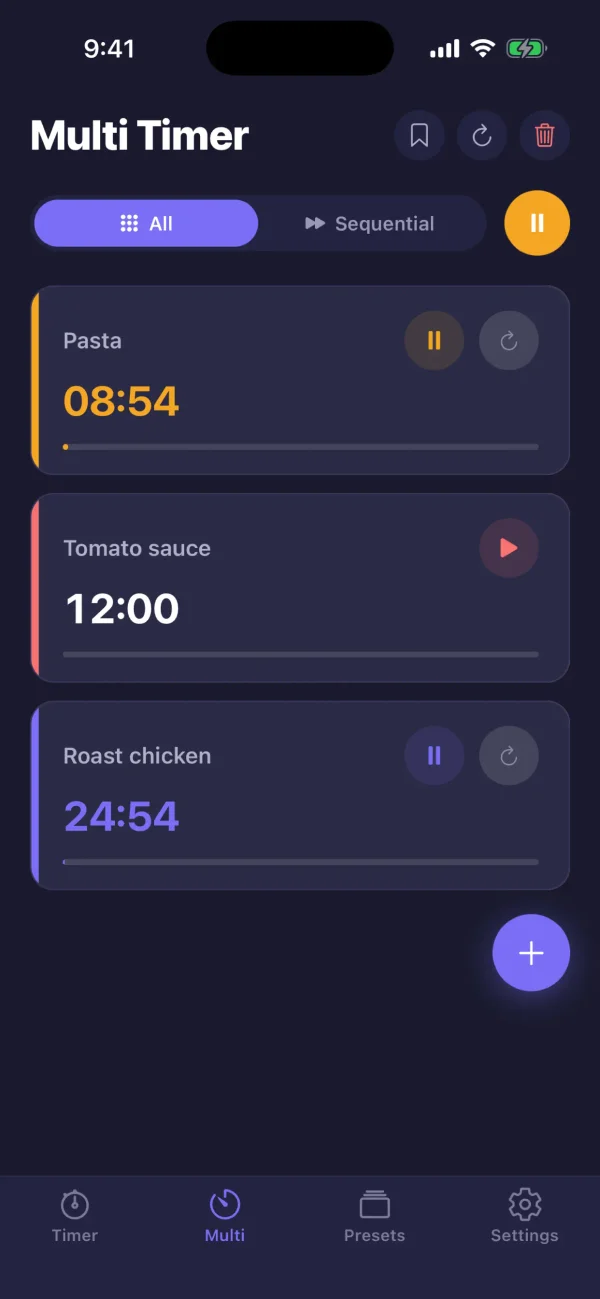
Multi Timer keeps several countdowns running side by side on one screen, each with its own name, colour and time.
Pasta, sauce and garlic bread can each have their own timer, or a workout can hold one timer per set. On the Multi tab every timer starts, pauses and resets on its own, a progress bar shows how much of each one is used up, and a card swipes left to delete it. Ten colour tags tell the timers apart at a glance.
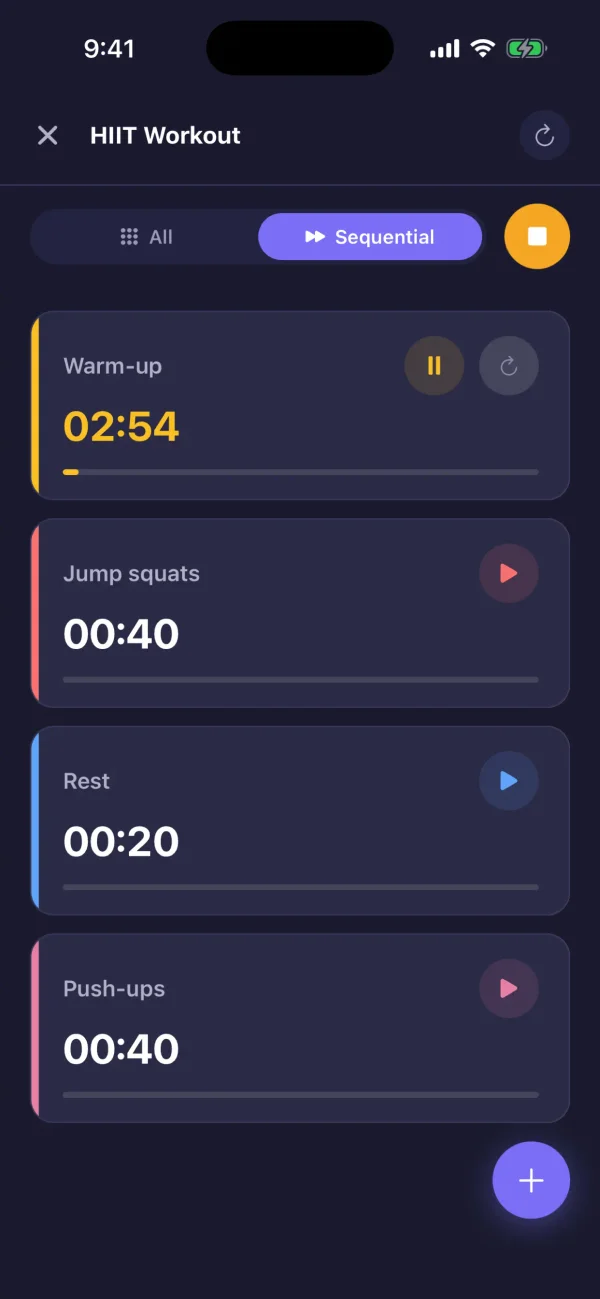
Sequential mode runs the list from top to bottom: when one timer ends, the next one starts by itself, so a routine of warm-up, sets and rest goes through without touching the phone.
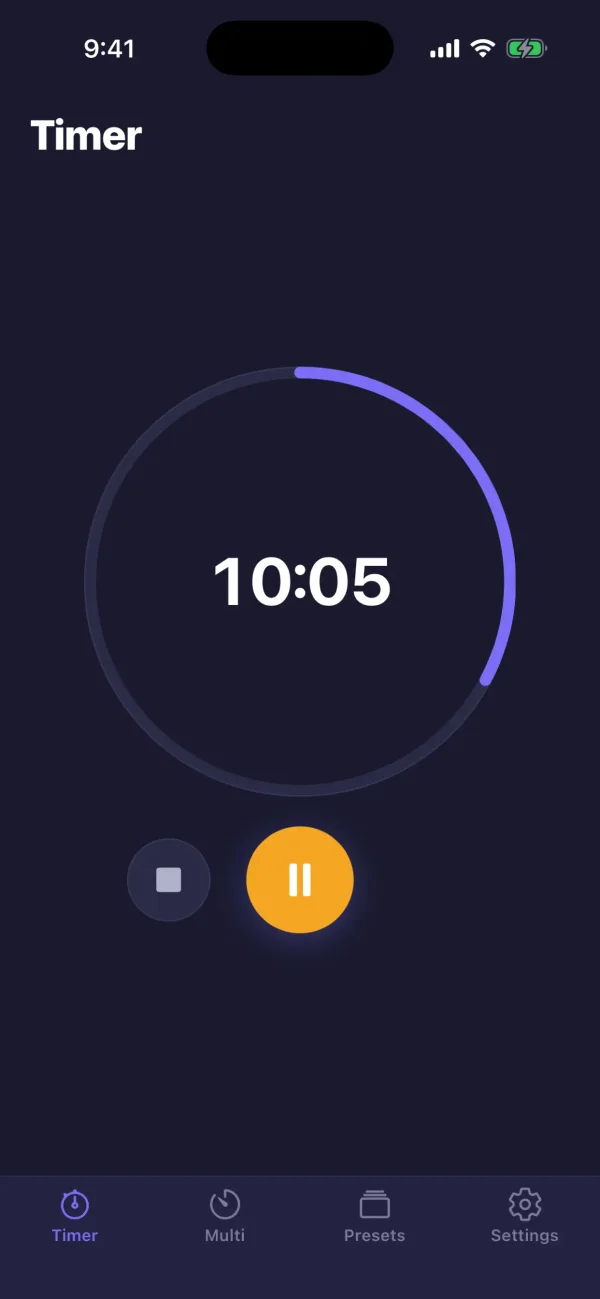
The Timer tab is a single large circular countdown. Tap the circle to pick hours, minutes and seconds, or nudge the time up or down by ten seconds before you start.
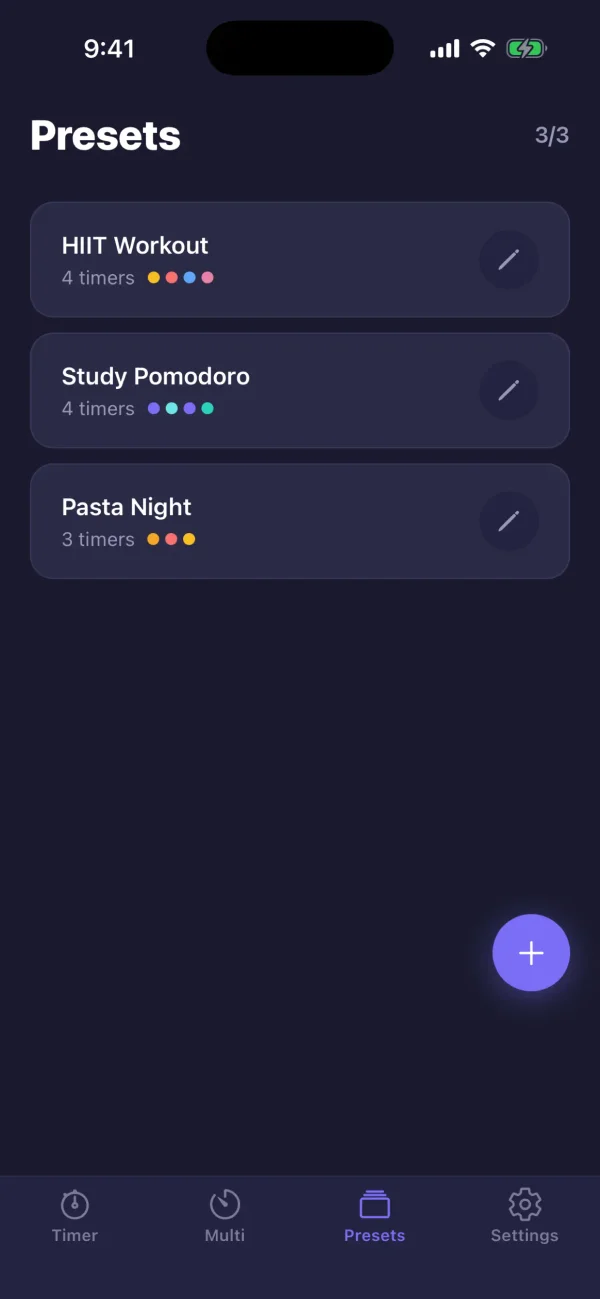
Presets store a set of timers under a name, such as a cooking set or a laundry set. A preset runs on its own screen without changing the timers on the Multi tab, and timers inside a preset can be added, edited or removed. You start with three preset slots, more slots can be opened from the presets screen, and buying Remove Ads lifts the preset limit.
When a timer starts, its countdown appears on the Lock Screen and in the Dynamic Island. If the app is in the background, a notification arrives when the timer ends, and with the app open the phone vibrates for about five seconds. Sound and vibration can each be switched off in Settings, and remaining time is recalculated when you come back to the app.
The app's screens are available in nine languages: English, Korean, Japanese, Simplified Chinese, Traditional Chinese, Spanish, French, German and Portuguese.
What’s new
Version 1.4.0 · Nov 26, 2026
Sequential timers now keep going while your phone is locked, with an alert for each one. Fixed alerts that stayed after you paused, edited or deleted a timer, and the app switching to English by itself. You can hold the arrows to set a time faster and save a timer without a name.
App privacy
What pilyeong heo declares on the App Store about how this app handles data.
-
Data used to track you
May be used to track you across apps and websites owned by other companies.
- Location
- Identifiers
- Usage data
-
Data linked to you
May be collected and linked to your identity.
- Purchases
-
Data not linked to you
May be collected but is not linked to your identity.
- Location
- Identifiers
- Usage data
- Diagnostics
Privacy practices may vary, for example with the features you use or your age.
Information
- Seller
- pilyeong heo
- Category
- Entertainment
- Version
- 1.4.0
- Updated
- Nov 26, 2026
- Released
- Apr 1, 2026
- Size
- 36.5 MB
- Requires
- iOS 15.1 or later
- Age rating
- +4
- In-app purchases
- Yes
- Languages
- Portuguese, German, Simplified Chinese, Traditional Chinese, Korean, Spanish, French, English, Japanese
- Copyright
- © pilyeooong
You might also like
-
 echopaintEntertainment
-
 BingeBinderTV, Book, YouTube video guide
-
 Bubble Wrap ClassicASMR fidget. No ads.
-
 SymfoEntertainment
-
 Coac 2027 Comando CarnavalEntertainment
-
 Wi-FiTALK - Offline IntercomDirect P2P voice chat
-
 APPMAZING FINDEREntertainment
-
 假装在直播Entertainment
-
 Capitol TheaterEntertainment
-
 Aventures des Vals du DauphinéEntertainment