Multimeter Simulator
Simplify Instrument Teaching
Designed for iPhone, iPad, iPod touch
Free · In-app purchases
- Age rating17+
- CategoryUtilities
- Developer沛洁 赖
- LanguagesEnglish+ 10 more
- Size56.7 MB
Links to the official App Store page
Download.org hosts no file of Multimeter Simulator. The button opens its official App Store page, published by 沛洁 赖. Listing last checked on Nov 16, 2026.
Screenshots


About
Multimeter Simulator is a realistic digital multimeter and clamp meter training tool for
electricians, students, and electronics enthusiasts. Practice voltage measurement, current
testing, and resistance checking with accurate real-time simulation—perfect for electrical
engineering learning, circuit testing, and exam prep.
Choose from digital multimeter, analog multimeter, and clamp meter to measure DC/AC
voltage, current, and resistance. Get instant, accurate readings just like a real multimeter
— no real hardware needed.
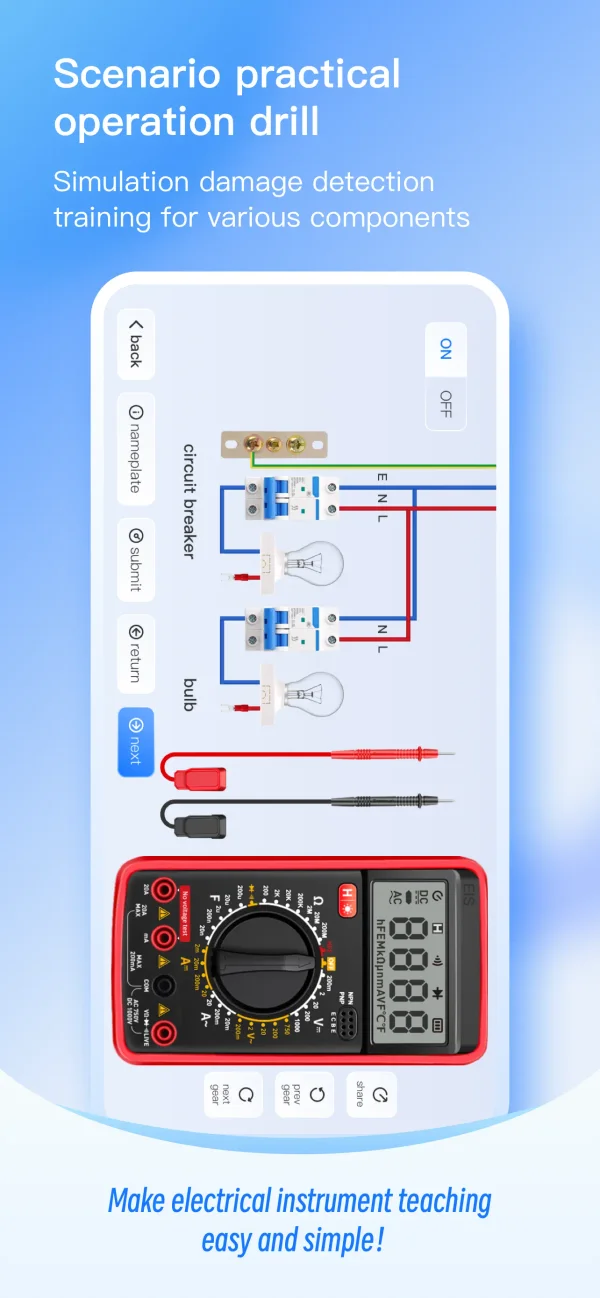
1.Realistic Multimeter Simulation
Select from multiple meter types: digital, analog, and clamp meter. Measure voltage,
current, and resistance with precision. Get instant, accurate readings just like a real
multimeter.
2.Comprehensive Electrical Testing
Test circuits, components, and wiring systems with confidence. Learn to identify faults,
troubleshoot issues, and verify electrical parameters safely — perfect for beginners and
professionals alike.
3.Data Logging & Measurement Analysis
Monitor and record measurement data over time. Track voltage fluctuations, compare
readings, and analyze trends to deepen your understanding of electrical behavior.
4.For Electricians & Students
Whetheryou'repreparingforelectricalcertification,learningelectronicsbasics,or
practicing troubleshooting skills, this app provides hands-on training without the risk of
real equipment.
Why Choose Multimeter Simulator?
- Accurate simulation of multiple multimeter types (digital, analog, clamp meter)
- Real-time feedback with dynamic readings
- Beginner-friendly with clear visual guidance
- No real hardware needed — learn anywhere, anytime
Multimeter Simulator is an educational training tool, not a professional calibration device.
It helps you learn, practice, and master electrical measurement in a safe, simulated
environment.
What’s new
Version 1.0.2 · Aug 19, 2026
Fix known issues.
App privacy
What 沛洁 赖 declares on the App Store about how this app handles data.
-
Data used to track you
May be used to track you across apps and websites owned by other companies.
- Contact info
-
Data linked to you
May be collected and linked to your identity.
- Purchases
- Financial info
- Contact info
- Identifiers
-
Data not linked to you
May be collected but is not linked to your identity.
- User content
- Usage data
- Diagnostics
Privacy practices may vary, for example with the features you use or your age.
Information
- Seller
- 沛洁 赖
- Category
- Utilities
- Version
- 1.0.2
- Updated
- Aug 19, 2026
- Released
- May 13, 2026
- Size
- 56.7 MB
- Requires
- iOS 13.0 or later
- Age rating
- 17+
- Price
- Free
- In-app purchases
- Yes
- Languages
- English, Arabic, French, German, Hindi, Japanese, Korean, Portuguese, Simplified Chinese, Spanish, Traditional Chinese
- Copyright
- © 合肥飞梭科技有限公司
You might also like
-
 E-Light: Circuit SimulatorBuild. Simulate. Calculate.
-
 HVAC AI: Tools & SimulatorDiagnose, PT chart, PDF quotes
-
 SimubusElectrical Wiring Simulator
-
 WireGoCircuit Simulator
-
 PLC Simulator, PLC TrainerPLC Simulator Learning
-
 Electronic Circuit CalculatorTransistor, Op Amp & Filters
-
 PLC Simulator 2, Ladder LogicPLC ladder Logic Simulator
-
 Mike Holt's Electrical ToolboxElectrical Power Calculator
-
 Resistor Calc+Resistor Color Code, SMD Calc
-
 Ref ToolsAll-in-one HVACR app