- Age rating4+
- CategoryProductivity
- DeveloperJunpei Okumura
- LanguagesEnglish
- Size1.0 MB
Links to the official App Store page
Download.org hosts no file of MultiTranslate: AI Translator. The button opens its official App Store page, published by Junpei Okumura. Listing last checked on Nov 20, 2026.
Screenshots

About
MultiTranslate is an AI translation app that turns one sentence into translations for many languages at once.
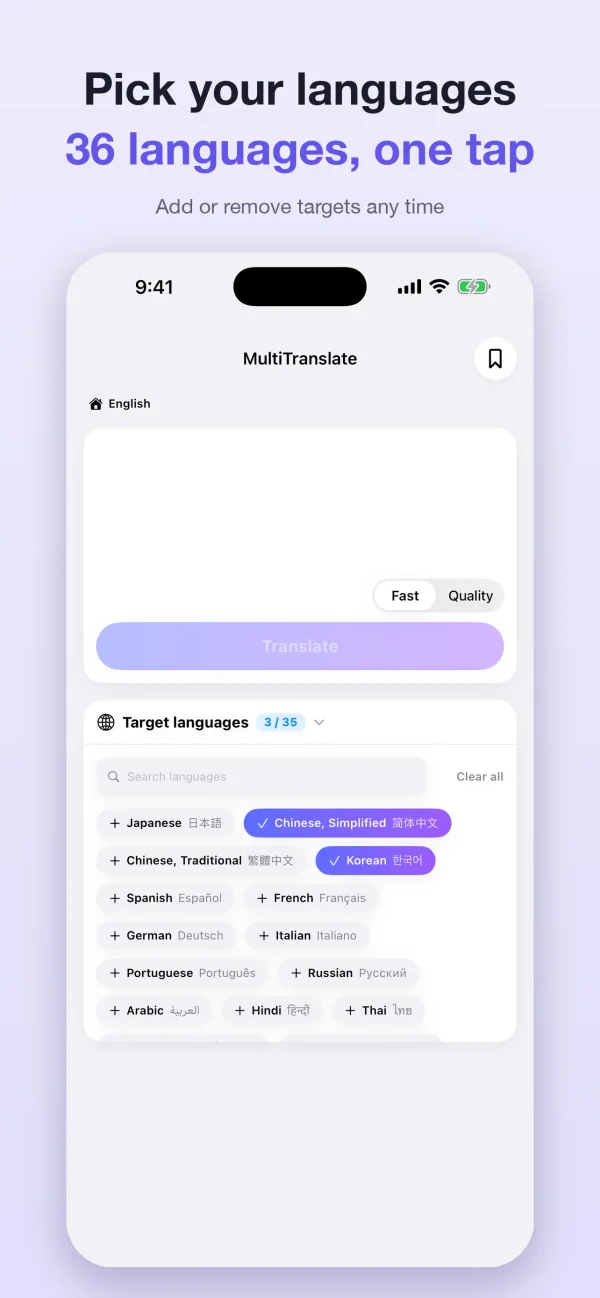
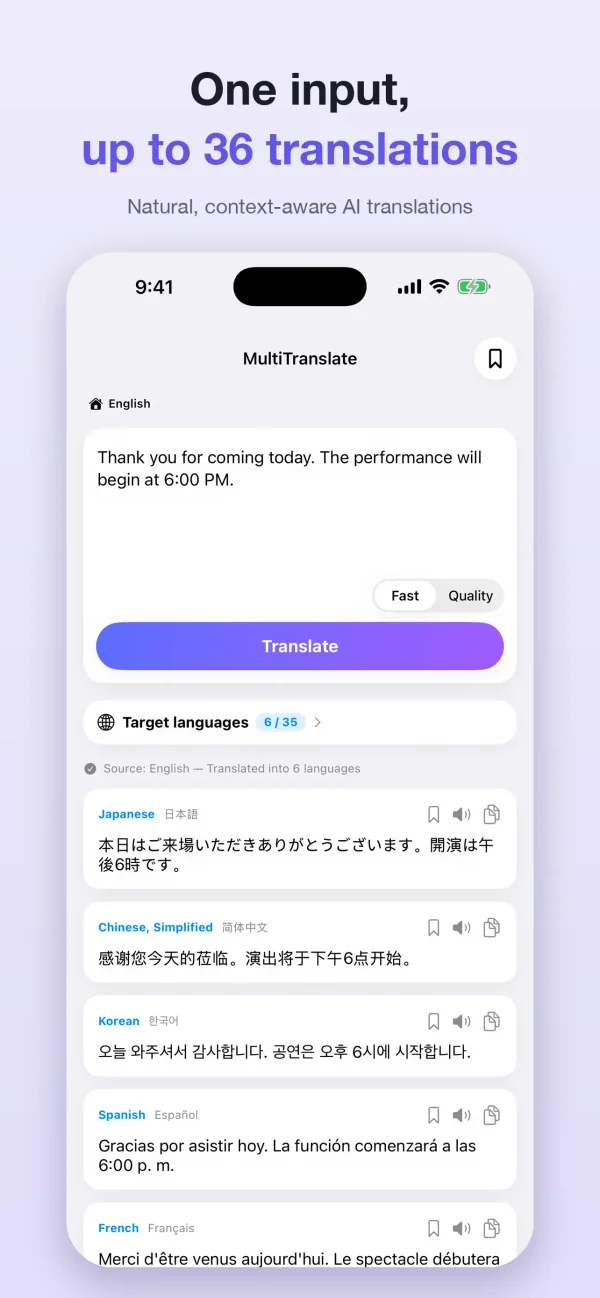
■ One input, up to 36 languages
Tap the languages you need, type your sentence, and every translation appears side by side. English, Chinese (Simplified/Traditional), Korean, Japanese, Spanish, French, German, Portuguese, Arabic, Hindi, Thai, Vietnamese and more – 36 languages in total.
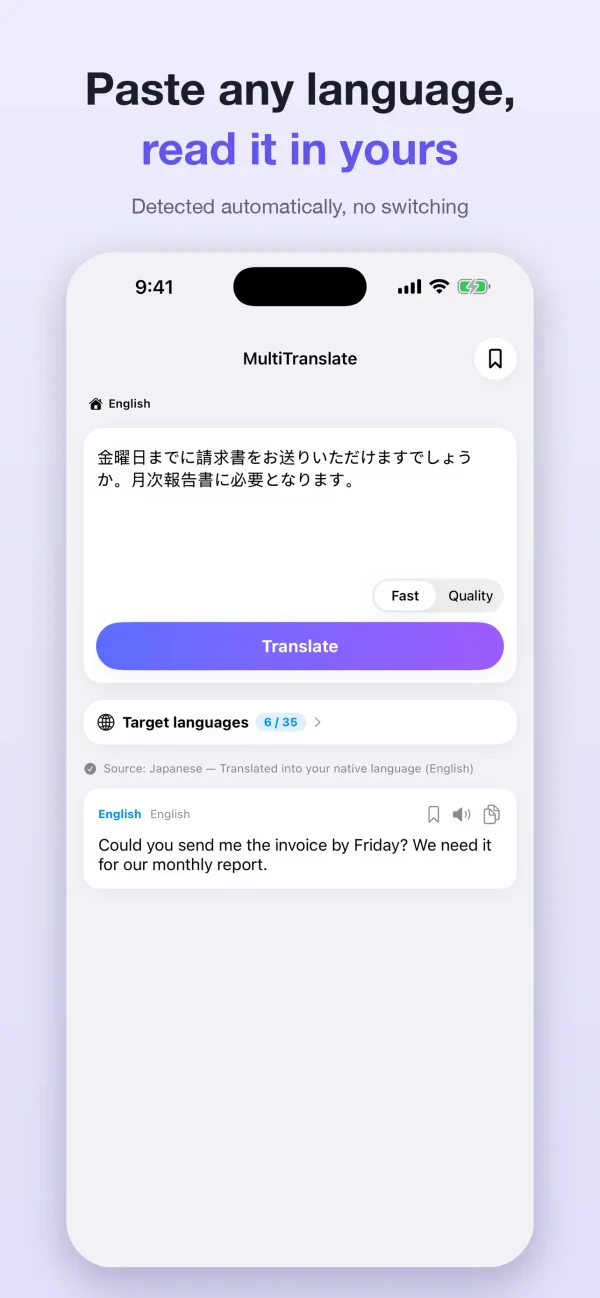
■ Foreign text is translated into your language automatically
Paste a message you received from abroad. The language is detected automatically and translated into your native language. No switching required.
■ Natural AI translations
Translations that keep the meaning, tone and level of politeness of the original, ready to use in business email or travel conversations. Choose between Fast and Quality modes.
■ Spoken audio
Hear each translation read aloud with native pronunciation – check how it sounds, or play it to the person in front of you.
■ Keep the translations you need
Bookmark phrases you use often. Search, copy and replay them anytime.
■ The app speaks your language
Choose your native language once and the whole app – buttons, messages and language names – switches to it. All 36 languages are supported, including right-to-left layouts for Arabic, Hebrew, Persian and Urdu.
■ Great for
• Email and chat with overseas partners
• Serving international customers and writing multilingual signs
• Asking questions and making requests while traveling
• Posting in several languages on social media
• Comparing example sentences while learning a language
* An internet connection is required for AI translation.
* If the AI service is unavailable, the app automatically falls back to a backup AI, and then to Apple's on-device translation (iOS 18 or later).
What’s new
Version 1.0.2 · Sep 23, 2026
• The app now speaks your language: choose your native language and every button and message switches to it (36 languages, including right-to-left layouts)
• Faster, more reliable translation: a backup AI engine kicks in automatically when the main service is busy
• Search your saved translations by keyword and filter them by language
• Tap one side of a saved translation to hide it and quiz yourself, like a flashcard
• Place the cursor inside a translation to select just part of it
• Fixed cases where translation could stall for a long time
App privacy
What Junpei Okumura declares on the App Store about how this app handles data.
-
Data not linked to you
May be collected but is not linked to your identity.
- User content
Privacy practices may vary, for example with the features you use or your age.
Information
- Seller
- Junpei Okumura
- Category
- Productivity
- Version
- 1.0.2
- Updated
- Sep 23, 2026
- Released
- Jul 20, 2026
- Size
- 1.0 MB
- Requires
- iOS 16.0 or later
- Age rating
- 4+
- Languages
- English
- Copyright
- © 2026 Junpei Okumura
You might also like
-
 Multi Translate AIInstant Voice |Text Translator
-
 Fingerboard - Metronome -Productivity
-
 GlotDojo - Video TranslatorDual Caption and Look-up
-
 HotPlot AI: Short Drama MakerPlan, script & storyboard
-
 FaceTap for FaceTime CallFace Time Dialer & Video Chat
-
 Superhuman DocsWhere teams and AI work best.
-
 Raindrop.ioAll in One Bookmark Manager
-
 UpNote - notes, diary, journalBeautiful. Simple. Easy to use
-
 Galarm - Alarms and RemindersNever Miss Anything!
-
 Boost Cleaner: Cleanup StorageClean Duplicate Photos&Videos