- Age rating17+
- CategoryUtilities
- DeveloperHTLab
- LanguagesEnglish
- Size14.1 MB
Links to the official App Store page
Download.org hosts no file of MultiWeb.View. The button opens its official App Store page, published by HTLab. Listing last checked on Nov 12, 2026.
Screenshots

About
MultiWebView is a smart browser app that lets you view multiple web pages simultaneously.
You can monitor news, social media, development documents, dashboards, and other information sources on a single screen.
Key Features
• Multi Web View Display: Split-screen multiple sites and freely adjust the layout.
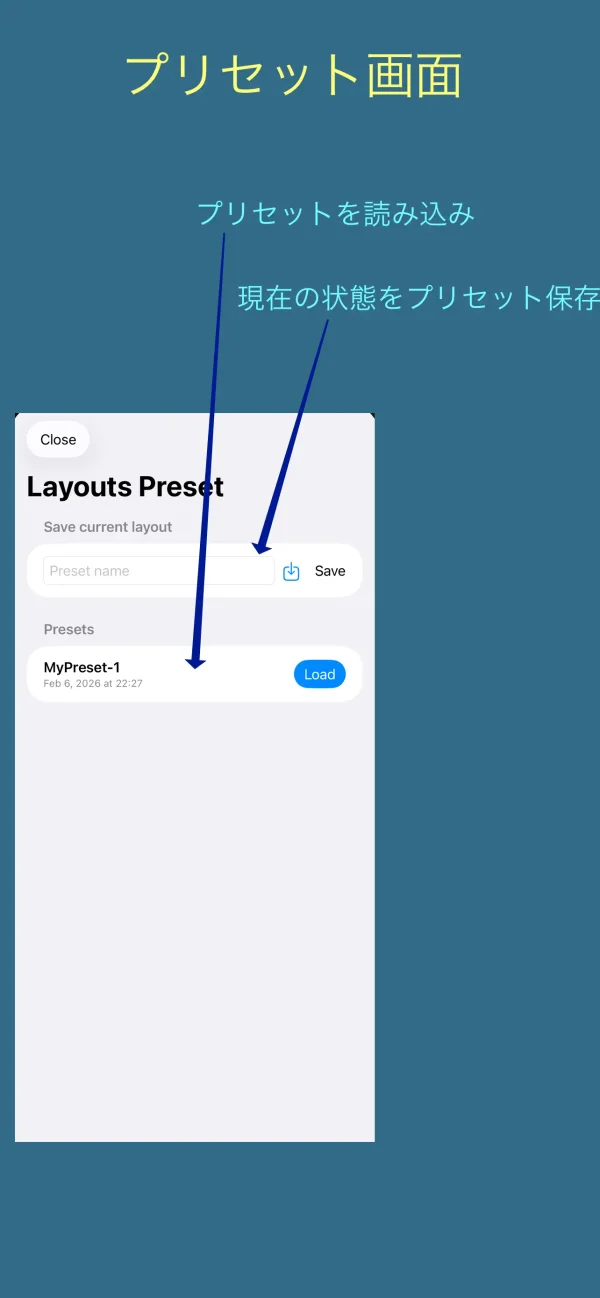
• Layout Preset Saving: Save and recall your favorite layouts. Switch environments based on different tasks.
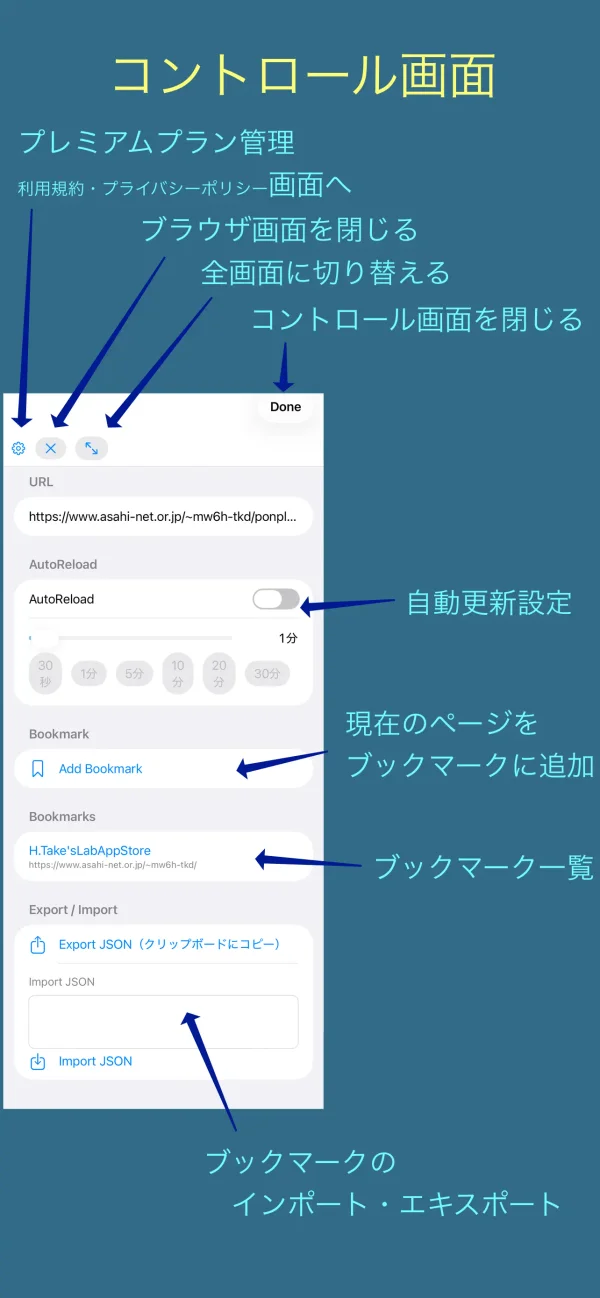
• Auto-Reload: Automatically refresh pages at set intervals to keep information up to date.
• Bookmark Management: Easily bookmark current pages and access them from a list.
• Trial Mode: Experience all features without restrictions for 30 days after installation.
• Simple, Intuitive UI: Stylish, dark-themed design for comfortable long-term use.
Ideal for developers, researchers, marketers, and anyone who gathers information.
Experience a new, efficient way to browse the web.
What’s new
Version 1.4 · Sep 19, 2026
support iOS27
App privacy
What HTLab declares on the App Store about how this app handles data.
-
Data not collected
The developer does not collect any data from this app.
Privacy practices may vary, for example with the features you use or your age.
Information
- Seller
- 博 武田
- Category
- Utilities
- Version
- 1.4
- Updated
- Sep 19, 2026
- Released
- Oct 9, 2025
- Size
- 14.1 MB
- Requires
- iOS 26.0 or later
- Age rating
- 17+
- In-app purchases
- Yes
- Languages
- English
- Copyright
- © Hiroshi Takeda
You might also like
-
 RetioMake the web yours. No Ads.
-
 AIBrowserByItsukiBrowser + AI
-
 SpectralessBanish the Spectral font
-
 DataraeEasy data entry
-
 ModernCleanUtilities
-
 OrbitX BrowserPrivate browser, no tracking
-
 TohotAI LLM powered browser
-
 URL Quick KeyboardUtilities
-
 WebLaunchFocused web app launcher
-
 PDF Master: Edit, Sign & ScanEdit, Sign, Scan & Convert