
- Age rating17+
- CategoryHealth & Fitness
- DeveloperYUTAKA IZUMIYAMA
- LanguagesJapanese+ 1 more
- Size7.2 MB
Links to the official App Store page
Download.org hosts no file of Muslz - Workout & Gym Log. The button opens its official App Store page, published by YUTAKA IZUMIYAMA. Listing last checked on Nov 25, 2026.
Screenshots

About
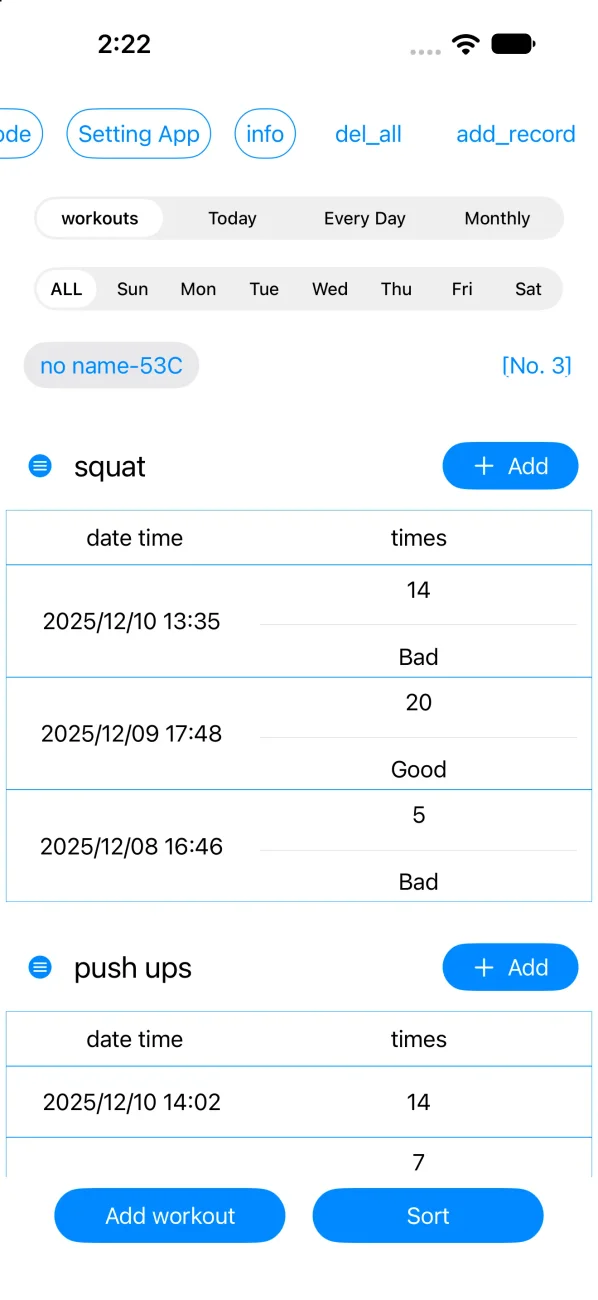
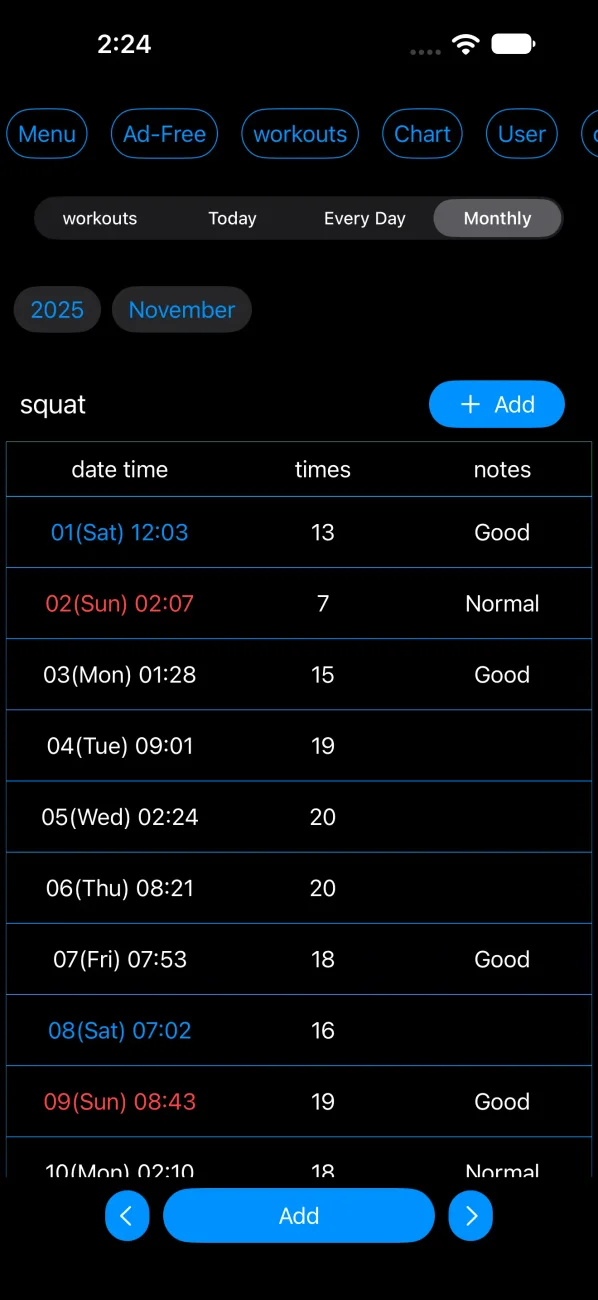
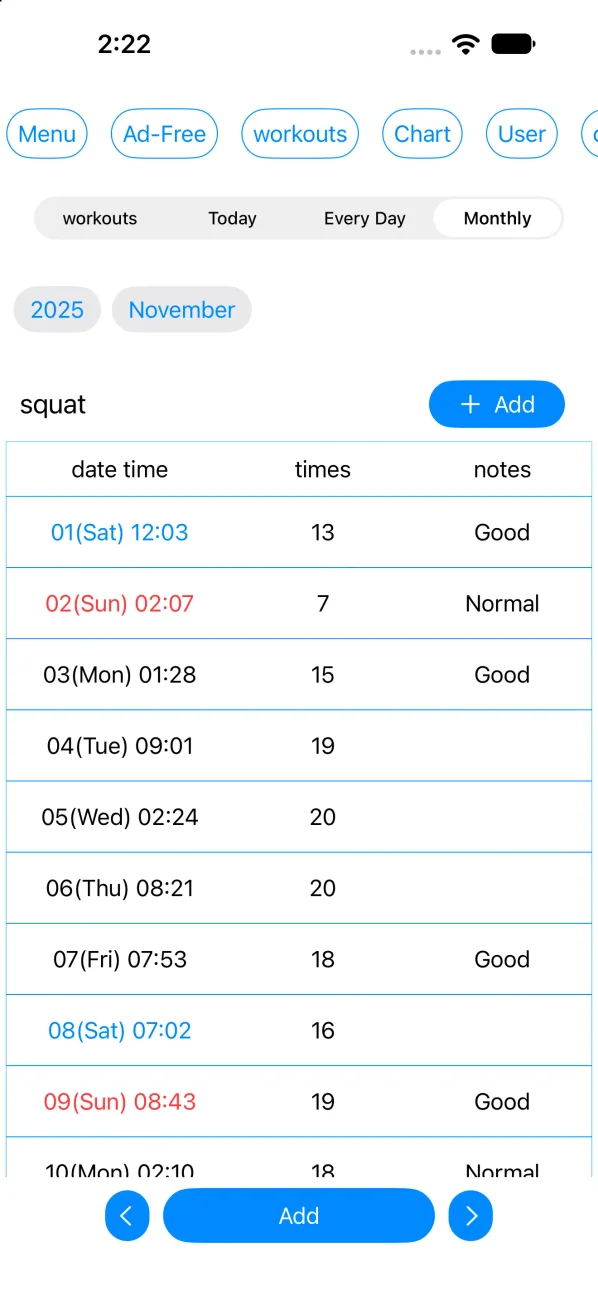
This app allows you to record the date, time, number of repetitions, and weight of your strength training.
You can record strength training by specifying a date.
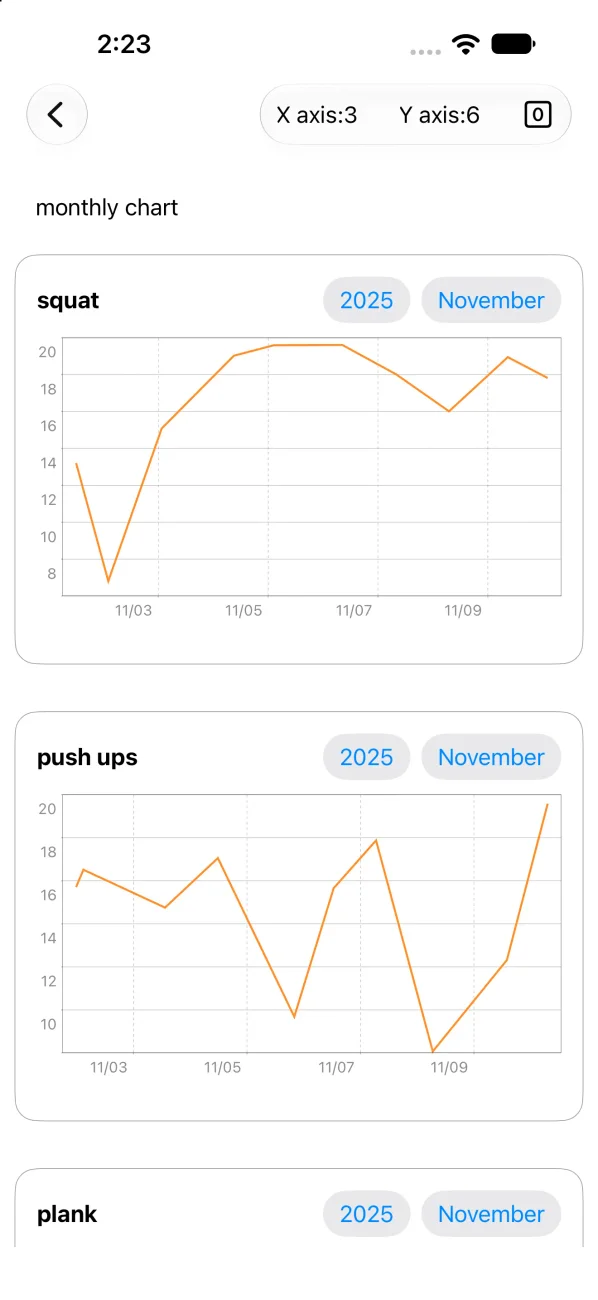
When you record strength training, a chart of the number of repetitions and weight will be displayed.
You can check the number of strength training sessions for each record using a line chart.
The user "no name-xxxxx" will be automatically created when the app is launched for the first time.
The user name can be changed.
▼Record strength training
1. Tap the add button.
2. Select the date and tap Next.
3. Select the time and tap Next.
4. Enter the number of repetitions and weight and tap OK.
5. Enter any notes and tap OK.
▼ Muscle training chart
1. Tap the chart icon at the top.
2. Tap the chart you want to display from the monthly chart, past year chart, past 2 years chart, past 3 years chart, or all-time chart.
▼Delete one record
1. Tap the record you want to delete.
2. Tap Delete.
3. Confirm what you want to delete and press the Delete button.
▼Add User
Tap the user icon at the top.
Add a name from Add User to record them separately.
To edit, tap Edit/Delete User and the editing screen will open.
Tap the user name in User Selection to switch users.
▼Dark mode (menu on the top right)
Select dark mode ON/OFF from the menu on the top right.
Pressing dark mode will switch the screen display to a black-based color scheme.
Pressing light mode will return to the normal white-based screen display.
▼Delete all records (menu on top right)
You can completely delete all records by erasing all data from the menu on the top right.
All app records stored on iCloud will be completely deleted.
・Model change data migration
For users with the same Apple ID
Because records are stored in iCloud
View the same recording on a new iPhone/iPad
【Terms of Use】
This app complies with the Apple Standard Terms of Use (EULA).
Please refer to the link below for details:
https://www.apple.com/legal/internet-services/itunes/dev/stdeula/
What’s new
Version 26.11.11 · Nov 24, 2026
change app screen
App privacy
What YUTAKA IZUMIYAMA declares on the App Store about how this app handles data.
-
Data used to track you
May be used to track you across apps and websites owned by other companies.
- Location
- Identifiers
- Usage data
- Diagnostics
-
Data linked to you
May be collected and linked to your identity.
- Location
- Identifiers
- Usage data
- Diagnostics
Privacy practices may vary, for example with the features you use or your age.
Information
- Seller
- YUTAKA IZUMIYAMA
- Category
- Health & Fitness
- Version
- 26.11.11
- Updated
- Nov 24, 2026
- Released
- May 30, 2025
- Size
- 7.2 MB
- Requires
- iOS 17.6 or later
- Age rating
- 17+
- In-app purchases
- Yes
- Languages
- Japanese, English
- Copyright
- © 2025 Yutaka Izumiyama
You might also like
-
 FitnessCharts: muscleRecordmuscleLoadCharts
-
 Workout Gym Tracker LoggerRecord weights, sets, reps
-
 Fitmime: Workout TrackerRecord & track your workouts.
-
 Pedrip筋肉AppHealth & Fitness
-
 筋トレ記録と管理 - マスログHealth & Fitness
-
 キロトレ – 筋トレ記録アプリ / トレーニング管理Health & Fitness
-
 Workout Volume Tracker - VoluTrack. Brag. Dominate.
-
 トレPro 体力測定アプリHealth & Fitness
-
 TrainingRecord: Workout LogWorkout & bodyweight tracker
-
 血圧ログ- シンプルな血圧手帳アプリ日々の血圧管理を簡単に記録