
MuseFlow
Learn Piano Through Flow State
Designed for iPhone, iPad, iPod touch
Free · In-app purchases
- Age rating4+
- CategoryEducation
- DeveloperMuseFlow Inc
- LanguagesEnglish
- Size127.7 MB
Links to the official App Store page
Download.org hosts no file of MuseFlow. The button opens its official App Store page, published by MuseFlow Inc. Listing last checked on Nov 24, 2026.
Screenshots

About
Learning piano shouldn’t feel overwhelming.
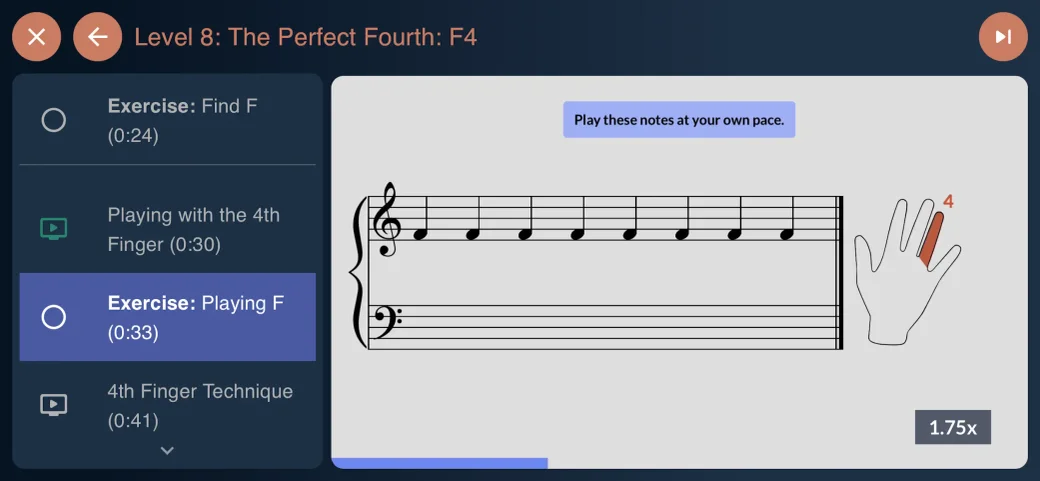
Meet MuseFlow, the app that teaches piano through sight reading. MuseFlow makes learning intuitive, encouraging, and deeply musical - helping you build real skills through mindful, consistent practice.
Step-by-step learning that flows:
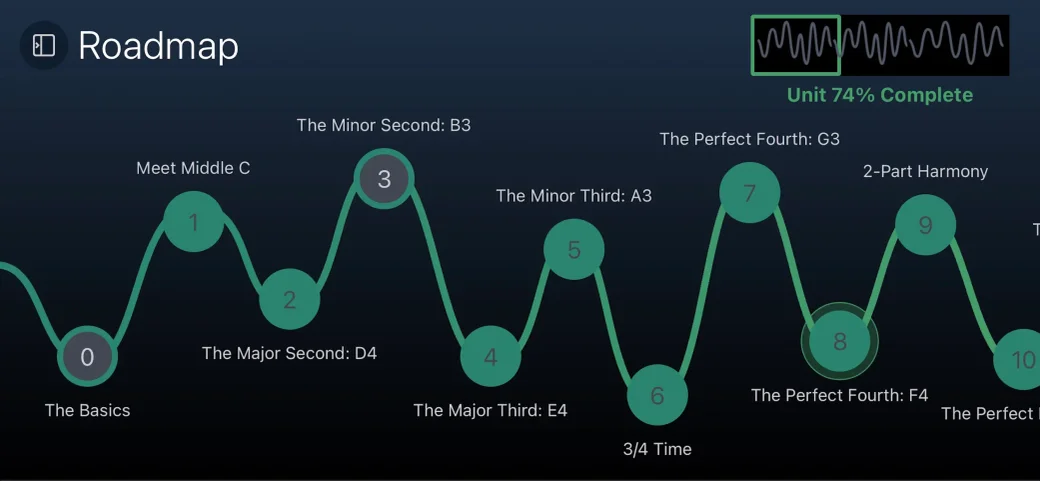
Each lesson introduces one new note, rhythm, or concept at a time. You’ll learn to read and play together in perfect sync, strengthening both skills through adaptive feedback that keeps you in the zone and helps you avoid common learning plateaus.
A growing repertoire library:
Practice real songs from day one. Our library evolves with your skills, so you can play pieces that match your level while exploring music you love.
Track your progress with your personal dashboard:
See your improvement at a glance. MuseFlow’s performance metrics help you stay motivated, identify areas to focus on, and celebrate every milestone.
Personal feedback that adapts to you:
MuseFlow listens as you play and provides instant, supportive feedback to help you progress naturally, without pressure.
Built for beginners and returners:
Whether you’re just starting or brushing up on old skills, MuseFlow guides you gently forward with lessons and tools that grow alongside you.
Perfect for:
• Independent learners seeking guided, flexible progress
• Adults returning to piano after years away
• First-time players building confidence step by step
• Musicians aiming to sharpen their sight-reading skills
Most piano apps rush you through songs. MuseFlow helps you slow down, listen, and truly understand music as you learn to play it.
Experience the joy of making music, one note at a time.
Terms of Use: https://www.museflow.ai/terms
Privacy Policy: https://www.museflow.ai/privacy
What’s new
Version 1.2.17 · Nov 22, 2026
A big update for timing and tempo:
- A new Timing panel: set your Pace, choose what happens on Wrong notes, and pick a Lead-in, from a count-in to starting when you play
- Follows my tempo: the metronome follows the speed you play at
- Piano key commands: play, pause, restart, loop and change the tempo from your own piano
- Color-safe grading: pick your Grade colors and turn on Grade symbols
- Your iPhone or iPad remembers your Bluetooth keyboard and reconnects it when you open the app
- MuseFlow starts faster, and pieces open faster
Also:
- Repeats and endings play as written, and you can start from any beat
- Choose what happens at the end of a loop
- A louder metronome that follows meter changes
- Soft notes on your MIDI keyboard are now heard
- The screen stays awake while you play
- The app tells you when a new version is ready
Thanks for practicing with us!
App privacy
What MuseFlow Inc declares on the App Store about how this app handles data.
-
Data not collected
The developer does not collect any data from this app.
Privacy practices may vary, for example with the features you use or your age.
Information
- Seller
- Dizzy Boy, Inc
- Category
- Education
- Version
- 1.2.17
- Updated
- Nov 22, 2026
- Released
- Oct 9, 2025
- Size
- 127.7 MB
- Requires
- iOS 15.0 or later
- Age rating
- 4+
- Price
- Free
- In-app purchases
- Yes
- Languages
- English
- Copyright
- © 2025 Dizzy Boy, Inc. All rights reserved.
You might also like
-
 Hanon ProImprove your piano technique
-
 Musiah — AI Piano LessonsLearn Piano 16x Faster
-
 Notevision - Sight ReadingPiano, violin, viola & cello
-
 Piano Marvel - Lessons & MusicLearn, Practice, & Play Songs
-
 Playground: Fun Piano LessonsLearn Piano w/ Songs You Love
-
 Learn Music Notes PianoSight Reading & Clef Practice
-
 Skoove: Learn to Play PianoLessons from Beginners to Pro
-
 Artie: Learn Piano with AIConversational Music Tutor
-
 Piano by YousicianLearn Piano with Fun Lessons
-
 flowkey – Learn to Play PianoPiano songs and lessons