
Music Practice Coach
Practice plans, step by step
Designed for iPhone, iPad, Mac
Free
- Age rating4+
- CategoryMusic
- DeveloperCONSTANTINE M CARAMANIS
- LanguagesEnglish
- Size22.4 MB
Links to the official App Store page
Download.org hosts no file of Music Practice Coach. The button opens its official App Store page, published by CONSTANTINE M CARAMANIS. Listing last checked on Nov 15, 2026.
Screenshots

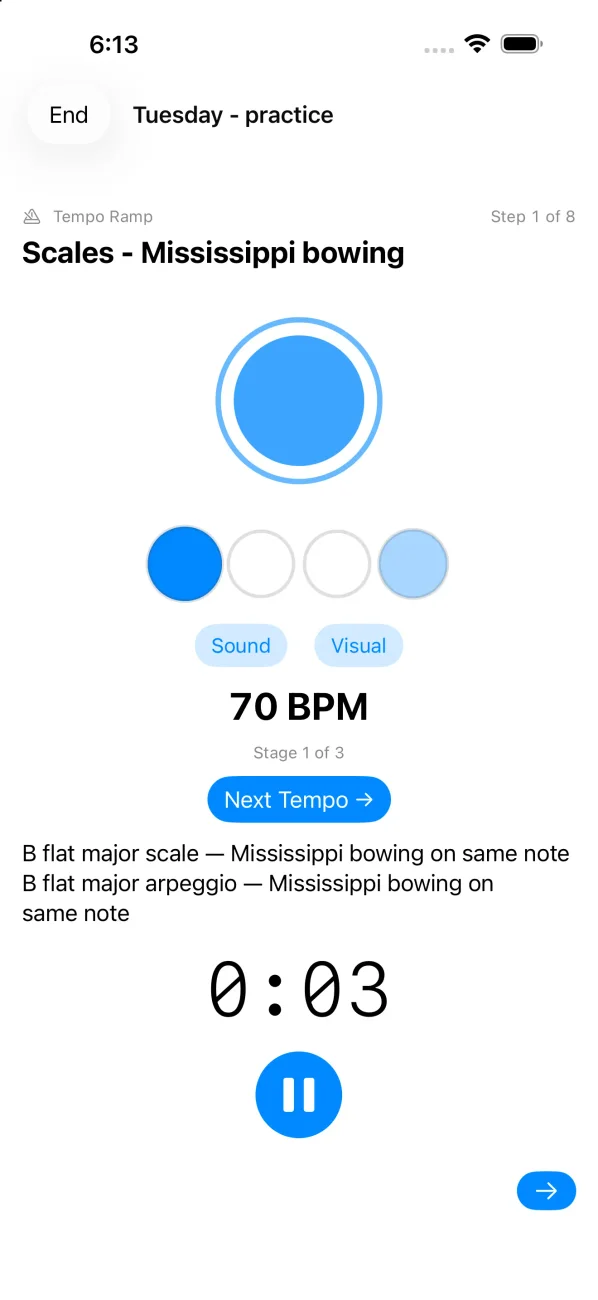
About
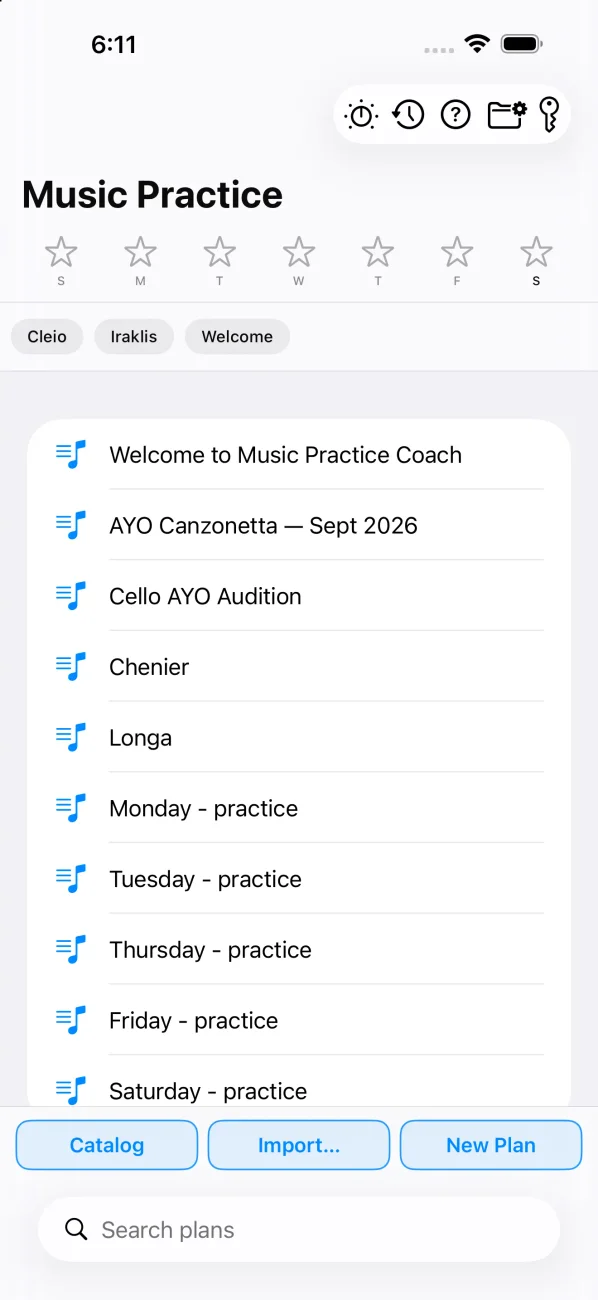
Music Practice Coach turns a vague "go practice" into a plan you can follow.
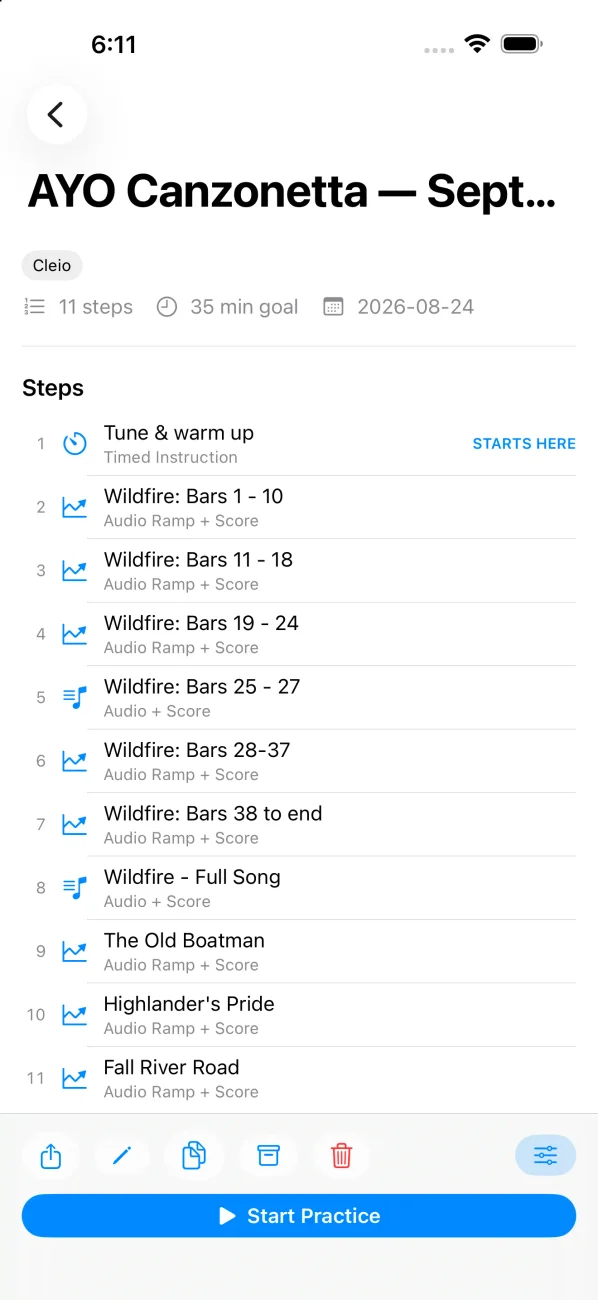
A plan is a sequence of steps. Each one does a single job: a timed instruction, a metronome at a set tempo, a passage of sheet music to read, or a loop of a recording slowed down until it is playable. You work through them in order, and the app keeps time.
WHAT A STEP CAN BE
• Instruction — text to read, with an optional tuner for tuning up
• Timed — a countdown, with a metronome if you want one
• Tempo ramp — the metronome steps up from a starting tempo to a target, cycle by cycle
• Score — sheet music on screen with a countdown, and a metronome or a tempo ramp
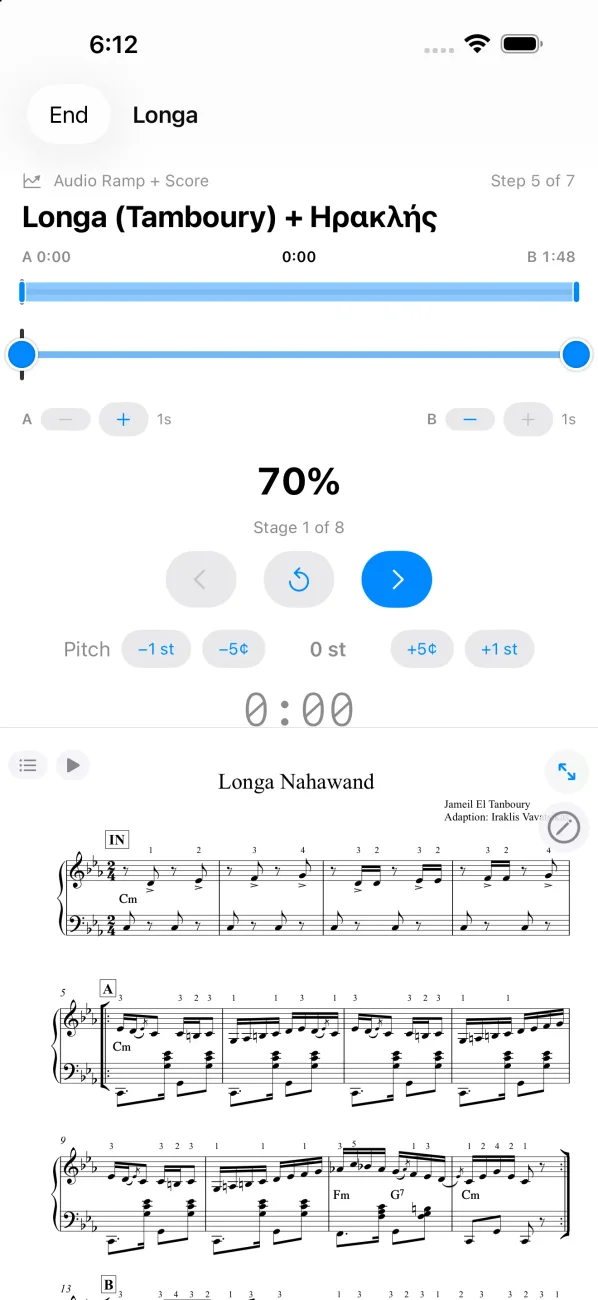
• Audio, video, or MIDI loop — set A and B points and repeat that passage, at any speed
• Loop plus score — the recording and the sheet music side by side
• YouTube — practice along with a video, with speed control and loop points
THE MUSIC SCROLLS ITSELF
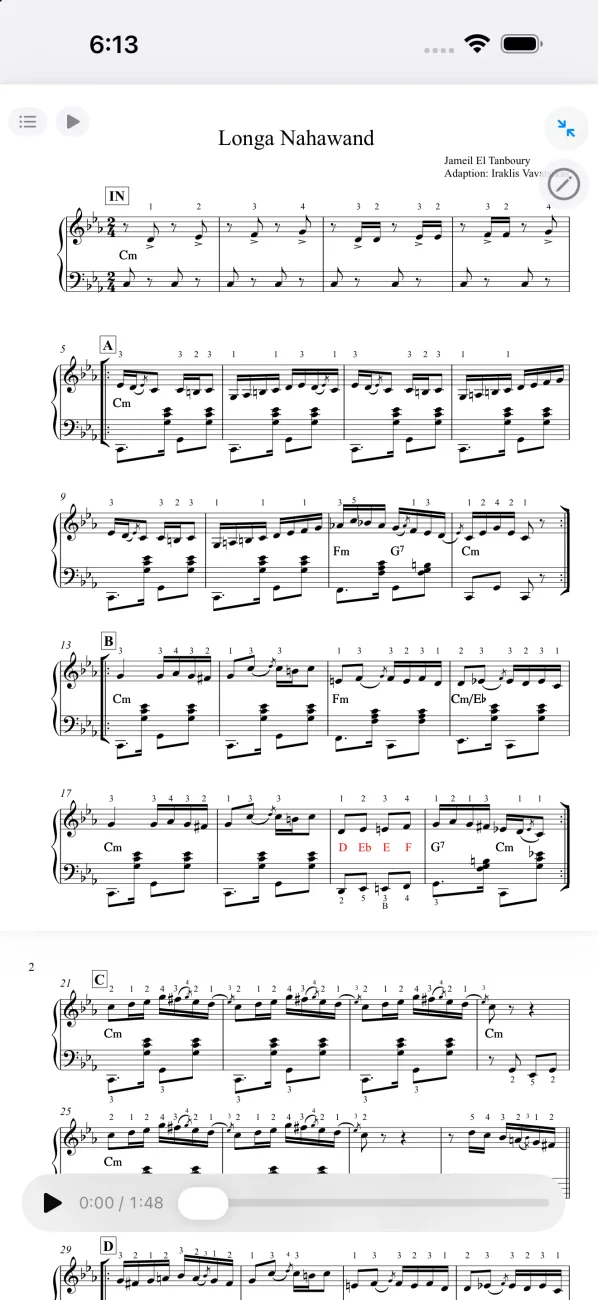
Set a scrolling speed and the score moves while your hands stay on the instrument. It works on an ordinary PDF, page after page.
Or turn on Prima Vista, which reflows the score into one continuous ribbon of systems, so a page turn never lands in the middle of a phrase. Go full screen, and if a page is read wrongly, say how many systems it has — the correction is kept.
SLOW IT DOWN, KEEP THE PITCH
Audio loops play from 30% to 200% speed without the pitch shifting, so a fast passage stays in tune while you learn it. Pitch shifts separately, in semitones or five-cent steps, which is fine enough for quarter tones and for matching an instrument tuned to something other than A440.
A SPEED RAMP THAT DOES THE WORK
Set a starting speed and a target and the plan advances through the stages as you play, which is the part people skip when practising alone.
METRONOME AND TUNER, ALWAYS THERE
A full metronome — any meter, per-beat accents, adjustable subdivisions — and a chromatic tuner with an adjustable A4 reference and a drone. Both work on their own, without a plan.
MARK UP THE MUSIC
Write on a score with an Apple Pencil — fingerings, bowings, the bar you keep missing. The markings belong to the file rather than the plan, so they are there again the next time any plan uses that score.
FOR TEACHERS
Build a plan, and share it as a package with everything it needs: the plan, the recordings, the scores. Students open it and practise exactly what you set. You can publish a catalog of plans your students install in one tap, and lock the media with a code if the recordings are not yours to give away.
YOUR FILES STAY YOURS
Everything lives in a folder you choose. No account, no sign-in, no subscription, no ads, and nothing is uploaded anywhere. The Mac and iPad apps read the same folder, and there is a web version for everything else.
Free, with no in-app purchases.
What’s new
Version 1.2.1 · Oct 21, 2026
Scores no longer blank out while you scroll them.
Pause now stops the scrolling score too, and a video that will not load can be put away so the score takes the screen.
Exporting a plan to Files works again on iPad.
App privacy
What CONSTANTINE M CARAMANIS declares on the App Store about how this app handles data.
-
Data not collected
The developer does not collect any data from this app.
Privacy practices may vary, for example with the features you use or your age.
Information
- Seller
- CONSTANTINE M CARAMANIS
- Category
- Music
- Version
- 1.2.1
- Updated
- Oct 21, 2026
- Released
- Sep 15, 2026
- Size
- 22.4 MB
- Requires
- iOS 18.0 or later
- Age rating
- 4+
- Price
- Free
- Languages
- English
- Copyright
- © 2026 Constantine Caramanis
You might also like
-
 BandoChordsMusic
-
 CalcophonyThe Composer's Calculator
-
 Practis: Music PracticeDiary, score reader & planner
-
 Precision Strobe TunerMusic
-
 VEDO showMusic
-
 Vocal Pitch Monitor - TonaraVoice Tuner, Range & Coach
-
 RealTime AudioMusic
-
 PolyRhythmic MetronomePolyrhythm Trainer & Grooves
-
 Multi-Effects ManagerMusic