
Musical Envision
Musically visualize your world
Designed for iPhone, iPad, iPod touch
In-app purchases
- Age rating4+
- CategoryMusic
- DeveloperChristopher Bach
- LanguagesEnglish
- Size248.4 MB
Links to the official App Store page
Download.org hosts no file of Musical Envision. The button opens its official App Store page, published by Christopher Bach. Listing last checked on Nov 17, 2026.
Screenshots


About
Musical Envision. — Now optimized to be even more impressive on PRO devices —
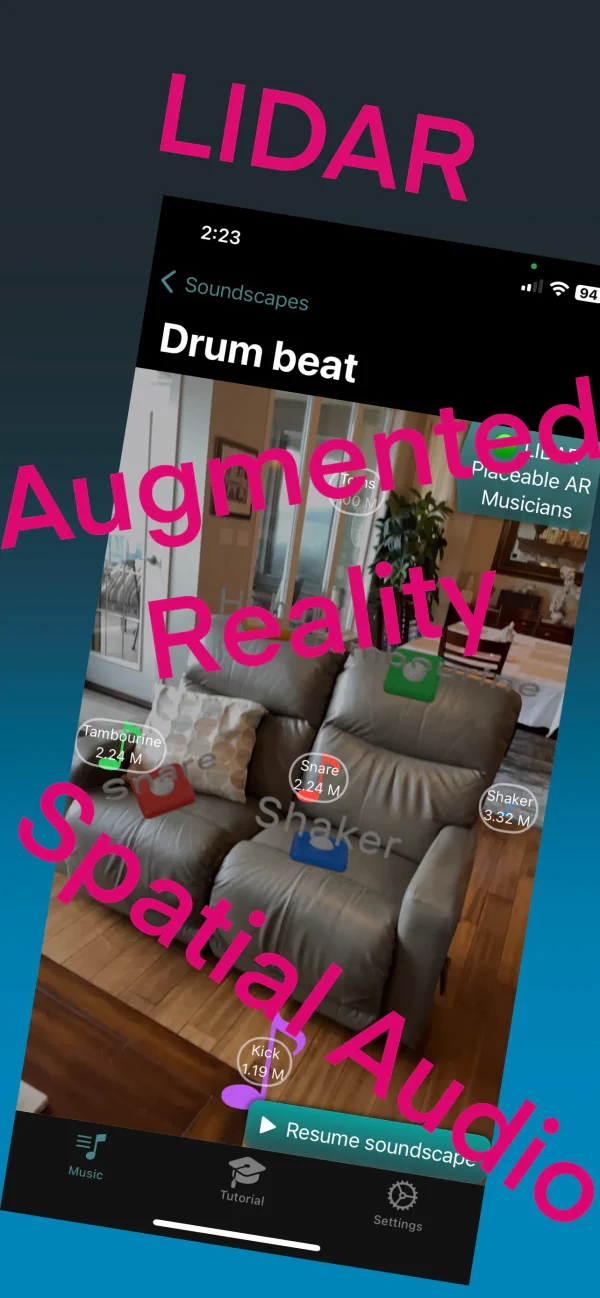
The world around you is transformed into music using camera and LIDAR measurements, augmented reality and spatial audio.
For an amazing spatial audio experience, you can also anchor musicians or musical tracks to surfaces around you in the real world (AR Augmented Reality).
Hardware:
—iPhone 12 to 15 Pro, iPad Pro 2020+. Envision is designed to work best with with LIDAR (Laser ranging) enabled devices
—iPhones 7 and higher, and most newer iPads. Envision will work OK with non Pro iPhones and iPads, but with lower performance and accuracy. Without LIDAR, flat walls and plain surfaces are not as easily easily detectable. The more pattern and variability in the images, and the stronger the lighting, the better.
—Headphones. or best results, use stereo headphones. Apple AirPods Pro are a particularly good choice, as they support transparent mode to allow you to hear outside sounds, while at the same time listening to the musical world created by Envision. Envision will work without headphones, but the stereo and spatial audio effects will be less obvious.
Operating system:
—Musical Envision is designed for iOS and iPad OS 15 or higher.
Scanned mode:
—Measures the distance to five or seven objects in the camera, and creates or modifies music based on the distances.
Spatial audio anchors mode:
—Spatial audio allows musical tracks to be anchored to surfaces in the real world. In each style, select Spatial Audio Anchors using the button on the top right corner. The topmost musician will play right away. The other musicians will play a “tap” until you click the “Play” button. After you click play, the musicians will all play together. If you click the “Sync all” button, the anchored musicians will synchronize with the scanned musicians.
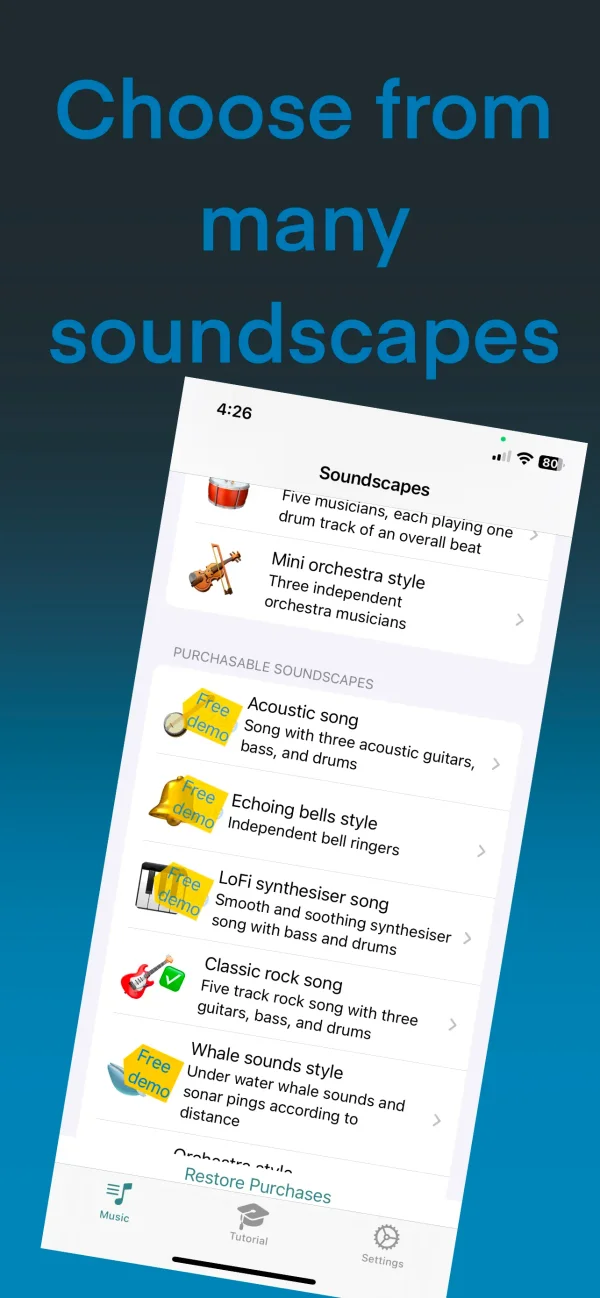
Soundscapes:
—Songs. Soundscapes that are marked as "Song" are complete songs with multiple tracks, each assigned to a different section of the screen.
—Instrument styles. Other soundscapes create the music automatically based on the distance to the objects visible ahead or the shape of the room. The closer the object, the higher the notes. There are several different musical scales and effects like reverb being used.
What’s new
Version 1.31 · Jan 8, 2024
Improved AR Augmented Reality and Spatial Audio
Improved LIDAR support and aiming
Easier to try new soundscapes and songs.
App privacy
What Christopher Bach declares on the App Store about how this app handles data.
-
Data not collected
The developer does not collect any data from this app.
Privacy practices may vary, for example with the features you use or your age.
Information
- Seller
- Christopher Bach
- Category
- Music
- Version
- 1.31
- Updated
- Jan 8, 2024
- Released
- Oct 7, 2021
- Size
- 248.4 MB
- Requires
- iOS 15.0 or later
- Age rating
- 4+
- In-app purchases
- Yes
- Languages
- English
- Copyright
- ©Home Ability Solutions 2024
You might also like
-
 Year OneEvolving AR Music
-
 samplerSequencer HDMusic sampler and sequencer
-
 DM ThereminPlay music in the air
-
 VisualSound - AV Modular SynthSound & Light Patched Together
-
 SwaySynthLift, roll and play
-
 BaggFishfeat. Vinicius Cajado
-
 oogieCamMusic
-
 Gelato SynthSynthesizer. No wrong notes.
-
 Nimbus SynthAmbient · motion instrument
-
 Will Copps' Liminal @ CatholicA Musical Landscape at CUA