
My Angles: Pose Camera
Couple Photo Guide & Framing
Designed for iPhone
Free · In-app purchases
- Age rating4+
- CategoryPhoto & Video
- Developer浩 刘
- LanguagesEnglish+ 11 more
- Size22.3 MB
Links to the official App Store page
Download.org hosts no file of My Angles: Pose Camera. The button opens its official App Store page, published by 浩 刘. Listing last checked on Nov 26, 2026.
Screenshots
About
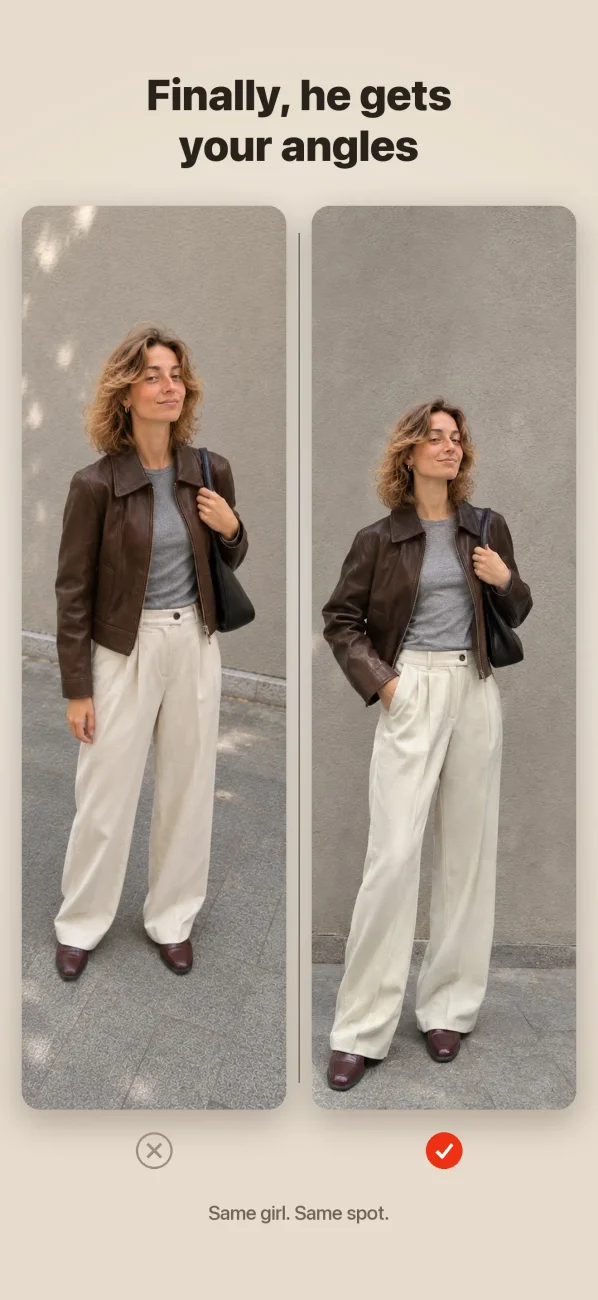
"A little lower… no, lower." Stop explaining. My Angles shows whoever is holding the phone exactly how to shoot you.
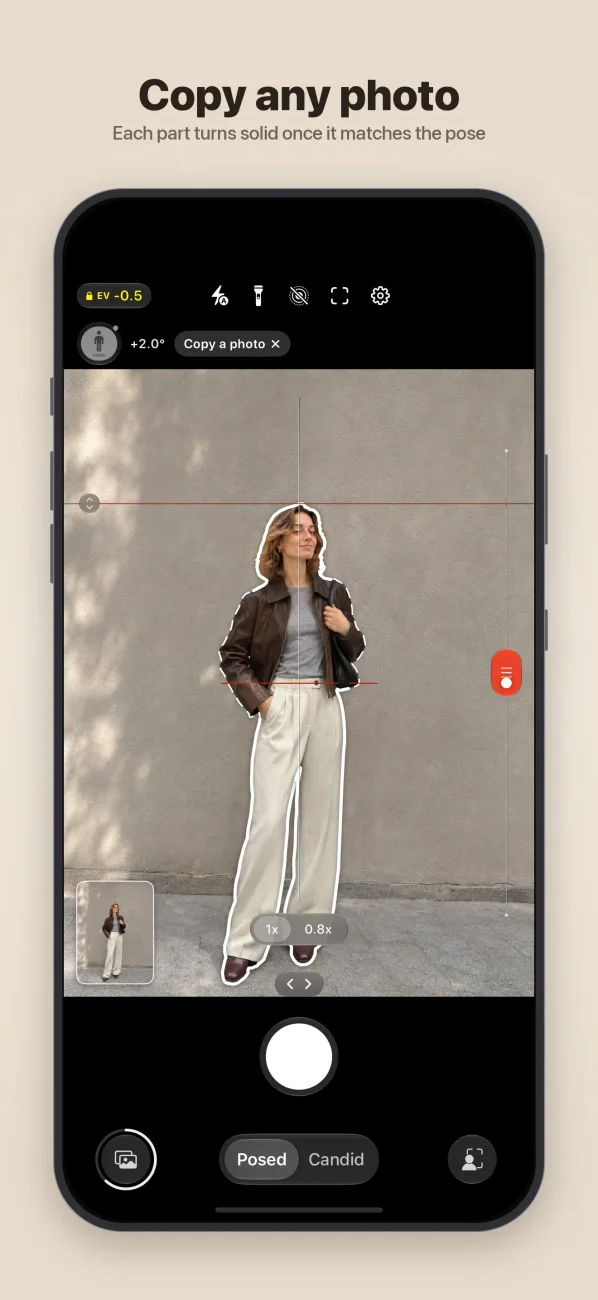
Copy any photo you love
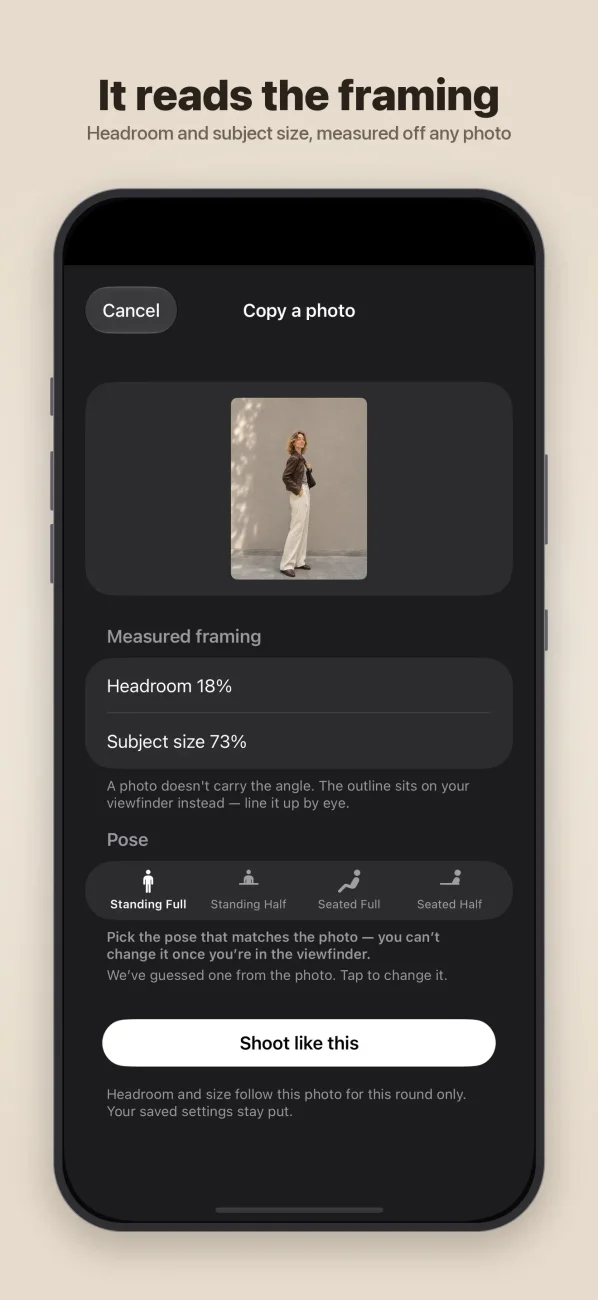
Pick a photo from your library. The person in it becomes an outline over the viewfinder, split into head, body, arms and legs — each part turns solid as you match it. Once the angle and the pose are both right, the shutter turns red and the phone taps. The original stays in the corner for reference.
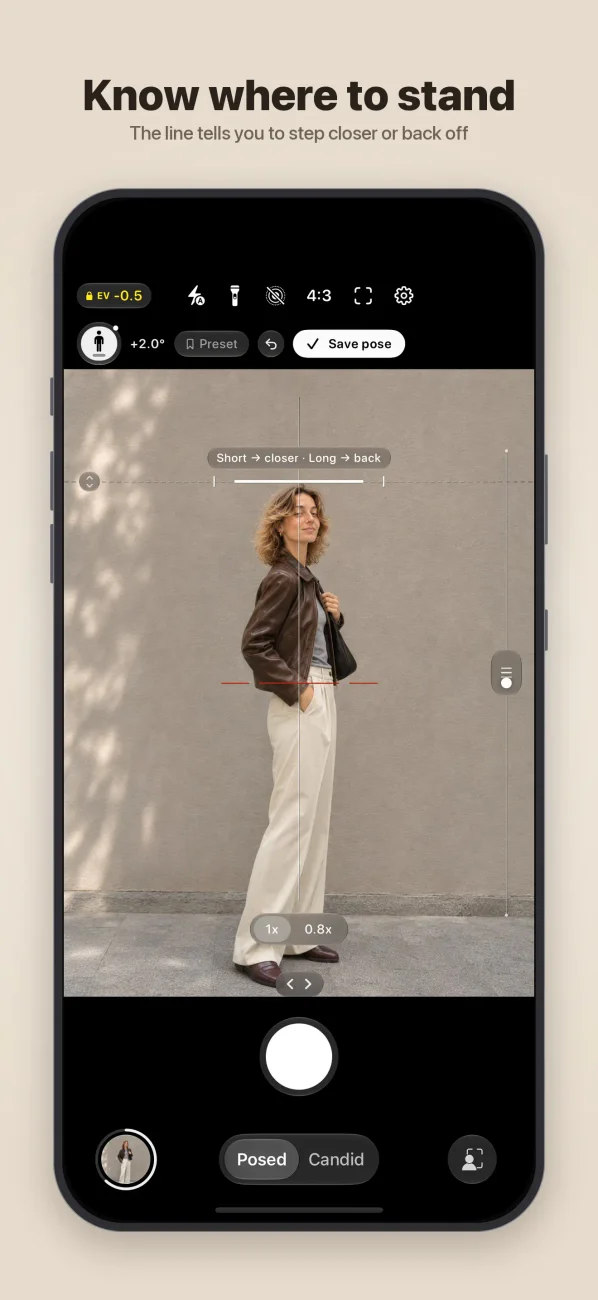
Red means press
Save the angle that flatters you once. When the phone reaches it, the guide line turns red and the phone taps. Framing Lock also checks headroom and size, and tells them to step closer or back off.
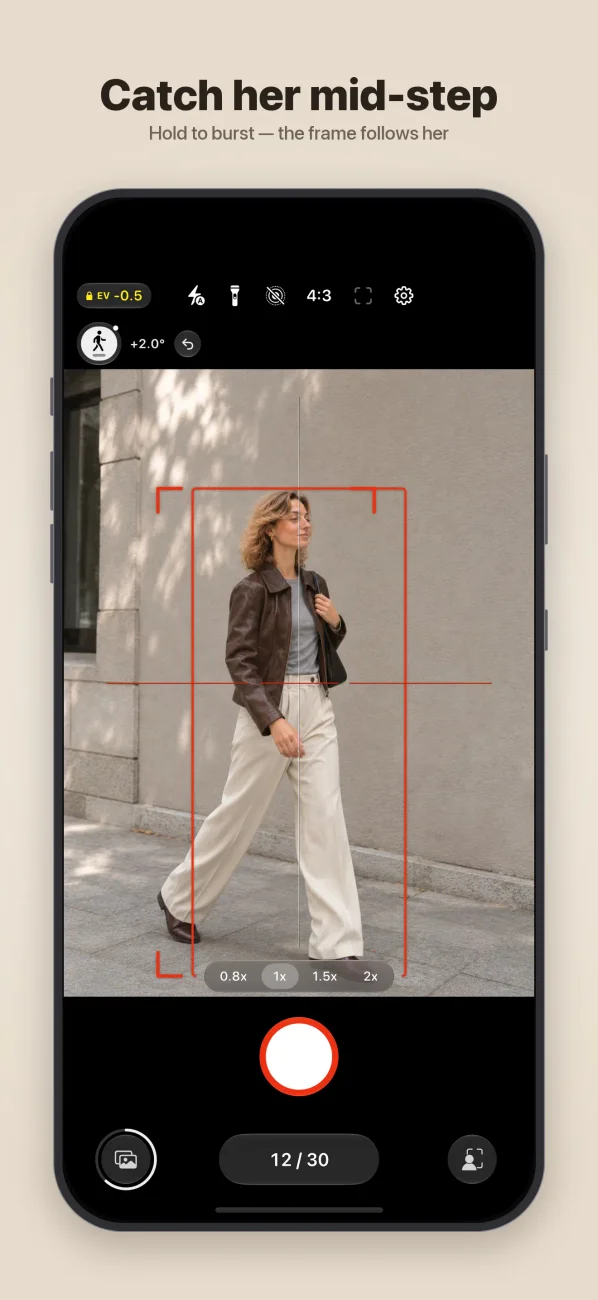
Catch her mid-step
Switch to Candid for walking shots. Hold the shutter to burst, up to 30 shots. With Framing Lock on, a frame follows her through the scene.
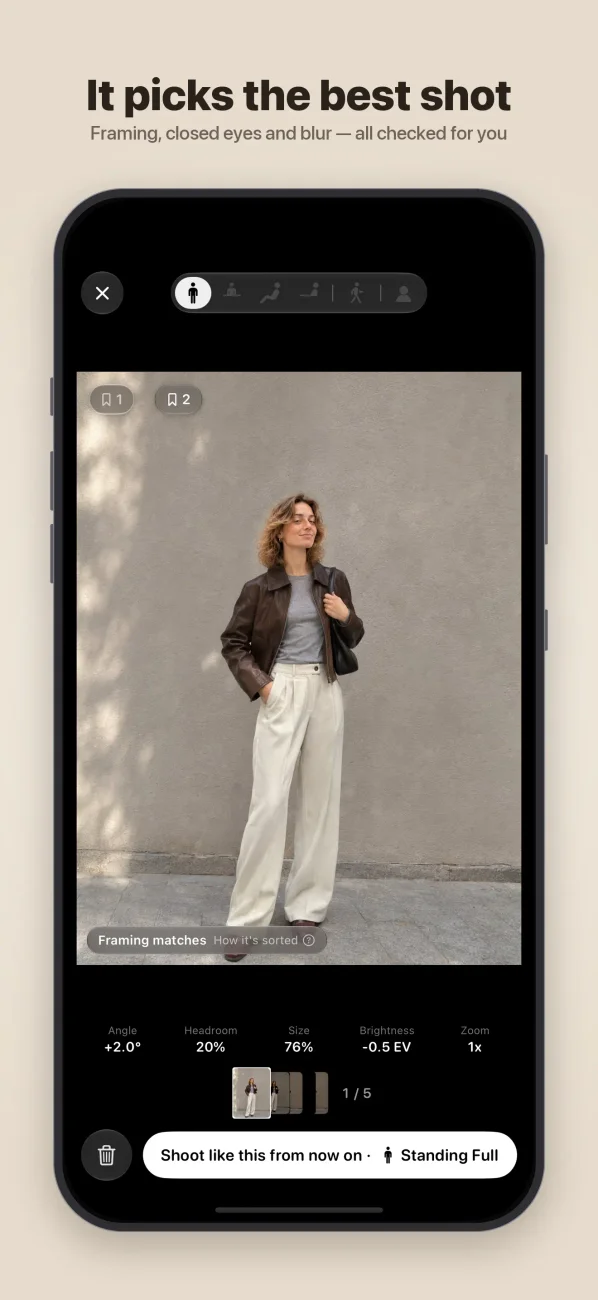
It picks the best shot
Closed eyes, blur, blown-out faces and cut-off feet go to the back. Once you've chosen your framing, the shots that match it come first. Tap "Shoot like this from now on" and that pose remembers the angle, headroom and zoom.
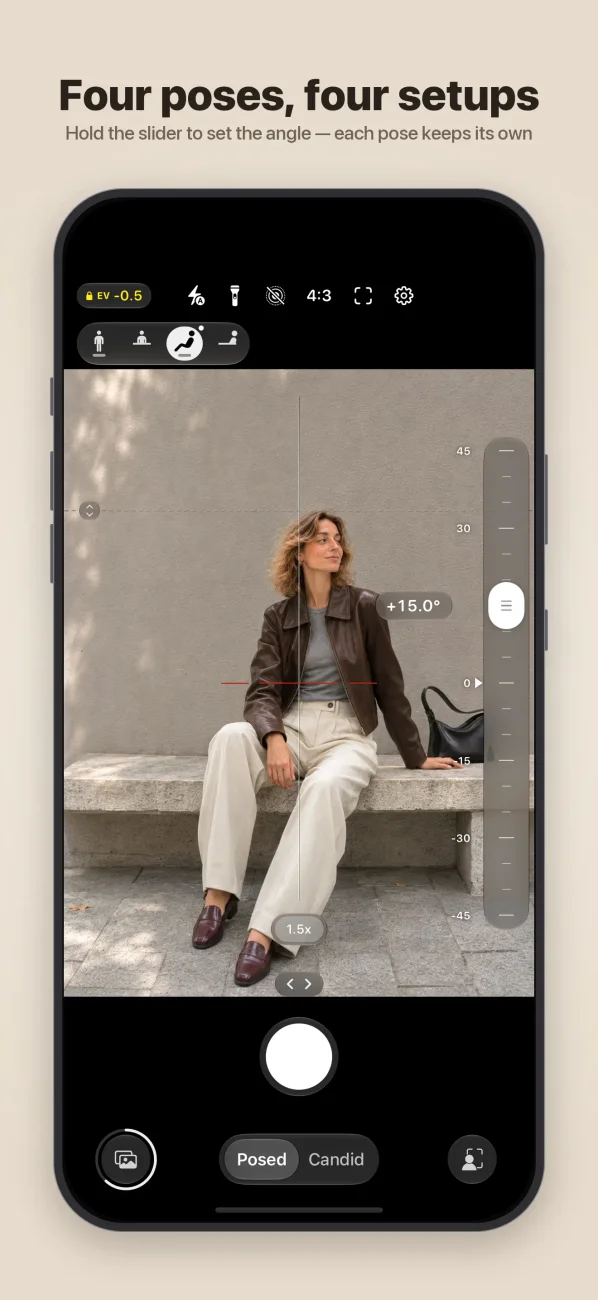
Four poses, remembered separately
Standing or seated, full or half body — each keeps its own setup.
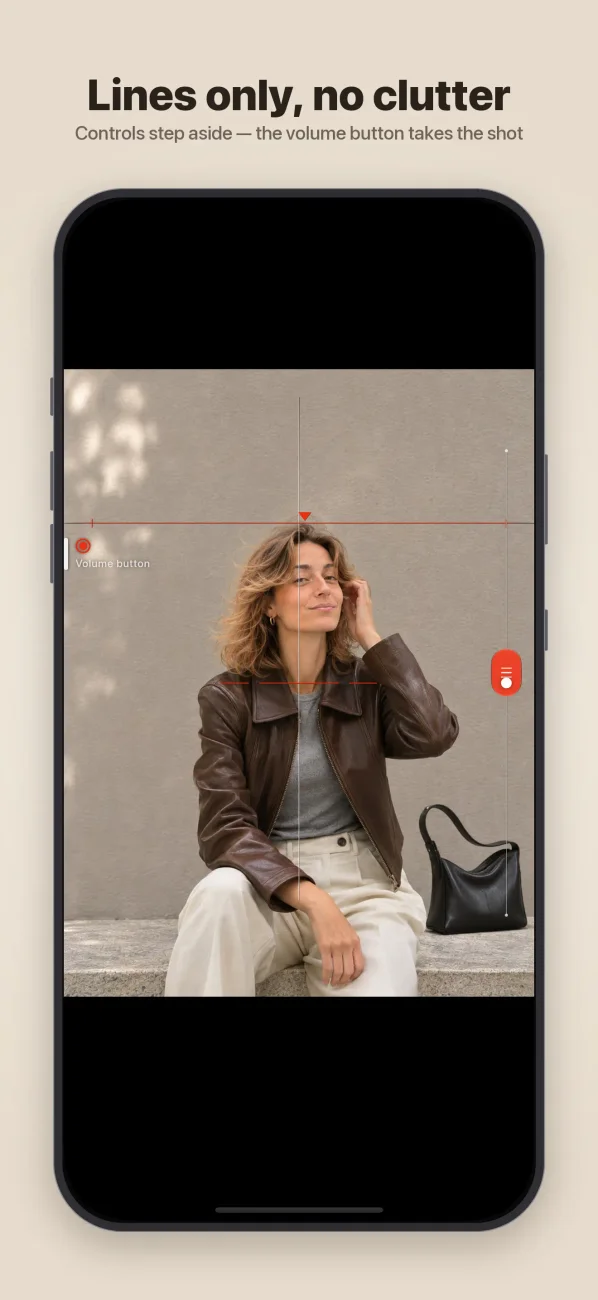
Lines only, no clutter
Clean View hides the controls and leaves the guides. Press a volume button to shoot.
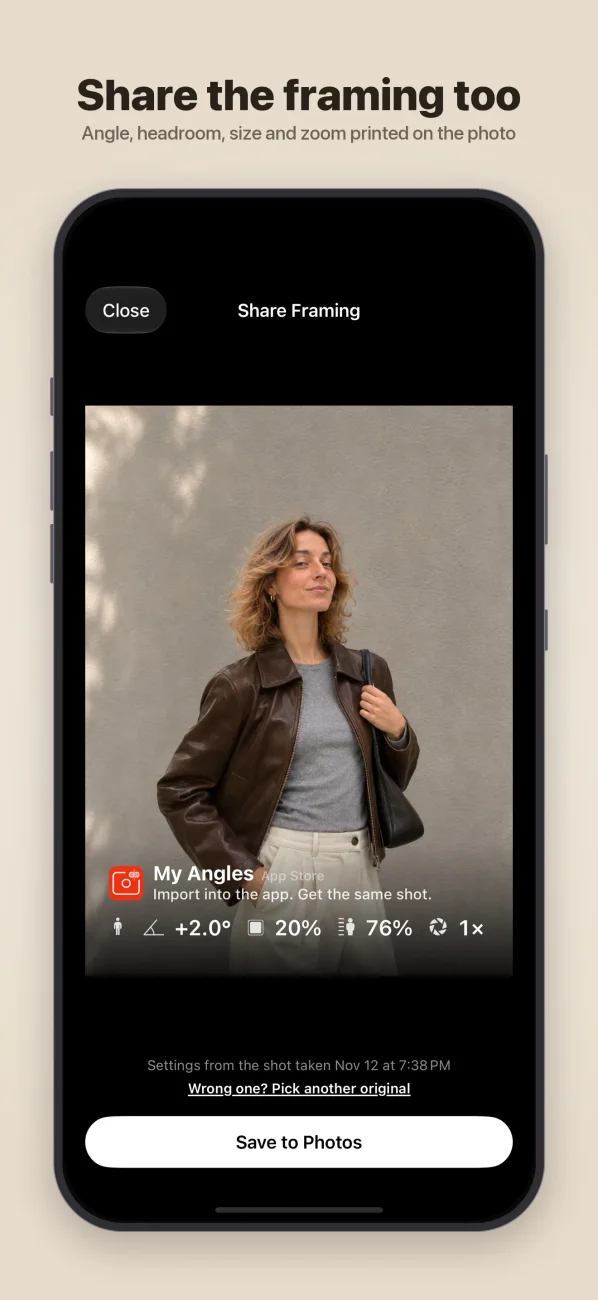
Share your framing
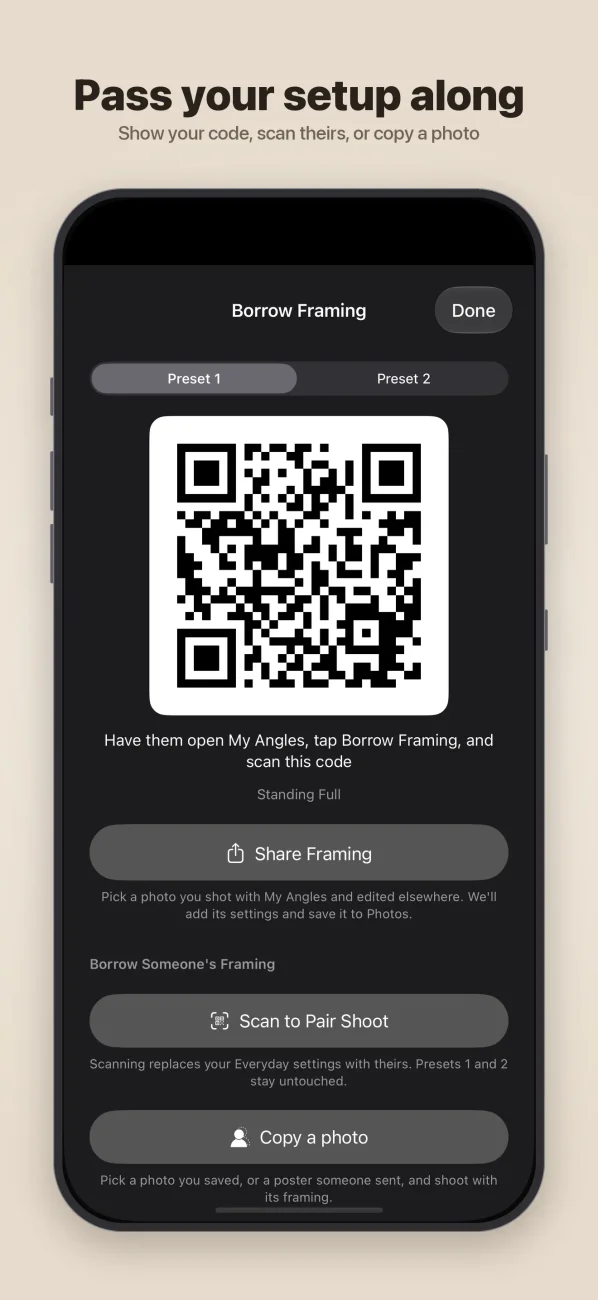
Put the angle, headroom, size and zoom on your edited photo. Friends can import it — or scan your QR code — and shoot you the same way.
Private by design
Everything runs on your phone. No account, no servers, no data collection.
My Angles Pro
Shooting, Candid mode and the angle guide are free, and you can copy a photo three times. Pro adds Framing Lock, unlimited copying, best-shot ranking, saving a shot's framing to its pose, presets and QR codes, Clean View, ProRAW and 48 MP, and iCloud sync. Choose yearly (7-day free trial), monthly, or a one-time purchase. Subscriptions renew automatically unless cancelled at least 24 hours before the current period ends; manage them in your Apple Account settings.
Terms of Use: https://www.apple.com/legal/internet-services/itunes/dev/stdeula/
Privacy Policy: https://lilalex-cc.github.io/posefie-privacy/
What’s new
Version 1.1.8 · Nov 24, 2026
• Minor improvements and fixes.
App privacy
What 浩 刘 declares on the App Store about how this app handles data.
-
Data not collected
The developer does not collect any data from this app.
Privacy practices may vary, for example with the features you use or your age.
Information
- Seller
- 浩 刘
- Category
- Photo & Video
- Version
- 1.1.8
- Updated
- Nov 24, 2026
- Released
- Nov 6, 2026
- Size
- 22.3 MB
- Requires
- iOS 17.0 or later
- Age rating
- 4+
- Price
- Free
- In-app purchases
- Yes
- Languages
- English, French, German, Indonesian, Japanese, Korean, Portuguese, Simplified Chinese, Spanish, Thai, Traditional Chinese, Vietnamese
- Copyright
- © 2026 Hao Liu
You might also like
-
 Retro Camera: Beauty SelfieAI photo editor & makeup cam
-
 QCam: Pro Teleprompter CameraLog, LUTs, Voice-Synced Script
-
 Photo Cleaner:Photo OrganizerPhoto Swipe, Delete,compress
-
 B812 Selfie Video EditorFace Tune & Photo Video Editor
-
 SARGOPhoto & Video
-
 Paji CamReal Look, Better Shots
-
 Empose: Aesthetic PosesYour Style. Your Best Angle.
-
 Fuji X Weekly — Film RecipesFuji X Camera Settings
-
 Pic Collage Maker PerfectImageText on Photo & Picture Layout
-
 ProCCD - Digital Film CameraDigicamFX,Film,Collage Maker