- Age rating4+
- CategoryBusiness
- DeveloperPei Chung Wang
- LanguagesTraditional Chinese+ 4 more
- Size4.0 MB
Links to the official App Store page
Download.org hosts no file of My Card Folio. The button opens its official App Store page, published by Pei Chung Wang. Listing last checked on Nov 22, 2026.
Screenshots

About
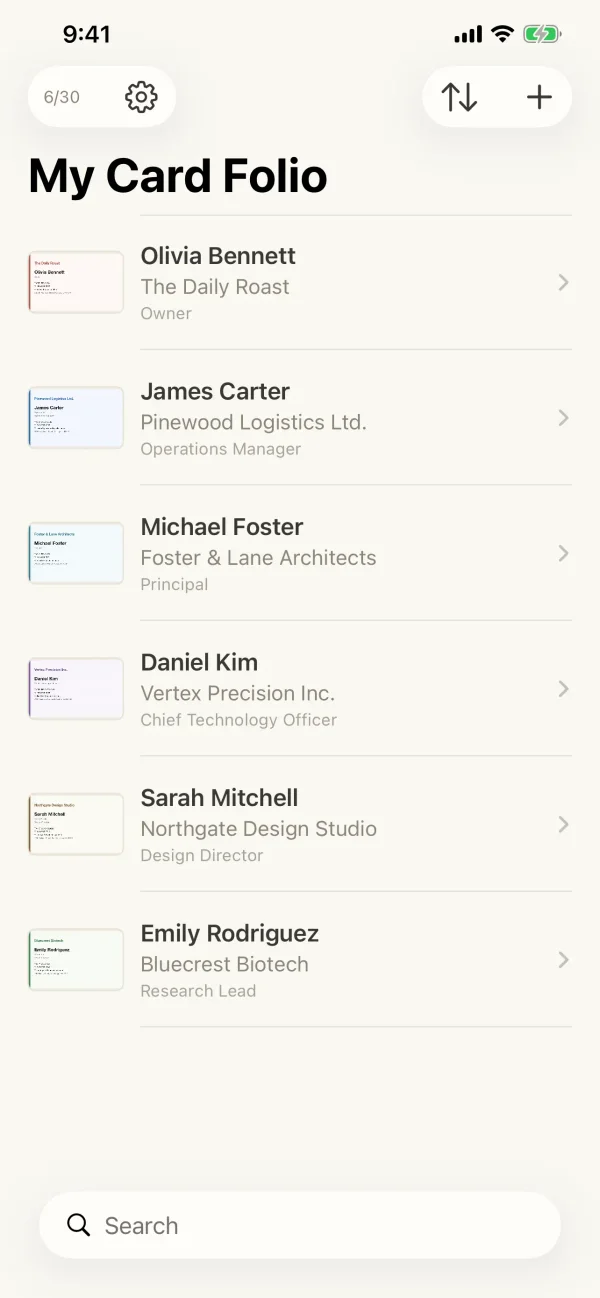
My Card Folio turns the stack of business cards on your desk into something you can search. Pay once. Keep it forever.
No subscription. No auto-renewal. No service that can be shut down on you.
■ Buy it once, and it's yours
One payment, permanent. It follows you to a new phone.
We run no servers — which means there is no "rising operating costs" story that could bring a monthly fee back later. That isn't a promise. It's an architectural fact.
■ Your data lives in your iCloud
Cards and photos are stored in your own iCloud Drive, not in our database.
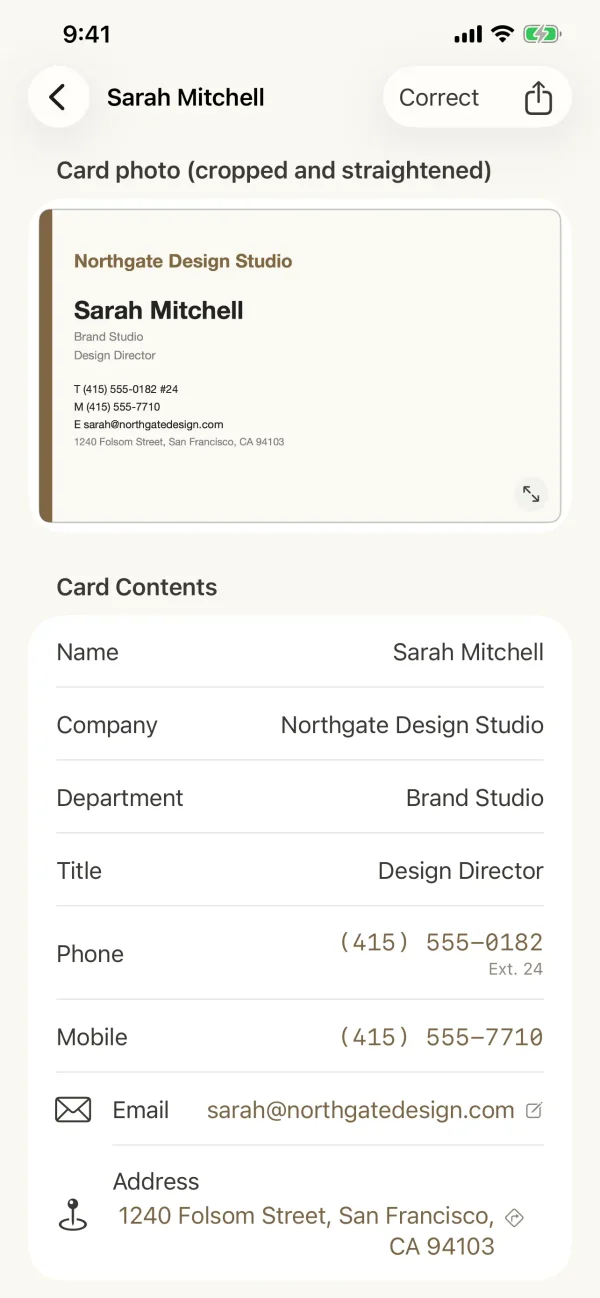
Open the Files app on your iPhone and you'll see them: one folder per card, containing a readable card.json and the photo. Even if you stop using this app, those files stay open, readable, and yours.
■ Recognition runs on your phone
Text recognition is entirely offline. Card contents never leave your device. No account, no network required.
Recognizes cards in Traditional Chinese, Simplified Chinese, English, and Japanese — front and back.
■ Search finds anything on the card
Not just names and companies. Taglines, brand names, full department titles — if it's printed on the card, you can find it. Results are instant across thousands of cards.
■ Fix what recognition got wrong
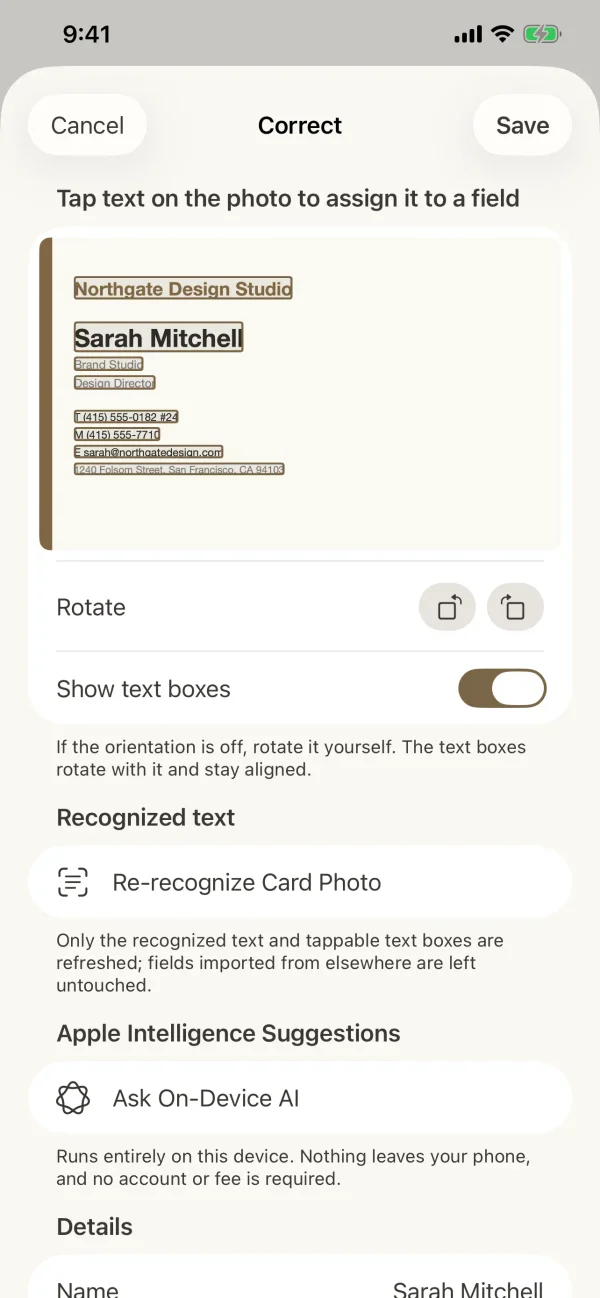
Tap text on the photo to assign it to a field, or just type. The app flags what looks questionable instead of leaving you to discover it later.
■ Grouping, for when you have a lot of them
Cards group themselves by company and by region — nothing to file, because those groups are computed from what's on the card, so new cards land in the right place on their own. For your own categories, add tags: an industry, the trade show you worked this year. A whole group can be tagged at once.
■ Save them into iPhone Contacts
Turn your cards into iPhone contacts — name, company, job title, phone (including extensions), email and address all come across. If you have a Google account set up on your iPhone, pick that account and iPhone syncs them to Google Contacts on its own. Cards you already saved are not saved twice; later runs only handle the new ones.
■ Updates make your old cards better too
Recognition improves with each release, but cards you saved months ago don't follow along by themselves. Data Maintenance can re-read fields in bulk, normalize phone number formats, and use the well-recognized cards from a company to fill in the address and main line that other cards are missing. Each one lists what it wants to change and waits for you to confirm.
■ Move in from another card app
Import vCard files — the format most card apps and address books export. Names, companies, phone numbers, and email come across intact.
The free version holds 30 cards with nothing held back: scanning, recognition, editing, and export are all fully available. Decide with the real thing, not a countdown timer.
What’s new
Version 1.9.4 · Oct 31, 2026
• You can now rotate and crop the photo on My Card: turn it the right way up if it was taken upside down, and crop out any desk around it. This works whether the photo came from the camera, Photos, or Files.
App privacy
What Pei Chung Wang declares on the App Store about how this app handles data.
-
Data not collected
The developer does not collect any data from this app.
Privacy practices may vary, for example with the features you use or your age.
Information
- Seller
- Pei Chung Wang
- Category
- Business
- Version
- 1.9.4
- Updated
- Oct 31, 2026
- Released
- Aug 15, 2026
- Size
- 4.0 MB
- Requires
- iOS 18.0 or later
- Age rating
- 4+
- In-app purchases
- Yes
- Languages
- Traditional Chinese, Japanese, Simplified Chinese, English, Korean
- Copyright
- © 2026 艋舺慈惠醫院