
- Age rating4+
- CategoryEducation
- DeveloperTony Myers
- LanguagesEnglish
- Size8.1 MB
Links to the official App Store page
Download.org hosts no file of My Classview. The button opens its official App Store page, published by Tony Myers. Listing last checked on Nov 18, 2026.
Screenshots
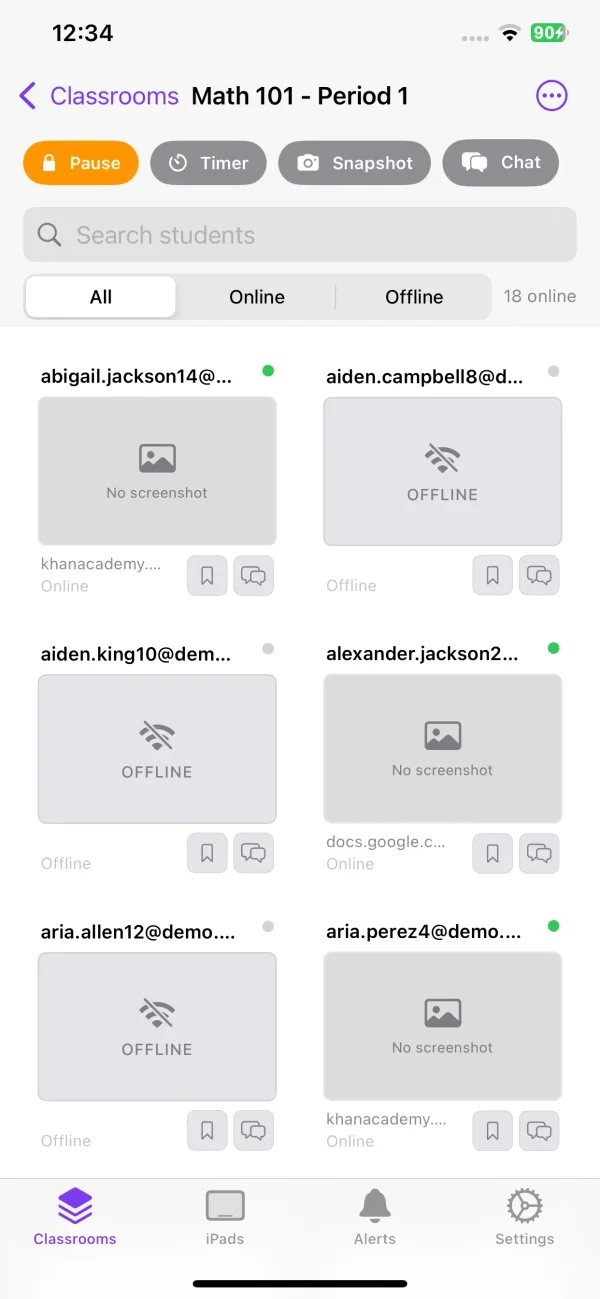
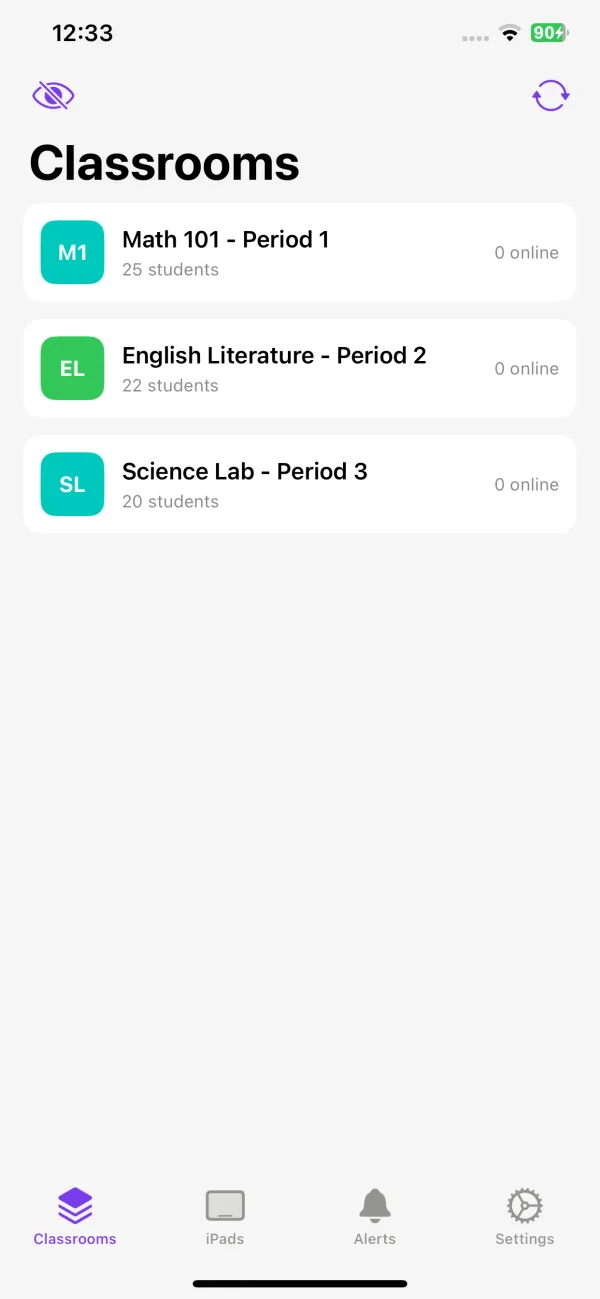
What’s new
Version 1.1 (2) · Sep 21, 2026
What's new in Classview:
• See when a student's Chromebook is playing sound, and mute it with one tap from their tile. You can also mute a student before anything starts playing.
• Mute a whole class at once. New tabs and anything that starts playing stay muted until you turn it off.
• Spot split screens and extra browser windows, where off-task tabs often hide beside schoolwork.
• Switch any student tile to a list of their open tabs, with the tabs playing sound marked and their own mute buttons.
• Edit the whitelist and blocklist straight from the app, including which classes a blocked site applies to.
• Tidier student tiles, with every tile in a row the same size.
• The timeline now opens on the latest screenshot.
• Fixes a crash when the server was slow to respond.
App privacy
What Tony Myers declares on the App Store about how this app handles data.
-
Data not collected
The developer does not collect any data from this app.
Privacy practices may vary, for example with the features you use or your age.
Information
- Seller
- Tony Myers
- Category
- Education
- Version
- 1.1 (2)
- Updated
- Sep 21, 2026
- Released
- May 28, 2026
- Size
- 8.1 MB
- Requires
- iOS 18.0 or later
- Age rating
- 4+
- Price
- Free
- Languages
- English
- Copyright
- © 2026 Ctrl IT Ltd
You might also like
-
 Student Assistant AppGrades, Schedule & Deadlines
-
 KidTute: Kids Learning GamesABC Phonics Math & Reading
-
 Wonder Quest AISafe AI Learning for Kids
-
 Fair Marks - Marks made easyFor Teachers & Lecturer
-
 OneHomeschoolHomeschool Planner & Records
-
 Bloomiverse: Kids Calm & MusicLearn, Feel, Sing & Grow
-
 Halo:Chat & Pray & MeditateAI assistant for daily prayer
-
 Family Points: Reward TrackTasks and rewards for families
-
 Derek Prince - MENALearn with Derek Prince
-
 Kidsoz - Kids Learning GamesToddler ABC, Quiz & Puzzles