
- Age rating4+
- CategoryProductivity
- DeveloperYune Cho
- LanguagesKorean+ 1 more
- Size2.3 MB
Links to the official App Store page
Download.org hosts no file of My Day Off. The button opens its official App Store page, published by Yune Cho. Listing last checked on Nov 14, 2026.
Screenshots

About
Still doing annual leave math in your head?
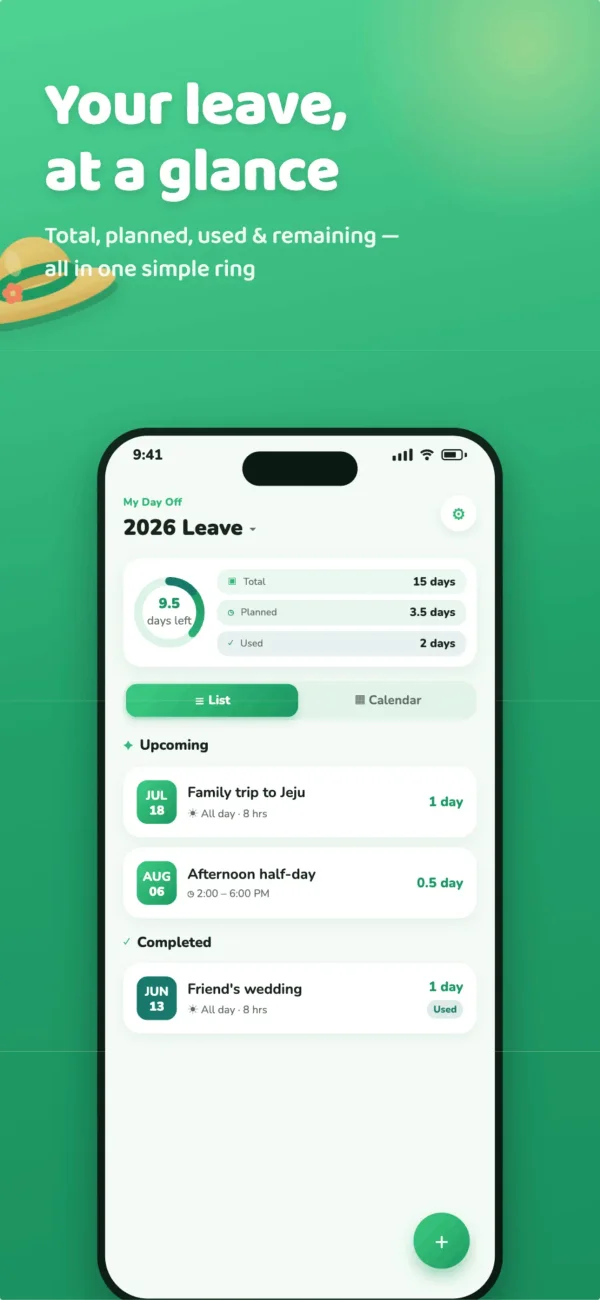
My Day Off shows your remaining leave in a single ring and helps you plan your days off ahead of time.
No account, no login — just open it and start.
■ YOUR BALANCE IN ONE RING
Total, planned, used and remaining leave.
All four numbers on one screen the moment you open the app.
■ HALF DAYS, TRACKED BY THE HOUR
Full days, afternoon half days, or a quick two-hour errand — pick a start and end time and the hours are calculated for you.
Break time is excluded automatically. Set your work hours and work days once.
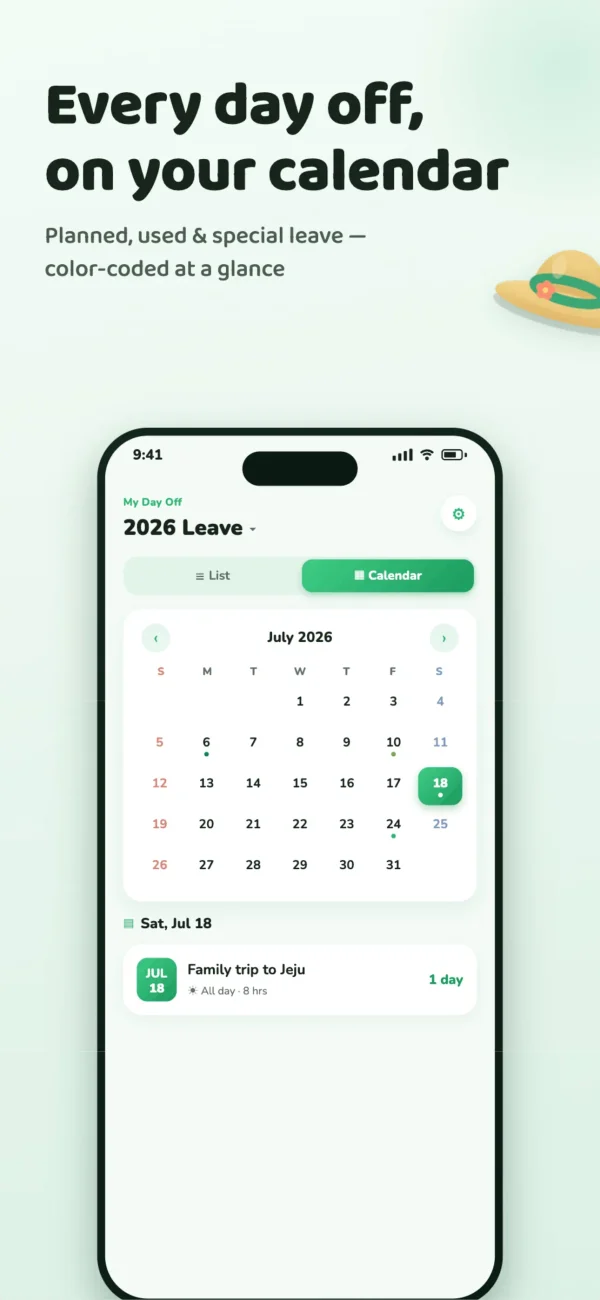
■ COLOR-CODED ON THE CALENDAR
Planned, used and special leave each get their own color.
Public holidays from your region's calendar appear too, so it's easy to spot the days worth attaching to a long weekend.
■ SPECIAL LEAVE THAT ISN'T DEDUCTED
Bereavement days, reward days, anything granted outside your allowance — record it as Special leave. It shows on your calendar, but your balance stays untouched.
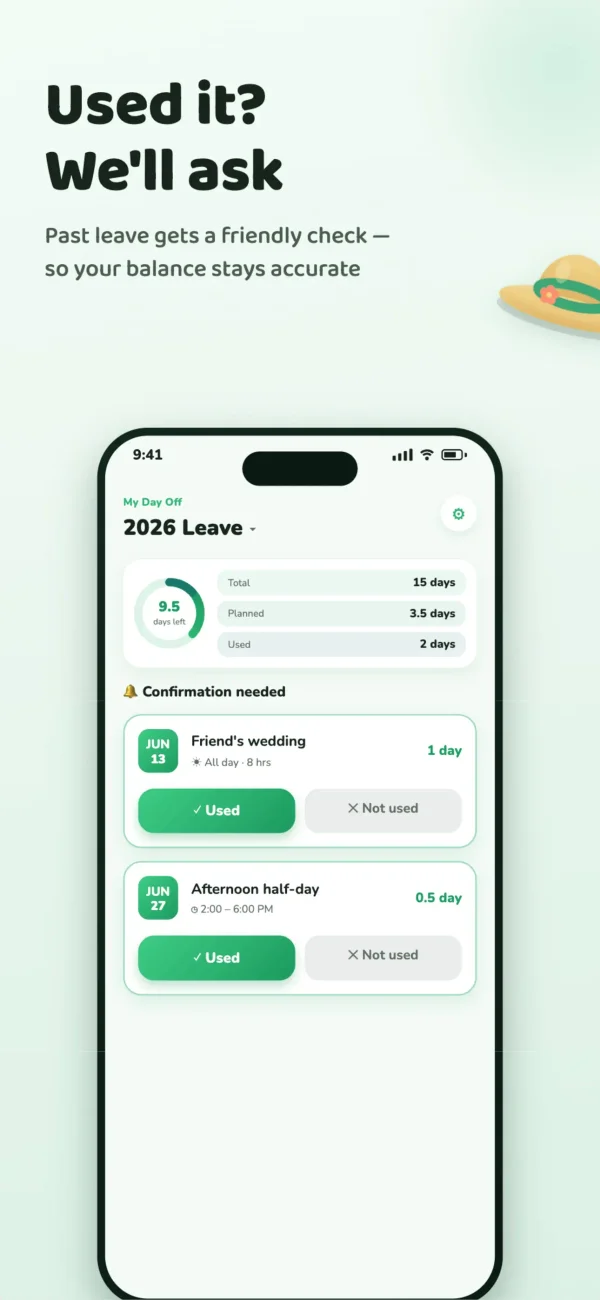
■ THE APP ASKS ABOUT LEAVE YOU'VE TAKEN
When a leave ends, a notification arrives. Just tap Used or Not used.
You can answer straight from the notification, so cancelled plans never quietly eat into your balance.
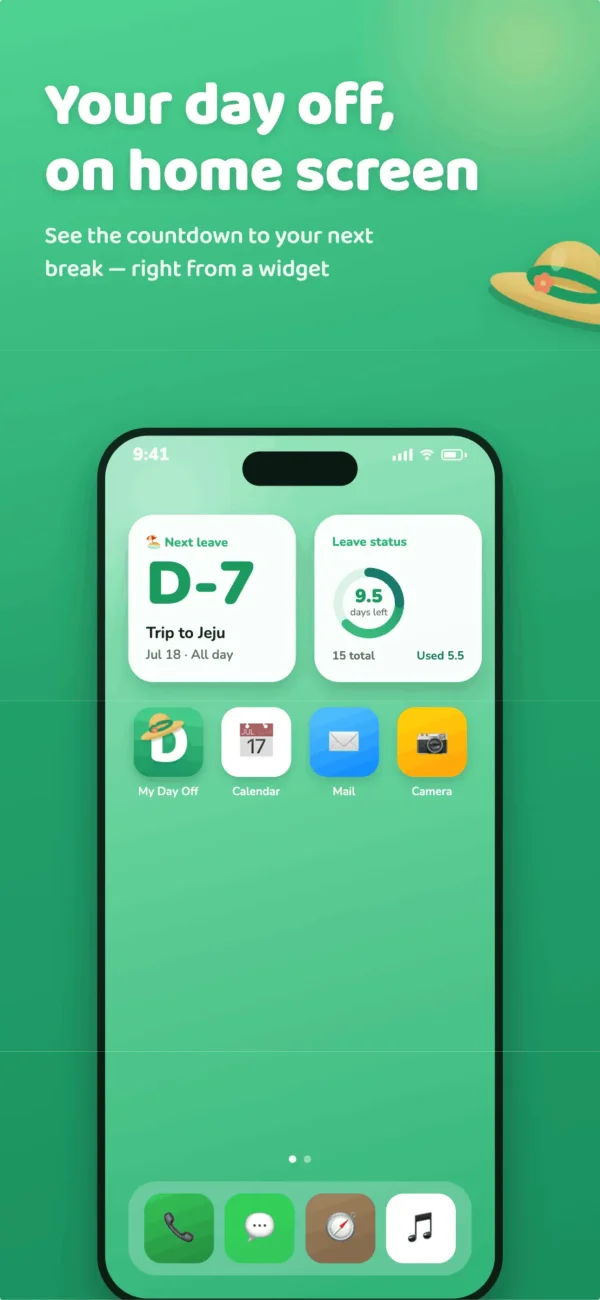
■ TWO HOME SCREEN WIDGETS
· Leave Status — total, planned, used and remaining at a glance
· Next Leave — a D-day countdown to your closest day off
Both available in small and medium sizes.
■ PREVIOUS YEARS ARE KEPT
Your records don't disappear when the year turns. Look back anytime.
At the start of a new year, the app helps you settle any leave you never confirmed.
■ STAYS ON YOUR DEVICE
My Day Off never sends anything to a server. It has no networking code at all.
· No account, no login
· No ads, no tracking
· No third-party analytics
Everything you enter lives on your device and is removed with the app.
■ ENGLISH · 한국어
Switch the display language anytime inside the app.
Days off are better when you plan them.
Start planning this year with My Day Off.
What’s new
Version 1.0.3 · Oct 23, 2026
- Manage your vacation with a more expansive and vibrant display experience on iPhone Duo.
App privacy
What Yune Cho declares on the App Store about how this app handles data.
-
Data not collected
The developer does not collect any data from this app.
Privacy practices may vary, for example with the features you use or your age.
Information
- Seller
- Yune Cho
- Category
- Productivity
- Version
- 1.0.3
- Updated
- Oct 23, 2026
- Released
- Sep 14, 2026
- Size
- 2.3 MB
- Requires
- iOS 17.0 or later
- Age rating
- 4+
- Languages
- Korean, English
- Copyright
- © 2026 RaumDaum
You might also like
-
 Leave & Absence TrackerProductivity
-
 My Leave DaysOffshore crew leave tracker
-
 PTO Tracker: Vacation DaysAnnual Leave, Time Off Balance
-
 Time to Dot - a braille clockProductivity
-
 PLM - Personal leave managerTrack Your Leave
-
 Review AxisProductivity
-
 Pocket Coach by Anthony CrainProductivity
-
 Vacation Tracker ckTrack Your Vacation Balance
-
 Leave & Overtime Tracker: PTOAnnual Leave, Work Hours & Pay
-
 Leave Balance TrackerProductivity