- Age rating12+
- CategoryUtilities
- DeveloperNotan
- LanguagesEnglish+ 5 more
- Size10.2 MB
Links to the official App Store page
Download.org hosts no file of My Docs Cloud. The button opens its official App Store page, published by Notan. Listing last checked on Nov 22, 2026.
Screenshots


About
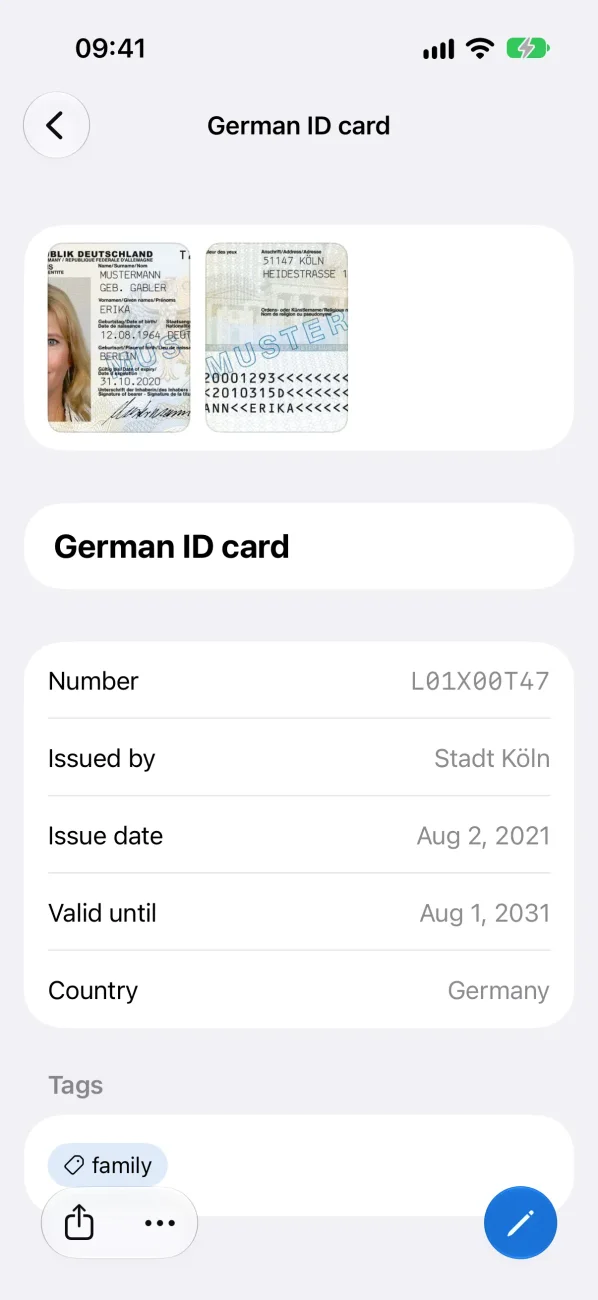
myDocs keeps your passports, licences, insurance policies and receipts together, reminds you before anything expires, and encrypts the sensitive ones on your device, so only you can open them.
KNOW BEFORE IT EXPIRES
• Documents that expire soon sit at the top of your list
• Reminders by email and as notifications on your devices
• Days left shown on every card
• Folders, colours and tags for the whole family's papers
SCAN
• Scan paper with the camera: edges are found and the page is straightened for you
• Text is recognised on your device, with no third-party service
• Photos, PDFs and office files in one document
ENCRYPTED BEFORE IT LEAVES YOUR DEVICE
• Mark a document as encrypted and its files, number and notes are locked with a key that never reaches our servers
• AES-256-GCM, with your secret key stretched by Argon2id
• Unlock with Face ID or a passkey instead of typing the key
• A printable master key gets you back in if you forget the secret key
SHARE A COPY, NOT YOUR ACCOUNT
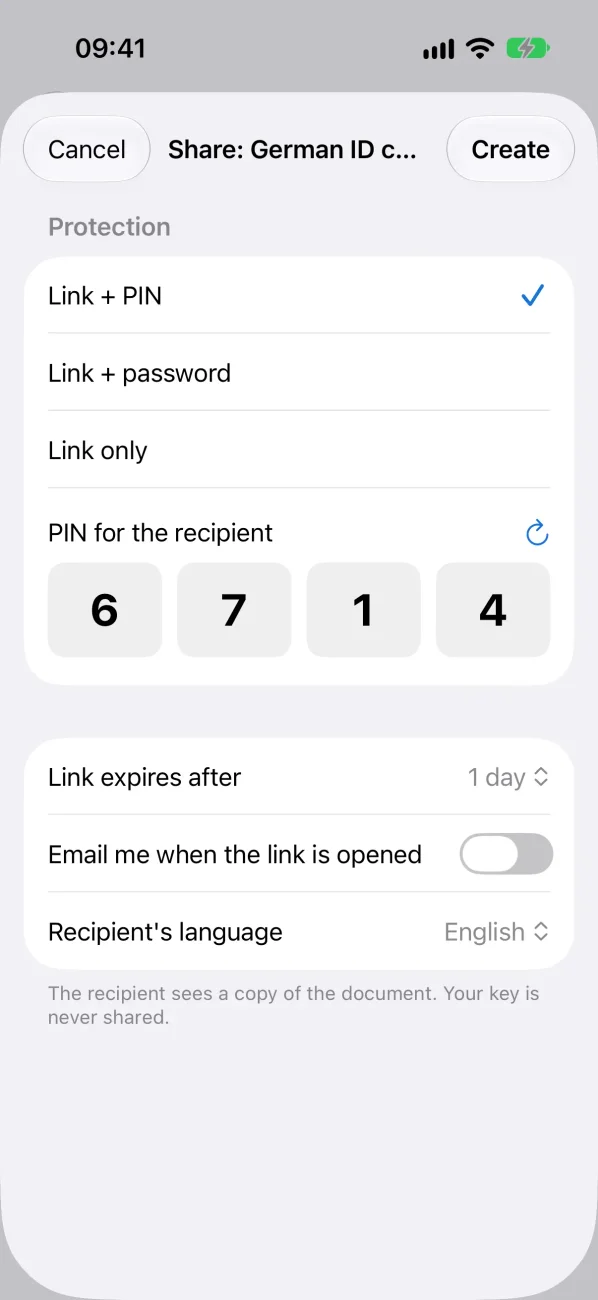
• Send a link to a copy of one document
• Protect it with a PIN or a password and choose how long it lives
• Revoke it at any time
ALWAYS WITH YOU
• Your documents open without a network connection
• One account on iPhone, iPad, Mac and in the browser at app.mydocs.cloud
• Sign in with email, a passkey, Apple or Google
• Light and dark appearance
• English, Deutsch, Français, Українська, Русский, العربية
What’s new
Version 2.0.2 · Nov 18, 2026
myDocs 2 is a completely new app.
• New design, built for the latest iOS
• Native iPad and Mac versions
• End-to-end encryption for the documents you choose, unlocked with Face ID or a passkey
• Scanner that finds the page edges, flattens curved pages and balances white
• Text in photos and PDFs is recognised on your device: search finds documents by what is written in them and shows where the words are
• Number, country and dates are suggested from a document photo, including a passport's machine-readable zone
• Rename files and crop them again before saving
• Progress of longer tasks on the Lock Screen and in the Dynamic Island
• Documents open offline
• Sign in with a passkey, Apple or Google
• Expiry reminders as notifications
Documents encrypted in the previous version: open them once at app.mydocs.cloud and they will be converted to the new format.
App privacy
What Notan declares on the App Store about how this app handles data.
-
Data not collected
The developer does not collect any data from this app.
Privacy practices may vary, for example with the features you use or your age.
Information
- Seller
- MEBA LTD
- Category
- Utilities
- Version
- 2.0.2
- Updated
- Nov 18, 2026
- Released
- Feb 8, 2021
- Size
- 10.2 MB
- Requires
- iOS 26.0 or later
- Age rating
- 12+
- Price
- Free
- Languages
- English, Arabic, French, German, Russian, Ukrainian
- Copyright
- © Notan
You might also like
-
 MyDocsUtilities
-
 DocSafe: Document OrganiserYour Document Organizer
-
 Documents Organizer OfflineSecure documents in one place
-
 Torto: Document VaultPrivate Document Vault
-
 Docs AlertUtilities
-
 Sunrise PropaneUtilities
-
 Photos to PDF Converter: ImageConvert your photos to PDF
-
 YouMonitorMonitor Gen3 Wall Chargers
-
 DocStore-Document VaultUtilities