- Age rating4+
- CategoryProductivity
- DeveloperSUMEET SINHA
- LanguagesEnglish
- Size1.1 MB
Links to the official App Store page
Download.org hosts no file of My Exam Timer. The button opens its official App Store page, published by SUMEET SINHA. Listing last checked on Nov 12, 2026.
Screenshots

About
Take control of high-stakes testing halls and classrooms with My Exam Timer—the ultimate native tool built specifically for school invigilators, assessment coordinators, instructors, and dedicated students.
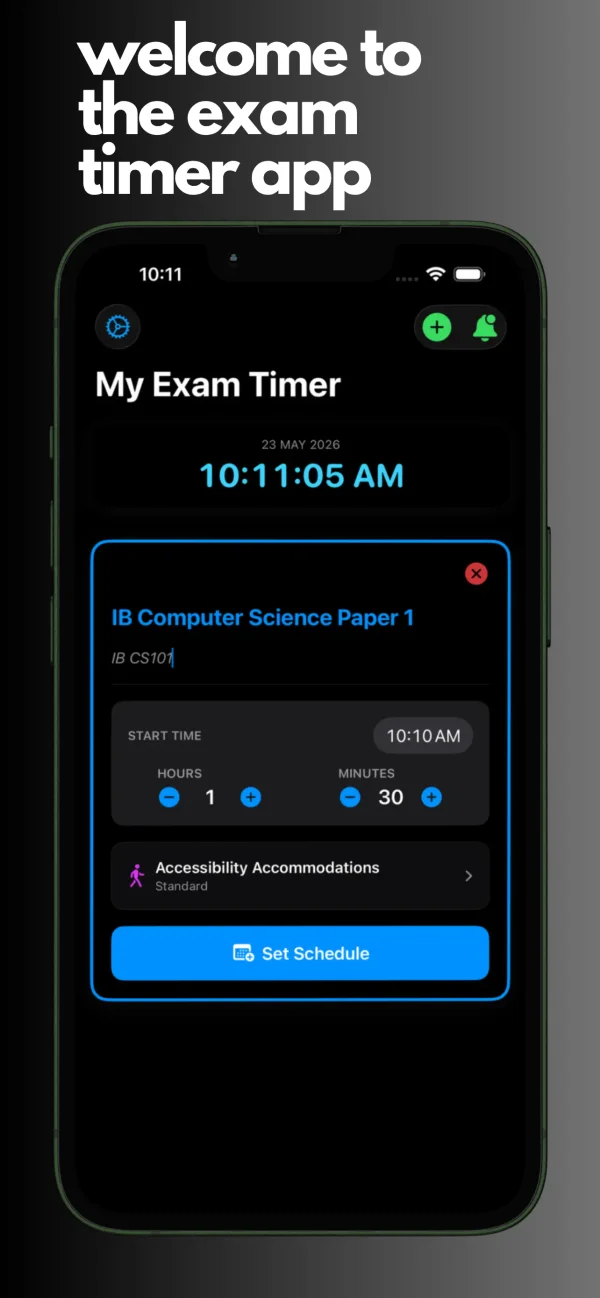
Managing complex examination schedules across an entire room or auditorium shouldn't rely on error-prone dry-erase whiteboards or rigid single-countdown timers. My Exam Timer delivers a streamlined, multi-session dashboard directly to your iPhone or iPad, providing a fail-safe environment where every second counts.
Whether you are administering concurrent IB, A-Level, GCSE, university midterms, or professional mock exams, this application simplifies the administrative burden so you can focus on academic integrity.
KEY FEATURES:
• ADVANCED MULTI-SESSION ARCHITECTURE
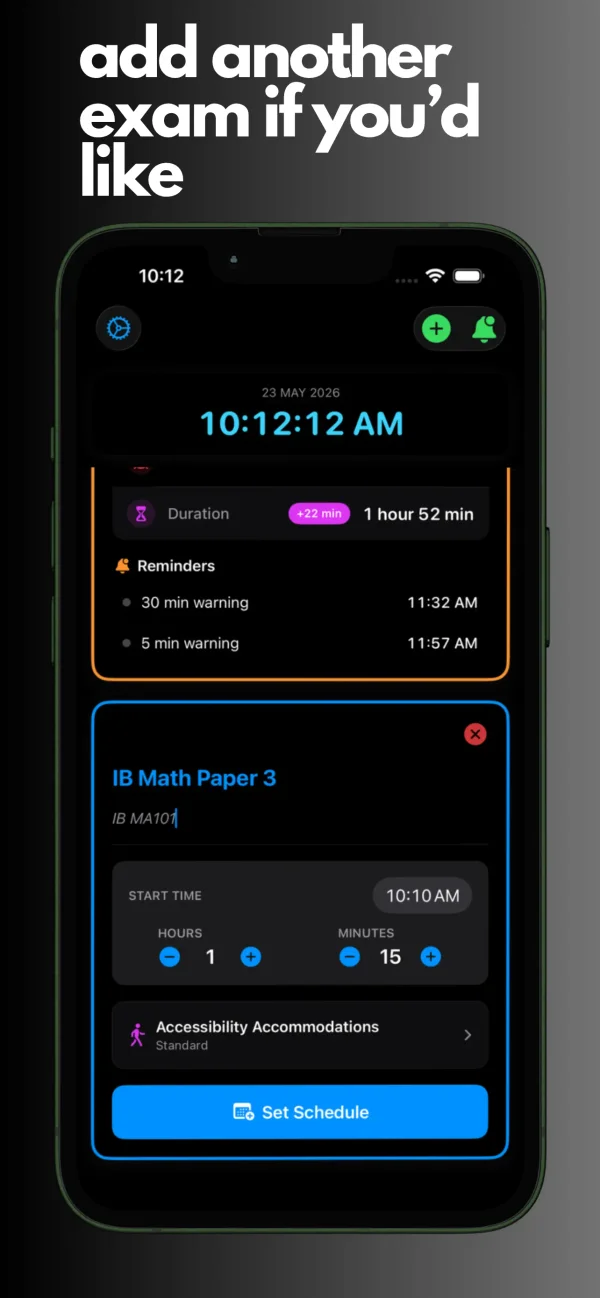
Run multiple separate exam sessions, individual syllabus papers, or distinct class groups side-by-side on a single, clean visual grid layout. Track varying durations and parameters simultaneously without cross-contamination.
• BUILT-IN ACCESSIBILITY & ACCOMMODATIONS ENGINE
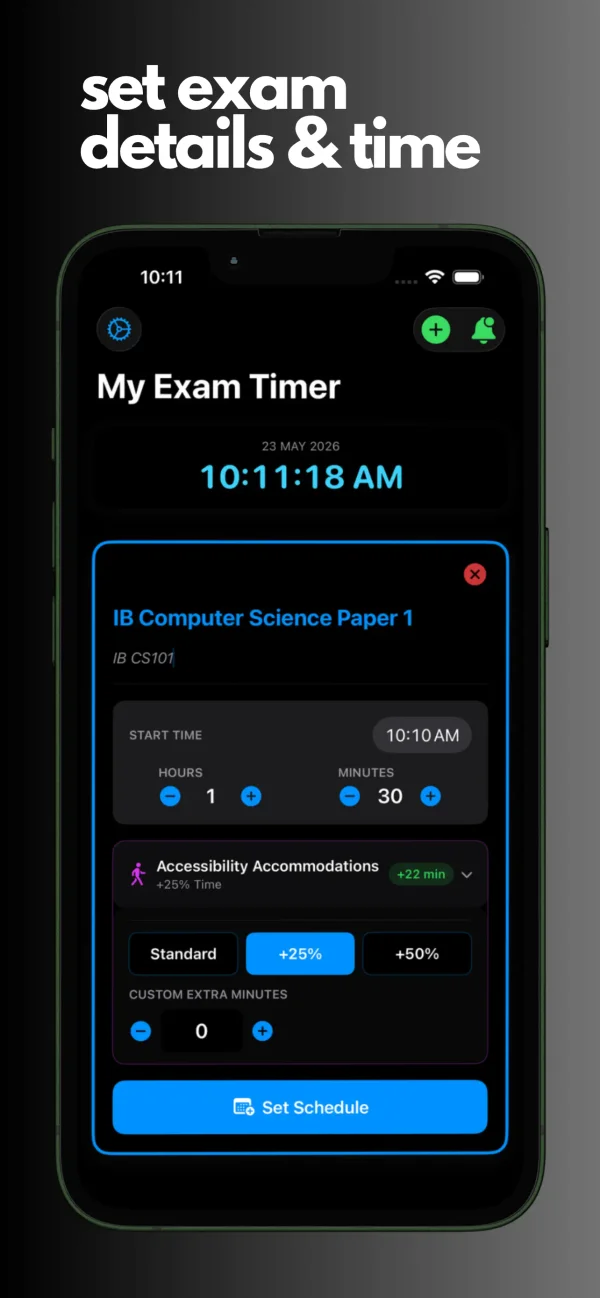
Effortlessly comply with local special educational needs (SEN) or official assessment board guidelines (such as JCQ or ADA regulations). Instantly apply standard +25% Extra Time or +50% Extra Time toggles, or input custom extra minutes. The app automatically recalculates active end times and milestone intervals instantly without resetting ongoing clocks.
• FAIL-SAFE LIVE SESSION RECOVERY
Exam room technology requires absolute dependability. Built with local storage persistence, your data is saved instantly as you configure it. If your device battery drops or the application process closes unexpectedly, all active testing metrics, countdown intervals, and custom metadata fields restore perfectly right upon reboot.
• HARDWARE BACKGROUND ALERTS & AUDIO PROMPTS
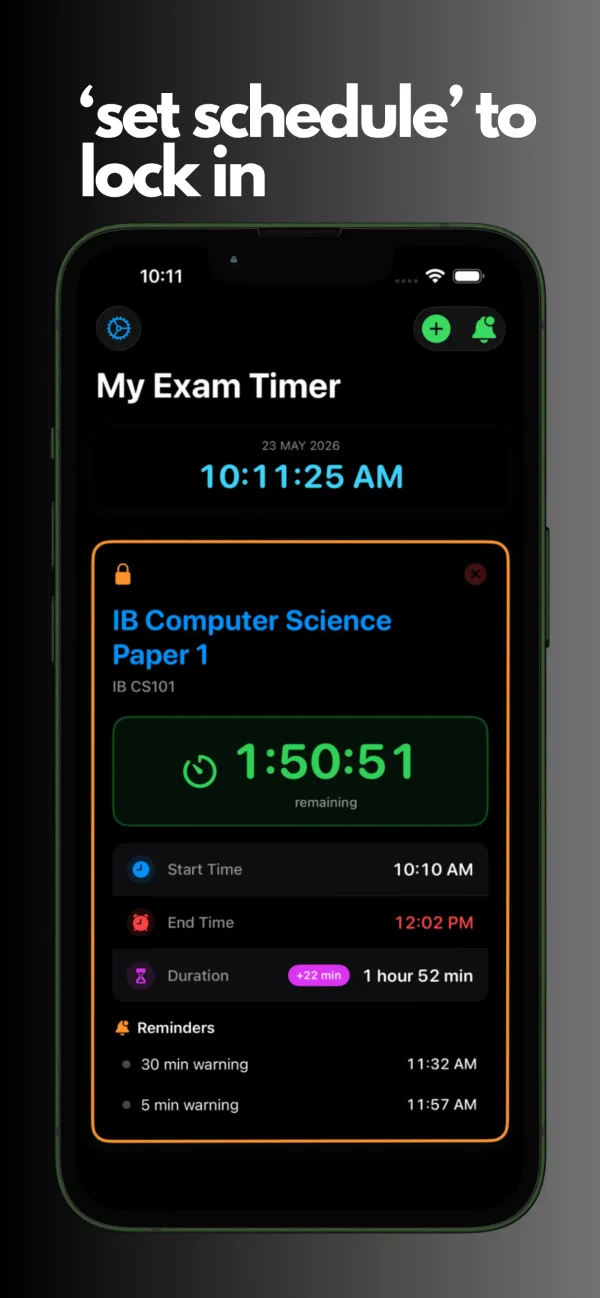
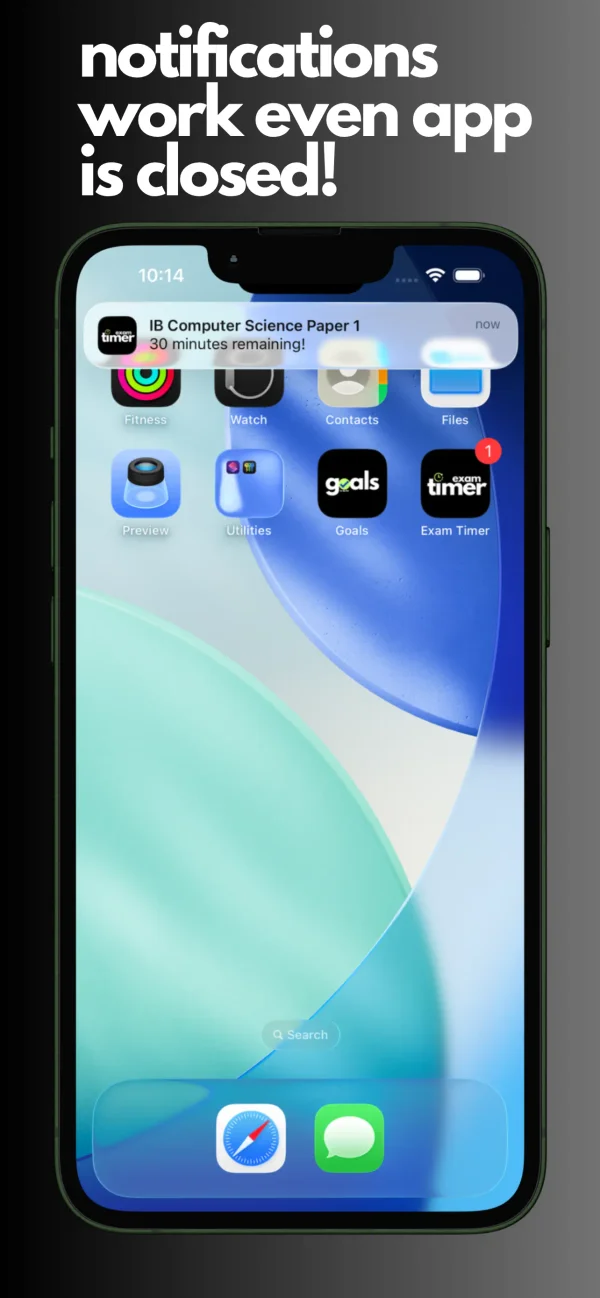
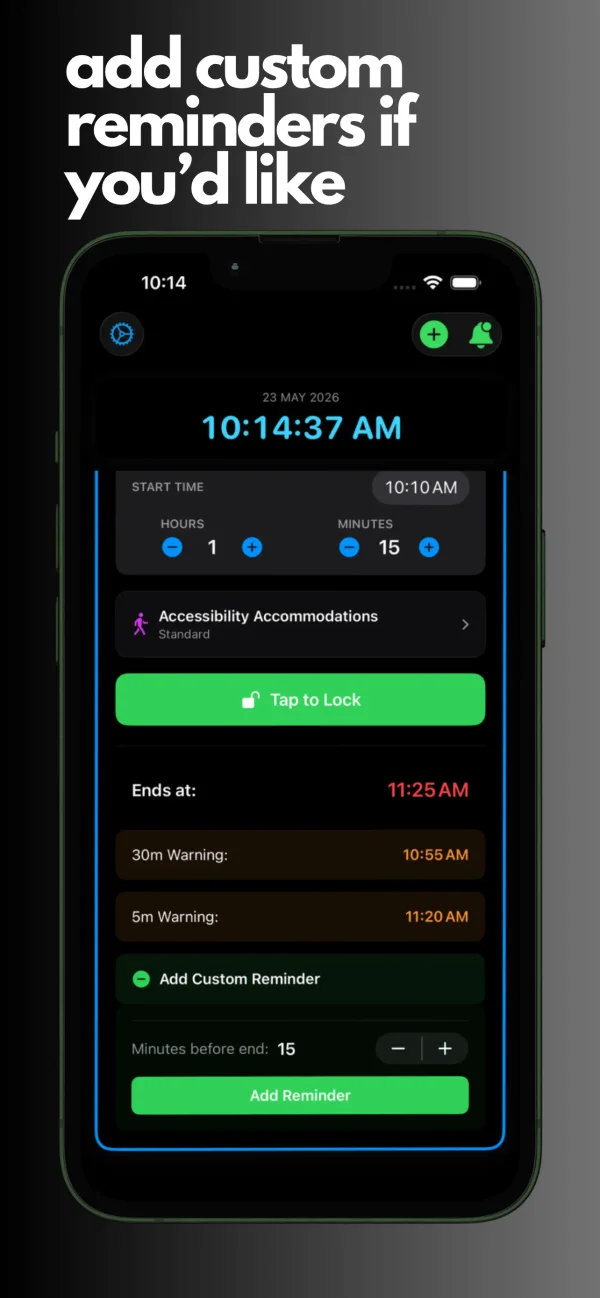
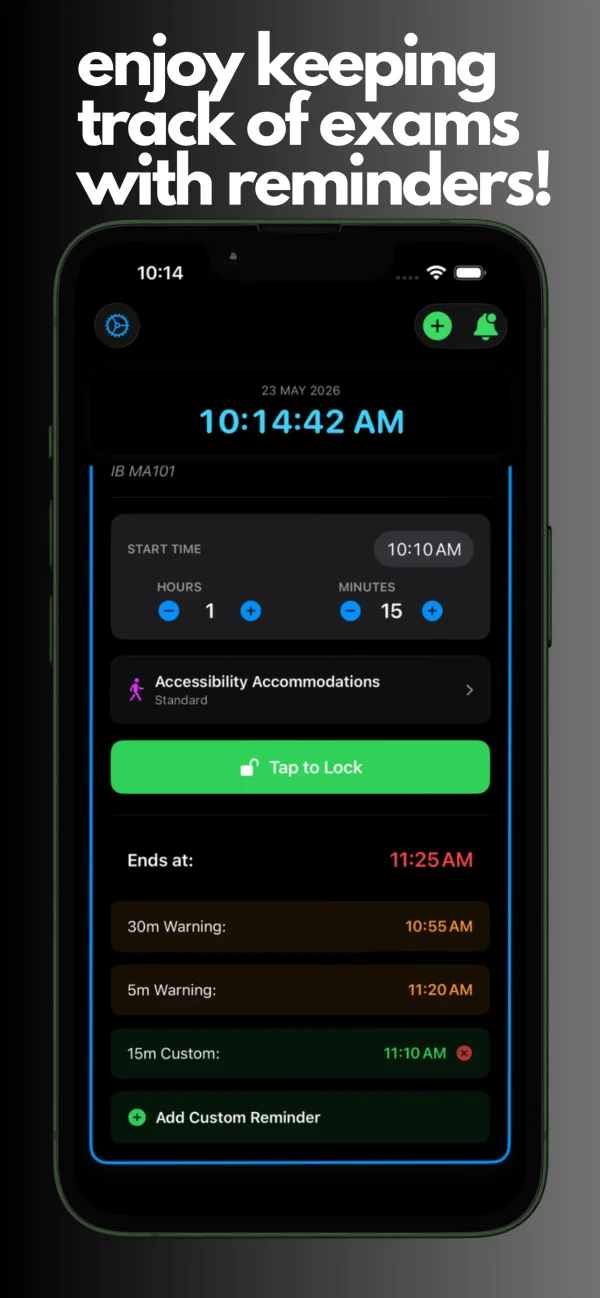
Never miss an announcement marker again. The app pre-calculates structural testing milestones, delivering automated push notifications and clear speech-synthesized warnings for the crucial 30-minute remaining marker, the 5-minute remaining marker, and the final absolute "TIME IS UP!" announcement—even when your screen is locked or the device is sleeping.
• CLEAN, HIGH-CONTRAST INTERFACE
Designed for readability across deep rooms and halls. The fixed core typography display stays prominent while keeping layout controls organized. Easily switch between Light and Dark themes to match your aesthetic preference.
Eliminate manual clock calculations and whiteboard tracking. Bring objective, auditable timeline management to your next testing cycle with My Exam Timer.
SUPPORT & FEEDBACK:
We are committed to absolute accuracy in exam room administration. If you have feature requests, queries, or need help, contact us directly at contact@sumeetsinha.com.
What’s new
Version 1.1 · May 29, 2026
- bug fixes
- more voice alert options
App privacy
What SUMEET SINHA declares on the App Store about how this app handles data.
-
Data not collected
The developer does not collect any data from this app.
Privacy practices may vary, for example with the features you use or your age.
Information
- Seller
- SUMEET SINHA
- Category
- Productivity
- Version
- 1.1
- Updated
- May 29, 2026
- Released
- May 26, 2026
- Size
- 1.1 MB
- Requires
- iOS 17.6 or later
- Age rating
- 4+
- Languages
- English
- Copyright
- © SUMEET SINHA
You might also like
-
 My Own PomodoroTrack and grow your focus time
-
 FocusFlow – Pomodoro TimerPomodoro Timer for Focus
-
 GoalingProductivity
-
 Kamato TimerPomodoro Timer & Habit Tracker
-
 TimeGlass Notes - Sticky NotesYour day beautifully organized
-
 PomochiCozy Pomodoro Timer
-
 Midoro - Pomodoro TimerFocus Timer & Time Tracking
-
 Gra-deuk Timer8 Study Skills! Pomodoro Timer
-
 Pomodoro RoundsSimple focus & break timer
-
 Study Timer - Simple TrackerProductivity