- Age rating17+
- CategoryProductivity
- DeveloperMatt Geise
- LanguagesEnglish
- Size60.4 MB
Links to the official App Store page
Download.org hosts no file of My Full Day. The button opens its official App Store page, published by Matt Geise. Listing last checked on Nov 20, 2026.
Screenshots




About
My Full Day helps you run the real moving parts of your day without rebuilding everything in your head.
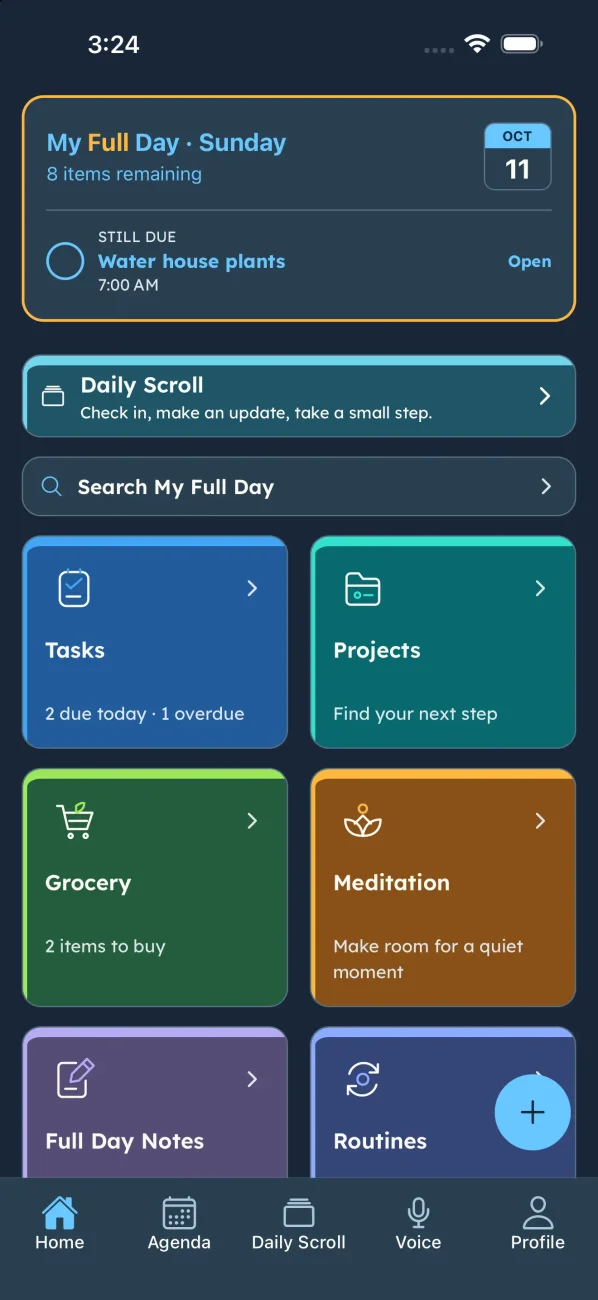
Keep tasks, routines, medications, groceries, projects, notes, reminders, and daily plans together in one calm place. Open the app to see what needs attention now, what is coming up later, and what can wait.
ONE CALM PLACE FOR REAL LIFE
My Full Day is built for the everyday details that standard calendars and task apps often miss: recurring routines, medication schedules, grocery lists, errands, follow-ups, household tasks, projects, notes, and the small things you keep meaning to remember.
TODAY’S AGENDA
See tasks, routines, medications, and calendar context together so you can answer the simplest question: what should I do next?
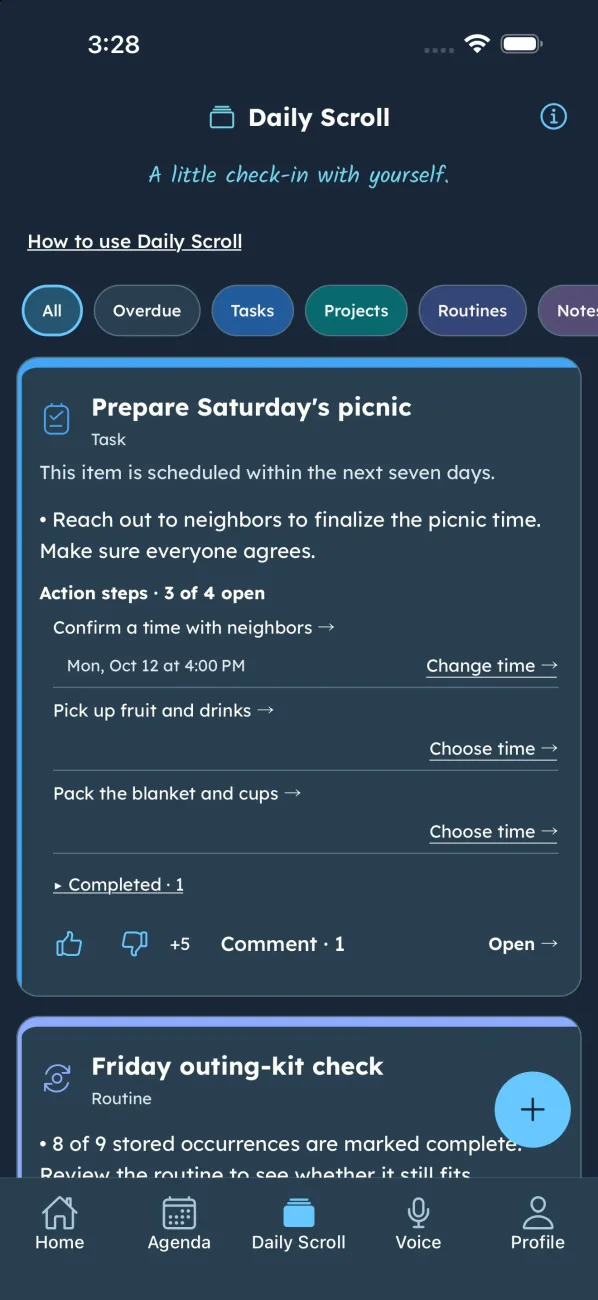
DAILY SCROLL
Check in with your day through cards for tasks, routines, projects, and more. Give an item more or less priority, leave a comment, or open it when you’re ready to work on it.
TASKS, PROJECTS, AND FOLLOW-THROUGH
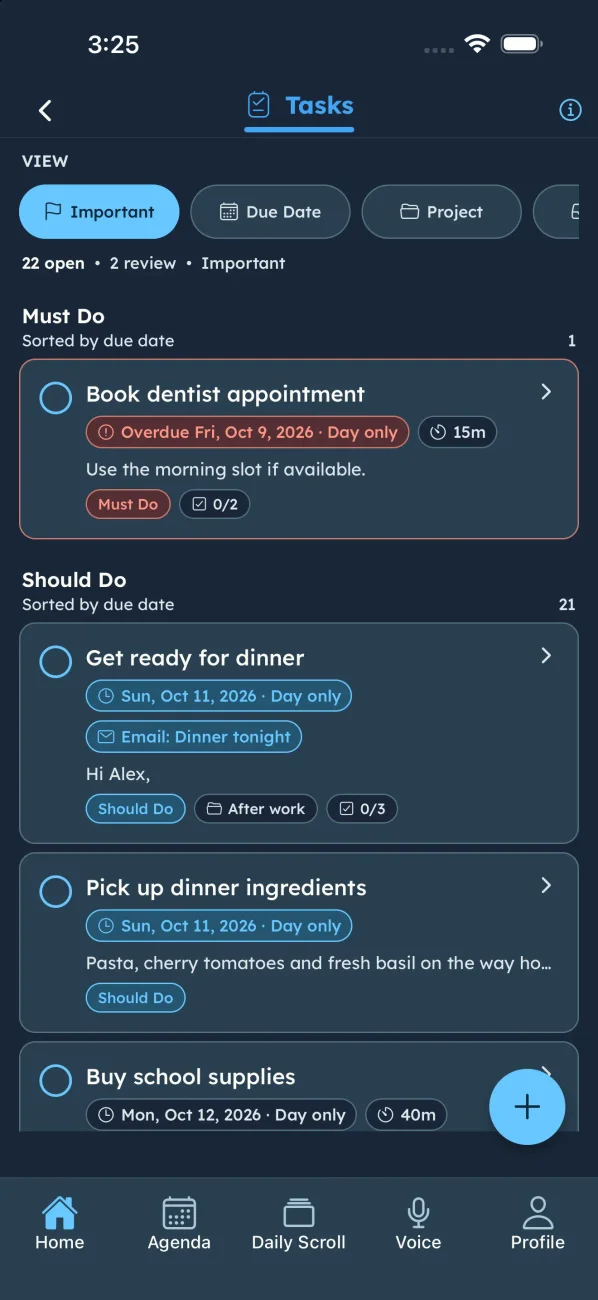
Capture quick tasks, organize bigger projects, add checklist items, manage due dates, and keep related notes, links, and attachments close to the work.
ROUTINES AND MEDICATIONS
Create daily or weekly routines for the parts of life you want to keep steady, like morning resets, evening cleanup, meal prep, movement, or household care. Add medications and doses so they appear beside the rest of your day.
GROCERIES AND NOTES
Keep grocery lists connected to the rest of your plan, including stores, categories, and quick shopping views. Save notes and daily context without scattering everything across different apps.
MAKE IT YOURS
Arrange your Home cards in the order you want. Choose Minimal, Electric, or Indigo colors, with Light, Dark, or Follow phone appearance.
OPTIONAL PRO FEATURES
My Full Day Pro adds extra help for capturing and organizing information faster, including voice capture, email-to-task forwarding, saved email context, attachments, advanced AI-assisted helpers, shared grocery lists, routine insights, and expanded planning tools.
The goal is not to turn your life into a complicated productivity system. It is to give you one calm place to come back to when the day changes.
Terms of Use (EULA): https://www.apple.com/legal/internet-services/itunes/dev/stdeula/
Privacy Policy: https://www.myfullday.com/legal/privacy
What’s new
Version 1.1.2 · Oct 15, 2026
Small fixes and improvements.
App privacy
What Matt Geise declares on the App Store about how this app handles data.
-
Data linked to you
May be collected and linked to your identity.
- Health and fitness
- Contact info
- User content
- Identifiers
-
Data not linked to you
May be collected but is not linked to your identity.
- Diagnostics
Privacy practices may vary, for example with the features you use or your age.
Information
- Seller
- Matt Geise
- Category
- Productivity
- Version
- 1.1.2
- Updated
- Oct 15, 2026
- Released
- Jul 28, 2026
- Size
- 60.4 MB
- Requires
- iOS 15.1 or later
- Age rating
- 17+
- Price
- Free
- In-app purchases
- Yes
- Languages
- English
- Copyright
- © 2026 My Full Day
You might also like
-
 TodoTicked: Task PlannerFocus Timer, Notes & Journal
-
 Rudyard: AI Writing AppFocused writing app with AI
-
 PSE SEIU 1948All-in-One Union Member Hub
-
 SchoolCuesYour school, all in one app
-
 Letterhead Maker: Letter PadCreate letterheads with logo
-
 myMirkaProductivity
-
 Brili Routines – Habit TrackerADHD Planner Grow & Thrive
-
 Informa Connect Tech EventsProductivity
-
 Tinker by ShopifyFrom idea to asset
-
 AI Chatbot 4 - Chat with AIAI Chatbot & AI Assistant