- Age rating4+
- CategoryLifestyle
- DeveloperMosque Madrasah Wakaf Shared Services
- LanguagesEnglish
- Size49.8 MB
Links to the official App Store page
Download.org hosts no file of My Ramadan App. The button opens its official App Store page, published by Mosque Madrasah Wakaf Shared Services. Listing last checked on Nov 12, 2026.
Screenshots




About
My Ramadan app aims to motivate young muslims to fast and perform other ibadah like praying Tarawih and Reciting the Al-Quran. Multiple profiles may be added for parents/guardians to keep track of their children’s progress. Vibrant artwork and colourful stickers can be simply clicked and dropped to track their progress!
**Features**
- Multiple profiles creation
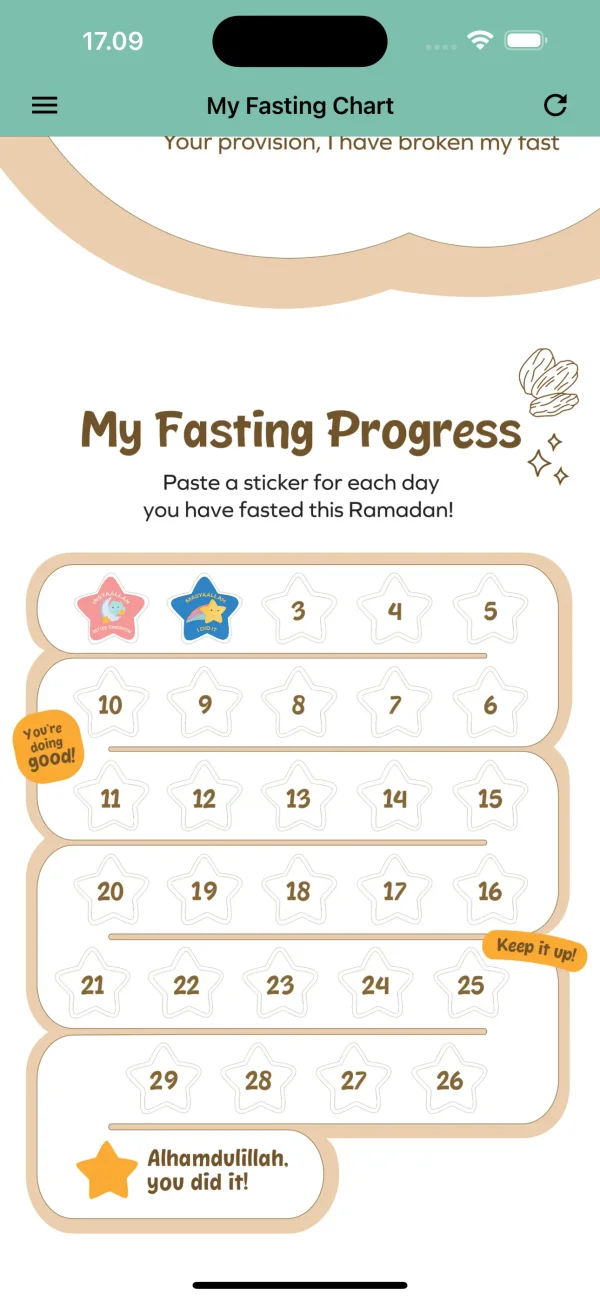
- Fasting chart with 3 different stickers to track your child’s performance.
- Tarawih chart with "I prayed" and "I didn't pray" stickers.
- Juz Amma surahs with "I read" and "I memorized" sticker.
- Prayer schedule time (Singapore timing).
- Selected Du’a which can be recited during Ramadan.
- Backup feature inclusive
1 My Fasting Poster Chart with Stickers:
• The poster comes with 3 different stickers to track your child’s performance in fasting. Stickers indicating "Masha Allah, I fasted!", "Alhamdulillah I tried!" and "Insha Allah, I’ll try next time..."
• Remind your child to click and drop a sticker on the numbered box every day. Praise your child if they managed to fast the whole day and encourage your child to try again if they did not succeed
2 My Tarawih Chart:
• Share with your child the virtues of Tarawih prayers.
• Encourage your child to pray Tarawih together with you either at home or in the mosque.
• Remind your child to click and drop a sticker on the numbered box every day. Praise your child if they managed to pray tarawih and encourage your child to try again if they did not succeed.
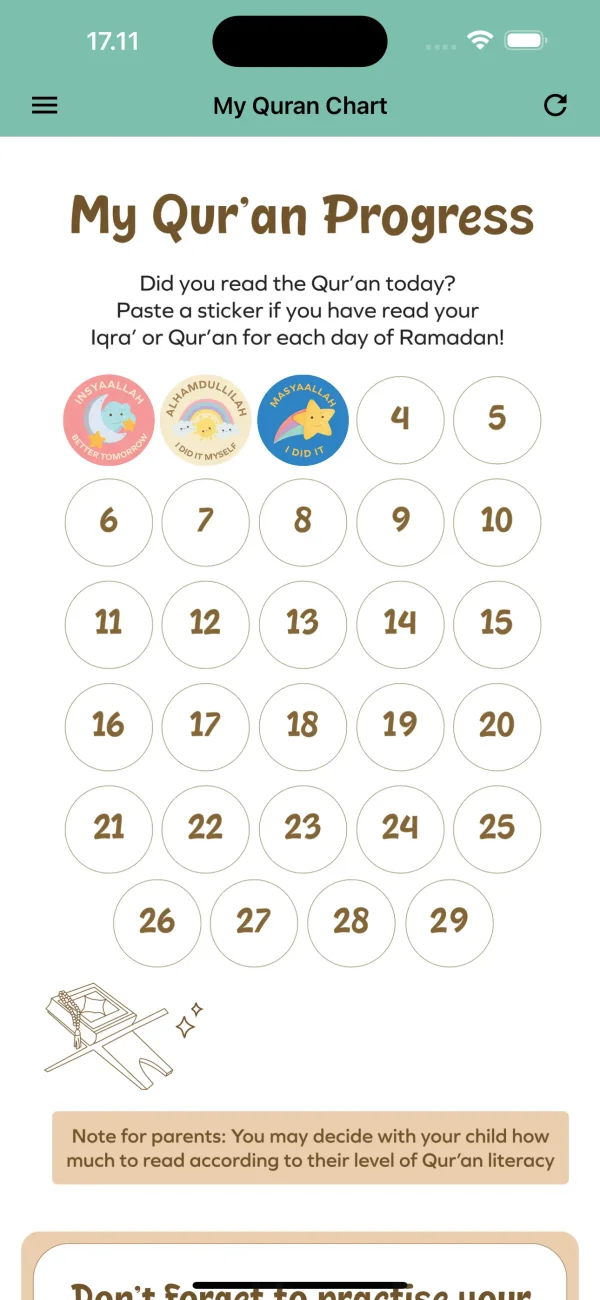
3 Quran Chart:
• Share with your child the virtues of Al Quran and the Night of Power (Lailatul Qadr)
• Encourage your child to recite the Al-Quran with you with some tafsir (explanation) of the contents.
• Remind your child to click and drop a sticker indicating I recited after each surah recital. Praise your child if they managed to complete recitation of the whole Juz Amma for little ones. Encourage your child to try again if they did not succeed.
Parents/Guardians Teaching Tips
• Introduce fasting as one of the five Pillars of Islam.
• Explain to your child what are the dos and don’ts while fasting.
• Explain the importance of fasting as stated in Al-Qur’an and Hadith.
• Set a realistic goal for each child before Ramadan on how many days they wish to fast.
• Remember to reward your child at the end of the month as a way to recognise their efforts.
• Bear in mind that children are not expected to pray Tarawih as diligently as an adult. However, older children can be strongly encouraged to pray the full set of Tarawih prayers.
• Encourage your child to recite the supplications (du’a) in the app together with you.
App privacy
What Mosque Madrasah Wakaf Shared Services declares on the App Store about how this app handles data.
-
Data not collected
The developer does not collect any data from this app.
Privacy practices may vary, for example with the features you use or your age.
Information
- Seller
- Mosque Madrasah Wakaf Shared Services
- Category
- Lifestyle
- Version
- 3.1
- Updated
- Mar 15, 2024
- Released
- Mar 14, 2024
- Size
- 49.8 MB
- Requires
- iOS 13.0 or later
- Age rating
- 4+
- Price
- Free
- Languages
- English
- Copyright
- © 2024 alive.sg
You might also like
-
 My Ramadan 2025: Prayer TimesPrayer Calendar, Athan
-
 Sawm: Ramadan Fasting TrackerSehri, Iftar & Prayer Times
-
 Tqwa: Become a Better MuslimAzan, Prayer, Haid, Ibadah.
-
 AjmalMuslim Wellbeing&Productivity
-
 Solat ChecklistPrayer Tracker & Analysis App.
-
 HabitsDaily DiaryMood Tracker, Health, Habits
-
 NabatGrow with Intention
-
 Nuri: Muslim Habit TrackerSalah, Quran & Dhikr Companion
-
 Ramadan and quran trackerFasting, Prayer & Quran 2026
-
 PrayaPrayer, Qibla, and Tracking