My Task Board - To Do Tracker
Your Personal To Do List Board
Designed for iPhone, iPad, Mac
- Age rating4+
- CategoryBusiness
- DeveloperPaulJAdam.com
- LanguagesEnglish
- Size3.6 MB
Links to the official App Store page
Download.org hosts no file of My Task Board - To Do Tracker. The button opens its official App Store page, published by PaulJAdam.com. Listing last checked on Nov 12, 2026.
Screenshots
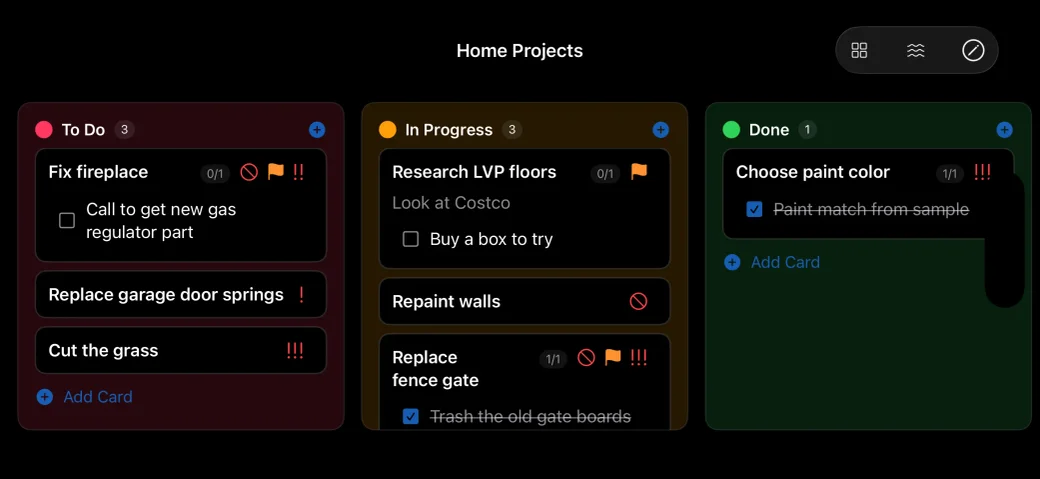
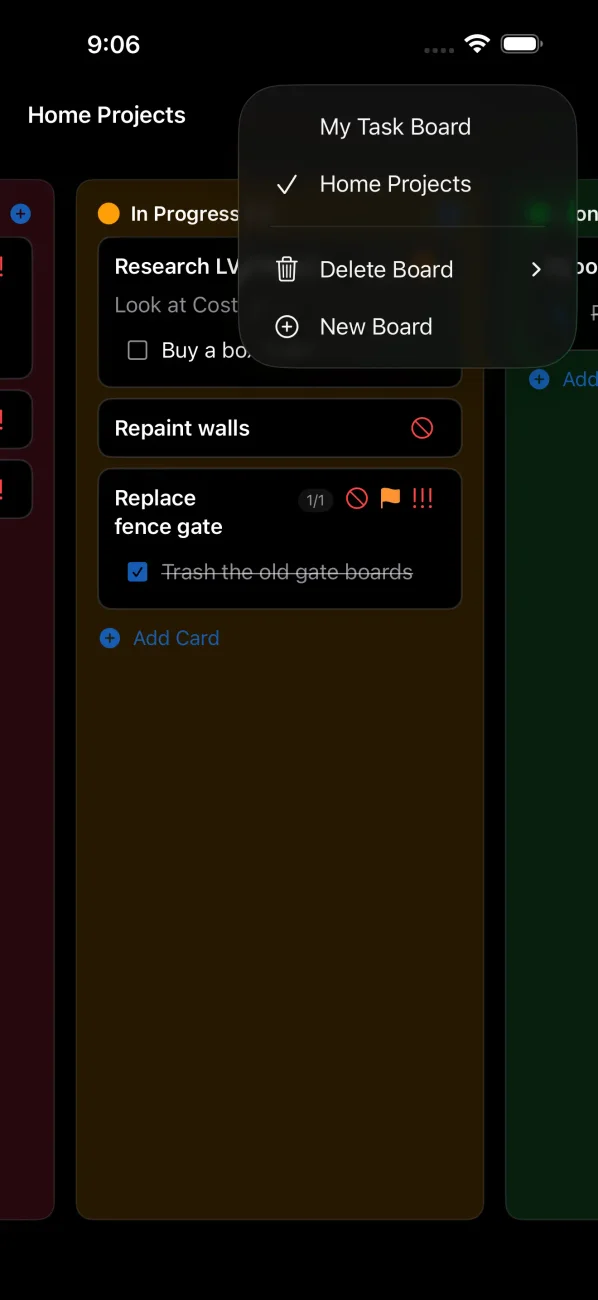
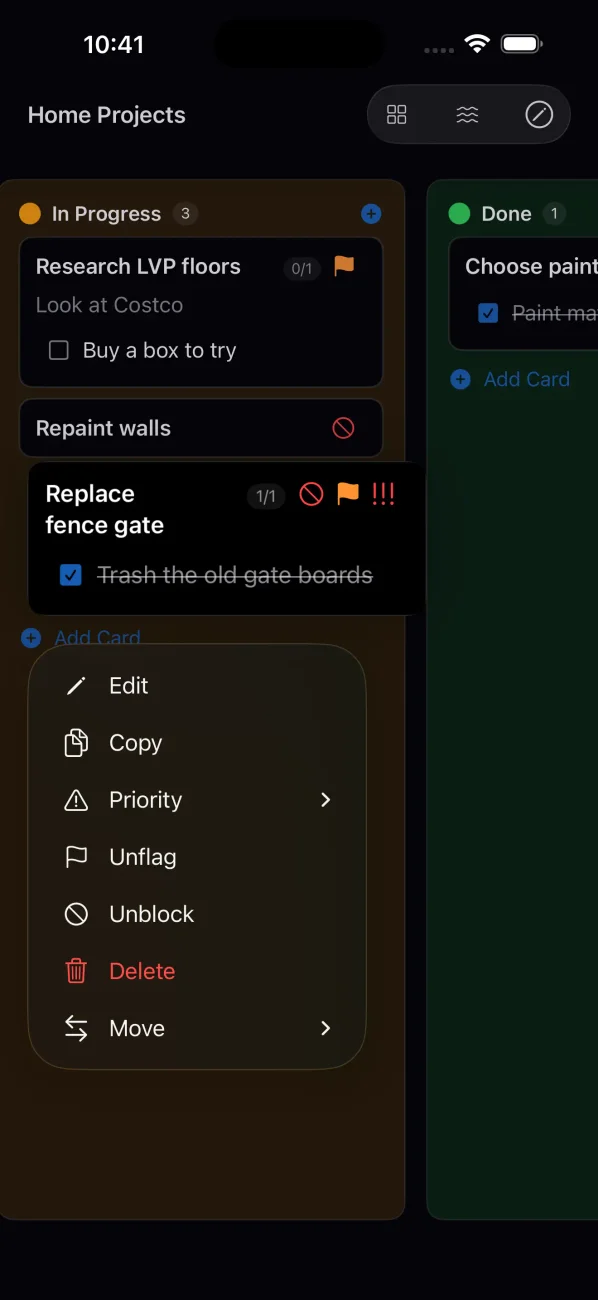
About
My Task Board — Fast, Accessible Kanban for iPhone, iPad, Mac, and Apple Watch
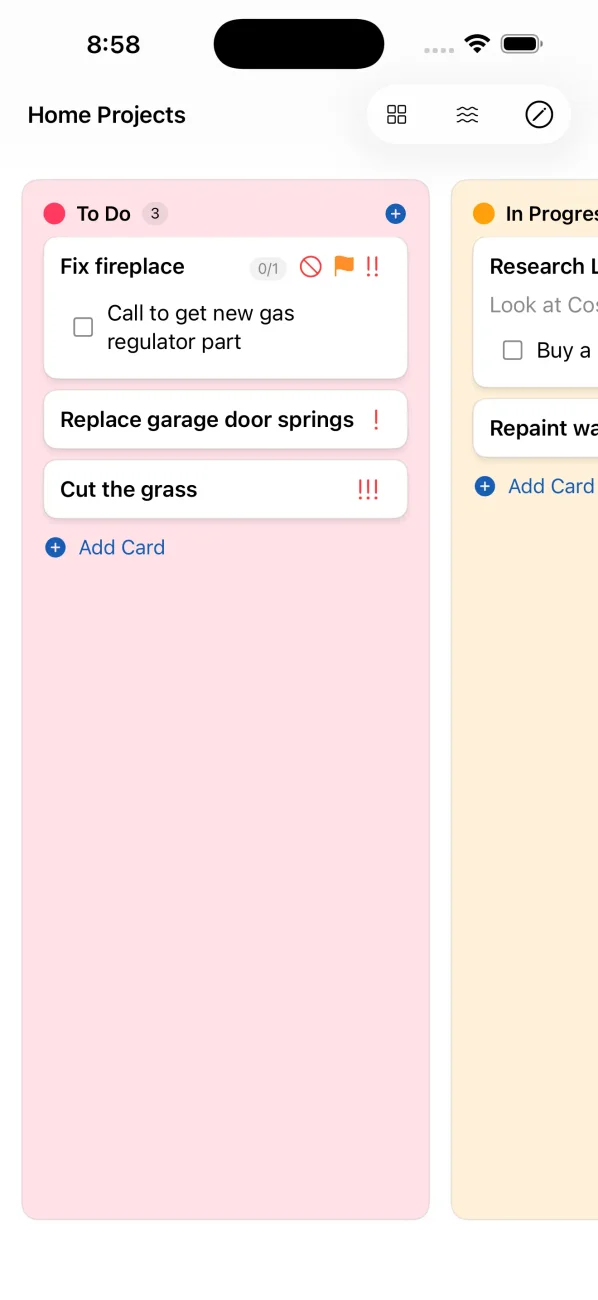
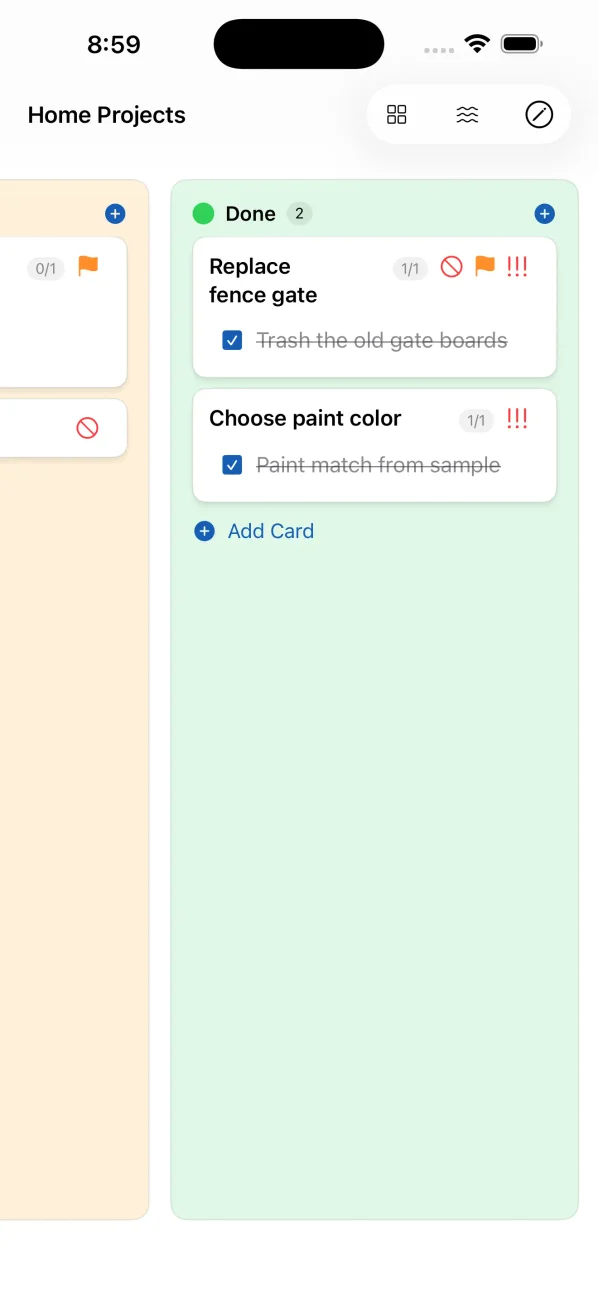
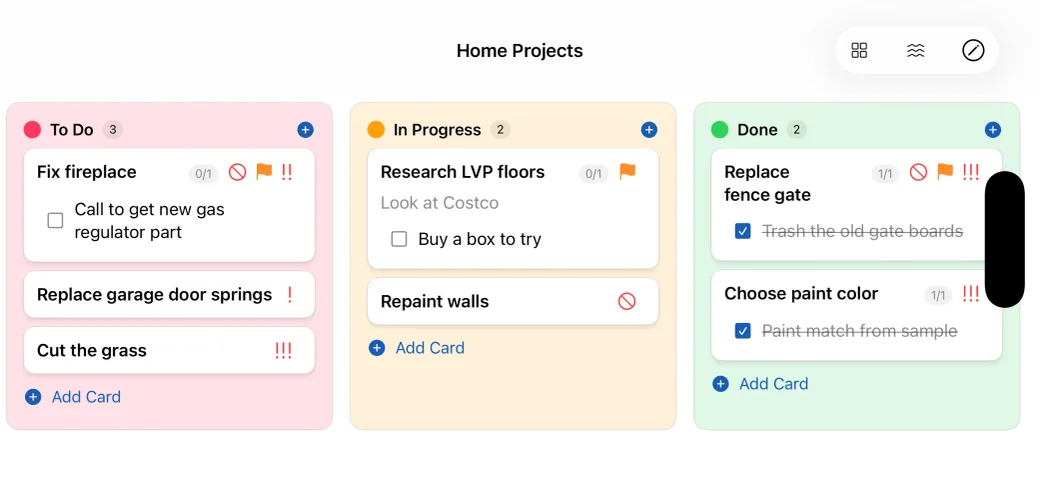
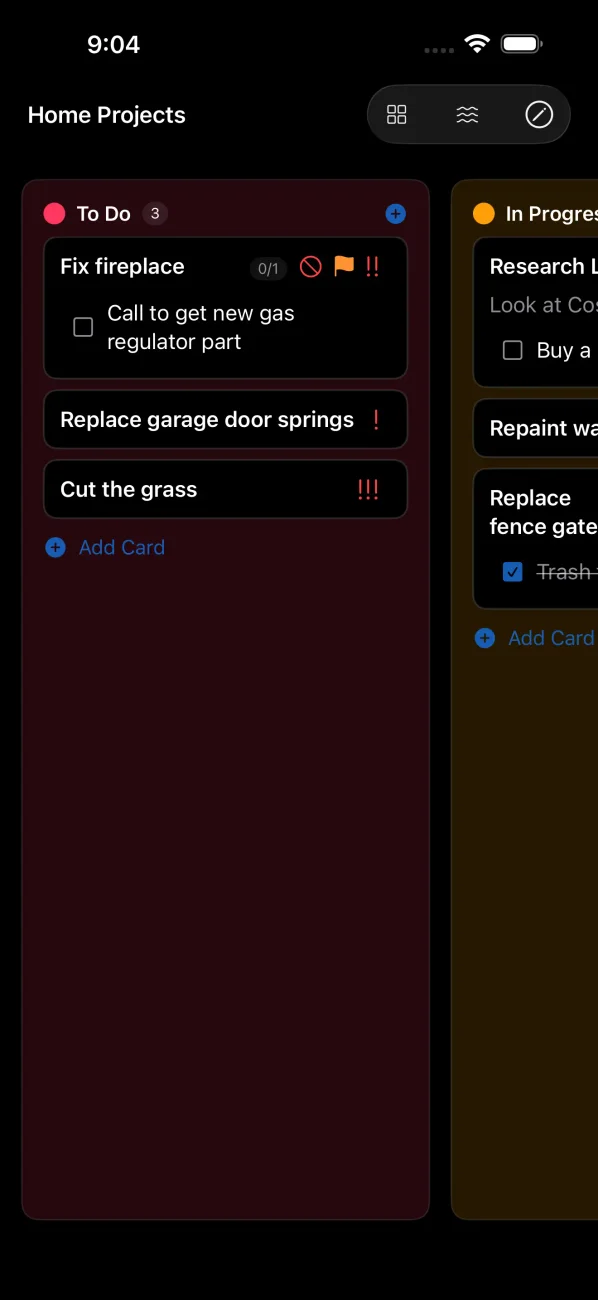
Stay organized with a clean, distraction‑free Kanban board that syncs across your Apple devices. Create multiple boards, customize swimlanes with distinctive colors, and manage cards with titles, details, priorities, flags, blockers, and optional checklists — all with thoughtful accessibility and powerful keyboard support.
One‑Time Purchase. No subscriptions.
Highlights
• Multiple boards you can switch between instantly
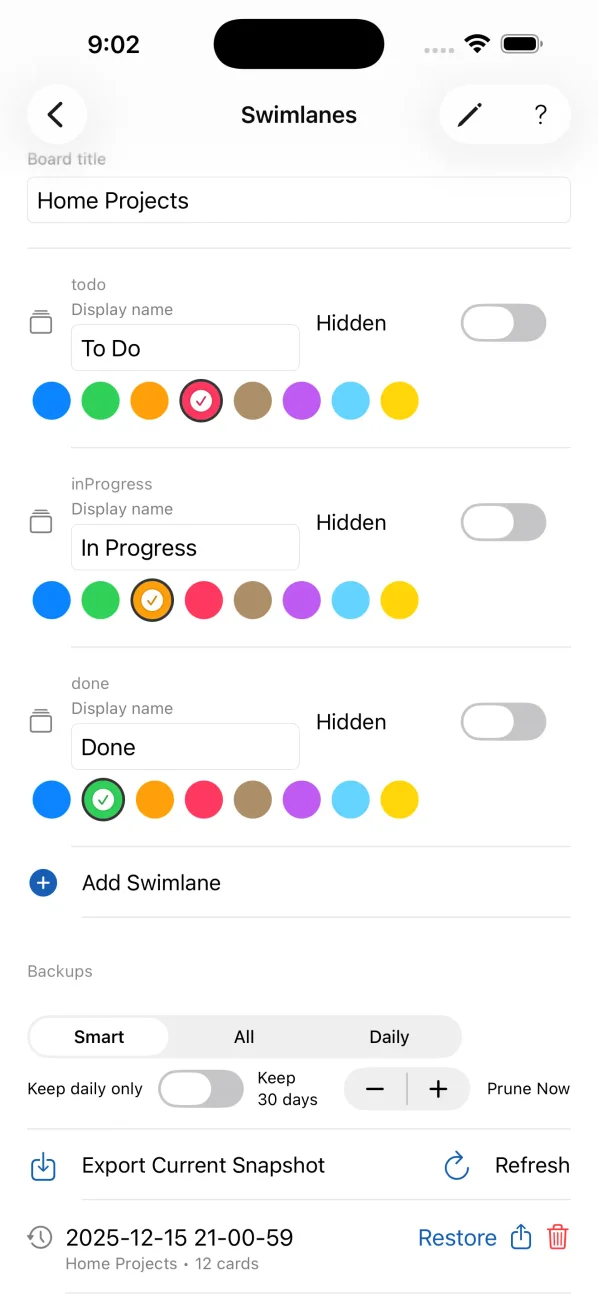
• Custom swimlanes with high‑contrast colors
• Cards with titles, rich descriptions, checklists, priority, flag, and blocked status
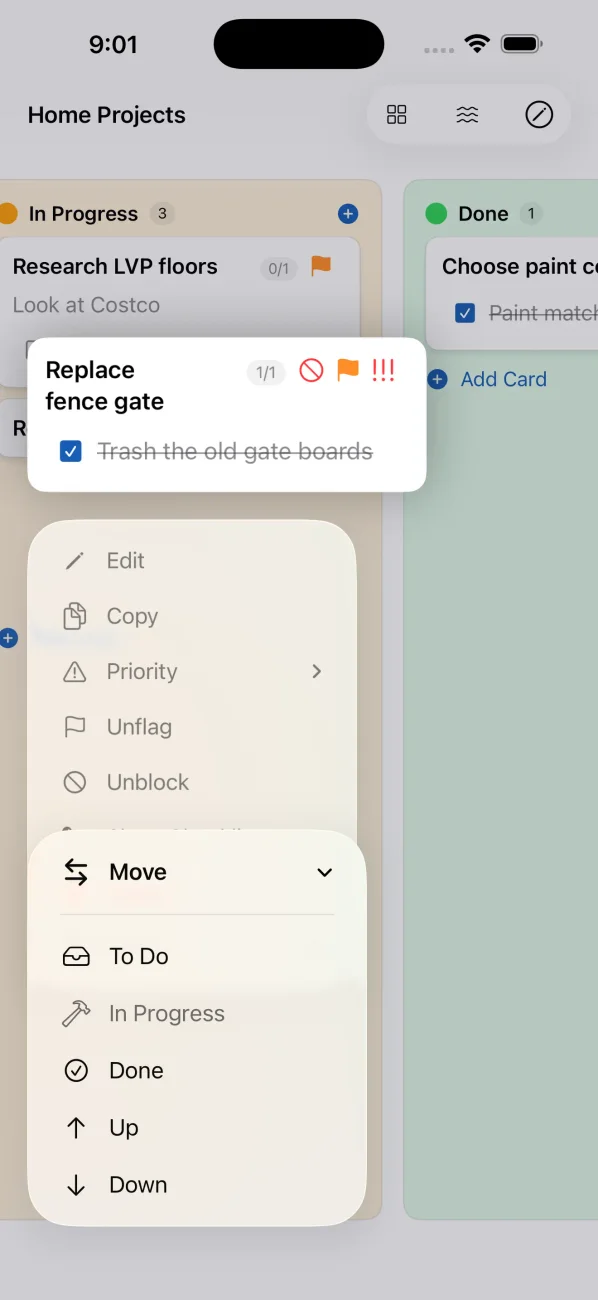
• Drag & drop to reorder and move cards between lanes
• Keyboard‑friendly with convenient shortcuts
• Designed for accessibility: VoiceOver labels, Dynamic Type scaling, and clear contrast
• iCloud sync using iCloud Key‑Value Store
• Automatic backups with export and restore tools
• Apple Watch companion via Watch Connectivity
Why you’ll love it
My Task Board is built for speed and clarity. Add a card, move it forward, and keep momentum — on any device.
Features
• Create, rename, and delete boards
• Add, rename, reorder, and recolor swimlanes
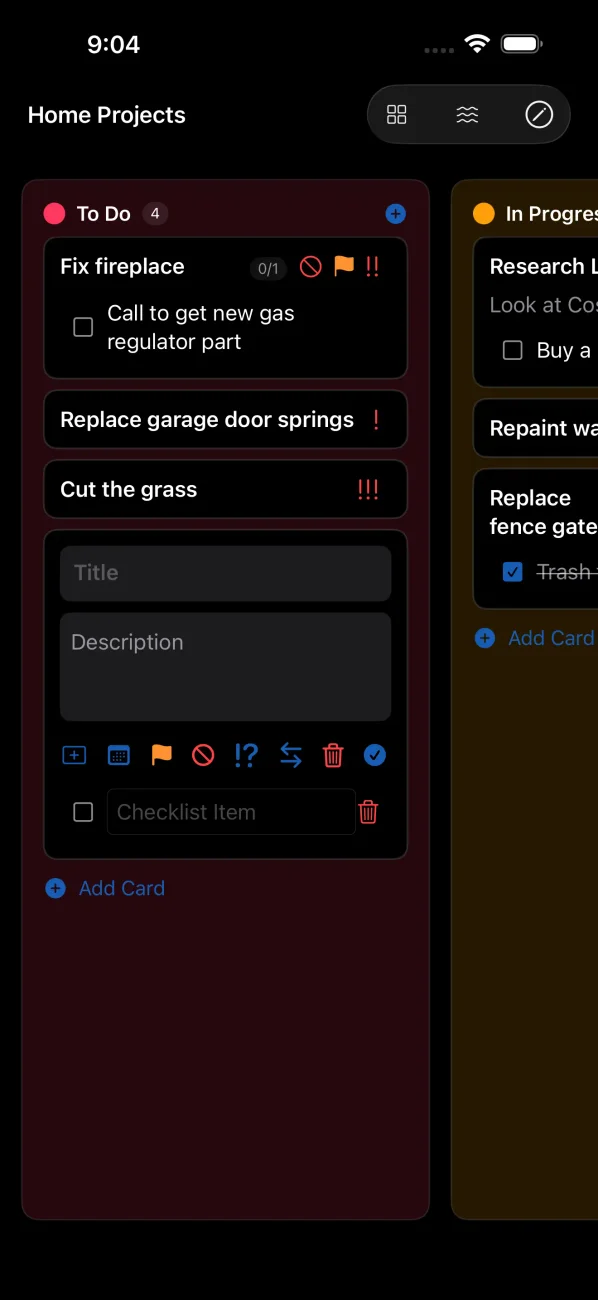
• Add, edit, move, and delete cards inline
• Set card priority (Low/Medium/High), flag, or mark as blocked
• Add checklists to cards and toggle their visibility
• Move cards within a lane (Up/Down) from the Move menu or with arrow keys
• Automatic focus on the label when you add a checklist item
• Edit mode adapts its size — no extra blank space when the checklist is hidden
• Drag and drop between lanes on all platforms
• Zoom controls for text size (including shortcuts)
• Export current snapshot and restore from backups; automatic pruning options
• Seamless iCloud KVS sync across devices
• Works great on iPhone, iPad, Mac, and Apple Watch
Support
Find Help in the app’s toolbar, or contact support if something isn’t working as expected.
Privacy
Your data is stored privately in iCloud Key‑Value Store with your Apple ID. No analytics. No tracking.
Power tips
• Double‑tap (iOS) or double‑click (macOS) a card to edit
• Tap/click away from a card to save changes and dismiss the keyboard
• Command‑N to add a card in the focused lane
• Command‑+/Command‑− to adjust text size; Command‑0 to reset
• Escape to toggle editing on the selected card
• Delete to remove a card when not editing
What’s New
• Automatic focus for newly added checklist items
• Up/Down movement for cards within a lane
• Smarter edit mode sizing (no extra space with hidden checklist)
• Improved backups management and restore
• Performance and polish across platforms
• Hide swimlanes from view.
• Send old cards to the Archive which is hidden from the board by default.
• Start, End, and Due Dates.
What’s new
Version 2.7 · Jun 19, 2026
Open different boards in separate windows or tabs on iPad.
Bugs fixed related to renaming boards.
App privacy
What PaulJAdam.com declares on the App Store about how this app handles data.
-
Data not collected
The developer does not collect any data from this app.
Privacy practices may vary, for example with the features you use or your age.
Information
- Seller
- Paul Adam
- Category
- Business
- Version
- 2.7
- Updated
- Jun 19, 2026
- Released
- Dec 11, 2025
- Size
- 3.6 MB
- Requires
- iOS 17.6 or later
- Age rating
- 4+
- Languages
- English
- Copyright
- © 2025-2026 PaulJAdam.com
You might also like
-
 PrivyMeetPrivacy-First Meeting AI
-
 Superb ProjectsProjects, perfected.
-
 Atlas · Built for Focused WorkPlan. Focus. Execute.
-
 TaskTerminalYour Retro Task Organizer
-
 daybyA fun & simple visual planner
-
 LTTS AlphaBusiness
-
 Follow-Up AIAI follow-ups that get replies
-
 Bonocle NotesBraille notes on the go
-
 Simple WeekHave a Simple Week
-
 aira - Private second brainNotes & meetings, all offline