- Age rating4+
- CategoryEntertainment
- DeveloperPeter Schwenk
- LanguagesEnglish
- Size5.3 MB
Links to the official App Store page
Download.org hosts no file of myAVR. The button opens its official App Store page, published by Peter Schwenk. Listing last checked on Nov 18, 2026.
Screenshots


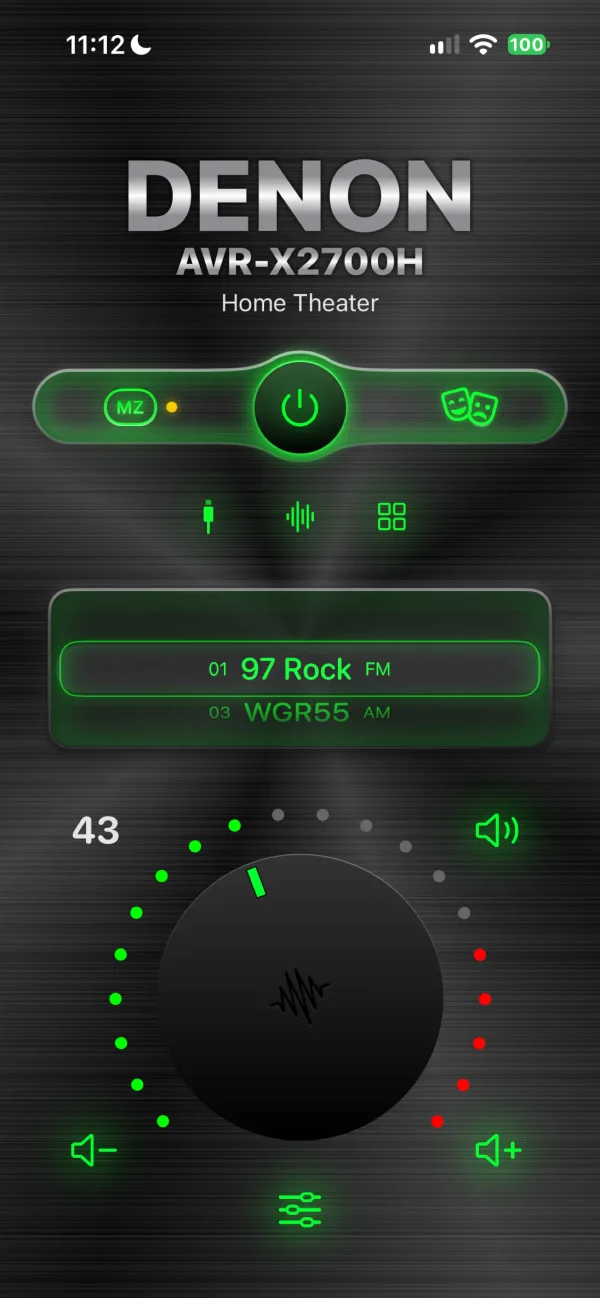

About
Download myAVR and experience AVR control that looks as good as your AVR sounds.
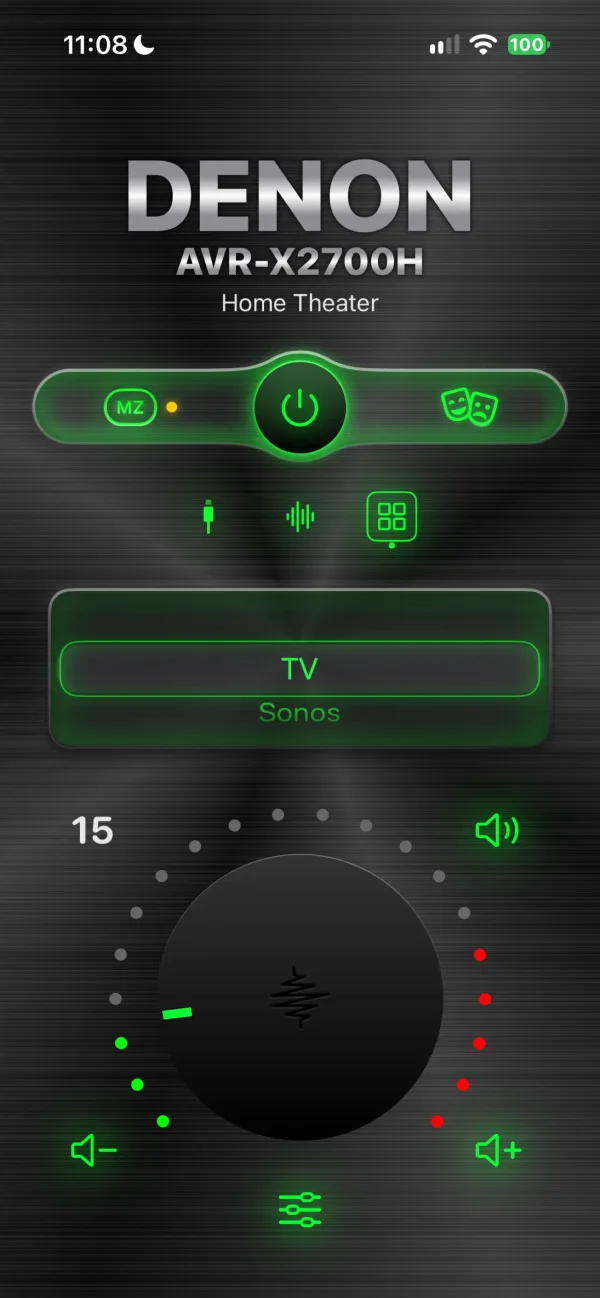
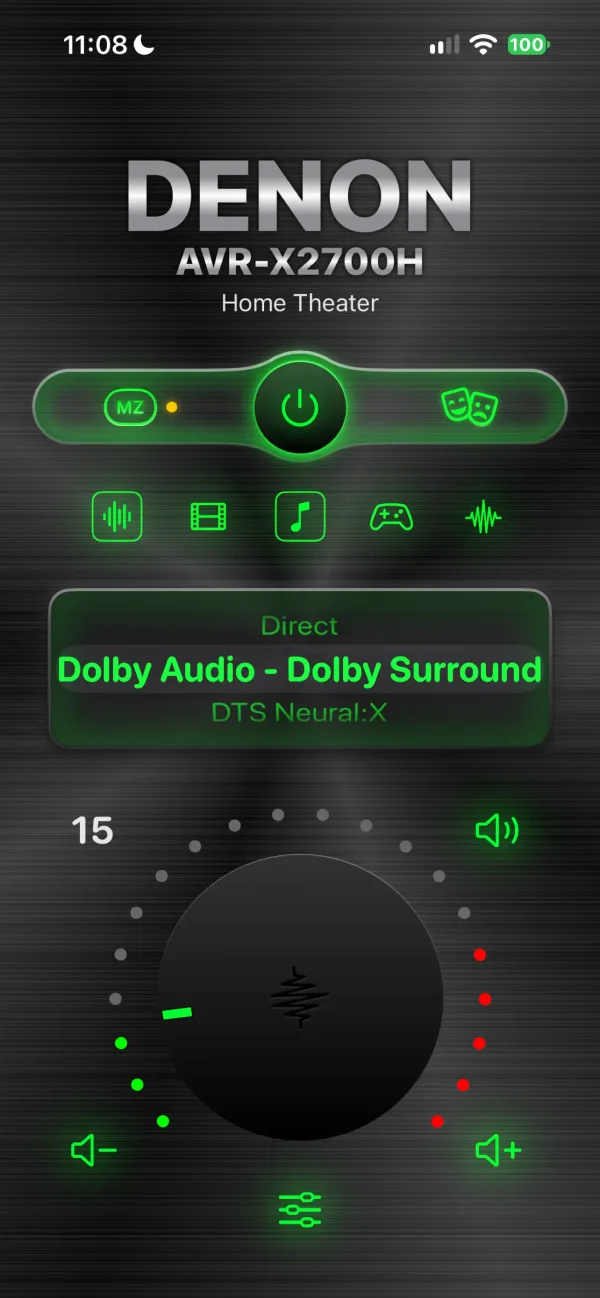
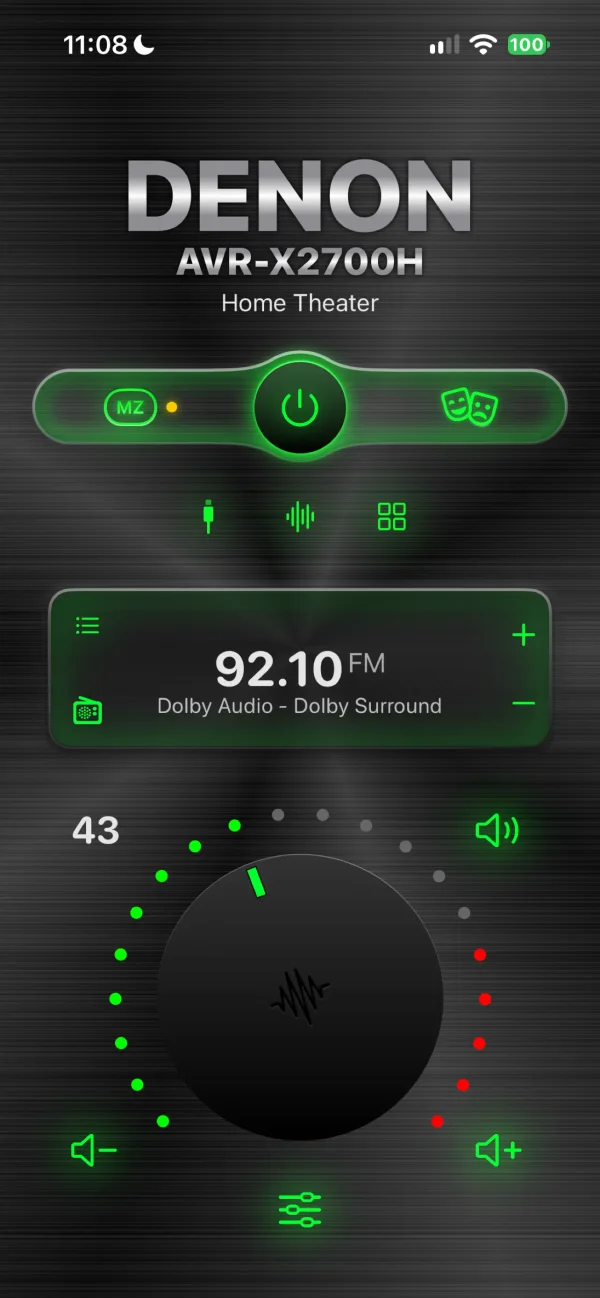
Inspired by the front of your receiver, myAVR combines thoughtfully spaced controls with a physical-style volume knob for a high-end, cinematic feel. Whether you're settling in for movie night or enjoying your favorite music, it feels like a dedicated control panel built for your home theater.
Compatible with network-capable Denon and Marantz AVRs from 2014 and later.
myAVR is a third-party application and is not endorsed by or associated with Denon or Marantz. Available features vary by model and zone.
FEATURES
• Fast startup, discovery, and responsive control
• Power, volume, and mute control
• Press and hold Volume + or – for continuous adjustment
• Input selection directly from the main controller
• Rename inputs and choose which ones to show or hide
• Sound mode selection for movies, music, games, and more
• Tuner control with station tuning and presets
• Rename tuner presets and choose which ones to show or hide
• Quick Select control for fast access to your favorite input, volume, and sound mode combinations
• Recall and update Quick Selects directly from the main screen
• Name Quick Selects separately for each zone
• Control Main Zone, Zone 2, and Zone 3 on supported receivers
• Multi-receiver support: Switch between multiple receivers with a swipe.
• Automatically stays in sync when AVR settings are changed outside the app
• Automatically finds your AVR — even if its IP address changes
• Movie Mode dims the screen to reduce distractions and save battery; tap or pick up your iPhone to bring it back instantly
• Demo Mode lets you explore myAVR without connecting to a receiver
ABOUT QUICK SELECT
Quick Select is a built-in feature of Denon and Marantz AVRs that lets you save and quickly recall combinations of settings such as input, volume, and sound mode.
With myAVR, you can do more than simply recall your Quick Selects. You can maintain them directly from the main controller, making it easier to configure your favorite listening and viewing setups without switching to the Denon/Marantz app or navigating your receiver's onscreen menus.
TIPS
• For reliable network control, set your AVR's Network Control setting to “Always On.” This may increase standby power consumption.
• Your AVR must be connected to your local network using Ethernet or Wi-Fi.
• A static IP address is not required, but can provide the fastest startup. If your receiver's IP address changes, myAVR can automatically find it again.
What’s new
Version 1.9.2 · Oct 26, 2026
This update focuses on giving you more control directly from myAVR (the app has a new name), with fewer trips to your receiver’s menus or the official Denon/Marantz app.
• New input controls — switch between your TV, game console, media player, CD player, and other available sources directly from the main controller. Rename inputs and choose which ones to show or hide.
• New sound mode controls — quickly choose the listening mode you want for movies, music, games, and more.
• New tuner controls — tune stations, step through frequencies, and work with presets without leaving the controller. Rename presets and choose which ones to show or hide.
• Easier Quick Select management — recall, update, and maintain your favorite setups directly from the main controller.
• Improved multi-zone control — Quick Selects can now be named separately for each zone, making multi-zone setups easier to organize.
• Improved volume adjustment — press and hold Volume + or – for smooth, continuous changes.
• Improved reliability, connection handling.
This release adds more of the features users have asked for and lets you configure more of your AVR directly from myAVR, without needing the Denon/Marantz app or receiver menus.
App privacy
What Peter Schwenk declares on the App Store about how this app handles data.
-
Data not linked to you
May be collected but is not linked to your identity.
- Location
- Usage data
- Diagnostics
Privacy practices may vary, for example with the features you use or your age.
Information
- Seller
- Peter Schwenk
- Category
- Entertainment
- Version
- 1.9.2
- Updated
- Oct 26, 2026
- Released
- Dec 29, 2024
- Size
- 5.3 MB
- Requires
- iOS 18.6 or later
- Age rating
- 4+
- Price
- Free
- Languages
- English
- Copyright
- © 2024 Peter Schwenk
You might also like
-
 AV Remote - Simple ControlsEntertainment
-
 Anthem Wi-Fi SetupEntertainment
-
 SVSSubwoofer Control App
-
 Anthem RemoteAnthem Setup & Control
-
 Onkyo ControllerEntertainment
-
 KaleidescapeEntertainment
-
 Integra Control ProEntertainment
-
 Pioneer Remote AppEntertainment
-
 Channels: Whole Home DVRLive TV & DVR on your devices
-
 Lionel Cab3Entertainment