
MyCollections - Gallery
Collection Gallery
Designed for iPhone, iPad, iPod touch
Free
- Age rating4+
- CategoryLifestyle
- DeveloperAtsushi Ezaki
- LanguagesEnglish+ 1 more
- Size14.1 MB
Links to the official App Store page
Download.org hosts no file of MyCollections - Gallery. The button opens its official App Store page, published by Atsushi Ezaki. Listing last checked on Nov 12, 2026.
Screenshots



About
Collection management, organizing application "MyCollections"
It is an application aimed at registering and managing collected items and organizing belongings that they possess.
For example how to use ...
· Register clothes you have> tag it and create a pattern to wear.
· Register a red seal> Register and manage photos and shrines of temples and shrines.
· Register the mountaintops and badges of Hundred Mountain Mountains> Use for managing the number of mountains.
And etc., how to use it!
I think that it is convenient for you to apologize and check that you do not buy the same thing, register the items you are collecting and look at the pictures! It is!
Please do use it by all means.
【Main function】
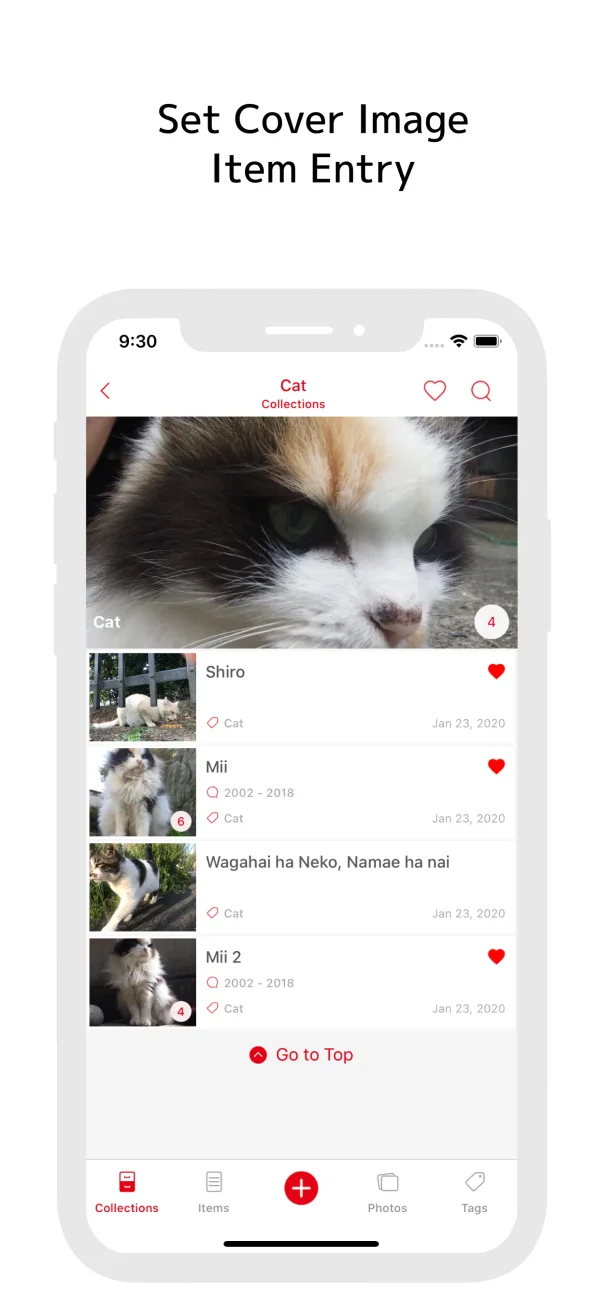
It is possible to set one cover photo in the collection group.
You can also change the display size and rearrange.
Up to 10 pictures can be registered for items to be added to the collection.
Items can be sorted in the collection.
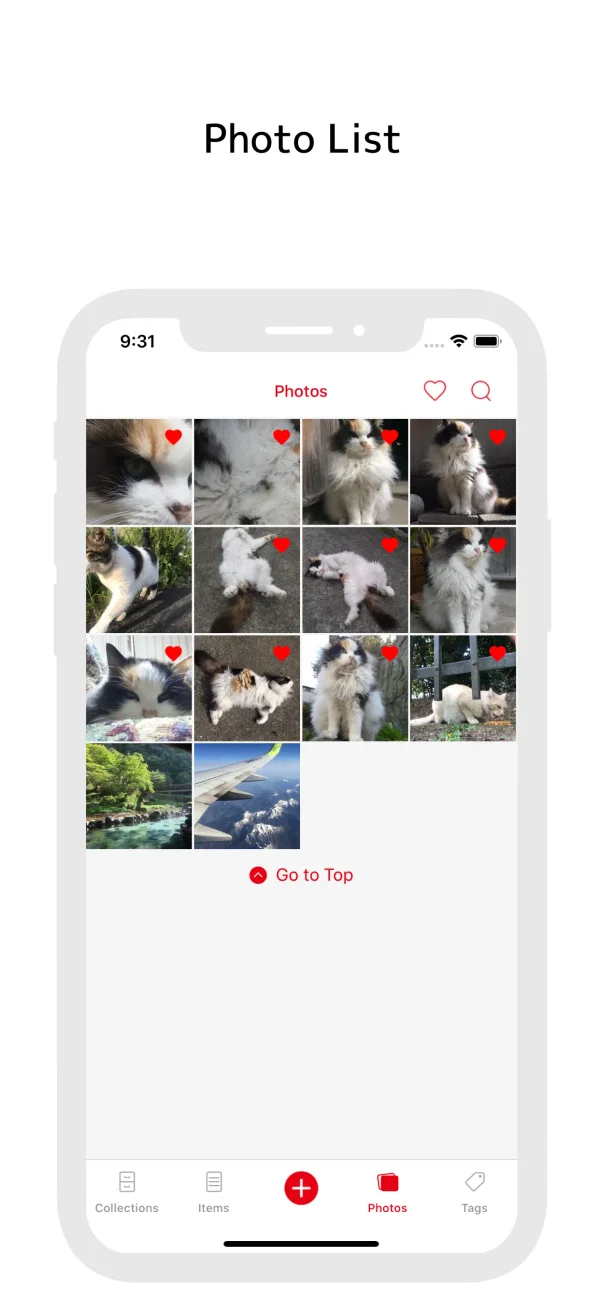
In the item list and the photo list, it is possible to check the item with the back and forth movement button.
By tagging, it is also possible to manage the items across the collection.
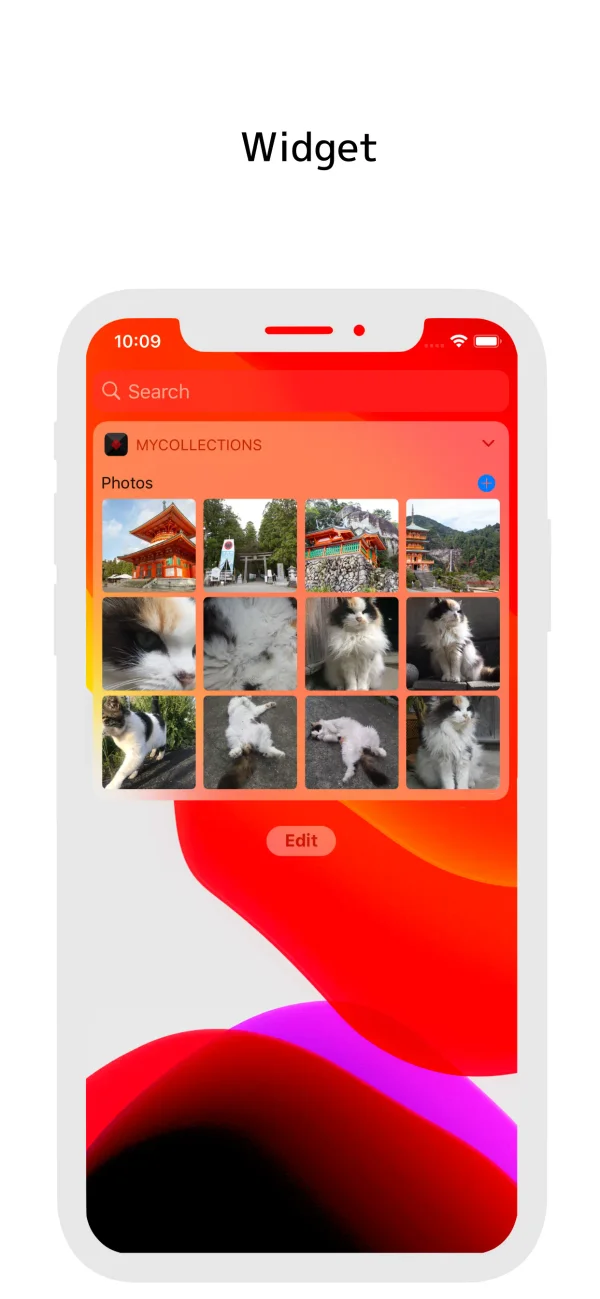
In the image widget, you can display images of recently registered items and favorite items.
As the theme function of the application,
- White mode or dark mode
- Font color setting
- Display function of badge
there is.
【screen structure】
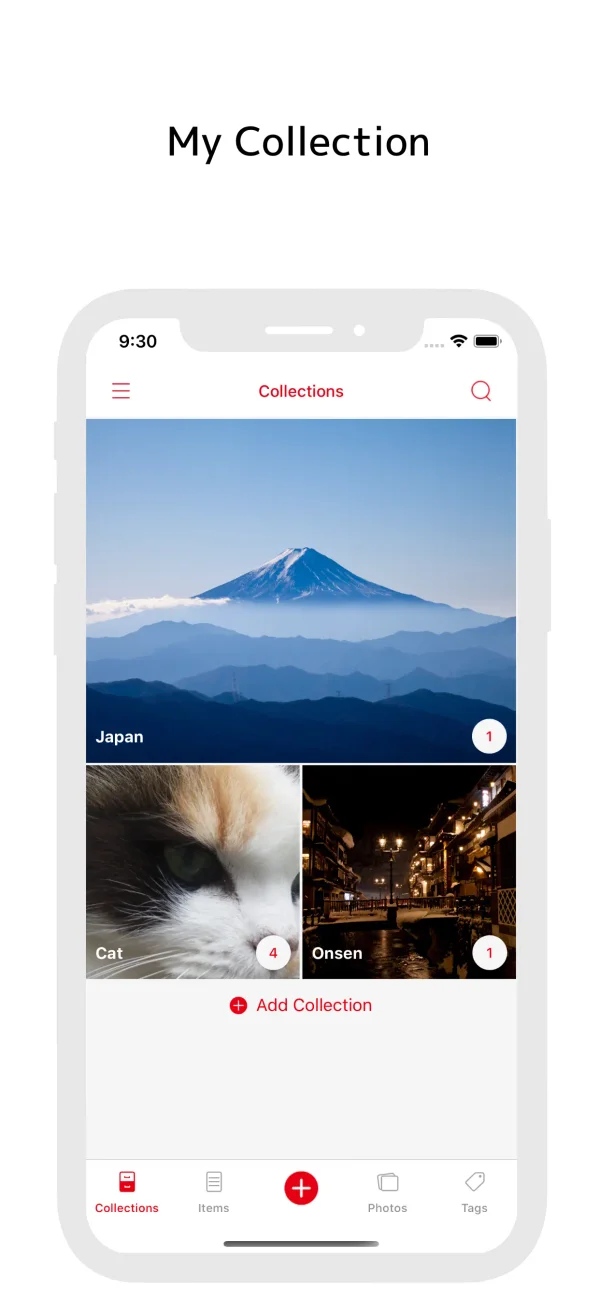
Collection list
Item list
Photo list
Tag list
Collection registration edit screen
Item registration edit screen
Item picture screen
settings screen
【Detailed function by screen】
■ Collection list
- Add collection
- Swipe down to change display format (list, 2 columns, individual settings)
- Change display order with long tap
- Size switching with double tap (when display format is set individually)
- Tap on collection name to transition to collection registration edit screen
■ Item list
- Swipe down to resize (list, 2 columns, 4 columns)
- Tap item name to transition to item registration edit screen
Photo list
- Swipe down to resize (large, 2 columns, 4 columns)
- Photo tap to show pictures in detail (enlargeable)
■ Tag List
- Add new tag
- Change display order with long tap
- Delete or rename with left swipe
- Tap to transition to item list screen
■ Collection registration edit screen
- Create cover image
- Size designation in list (valid when individual display)
■ Item registration edit screen
- Up to 10 photos can be sorted (sortable)
- Favorite settings
- Tag setting
■ Item picture screen
- Set the picture being displayed as the cover image of the collection
- Move backward and forward with reference to the item list of the transition source
- Transition to item edit screen
■ Setting screen
- Badge settings (none, number of items, number of items in a particular collection)
- Dark mode
- Font color setting
- Specify the initial display tab
- Backup and restore (Dropbox)
- Image widget settings (None, favorites, recently registered items, collections, specific collections, selectable from specific tags))
■ Image widget
- Up to 12 items
- Transition to item picture screen by item selection
- Access to new additions
What’s new
Version 2.6.0 · Sep 8, 2026
UI bug fixes
App privacy
What Atsushi Ezaki declares on the App Store about how this app handles data.
-
Data used to track you
May be used to track you across apps and websites owned by other companies.
- Location
- Identifiers
- Usage data
- Diagnostics
-
Data linked to you
May be collected and linked to your identity.
- Location
- Identifiers
- Usage data
- Diagnostics
-
Data not linked to you
May be collected but is not linked to your identity.
- Diagnostics
Privacy practices may vary, for example with the features you use or your age.
Information
- Seller
- Atsushi Ezaki
- Category
- Lifestyle
- Version
- 2.6.0
- Updated
- Sep 8, 2026
- Released
- Sep 28, 2016
- Size
- 14.1 MB
- Requires
- iOS 13.0 or later
- Age rating
- 4+
- Price
- Free
- Languages
- English, Japanese
- Copyright
- © 2016 Atsushi Ezaki
You might also like
-
 Bits & Bobs Collection TrackerOrganize Your Collections
-
 ウマカン - 推し活グッズ管理アプリLifestyle
-
 Firevault - Personal databasePersonal database, easy to use
-
 List · Collected JoyCollect, connect, grow close
-
 Collection: Item InventoryCollector Catalog & Tracker
-
 Mono - Item TrackerSimple & powerful inventory
-
 INVYWhat you own, and it's value.
-
 Lootique: Collectible ScannerWhat's it worth? Scan & value
-
 Gallery Assistantfor Artwork Manager