
MyFinance Pro
Budget & Kredite im Griff
Designed for iPhone, iPad, Mac
In-app purchases
- Age rating4+
- CategoryFinance
- DeveloperDimitri Bischel
- LanguagesGerman+ 17 more
- Size5.7 MB
Links to the official App Store page
Download.org hosts no file of MyFinance Pro. The button opens its official App Store page, published by Dimitri Bischel. Listing last checked on Nov 12, 2026.
Screenshots
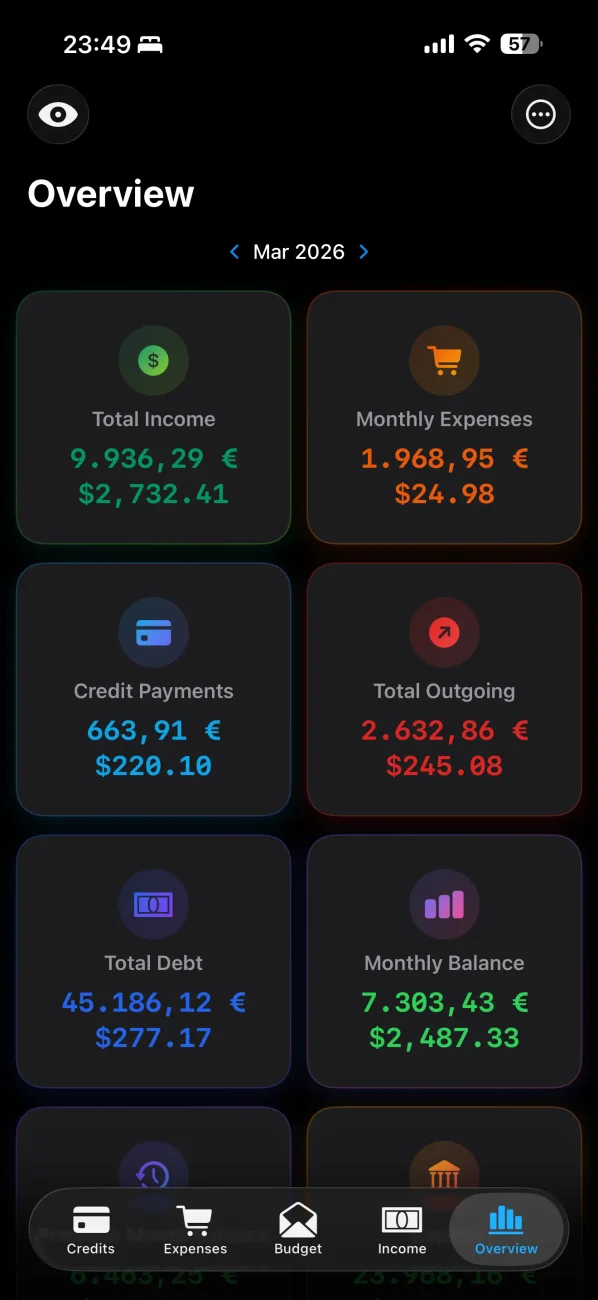
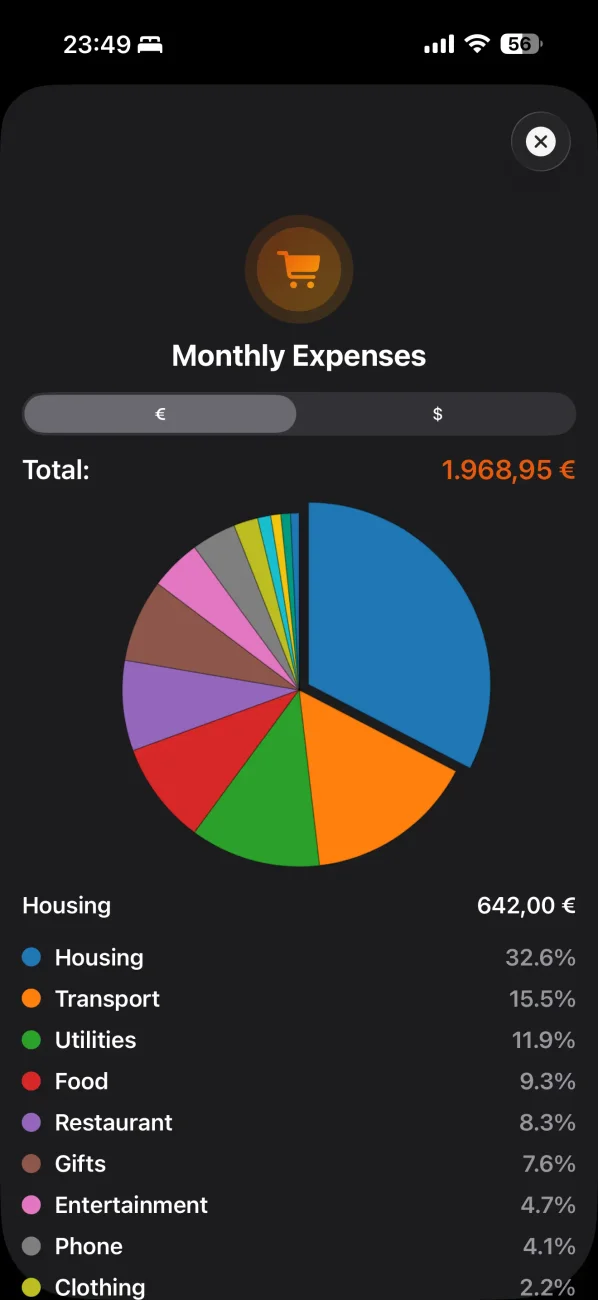
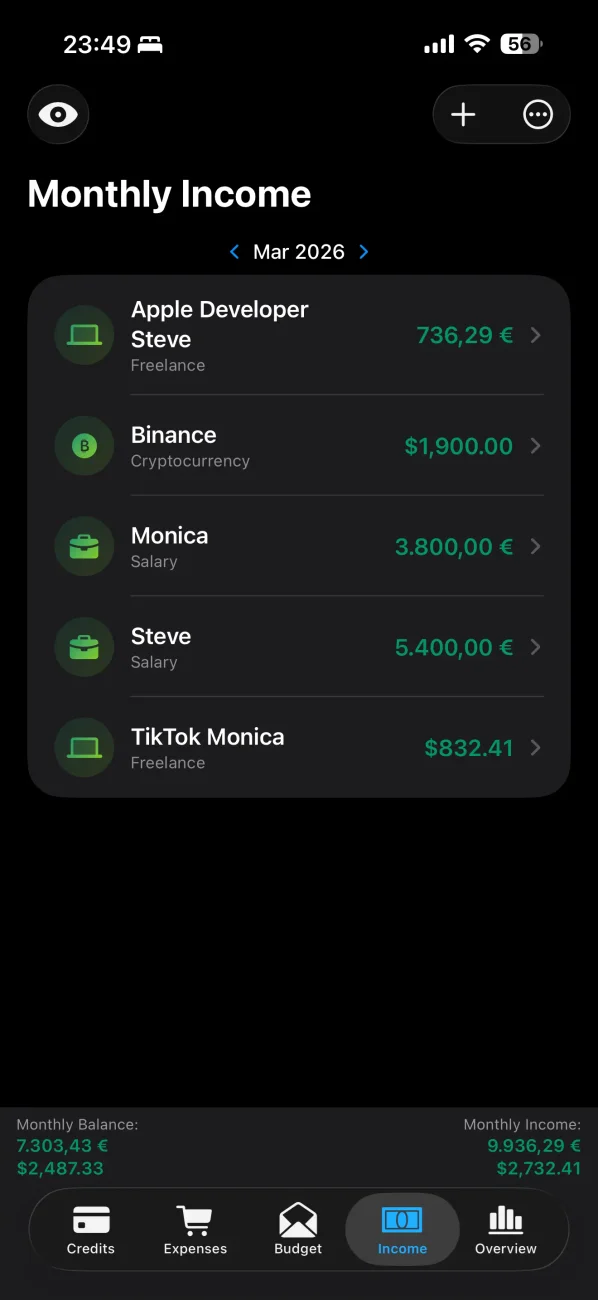
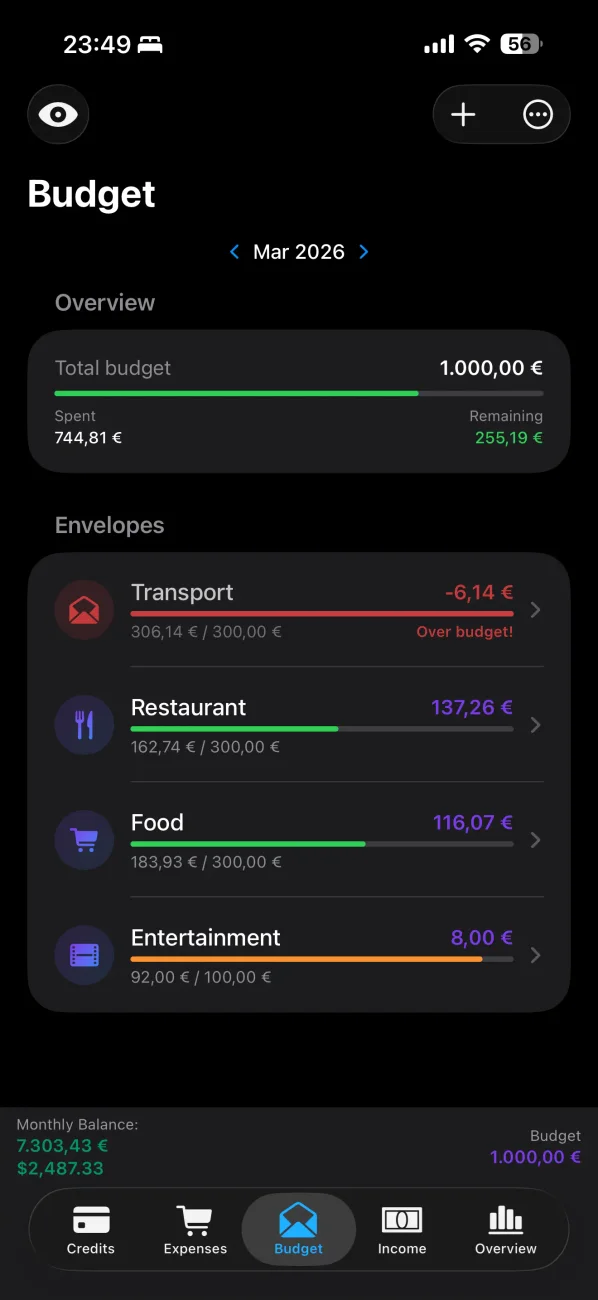


About
MyFinance Pro is a private finance app for iPhone, iPad and Mac. It helps you manage loans, credit cards, borrowings, expenses, income, budgets and goals.
Your financial data stays under your control: no ads, no tracking, no registration. Use the app locally on your device or enable iCloud sync.
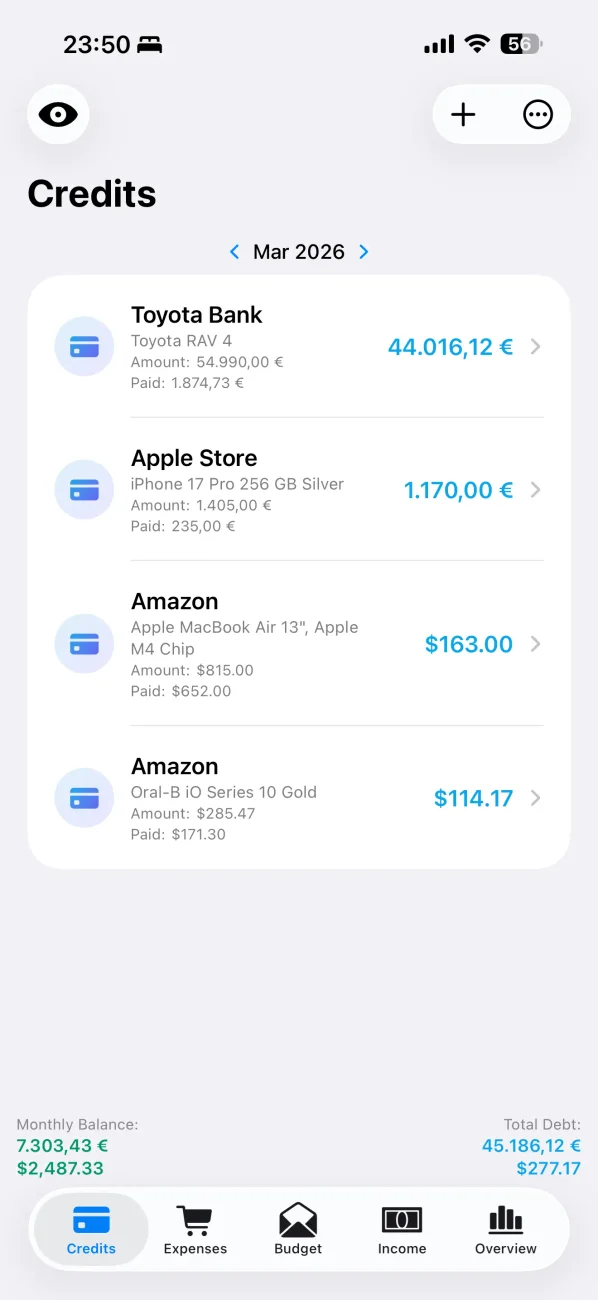
Loans, borrowings and credit cards
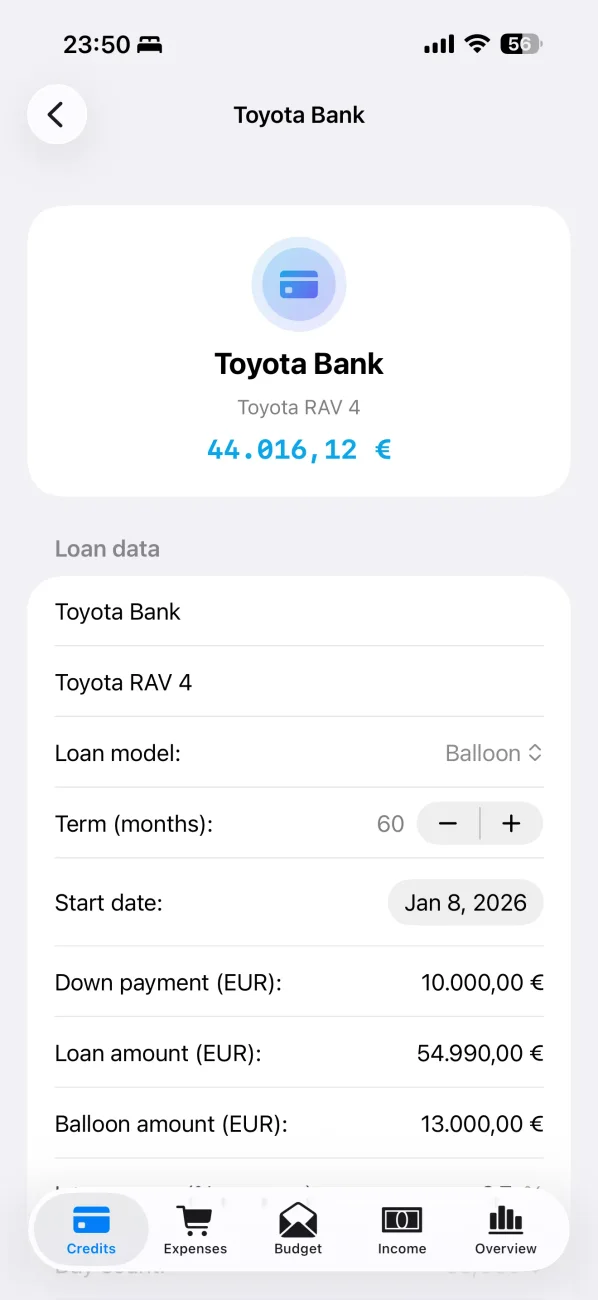
• Add loans, borrowings and credit cards with amount, interest rate, currency and notes
• Choose a model: installment plan, classic annuity, declining balance payments, interest with final repayment, balloon loan or credit cards
• Track remaining debt, payment history and billing month
• View interest by day, month and year, plus interest and repayment shares
• Add monthly payments automatically
• Create calendar reminders
Expenses and income
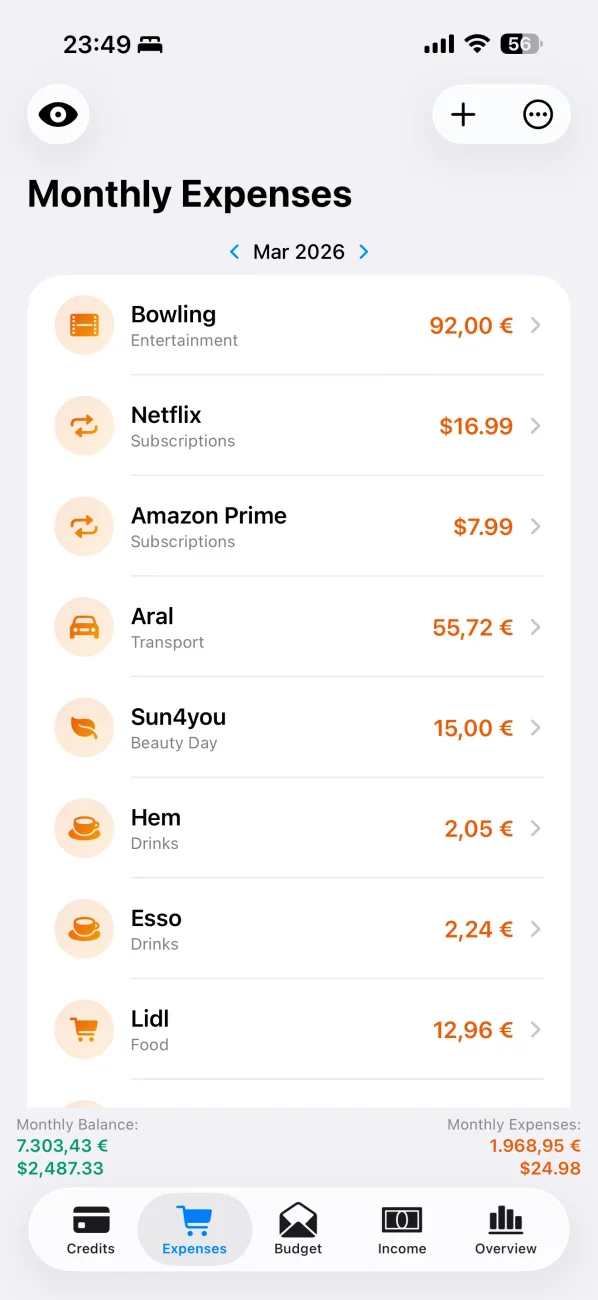
• Track monthly expenses and income
• Use ready-made categories or create your own with names, icons and subcategories
• Set recurrence: monthly, quarterly, semi-annually or annually
• Specify payment method: cash, transfer, account debit, debit card or credit card
• Temporarily disable items without deleting them
• Keep separate records for each profile
Budget and savings pots
• Create budget envelopes to control limits
• Plan expenses by category and track the remaining amount
• Create savings pots for goals such as vacation, tech, renovation, reserve fund or a major purchase
• Set a target, track progress and move money in or out
• View saved amount, remaining amount to the goal and goal status
• Analyze your budget with charts and breakdowns
Profiles
• Create profiles for personal finance, family, business, projects or other purposes
• Each profile has its own loans, credit cards, expenses, income, budgets, savings pots, opening balances, categories and subcategories
• Switch between profiles without mixing data
• Customize the profile name, icon and color
• Create, edit, rename and delete profiles
Financial overview
• Income, expenses, loan payments and monthly balance
• Remaining debt, capital and carry-over from the previous month
• Separate calculations by currency
• Opening balance and support for multiple currencies, including EUR, USD, GBP and others
• Active profile, quick profile access, budget cards and savings pot cards
Privacy and security
• No ads
• No tracking
• No registration
• Data can be stored only locally on the device
• Optional sync via your personal iCloud
• Separate data sync by profile
• Lock with Face ID, Touch ID, device passcode or app password
• Hide amounts for glance protection
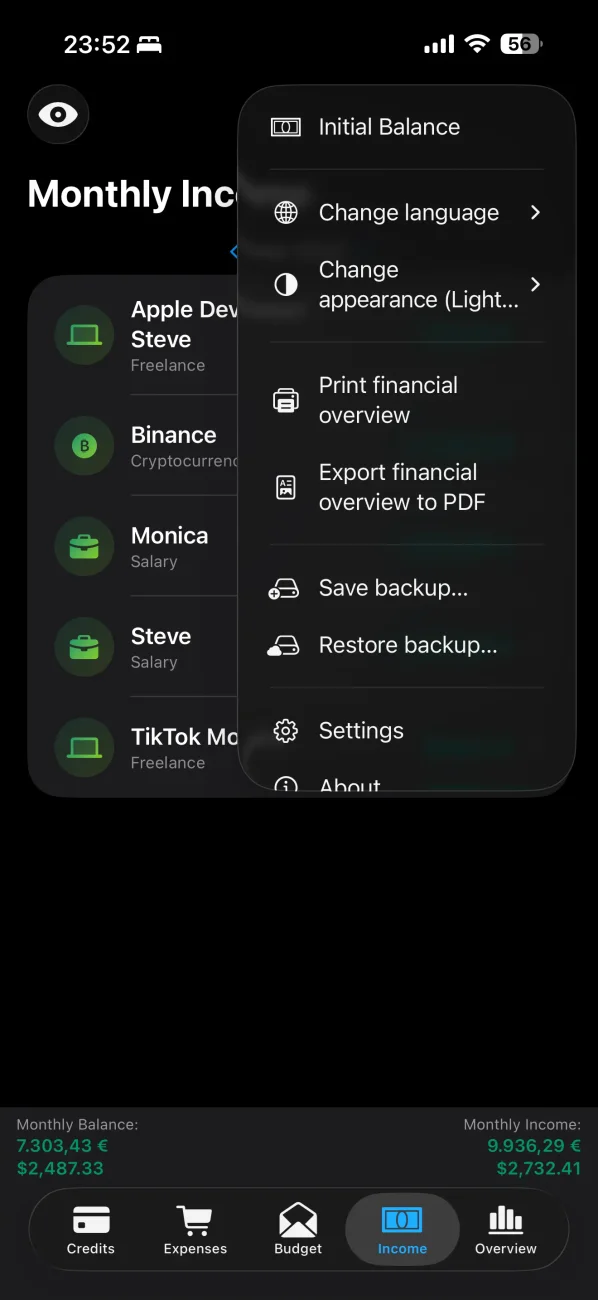
• Export and import local backups
• Import a backup into the active profile or a new profile
• Export to CSV, PDF and print
Interface
• Supports iPhone, iPad and Mac
• Convenient navigation on iPhone and sidebar on iPad
• Customizable profiles with icons and colors
• Supports 18 languages
Interface languages: Danish, German, English, Spanish, French, Italian, Hungarian, Dutch, Norwegian, Polish, Portuguese, Romanian, Finnish, Swedish, Russian, Turkish, Ukrainian and Czech.
Note: MyFinance Pro does not replace financial advice.
Legal notice: MyFinance Pro is a tool for information and organization. It does not provide financial, tax or legal advice, and its use does not create any advisory obligation. No liability is accepted for decisions made based on the app. Data and calculations are provided without warranty; only the documents and calculations of the relevant providers and contracting parties are legally binding.
What’s new
Version 3.2.0 · Jun 11, 2026
In this version, we improved the Budget, Loans, and Backup sections.
What’s new:
• Improved savings jars in the Budget section.
Adding money to a savings jar is now automatically recorded as an expense, while withdrawing money from a savings jar is recorded as income. We also added protection to prevent a savings jar balance from going below zero.
• Added a full transaction history for savings jars.
You can now open the history of a selected savings jar and view all deposits and withdrawals.
• Improved budget envelopes.
You can now view all transactions for a selected envelope. We also added statistics with a chart for expense subcategories, if those subcategories are already used in the app.
• Added a new setting for credit cards.
For each credit card, you can now choose whether expenses made with that card should be included in budget envelopes. This setting is saved after restarting the app.
• Improved custom categories on macOS.
Custom categories are now displayed and managed correctly in the Budget section on macOS.
• Improved data backup and restore.
We fixed the saving and restoring of expense, income, budget, loan, category, and subcategory data when creating a backup of all profiles.
• Improved app stability.
Thank you for using the app! We continue to improve the stability, usability, and accuracy of financial tracking.
App privacy
What Dimitri Bischel declares on the App Store about how this app handles data.
-
Data not collected
The developer does not collect any data from this app.
Privacy practices may vary, for example with the features you use or your age.
Information
- Seller
- Dimitri Bischel
- Category
- Finance
- Version
- 3.2.0
- Updated
- Jun 11, 2026
- Released
- Mar 11, 2026
- Size
- 5.7 MB
- Requires
- iOS 18.6 or later
- Age rating
- 4+
- In-app purchases
- Yes
- Languages
- German, Danish, English, Finnish, French, Italian, Dutch, Norwegian Bokmål, Polish, Portuguese, Romanian, Russian + 6 more
- Copyright
- © Braruss
You might also like
-
 MyFinances: Expense TrackerBudget, Banks & Savings
-
 Expense Tracker: BudbudBudget Planner & Money Saver
-
 Lifely: Envelope BudgetingSpending, no bank connection
-
 Finance Tracker - ByJoPrivate Net Worth & Budget
-
 OneLine Budget: Money TrackerPrivate & Offline Expense Log
-
 30% Ruling: Tax CalculatorDutch Expat Salary & Savings
-
 Budler: Budget Expense TrackerAI money coach & spending log
-
 MoneyBuddy: Expense TrackerSpending, Receipts & Bills
-
 FreeLife: Finance Tracker + AIBudget, Expenses, Debts, Goals
-
 Home Budget Manager PaidManage Accounts, Bills ,Budget