
- Age rating4+
- CategoryProductivity
- DeveloperOODrive
- LanguagesFrench+ 1 more
- Size56.7 MB
Links to the official App Store page
Download.org hosts no file of myOodriveSign. The button opens its official App Store page, published by OODrive. Listing last checked on Nov 12, 2026.
Screenshots


About
Centralise, manage and sign your documents in complete security using the myOodriveSign application, designed by Oodrive, France's leader in digital trust.
Save precious time with myOodriveSign, the electronic signature solution that combines ease of use with advanced security.
Simplicity, security, adaptability:
myOodriveSign saves you a considerable amount of time by enabling you to sign all your documents at the click of a button, whether in the office or on the move, securely and centrally in one place, so you don't have to deal with multiple emails.
Key features of myOodrive Sign :
Built like a mailbox ;
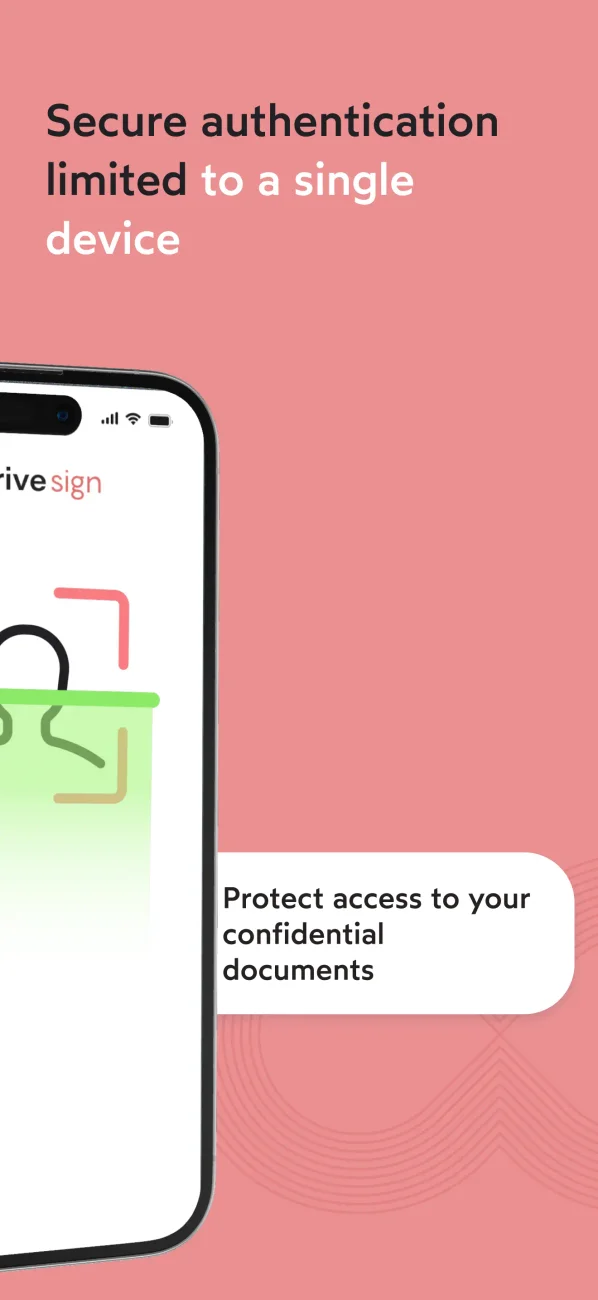
Signature using Face ID or biometric verification (fingerprint);
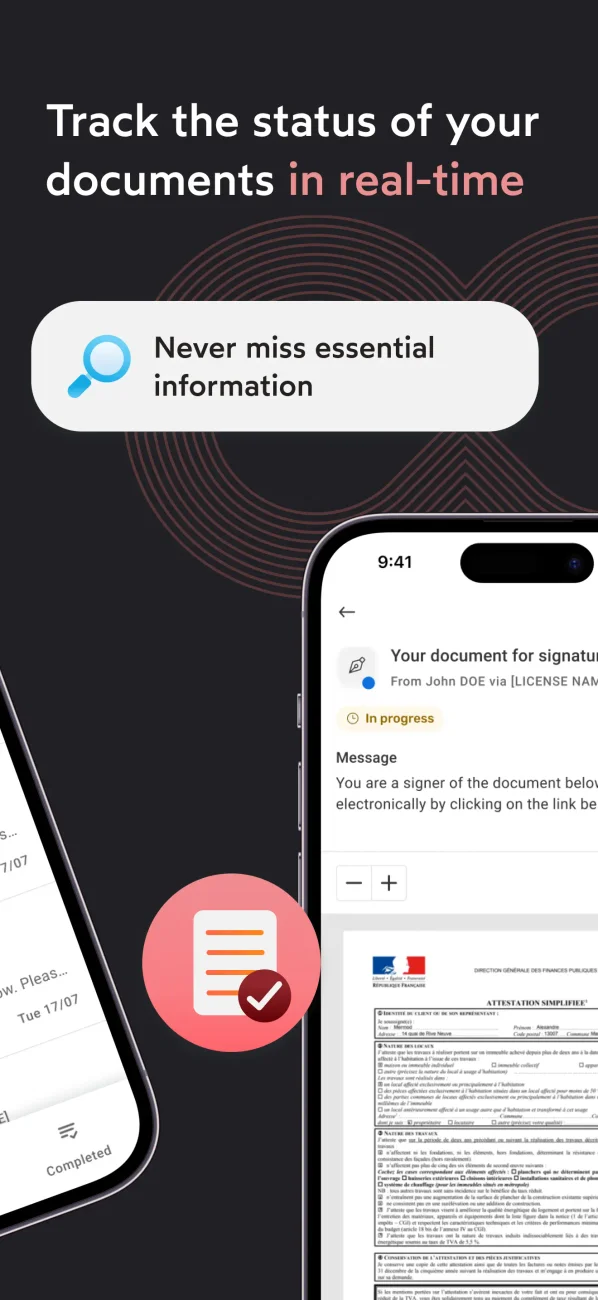
Real-time reception;
Quick filtering by action or by document;
Search tool;
Detailed features of myOodriveSign :
- Sign all your documents in real time;
- Make it easy to manage your documents;
- Secure your signatures;
1/ Sign all your documents in real time:
- Instant synchronisation means you can access myOodriveSign updates in real time;
- Real-time notifications ensure that you receive alerts for each new action required.
2/ Make it easy to manage your documents:
- A centralised view provides access to all documents (signed, in the process of being signed, archived) and tracks the status of transactions in progress.
- Customisable filters allow you to organise and sort documents according to criteria (e.g. date, expiry date), giving you a personalised view.
- A menu of quick actions makes it easy to pre-validate, approve and sign documents.
- A search bar, directly accessible from the home page, makes it possible to find any document with a single click.
- The ergonomics of a mailbox ensure a familiar environment, enhancing the user experience.
3/ Secure your signatures :
myOodrive Sign complies with the most stringent security requirements :
- Single sign-on: you can only sign on to one device at a time.
- Enhanced authentication: to quickly sign all your documents, all you have to do is use either your fingerprint or the Face ID facial recognition system.
myOodriveSign offers a solution that complies with the requirements of the eIDAS regulation, is sovereign and French.
Join our community of users who have already adopted myOodriveSign to simplify their signature procedures. Download the free application on iOS and start saving time now.
Simplify your electronic signature and trust myOodriveSign for secure and smooth exchanges.
What’s new
Version 1.0.2 · Jun 18, 2025
Stability improvements and bug fixes
App privacy
What OODrive declares on the App Store about how this app handles data.
-
Data linked to you
May be collected and linked to your identity.
- User content
- Identifiers
-
Data not linked to you
May be collected but is not linked to your identity.
- User content
- Diagnostics
Privacy practices may vary, for example with the features you use or your age.
Information
- Seller
- oodrive
- Category
- Productivity
- Version
- 1.0.2
- Updated
- Jun 18, 2025
- Released
- Apr 22, 2025
- Size
- 56.7 MB
- Requires
- iOS 12.0 or later
- Age rating
- 4+
- Languages
- French, English
- Copyright
- © 2025 Oodrive
You might also like
-
 Weety – AI Meeting NotesRecord, transcribe & summarize
-
 KOLO : Mandats & ProspectionEstimation et pige immobilière
-
 Mon agenda ResanaProductivity
-
 Clocky – Work Hours TrackerEvery hour counts
-
 BromeAIAI Chat, Search & Creation
-
 yoodriveProductivity
-
 LockupProductivity
-
 Mon document unique MSAProductivity
-
 Myway - CRM TerrainProductivity
-
 GSE QRBTP Phases 1/2/3 I-phoneProductivity