- Age rating4+
- CategoryEducation
- DeveloperKoda Creative Pty Ltd
- LanguagesEnglish
- Size7.0 MB
Links to the official App Store page
Download.org hosts no file of MyReferenceList. The button opens its official App Store page, published by Koda Creative Pty Ltd. Listing last checked on Nov 14, 2026.
Screenshots


About
MyReferenceList makes academic referencing simple for Australian students.
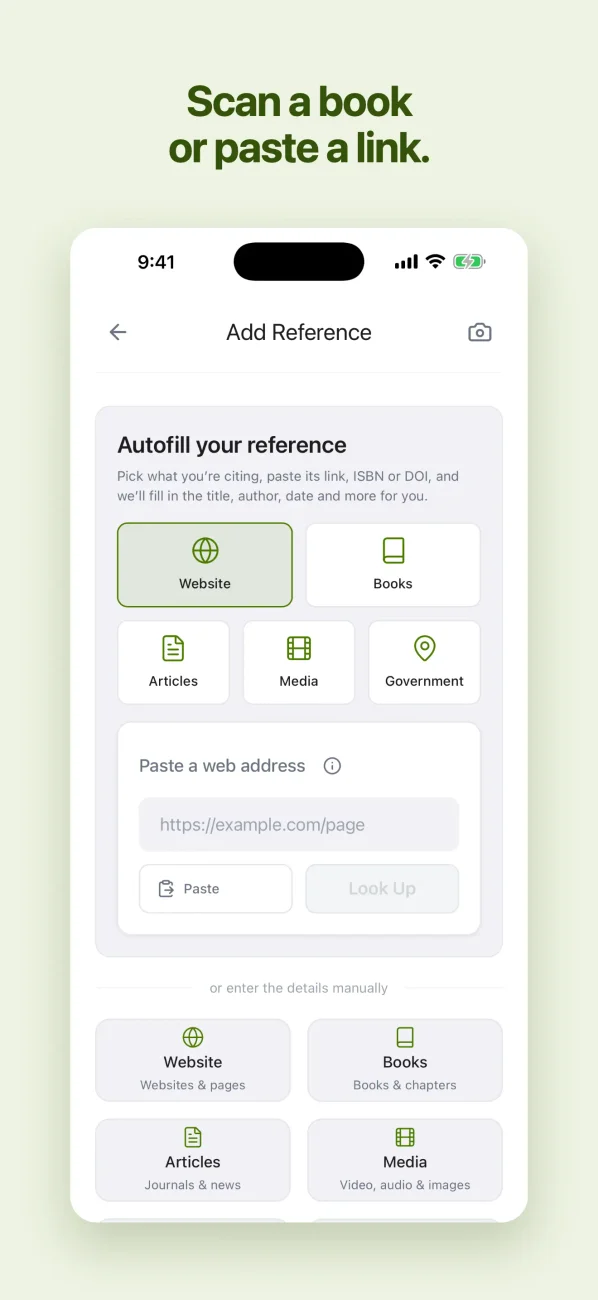
Scan a book's barcode, paste a link, DOI or ISBN, or enter the details manually — MyReferenceList creates correctly formatted citations and reference lists ready
to paste straight into your assignment.
Built specifically for the referencing styles used in Australian schools and universities, including Australian variants that are often formatted incorrectly by
generic citation tools.
REFERENCING MADE SIMPLE
• Scan a book's barcode with your camera for instant lookup
• Paste a URL, DOI or ISBN and automatically fill source details
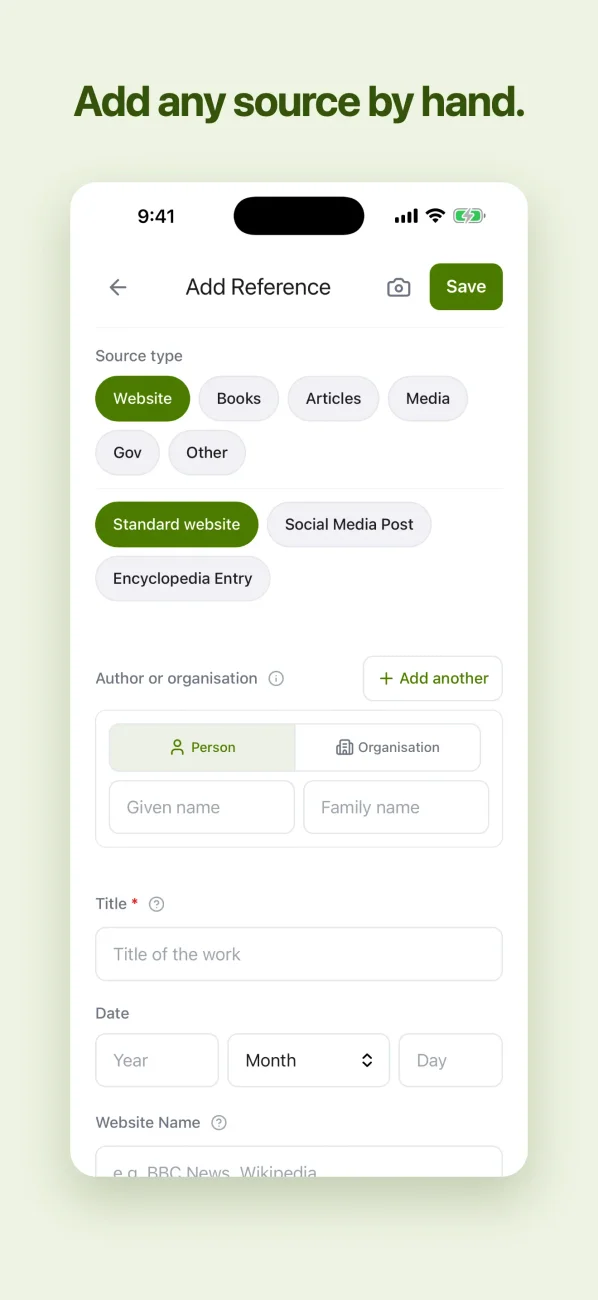
• Add any source manually with clear, guided fields
• Copy individual references or an entire reference list, with formatting and italics preserved
• Generate both in-text citations and full reference-list entries ready for Pages, Word or Google Docs
FOUR STYLES, DONE PROPERLY
• Harvard (Australian AGSM)
• APA 7th Edition
• Oxford (Australian AGPS) with footnotes
• MLA 9th Edition
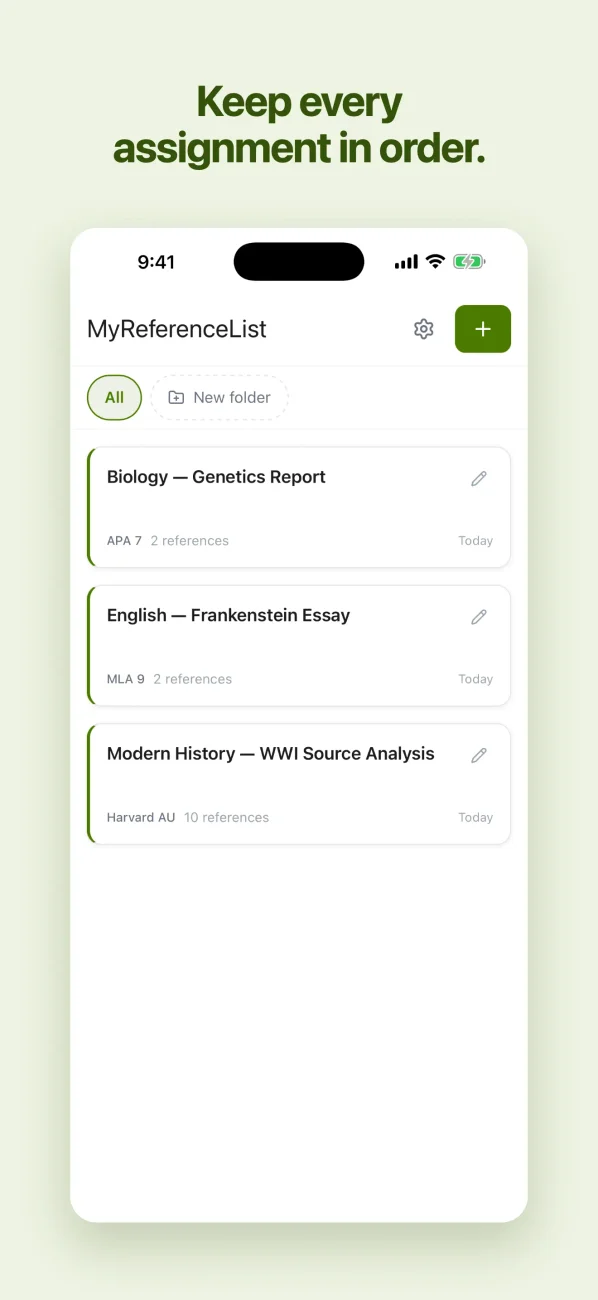
Switch between styles at any time and every reference updates automatically.
17 SOURCE TYPES
Create references for:
• Books
• Book chapters
• Journal articles
• Newspaper and magazine articles
• Websites
• Encyclopedia entries
• Social media posts
• YouTube videos
• Films and documentaries
• Podcast episodes
• Published interviews
• Images and artworks
• Reports
• Australian legislation
• Australian Curriculum documents
• Lecture notes
• Personal communications
MADE FOR THE CLASSROOM
• Designed for iPad with large, accessible touch targets
• Fully supports iPhone
• Light and dark mode
• Adjustable text sizes on iPad
• No ads
• Your references are stored on your device and, when you're signed in to iCloud, sync automatically across your own Apple devices
FOR SCHOOLS
MyReferenceList is available through participating school subscriptions. Students simply sign in with their school account to get started.
An internet connection is required for source lookups and sign-in.
What’s new
Version 1.0.2 · Oct 3, 2026
- Your references now follow your school account. If someone else signs in on your iPad, they start with their own empty library and can't see or change yours.
Your library comes back from your iCloud when you sign in again.
- Using your own device after someone else set it up? "Use This iCloud for Me" in Settings links this device's iCloud to your account.
- Clear All Data in Settings removes your references from this device and from your iCloud in one step.
- Your school's crest now appears beside MyReferenceList, and the app follows light and dark mode for every school.
- New full-screen sign-in pages on iPhone and iPad.
- Every sign-in problem now shows a short error code, so your school or our support team can help you faster.
- Terms and Privacy open full screen, plus layout, readability and accessibility improvements throughout.
App privacy
What Koda Creative Pty Ltd declares on the App Store about how this app handles data.
-
Data not collected
The developer does not collect any data from this app.
Privacy practices may vary, for example with the features you use or your age.
Information
- Seller
- Koda Creative Pty Ltd
- Category
- Education
- Version
- 1.0.2
- Updated
- Oct 3, 2026
- Released
- Jul 1, 2026
- Size
- 7.0 MB
- Requires
- iOS 16.6 or later
- Age rating
- 4+
- Languages
- English
- Copyright
- © 2026 MyReferenceList Pty Ltd
You might also like
-
 APA & MLA Citation GeneratorBibliography Maker & Checker
-
 Web LockerExam & kiosk lockdown browser
-
 St Augustines Primary SchoolEducation
-
 ARE 5.0 Architect Prep TestMaster NCARB Exam Concepts
-
 DEMO: SchoolboxEducation
-
 Digistorm eduAPPEducation
-
 Curio AI: Daily KnowledgeMicrolearning, Facts & Quizzes
-
 Guildford Grammar School, WAEducation
-
 CBAT Ready - Aircrew AptitudeCFAST Aircrew Preparation
-
 Kids Learning: GamesPreschool & Toddler: ABC, 123