
- Age rating4+
- CategoryMusic
- DeveloperDavid Mickey
- LanguagesEnglish
- Size761.0 KB
Links to the official App Store page
Download.org hosts no file of myReplay. The button opens its official App Store page, published by David Mickey. Listing last checked on Nov 18, 2026.
Screenshots

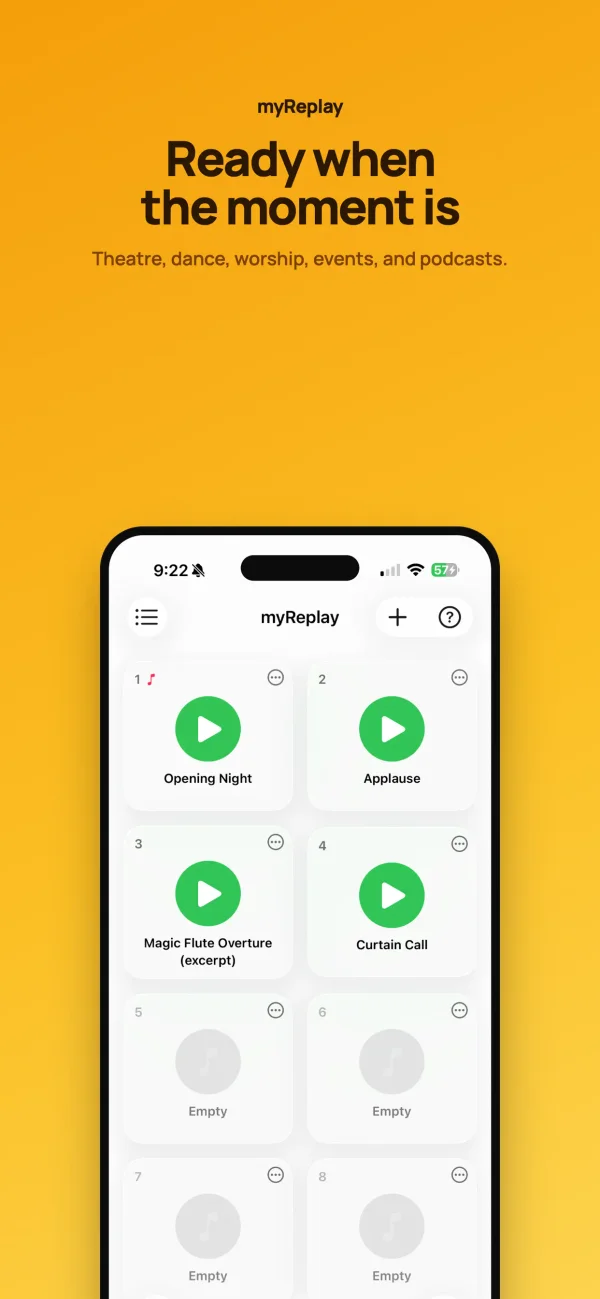
About
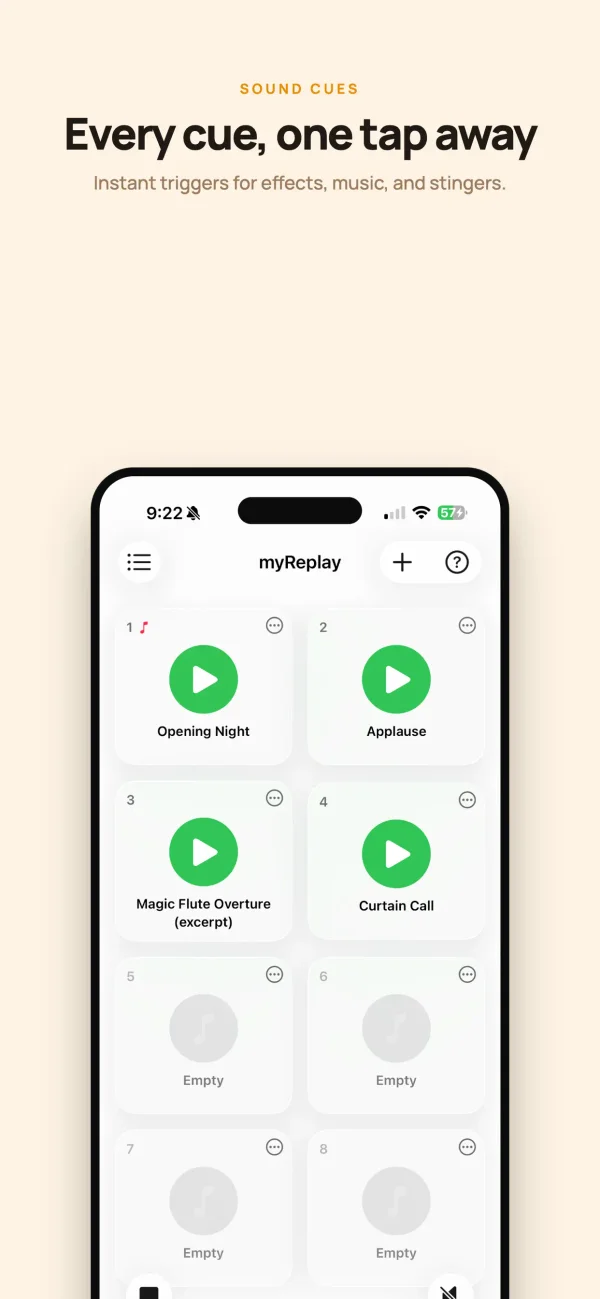
myReplay is a custom multi-channel audio playback pad. Add as many channels as you need, load each with its own track, and trigger them independently or as a live mix.
YOUR PAD, YOUR WAY
• Add, reorder, and delete channels at any time
• Switch between list view (full controls per channel) and a compact grid view (pad-style tiles — tap to play, open a menu for details)
• Channel layout, settings, and loaded tracks persist across launches
EVERY CHANNEL
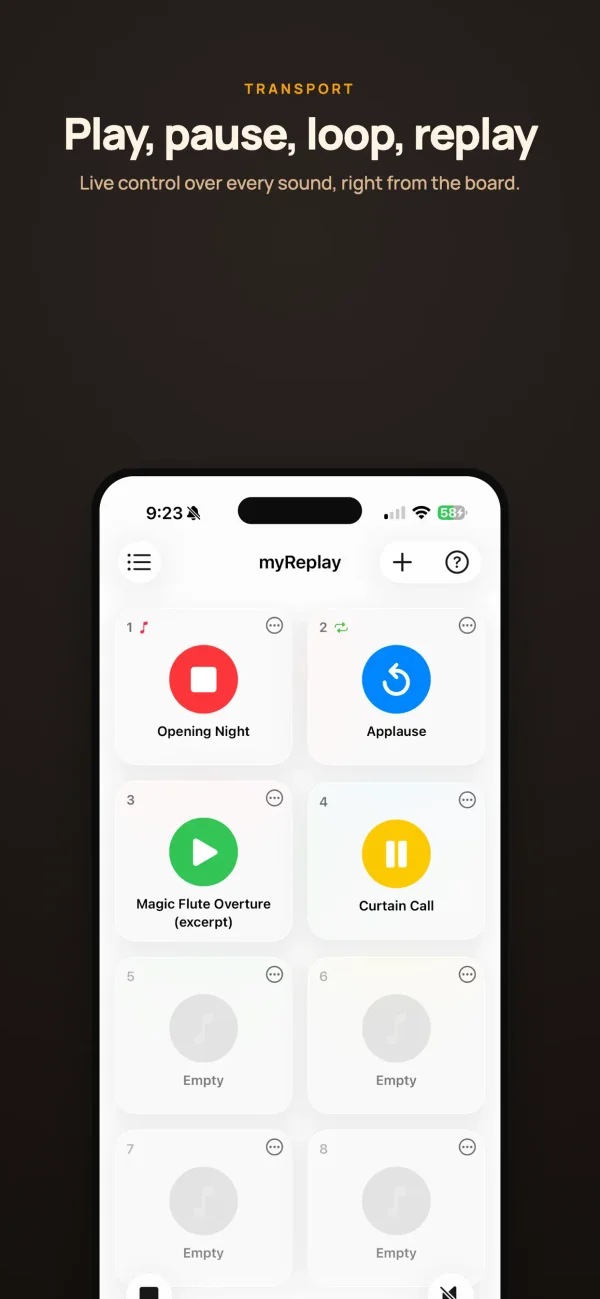
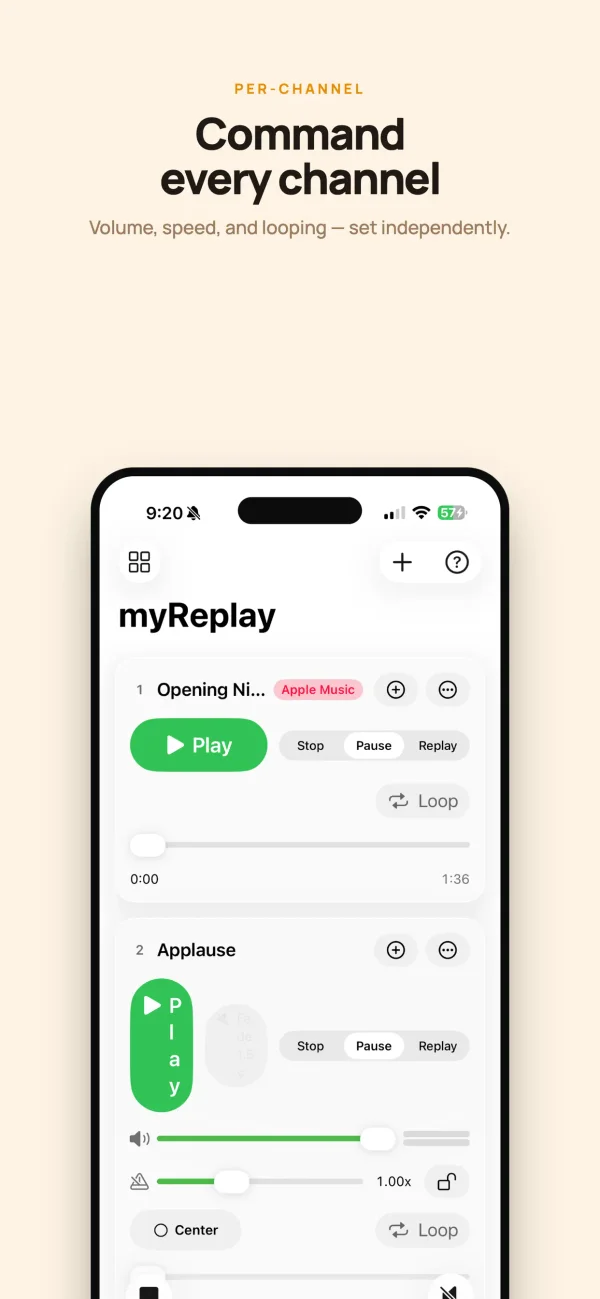
• Play / Stop / Pause / Replay with three transport modes
• Volume with a live stereo VU meter
• Pan — Left / Center / Right
• Rate from 0.5× to 2×, with a lock for pinning to normal speed
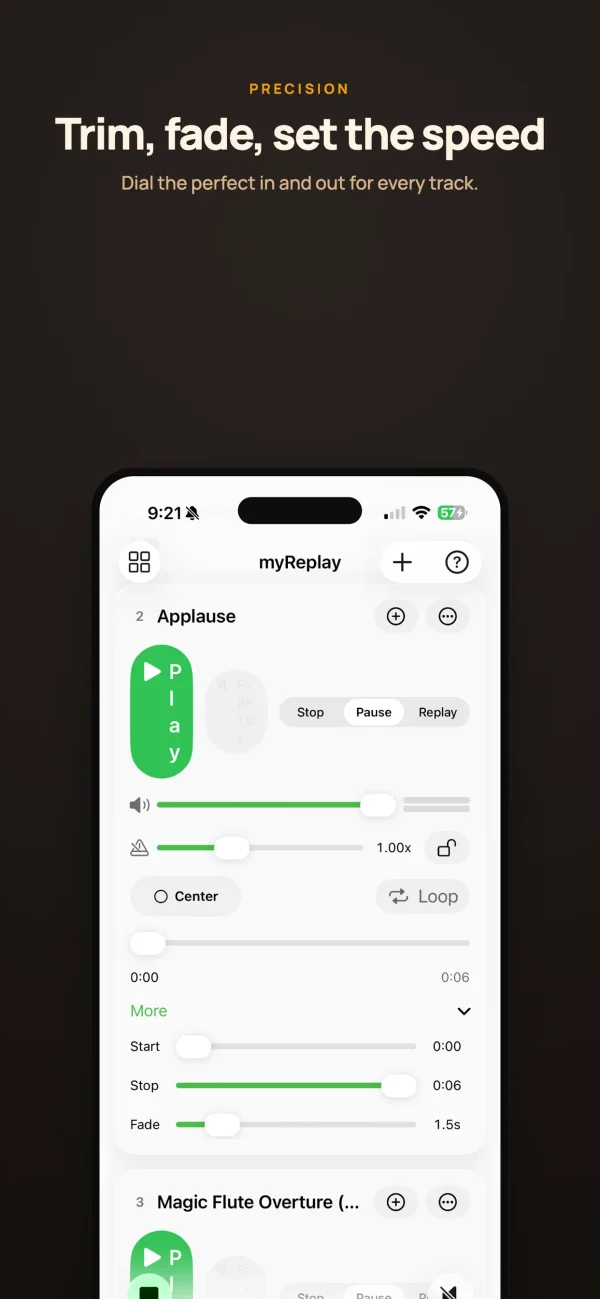
• Loop with editable start and end times — change them live and the next loop honours the new bounds
• Fade — smooth volume ramp using your chosen duration
• Trim each track to the section you want
LOAD ANY AUDIO
• Music Library — pick from your iTunes / imported songs with the full feature set
• From Files — drop in mp3, m4a, wav, or aiff from iCloud Drive, Dropbox, AirDrop, or anywhere Files reaches
• Apple Music — DRM-protected subscription tracks play through the system music player with a focused control set
GLOBAL CONTROLS
• Stop All — instantly stop every channel, honouring each channel's transport mode
• Fade All — ramp every playing channel down using each channel's own fade time. Excluding DRM-protected music.
BUILT FOR iOS 26
Modern SwiftUI from the ground up, with Liquid Glass surfaces, system-native sliders, and adaptive layouts that look right on iPhone and iPad. Every parameter and channel persists automatically.
GREAT FOR
• Theatre and live performance cue playback
• Podcasts and live shows — sound effects, beds, stingers
• Worship leaders and presenters
• Fitness, yoga, and dance instructors
• DJs prototyping mixes
• Audio designers blocking out scenes
PRIVACY
Audio and settings stay on your device. No accounts, no analytics, no third-party SDKs.
REQUIREMENTS
iPhone or iPad running iOS / iPadOS 26 or later.
What’s new
Version 4.1 · Nov 8, 2026
Added support for the iPhone Duo
App privacy
What David Mickey declares on the App Store about how this app handles data.
-
Data not collected
The developer does not collect any data from this app.
Privacy practices may vary, for example with the features you use or your age.
Information
- Seller
- David Mickey
- Category
- Music
- Version
- 4.1
- Updated
- Nov 8, 2026
- Released
- Aug 13, 2013
- Size
- 761.0 KB
- Requires
- iOS 27.1 or later
- Age rating
- 4+
- Price
- $2.99
- Languages
- English
- Copyright
- © 2026 Mickey
You might also like
-
 CueSuiteMusic
-
 WoodValvetTube Saturator
-
 WoodSynthSynthesizer
-
 Speakers - Mics & LoudspeakersRadios, telephones, TVs, ...
-
 Octaves - Filter SetPassive Bandpass Filter
-
 BLEASS Slow MachineTape Stop and Slow Down Effect
-
 GRFX - Granular EffectsReal-time granular effects
-
 CombustorTime bending resonator effect
-
 BAM - Beat Maker & Music MakerMusic Production Studio
-
 KLANG2Music