
- Age rating4+
- CategorySports
- DeveloperGameday Pro
- Size44.5 MB
Links to the official App Store page
Download.org hosts no file of MyShow Control Center. The button opens its official App Store page, published by Gameday Pro. Listing last checked on Nov 20, 2026.
Screenshots

About
MyShow Scoreboard turns an iPad into the game controller for the MyShow arena scoreboard system.
REQUIRES A MAC RUNNING MYSHOW CONTROL CENTER
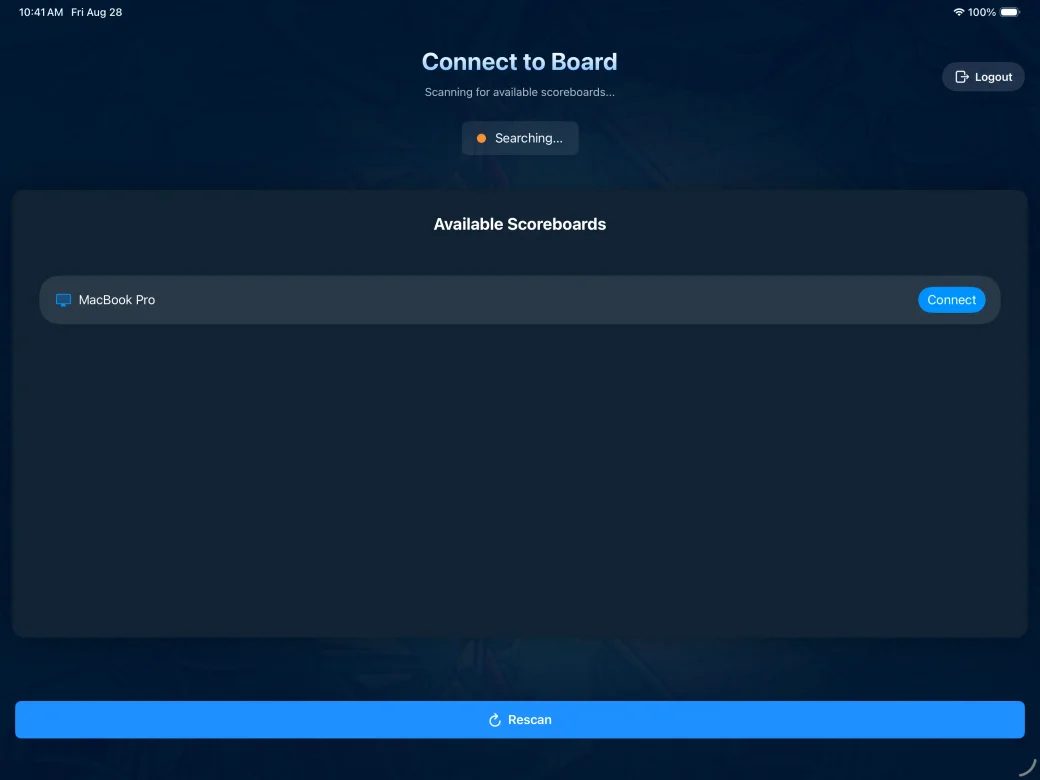
This app is a remote control, not a scoreboard. It does not display anything to a crowd on its own. Set the game up on the Control Center Mac driving your arena display, then connect this iPad to it over the local network and run the game from there.
RUN THE GAME FROM ANYWHERE IN THE BUILDING
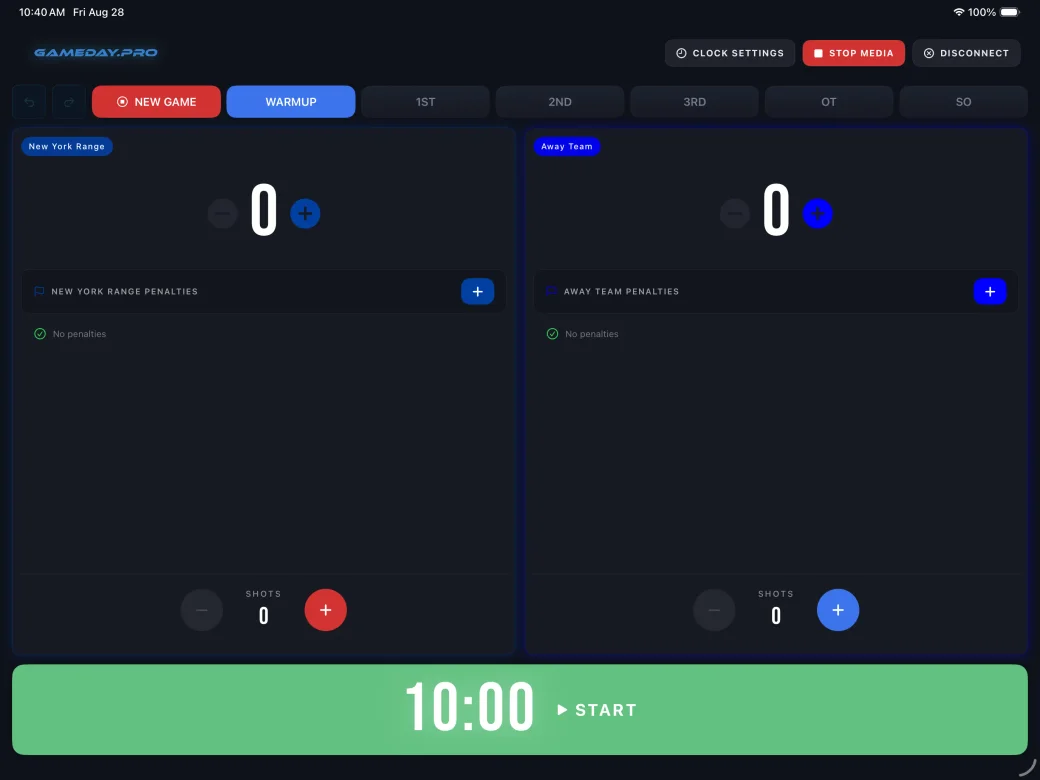
Once you are connected, everything you touch on the iPad lands on the scoreboard: the clock, the score, shots, penalties and goals. Hand the iPad to a second operator, or carry it to the bench. The Mac keeps driving the display.
BUILT FOR THE PACE OF HOCKEY
- Start and stop the game clock with one tap, in a bar that spans the screen so you cannot miss it
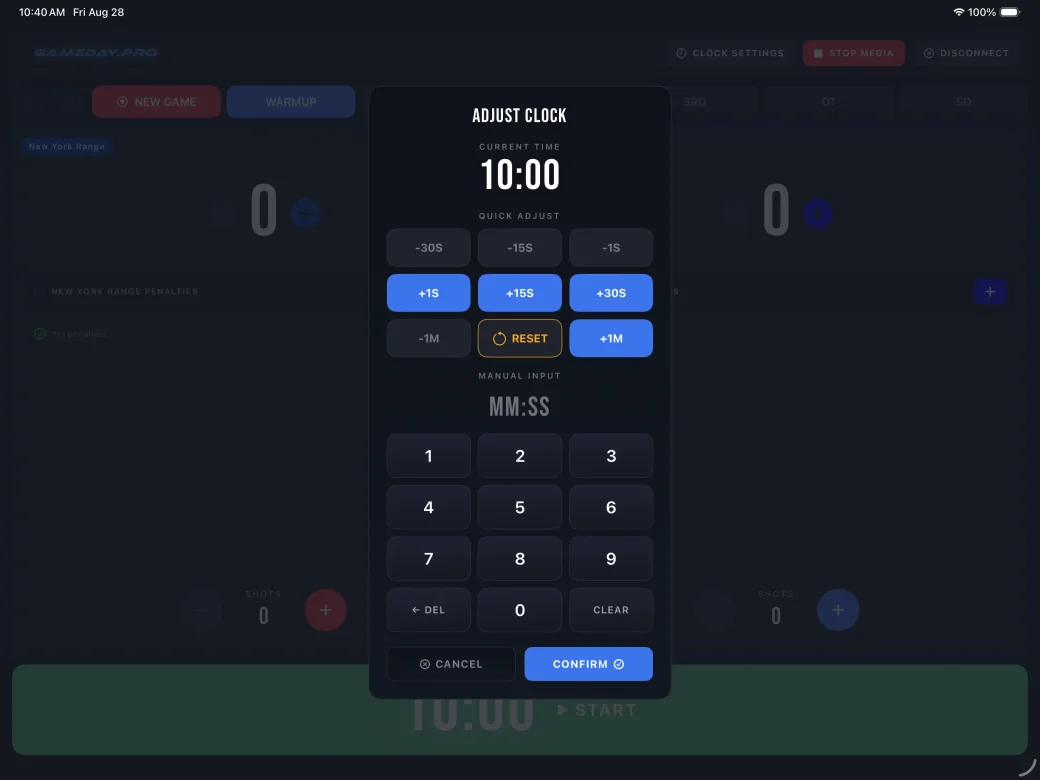
- Adjust the clock or set an exact time when the referee asks
- Add and remove goals, shots and penalties for either team
- Every penalty counts down live in the box, in order, however many are stacked up
- A caution prompt when a power-play goal means a penalty should come off
- Undo and redo without stopping play
RUNNING-CLOCK GAMES, HANDLED PROPERLY
In a running-clock game the clock never stops, so teams stall to burn penalty time. MyShow Scoreboard gives you a penalty clock control of its own, right beside START and STOP, so you can freeze the penalties without touching the game clock. In a normal stop-clock game it stays out of your way.
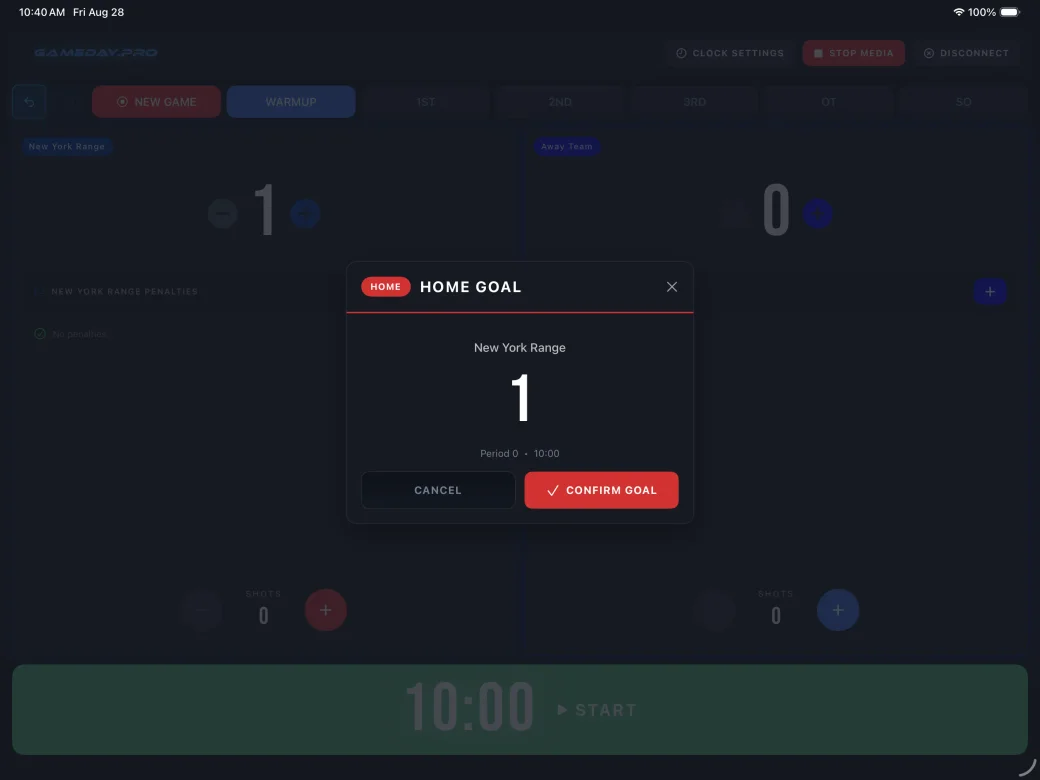
GOALS IN TWO STEPS, SO THE CROWD NEVER WAITS
Confirm the goal the moment it goes in and the scoreboard reacts straight away. Then take as long as you need to tap the scorer and both assists out of your roster. Skip it entirely if you would rather keep up with play.
PERIODS THAT DO NOT MOVE BY ACCIDENT
Changing the period asks you first. So does disconnecting, because reconnecting needs someone standing at the Mac.
CLEAR THE SCREEN FROM WHERE YOU STAND
One button stops whatever media the Control Center is playing, without walking back to it.
SIGN IN WITH YOUR TEAM PIN
Six digits, no password to remember or share between operators. Your roster, logos and colours come down with it.
MyShow Scoreboard is part of the MyShow game-day system for arenas and rinks. An account and a MyShow Control Center installation are required.
What’s new
Version 1.0.2 · Oct 23, 2026
Hockey rules update. Requires MyShow Control Center 1.5.10 or later.
NEW
• Penalty queue: a team serves at most two penalties at once. A third shows as WAITING and starts automatically when one ends. Double minors run as two halves, one after the other.
• Power-play goals now release the penalty automatically. A notice shows which penalty ended, with an Undo button that brings it back and keeps the goal.
• Coincidental penalties: tick Coincidental on the penalty sheet. They count down without changing on-ice strength.
• The clock shows tenths of a second under one minute.
• Pull Goalie button on each team card.
• Playoff overtime: when the Control Center has Repeat turned on, overtime continues to OT2, OT3 and beyond.
• Shootout: record each attempt as a goal or a miss, then tap Finish Shootout to add the winning goal to the final score.
IMPROVEMENTS
• The shots row is now always shown.
FIXES
• The power-play notice now stays on screen after you confirm the goal.
• The second half of a double minor now reads 2/2.
App privacy
What Gameday Pro declares on the App Store about how this app handles data.
-
Data not collected
The developer does not collect any data from this app.
Privacy practices may vary, for example with the features you use or your age.
Information
- Seller
- Gameday Pro LLC
- Category
- Sports
- Version
- 1.0.2
- Updated
- Oct 23, 2026
- Released
- Jun 25, 2026
- Size
- 44.5 MB
- Requires
- iOS 17.6 or later
- Age rating
- 4+
- Price
- Free
- Copyright
- © 2026 GameDay Pro
You might also like
-
 Derby ScoreboardRoller derby scoreboard
-
 MatchBoard · ScoreboardScore Keeper for 18 Sports
-
 Scoreboard: GamePointSimple score keeper
-
 Versus Hockey ScoreboardIris Hub Virtual Scoreboard
-
 ScoreZen: Live ScoreboardScorekeeper, referee & tally
-
 Sports ScoreboardsSports
-
 RinkMix Ice Hockey ManagerPlayers Announcer Horns Sirens
-
 ICE HOCKEY PRO - SCOREBOARDSport PlayOut Media Player
-
 My Golf ScorecardSports
-
 Hockey Music DJArena Soundboard, Scores Horns