- Age rating4+
- CategoryUtilities
- DeveloperSol-Ark
- LanguagesEnglish
- Size48.3 MB
Links to the official App Store page
Download.org hosts no file of MySolArk Installer. The button opens its official App Store page, published by Sol-Ark. Listing last checked on Nov 21, 2026.
Screenshots

About
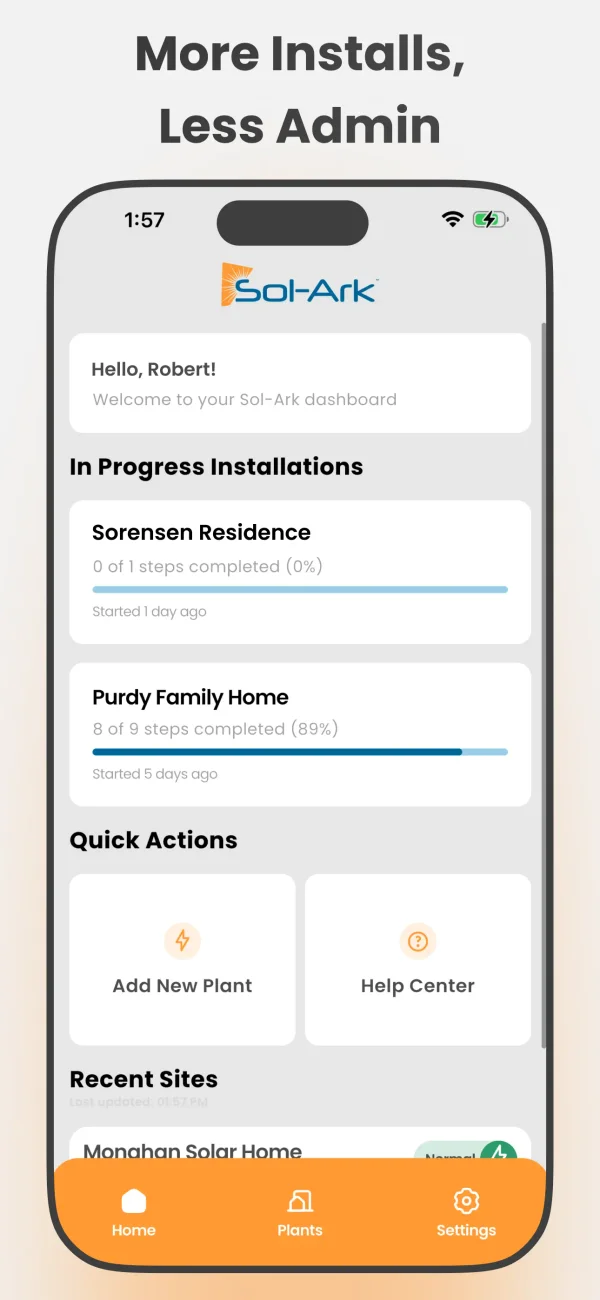
MySolArk Installer is the official field tool for solar professionals who install and commission Sol-Ark hybrid inverters and battery systems. From creating a new plant to generating a final commissioning report, every step of the installation process is guided, validated, and documented — right from your phone or tablet.
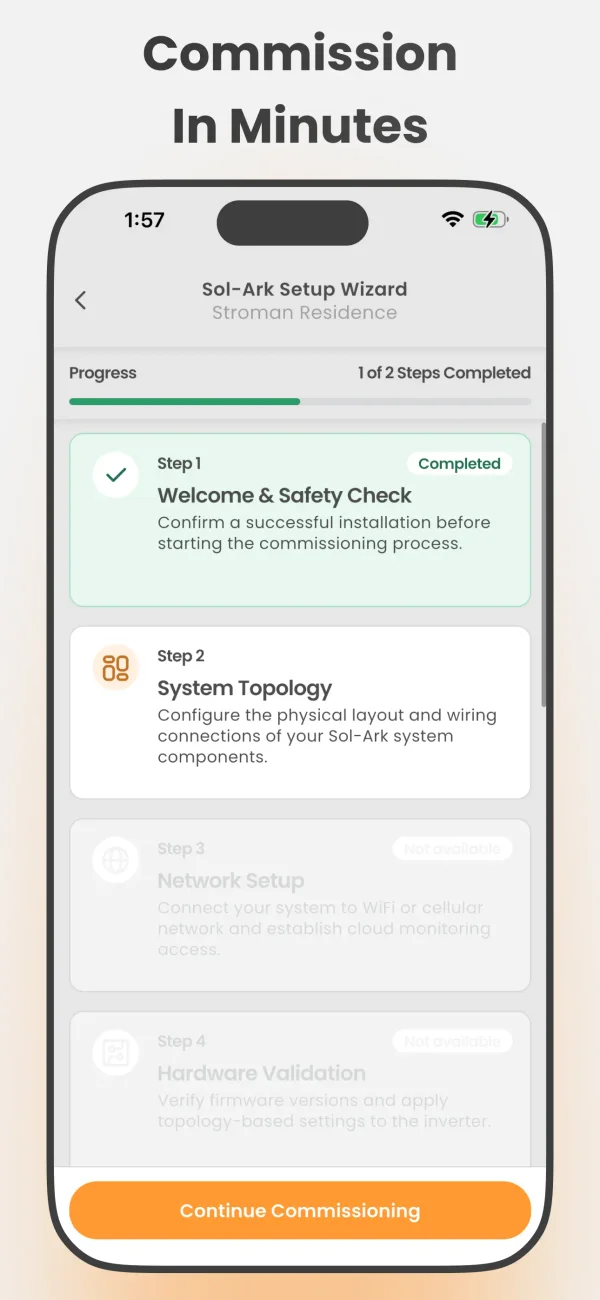
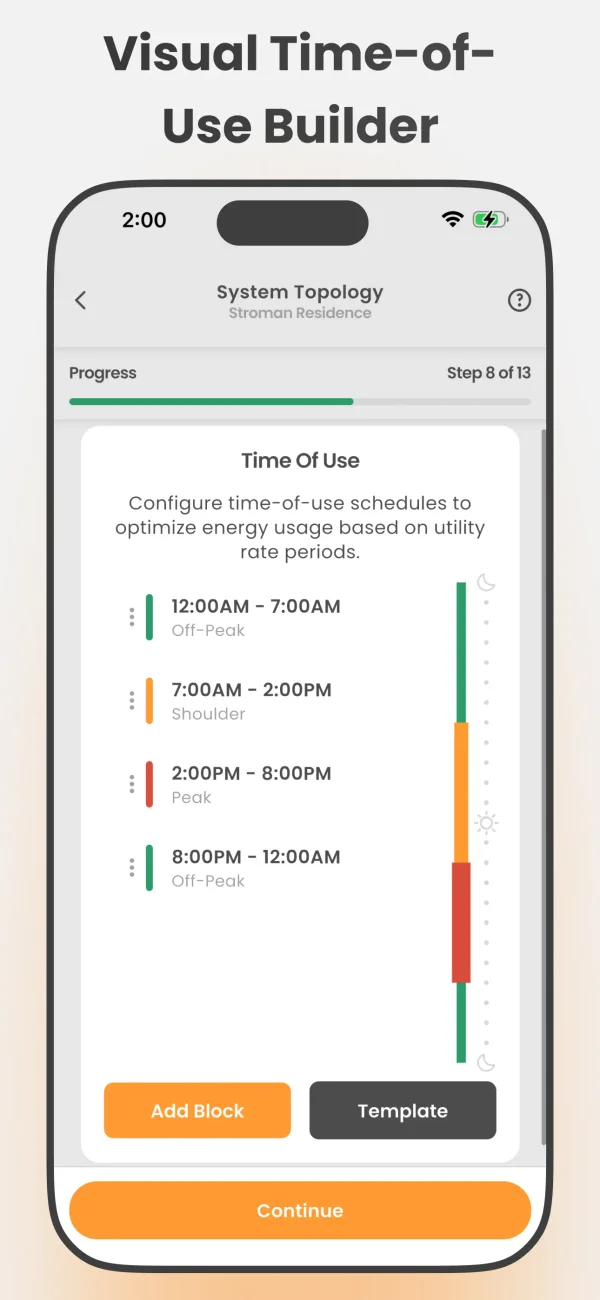
GUIDED COMMISSIONING WIZARD Walk through the Sol-Ark Setup Wizard designed for hybrid inverter and battery installations. Each step covers a critical phase of commissioning — safety checks, system topology, network configuration, hardware validation, battery setup, grid code compliance, energy management profiles, and time-based usage schedules. Pick up where you left off and track progress from your dashboard.
NETWORK & CONNECTIVITY Set up WiFi or 4G LTE dongles to connect Sol-Ark equipment to the cloud. Configure network credentials, activate LTE service, and verify connectivity so every system stays online after you leave the site.
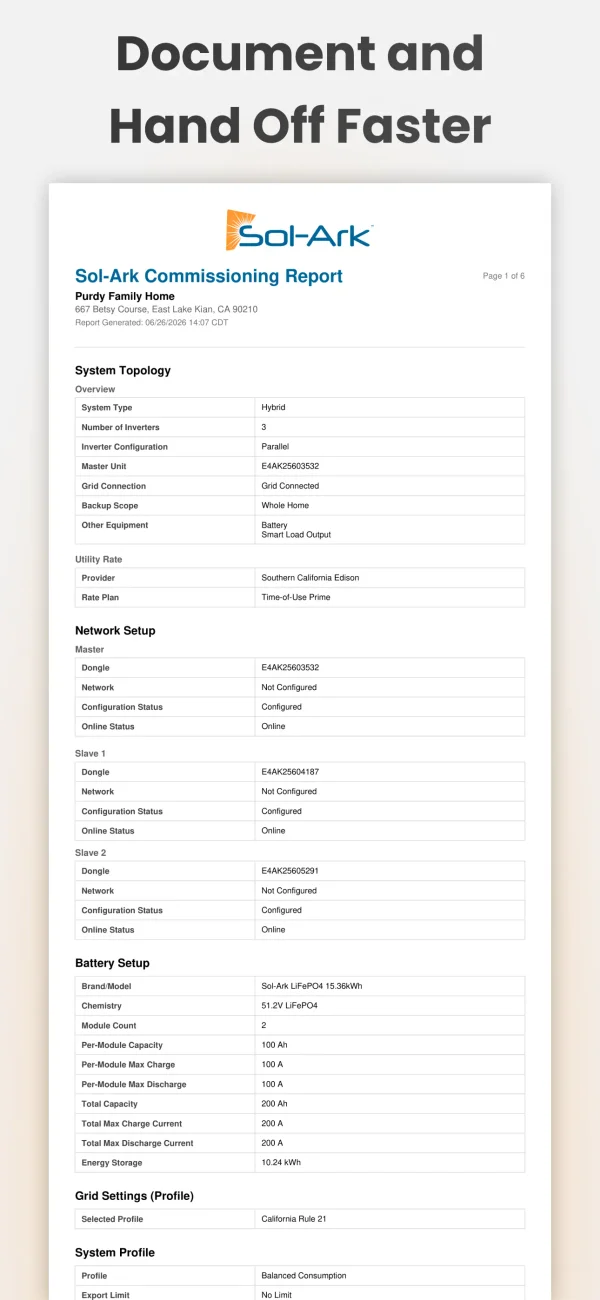
COMMISSIONING REPORTS Generate professional PDF commissioning reports that document system configuration, hardware validation results, and post-install checklist completion. Reports are stored with the plant for future reference.
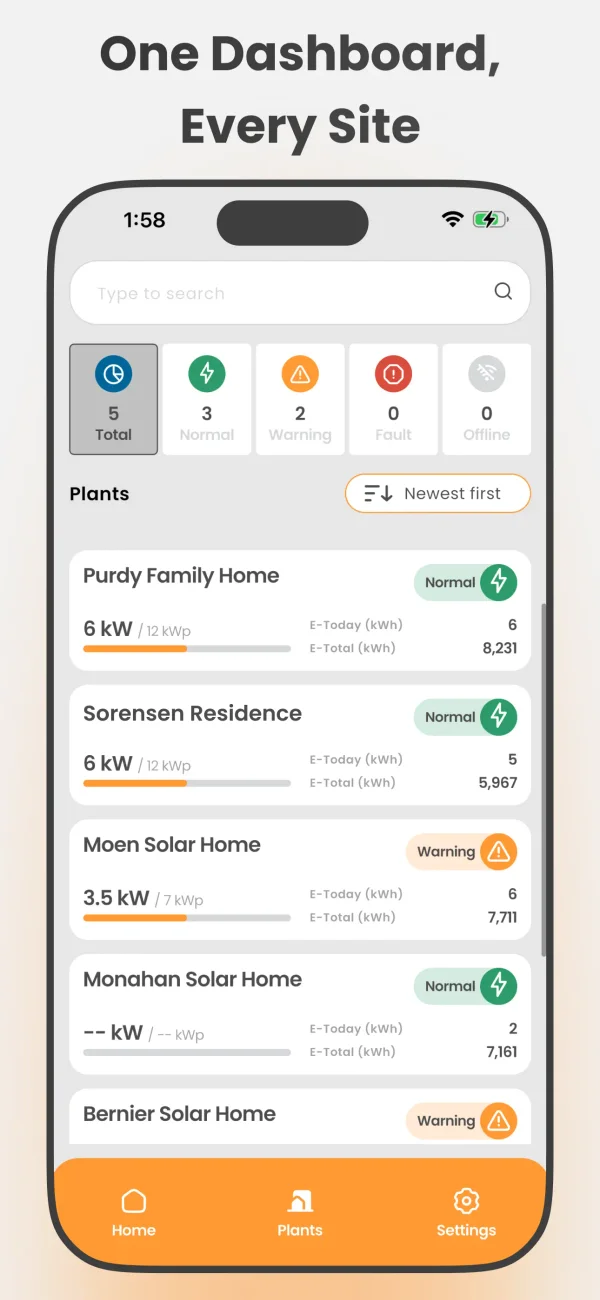
PLANT MONITORING Monitor installed systems with power flow, energy production totals (daily, monthly, yearly, lifetime), equipment status, and event logs. Filter faults, warnings, and informational events to diagnose issues quickly.
PLANT MANAGEMENT Create and manage plants with address, timezone, installed capacity, contact information, and site photos. Share plant access with homeowners via their MySolArk account.
BUILT-IN SUPPORT Access Sol-Ark's Help Center with documentation, manuals, and direct contact to the support team — available from the dashboard and throughout the commissioning flow.
DESIGNED FOR PROFESSIONALS MySolArk Installer is built for certified installers, site designers, and installation managers. A registered MySolArk account is required to sign in.
Key capabilities: • Guided hybrid inverter commissioning wizard • QR code scanning for device registration • WiFi and 4G LTE dongle setup • Battery configuration (capacity, chemistry, protection) • Grid code and utility compliance settings • Time-of-use scheduling and peak shaving • PDF commissioning report generation • Real-time plant monitoring and event logs • Plant sharing with homeowner MySolArk accounts • Light and dark mode support
For support, contact Sol-Ark at support@sol-ark.com or call +1 (972) 575-8875.
What’s new
Version 2.0.7 · Oct 12, 2026
Bug fixes and stability improvements.
App privacy
What Sol-Ark declares on the App Store about how this app handles data.
-
Data linked to you
May be collected and linked to your identity.
- Financial info
- Location
- Contact info
- User content
- Identifiers
- Usage data
- Diagnostics
Privacy practices may vary, for example with the features you use or your age.
Information
- Seller
- Portable Solar LLC
- Category
- Utilities
- Version
- 2.0.7
- Updated
- Oct 12, 2026
- Released
- Jul 13, 2026
- Size
- 48.3 MB
- Requires
- iOS 15.0 or later
- Age rating
- 4+
- Price
- Free
- Languages
- English
- Copyright
- © 2026 SOL-ARK LLC
You might also like
-
 Renon SmartMake energy smarter
-
 Fortress Power ProWhole-home energy storage
-
 HomeGrid EnergyHomeGrid
-
 Fortress Power OwnerWhole-home energy storage
-
 EG4 ConnectUtilities
-
 enblock ManagerLG Energy Solution ESS App
-
 Renon CloudRenon Remote Monitoring
-
 Envy: Fortress PowerUtilities
-
 myPointGuardEnergy-On Your Terms
-
 CPS Connect ProCPS Connect pro