
NAGE: Screen Time Lock
Lock apps, learn a language
Designed for iPhone
In-app purchases
- Age rating9+
- CategoryProductivity
- Developerharun gok
- LanguagesEnglish+ 9 more
- Size15.9 MB
Links to the official App Store page
Download.org hosts no file of NAGE: Screen Time Lock. The button opens its official App Store page, published by harun gok. Listing last checked on Nov 25, 2026.
Screenshots


About
Pick up your phone and find yourself in the same feed half an hour later? NAGE turns those minutes into a language.
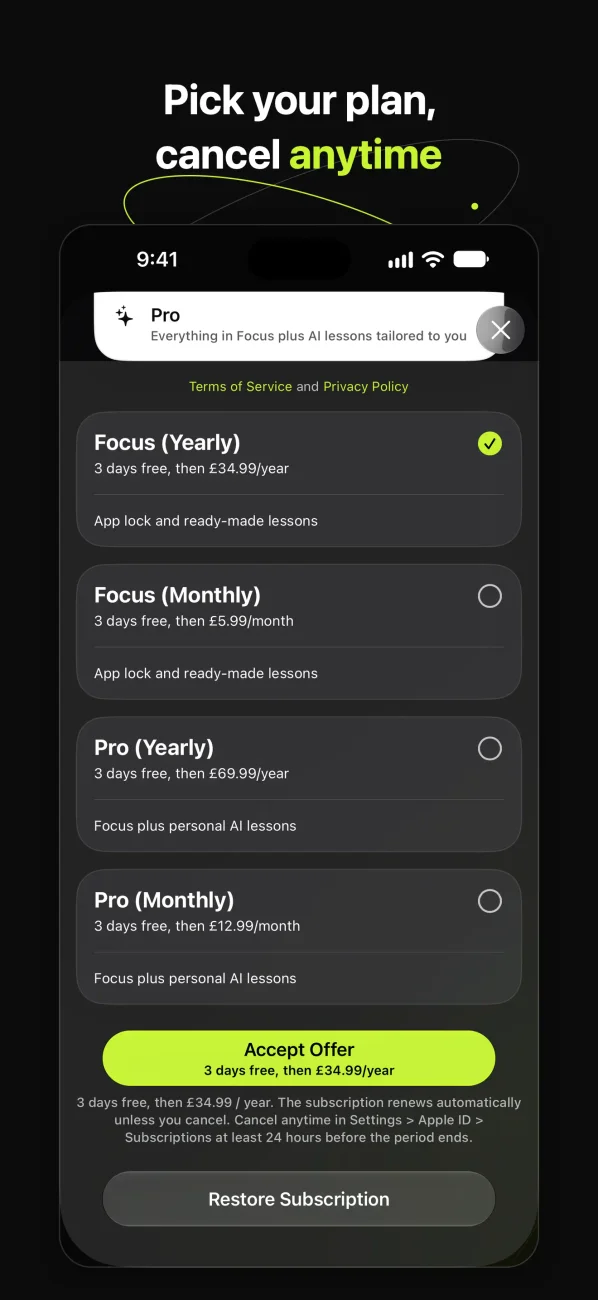
A paid subscription is required to use NAGE (Focus or Pro, auto-renewing). Every plan starts with a 1-week free trial
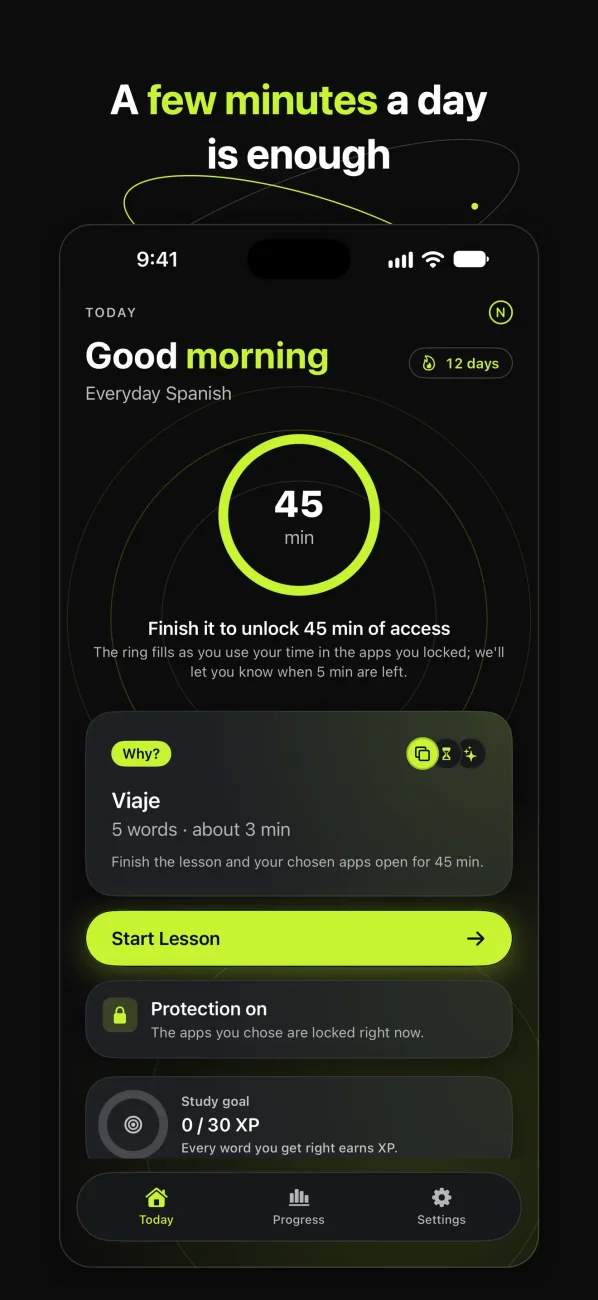
Choose the apps that distract you. NAGE locks them with Screen Time. Finish today's short lesson and the lock opens: you get 45 minutes in those apps. When the time is used up, the lock comes back, and a new lesson opens another 45 minutes. Every day starts locked.
HOW IT WORKS
• You choose which apps and categories to lock, and you can change the list at any time.
• Tap the button on the lock screen and a notification takes you straight to today's lesson.
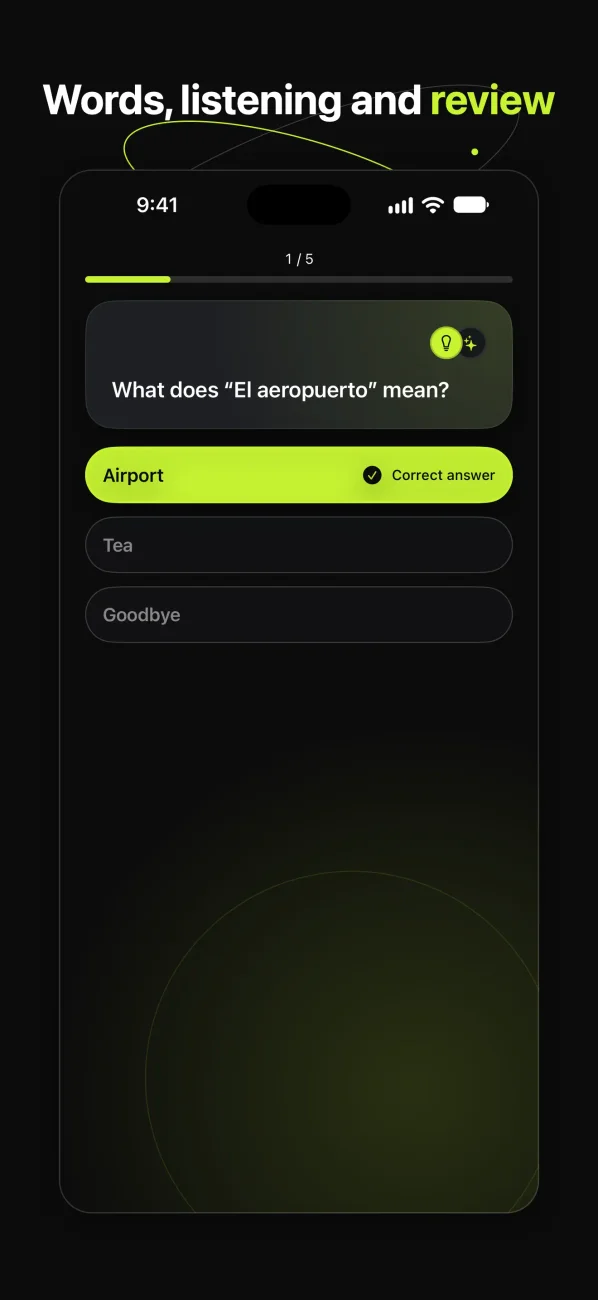
• A lesson takes a few minutes: new words, listening, a quiz and review.
• Your earned time only counts down while you use the apps you locked. We'll let you know 5 minutes before it runs out.
• You can change how long apps stay open in Settings.
LESSONS
• Spanish and French with explanations in English, starting at beginner (A1) level.
• Turkish speakers can also learn English, with explanations in Turkish.
• Spaced repetition brings back the words you're about to forget at the right time.
• Short grammar notes and reading passages.
• Listening practice with spoken words.
• Optional speaking practice: record yourself and listen back. Recordings never leave your device.
• Take the placement test to start at the right point.
SEE YOUR PROGRESS
• Your streak, the words you've learned and the access minutes you've earned.
• The monthly trend of your real usage in the apps you locked (iOS Screen Time data, kept on your phone).
PRIVACY
The list of apps you choose and your device's usage data never leave your phone. On a new installation of version 1.3.0 or later, NAGE requires an account after the age question, onboarding and the subscription: you can sign in with Apple, Google or an email account that already exists (the app no longer creates new email accounts). An installation from before 1.3.0 that already uses NAGE without an account can continue without creating one; if you sign out or delete your account, this device is treated as a new installation and an account is required. You can delete your account from inside the app at any time.
SUBSCRIPTION (PURCHASE REQUIRED)
All features above require a paid Focus or Pro subscription. Every plan starts with a 1-week free trial
• Focus (paid subscription): app lock, ready-made lessons and progress tracking.
• Pro (separate, higher-priced paid subscription): everything in Focus, plus daily AI-built lessons and extra practice based on your weak spots.
Payment is charged to your Apple ID account at confirmation of purchase. The subscription renews automatically unless it is canceled at least 24 hours before the end of the current period. You can manage and cancel your subscription in your App Store account settings. Any unused portion of a free trial is forfeited when you purchase a subscription.
Privacy Policy: https://nage.nageapp.workers.dev/privacy
Terms of Use: https://www.apple.com/legal/internet-services/itunes/dev/stdeula/
What’s new
Version 1.3.4 · Nov 24, 2026
NAGE 1.3.4
• Pro now includes AI chat lessons. A short conversational level test comes first, then a curriculum built around you. In each lesson you reply by typing or speaking, and the difficulty adapts as you go.
• Today and Progress are simpler.
• You can change the language you’re learning in Settings.
• Security improvements.
App privacy
What harun gok declares on the App Store about how this app handles data.
-
Data linked to you
May be collected and linked to your identity.
- Purchases
- Contact info
- User content
- Identifiers
- Usage data
Privacy practices may vary, for example with the features you use or your age.
Information
- Seller
- harun gok
- Category
- Productivity
- Version
- 1.3.4
- Updated
- Nov 24, 2026
- Released
- Oct 2, 2026
- Size
- 15.9 MB
- Requires
- iOS 17.0 or later
- Age rating
- 9+
- In-app purchases
- Yes
- Languages
- English, French, German, Italian, Japanese, Korean, Portuguese, Spanish, Traditional Chinese, Turkish
- Copyright
- © 2026 Harun Gök
You might also like
-
 Glowdo: Cozy Focus TimerDo tasks, decorate your space
-
 Foccus: Screen Time BlockerLock apps, build focus streaks
-
 why? – screen time controlnotice before you doomscroll
-
 P7M Viewer – Open & ConvertOpen, verify & convert .p7m
-
 Nosk: Screen Time ControlUnlock Apps With Real Tasks
-
 Bed Lock: Morning App BlockerHabit Tracker & Screen Time
-
 Lock - Screen Time ControlApp Blocker & Digital Detox
-
 SafeNotesProductivity
-
 Lock&Key: Screen TimeDigital balance, better focus
-
 Başar!Productivity