- Age rating4+
- CategoryMedical
- DeveloperJohannes Kojer
- LanguagesEnglish+ 5 more
- Size1.9 MB
Links to the official App Store page
Download.org hosts no file of Name Color. The button opens its official App Store page, published by Johannes Kojer. Listing last checked on Nov 12, 2026.
Screenshots


About
A lot of information in everyday life requires that you be able to determine colors and assign them correctly. Some people can't do this because they can't see or distinguish all colors. This color vision deficiency ranges from seeing fewer colors than most people to not seeing any colors at all. Not seeing colors, i.e. true color blindness, is very rare. The most common form of color vision deficiency is the inability to distinguish between the colors red and green, i.e. red-green blindness.
The app determines the names of colors. It can be of help to people who cannot see and name all colors (color ametropia, color blindness).
How it works
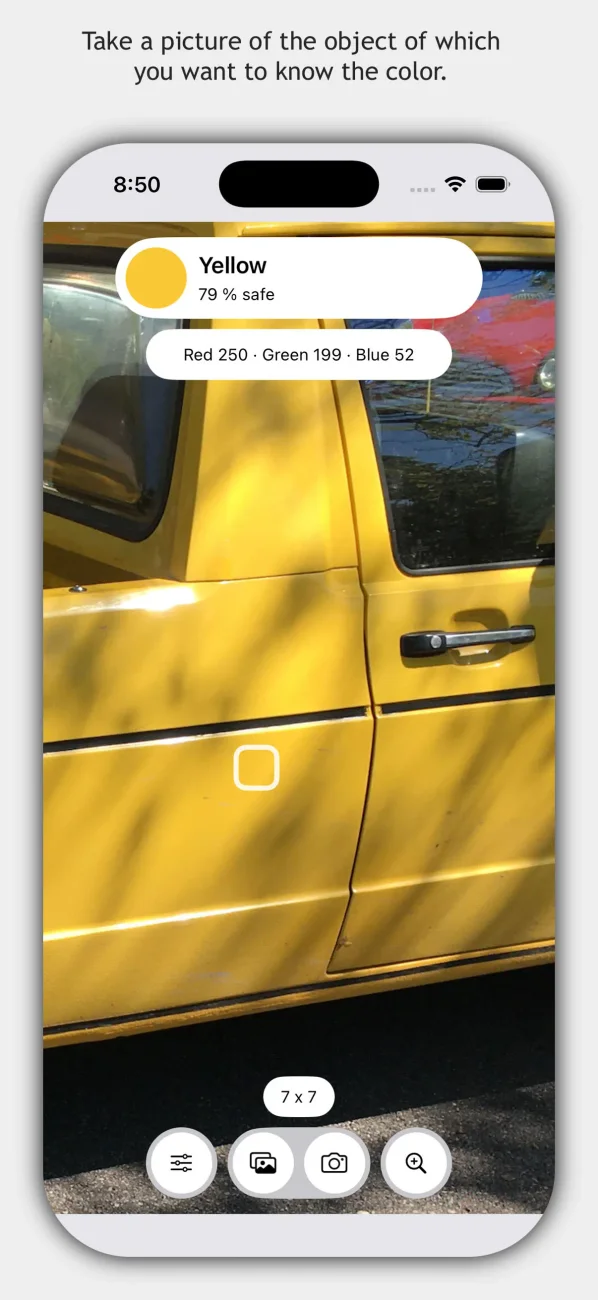
Take a picture of the object of which you want to know the color. Touch the object and the matching color name will be determined and displayed. Or use color sliders for red, green and blue to create or try out colors. For each color you select in the color slider, the color name is determined and displayed.
You can switch the zoom mode on and off with a long press gesture. The zoom mode can also be activated with the magnifying glass icon at the bottom right. If the color of which you want to know the name is covered by parts of the menu, you can hide all control elements. To do this, touch the determined color name at the top right next to the color field.
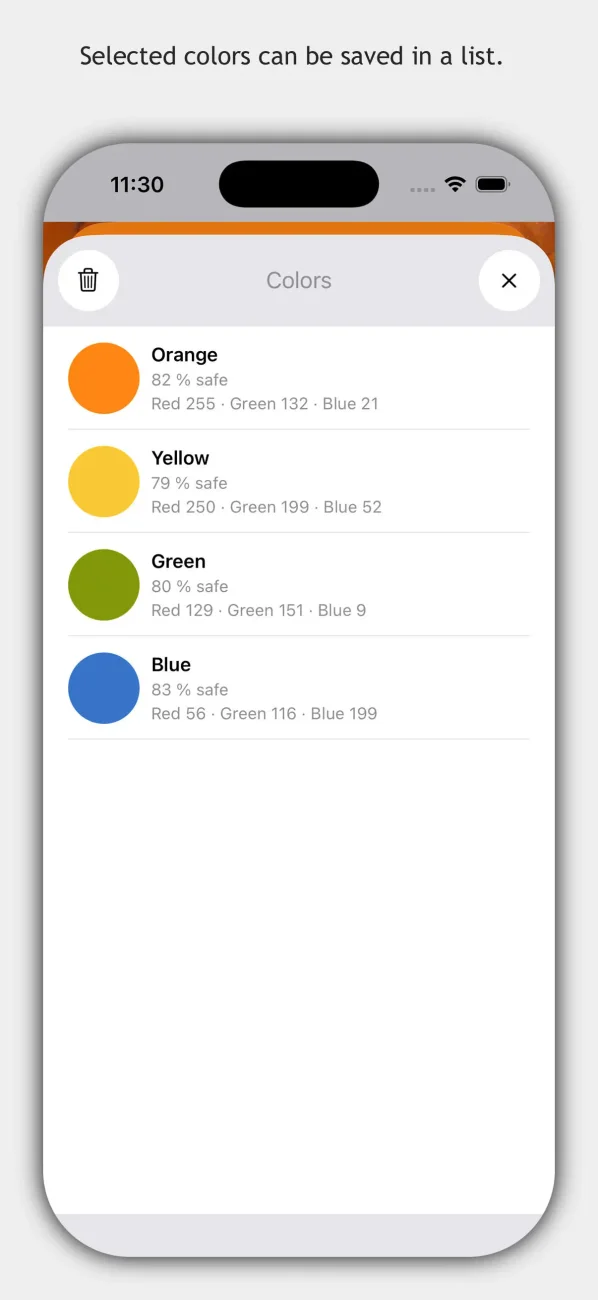
You can activate the color slider for red, green and blue with the color field at the top left. In addition to the currently selected color, the complementary color is also displayed in the color slider. If the color slider is active, you can save the current color with the plus icon at the bottom right. To do this, the option "Adopt result" must be selected in the default settings. The color is displayed in a list. This can be useful if you want to keep a specific color setting to later compare it to another color.
Settings
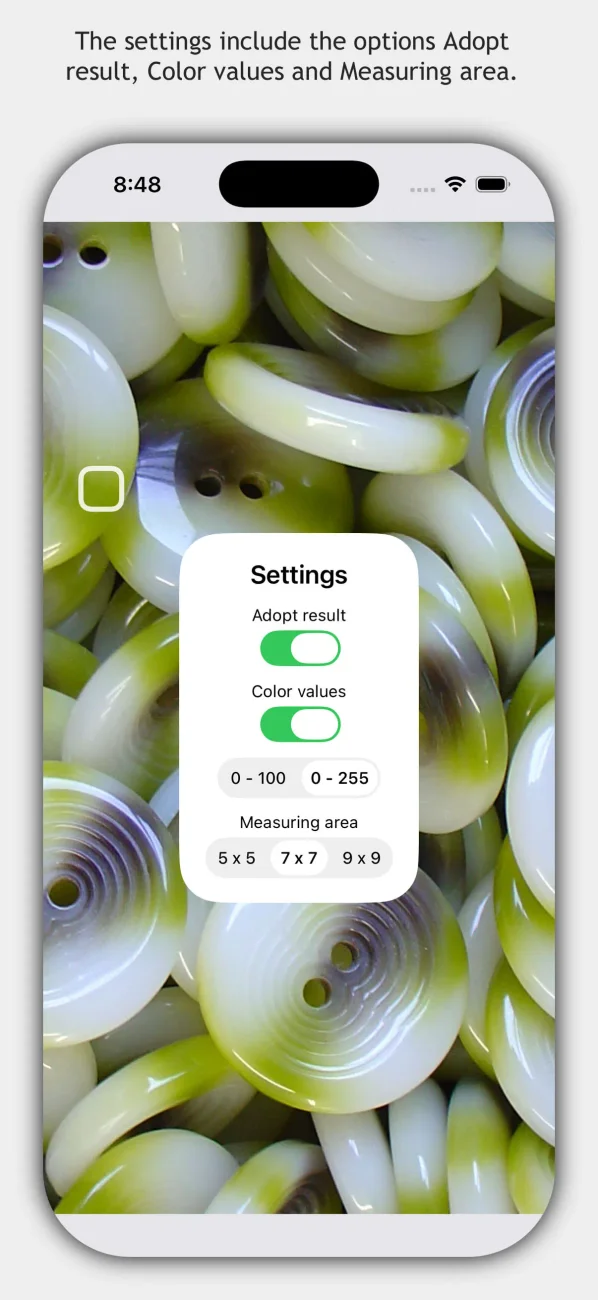
The default settings of the app are opened with the icon at the bottom left. Here you can find the options "Adopt result", "Color values" and "Measuring area". "Adopt result" means the determined color value is transferred to the next view. With the "Color values" option, you can display the color values for red, green and blue in addition to the determined color name. The color values can be displayed in increments from 0 to 100 and in increments from 0 to 255. "Measuring area" controls the number of pixels used to calculate the color name.
Important information
The naming of colors is a complex process that is influenced by general and individual color perception, experience and the current lighting situation. For this reason, a percentage value is calculated for each color name, which indicates how reliable the result is.
The app does not collect, store or transmit any personal data. The app is intended as an aid for colorblind people. The app is not suitable for a medical examination. Liability for the correctness of all color names determined with the app is not accepted.
What’s new
Version 2.5 · Oct 28, 2026
Color recognition has been expanded and improved.
The usability of the app has been improved.
Small errors have been corrected.
App privacy
What Johannes Kojer declares on the App Store about how this app handles data.
-
Data not collected
The developer does not collect any data from this app.
Privacy practices may vary, for example with the features you use or your age.
Information
- Seller
- Johannes Kojer
- Category
- Medical
- Version
- 2.5
- Updated
- Oct 28, 2026
- Released
- Nov 16, 2020
- Size
- 1.9 MB
- Requires
- iOS 15.6 or later
- Age rating
- 4+
- Price
- $3.99
- Languages
- English, French, German, Italian, Portuguese, Spanish
- Copyright
- © 2022 Johannes Kojer
You might also like
-
 Pulse Tap BPMTap heart rate, see zones
-
 Enso Thermo - Sauna TrackerLog hot & cold sauna sessions
-
 SCULPT BY NINAHealth & Fitness
-
 Color Vision-Identifier,TestColor Blindness Assistance
-
 Scan Eyes For ColorblindSee Your World in Color
-
 Fitness Gym WürselenHealth & Fitness
-
 Color Mate - Colour blind helpColorblind assistance
-
 SAMIR MarocMedical
-
 My Secret CoachFitness and food-tracking app
-
 WellmoHealth & Fitness