
- Age rating4+
- CategoryPhoto & Video
- Developerosamu Kishiyama
- LanguagesEnglish
- Size1.5 MB
Links to the official App Store page
Download.org hosts no file of NameField. The button opens its official App Store page, published by osamu Kishiyama. Listing last checked on Nov 20, 2026.
Screenshots


About
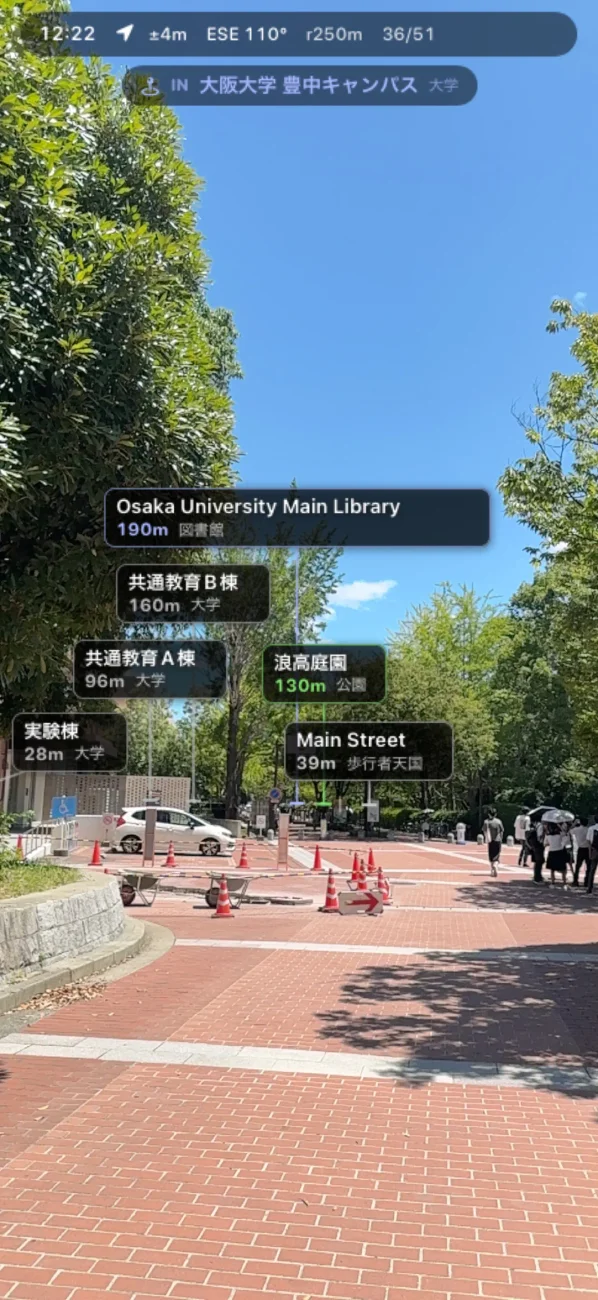
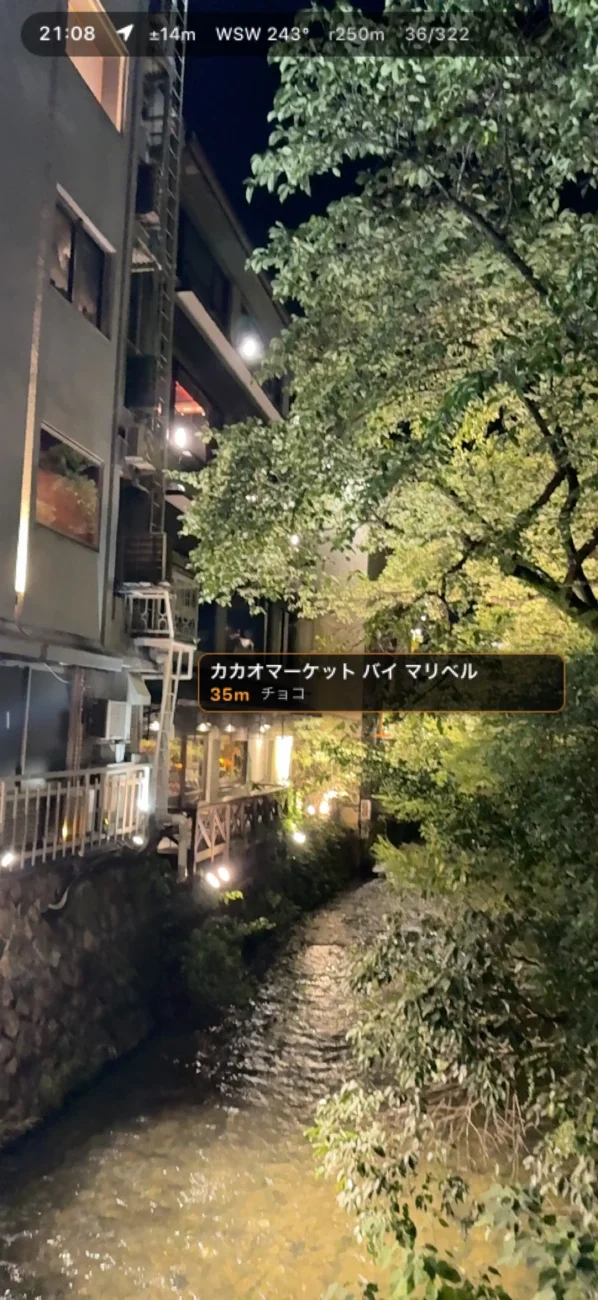
Point your phone at the street and Name Field tells you what everything is
called.
Shops, buildings, roads, stations, parks — each name appears on the camera view
in the direction the place actually is, with how far away it is and what kind of
place it is. The names come from OpenStreetMap, so it is not only the big
landmarks: it is the bakery on the corner, the side street, the station exit.
HANDY WHEN
• You come up from a station exit with no idea which way you are facing
• You are somewhere new and want to know what is actually around you
• Someone says "it's just past the post office" and you need to spot the post
office
• You want to know which way home is, from anywhere
DISTANCES YOU CAN ACT ON
Distances are measured to the nearest point of the real shape — the wall in
front of you, the edge of the road you are standing on — rather than to a centre
point somewhere inside the block. So "3 m" means the road is three metres to
your left, and "12 m" means that wall is twelve metres away. At walking range,
that is the difference between a number you can use and one you cannot.
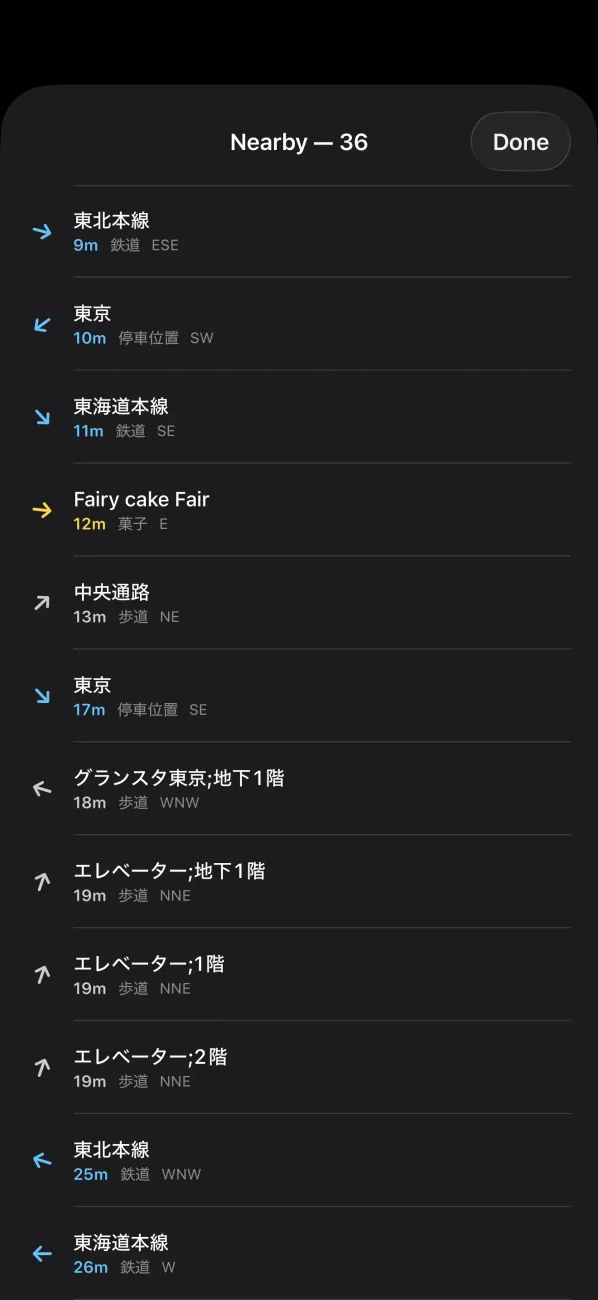
TAP ANYTHING TO SEE EVERYTHING
Tap a label, a map pin or a list row and you get everything the app knows: the
measured distance and bearing, every name the place carries, and every
OpenStreetMap tag behind it — opening hours, address, number of floors,
step-free access, website. Web addresses and Wikipedia entries open in your
browser.
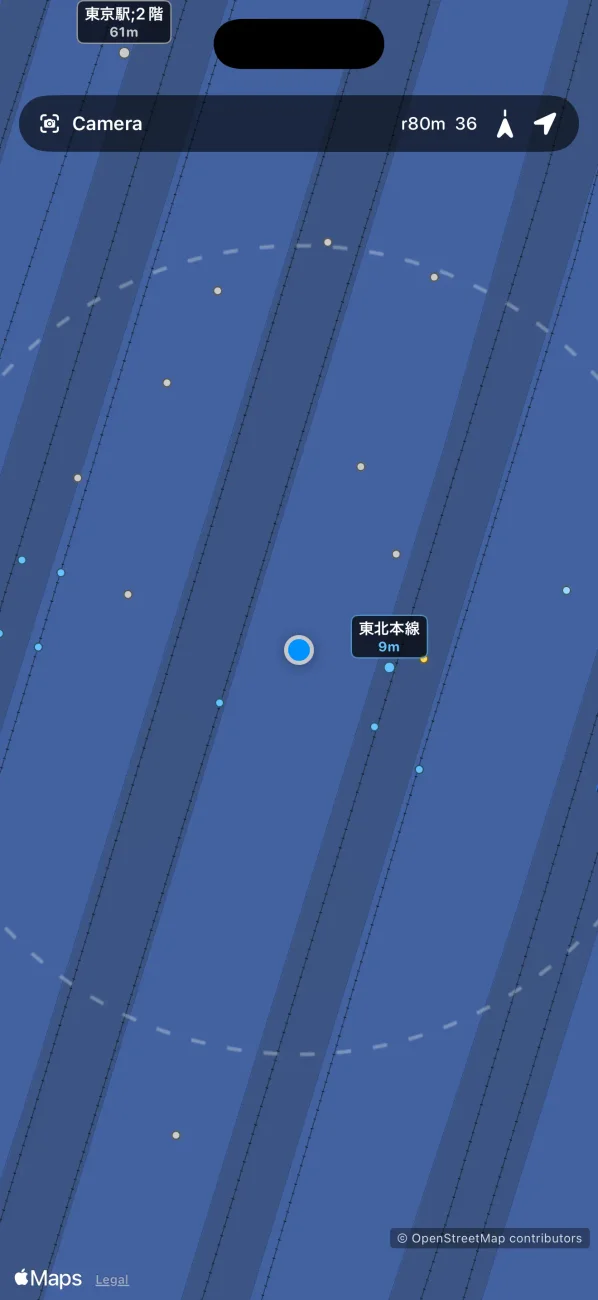
THE SAME THING, SEEN FROM ABOVE
Switch to the map for what is around you, including what is behind you.
Heading-up or north-up, with the radius drawn as a ring, the camera's real field
of view shaded in, and the trail of where you have walked.
HOME, WORK AND PLACES YOU PIN
Save your home, your workplace or school, and anywhere else worth keeping.
Pinned places are shown at any distance — home four kilometres away still gets a
label pointing the way.
PHOTOS THAT REMEMBER WHERE YOU WERE
The shutter saves the camera image and the names together as one photo. Choose
the shape — full screen, 16:9, 4:3 or square — and the quality, and the frame
you are about to keep is drawn on screen before you press. Photos can carry the
coordinate, its accuracy and the true direction the lens faced, so they land on
the map in the Photos app pointing the way you were looking, and can carry a
caption listing everything that was on screen. Both are switches you control.
KEEPS WORKING WITH NO SIGNAL
Place data is fetched much wider than you can see and topped up before it runs
out, so a walk does not stop at the edge of the last download. Once an area has
been fetched it keeps working with no signal at all. Changing the radius, the
categories, the language or the units never waits for the network.
NO ACCOUNT NEEDED
No sign-in. Your pinned places and your walking trail stay on this phone. The
only thing that leaves the device is a coordinate, sent to OpenStreetMap's
public Overpass service to ask what is nearby.
WORTH KNOWING
At this range GPS accuracy is the limit — ten metres can be the shop next door —
so the accuracy your phone reports is on screen at all times. Coverage comes
from OpenStreetMap's volunteers: excellent in city centres, thinner in
residential streets, where many buildings simply have no name recorded.
Map data © OpenStreetMap contributors, available under the Open Database Licence.
iPhone only. Requires a rear camera, location services and ARKit support. Works
in landscape or portrait — your choice.
What’s new
Version 1.3.1 · Sep 24, 2026
Stability improvement
App privacy
What osamu Kishiyama declares on the App Store about how this app handles data.
-
Data not collected
The developer does not collect any data from this app.
Privacy practices may vary, for example with the features you use or your age.
Information
- Seller
- osamu Kishiyama
- Category
- Photo & Video
- Version
- 1.3.1
- Updated
- Sep 24, 2026
- Released
- Aug 14, 2026
- Size
- 1.5 MB
- Requires
- iOS 17.0 or later
- Age rating
- 4+
- Languages
- English
- Copyright
- © 2026 Osamu Kishiyama
You might also like
-
 i-SightPhoto & Video
-
 Wanted Poster Maker for meWestern Style Photo Editor
-
 PATOPI - 파일 관리 편집Photo & Video
-
 hananona appAI Flower Recognition APP
-
 Voice Dub - Lip Sync VideoViral memes with your videos
-
 TinTint - Make Your PhotobookMake photo prints and canvas
-
 動画保存 WeBox - 動画再生 & 管理アプリPhoto & Video
-
 Secret Key Lock AlbumVault to Keep Photos & Videos
-
 MUFU VideoPhoto & Video
-
 GreenSnap - 植物・花の名前が判る写真共有アプリPhoto & Video