
NanoIP
Your public IP, at a glance
Designed for iPhone, iPad, Mac
Free · In-app purchases
- Age rating4+
- CategoryDeveloper Tools
- Developer恒俭 董
- LanguagesEnglish+ 8 more
- Size21.7 MB
Links to the official App Store page
Download.org hosts no file of NanoIP. The button opens its official App Store page, published by 恒俭 董. Listing last checked on Nov 17, 2026.
Screenshots
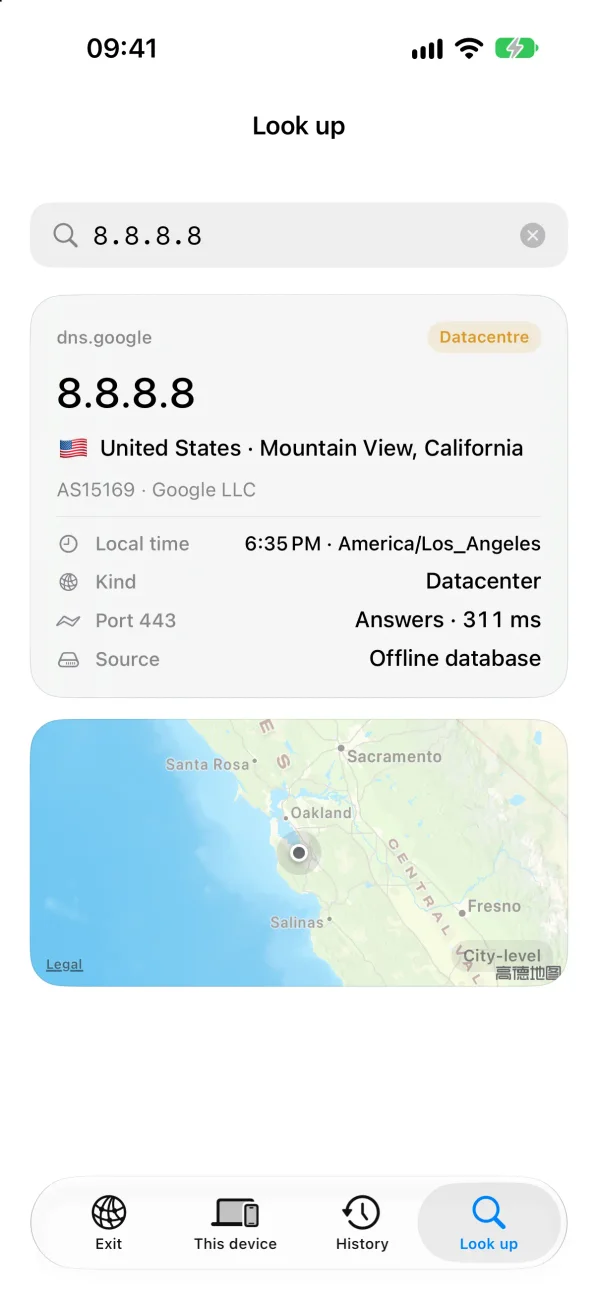
About
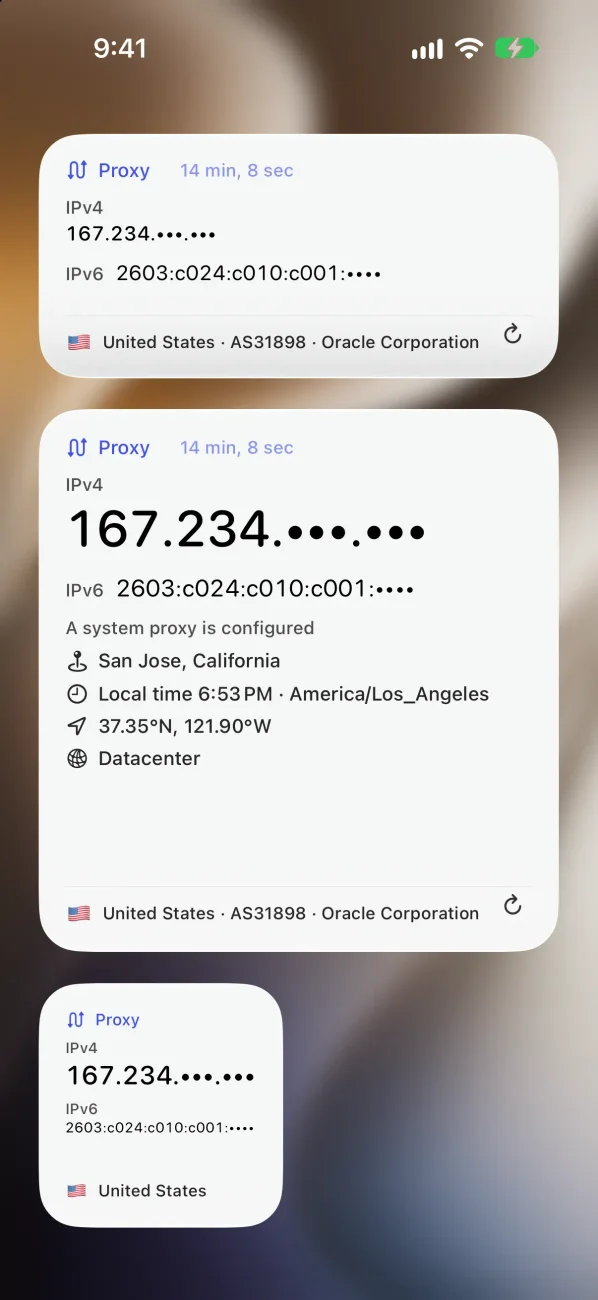
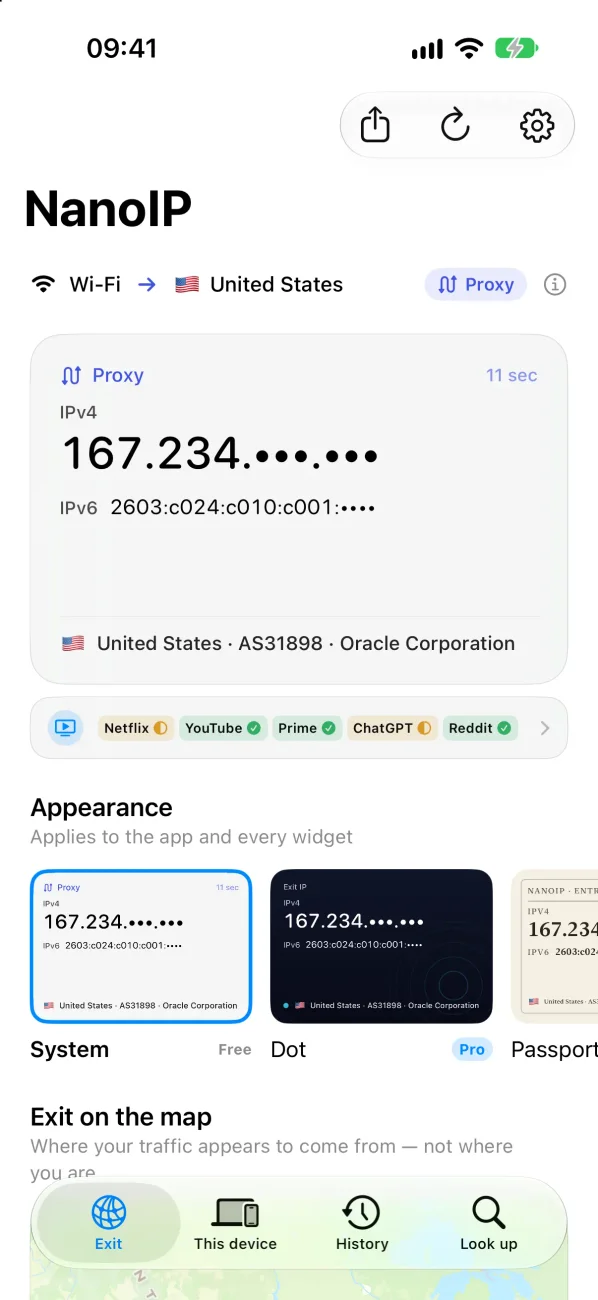
NanoIP shows the public IP address your iPhone is actually using — IPv4 and IPv6 together — and says plainly how your traffic is reaching the internet.
EVERY APPLE DEVICE
NanoIP runs on iPhone, iPad, Mac and Apple TV, with a free Apple Watch app. The appearances are one purchase that unlocks on all of them, and your exit history follows you through your own iCloud.
ON THE MAP
See where your exit surfaces. A soft disc over the country when that is all the on-device database knows; a point when you switch city lookup on. Both address families, and a line between them when they surface in different places. Positions come from the address, never from Location Services.
HISTORY
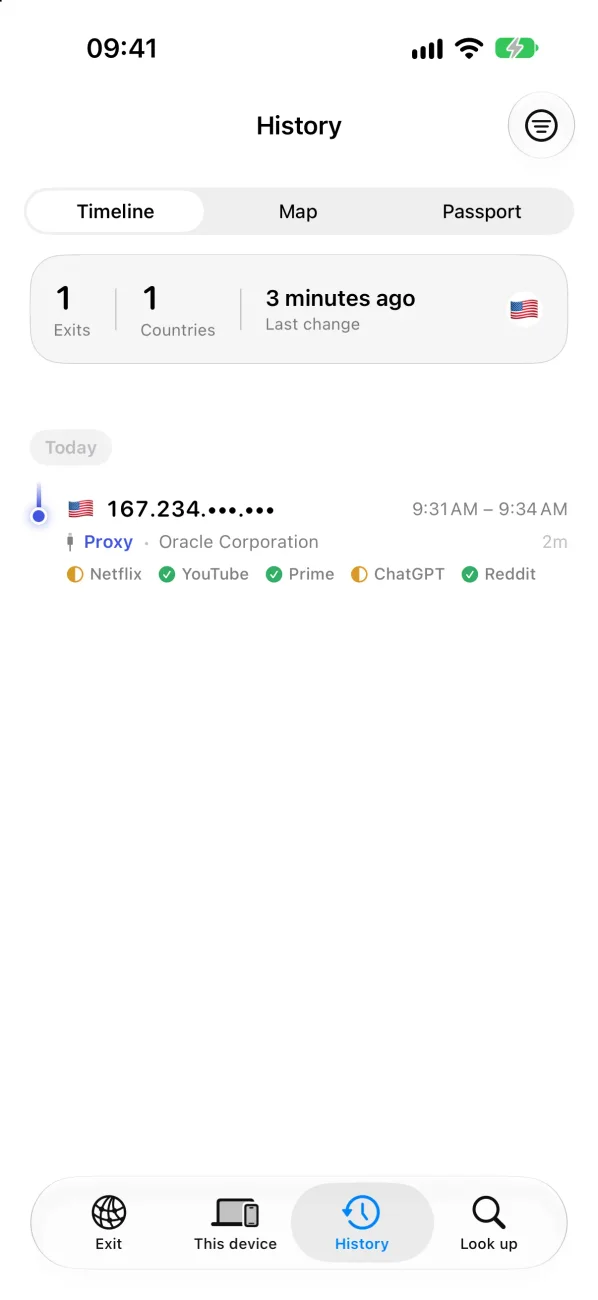
Every change of exit is kept — a new network, a VPN coming up or going down — as a timeline, a map of every place your exits have been, and a “Passport”: countries, networks, time spent on VPN. Stored on your iPhone and, if you like, in your own iCloud private database, which nobody else can read. Delete a row or clear it all at any time.
THIS DEVICE
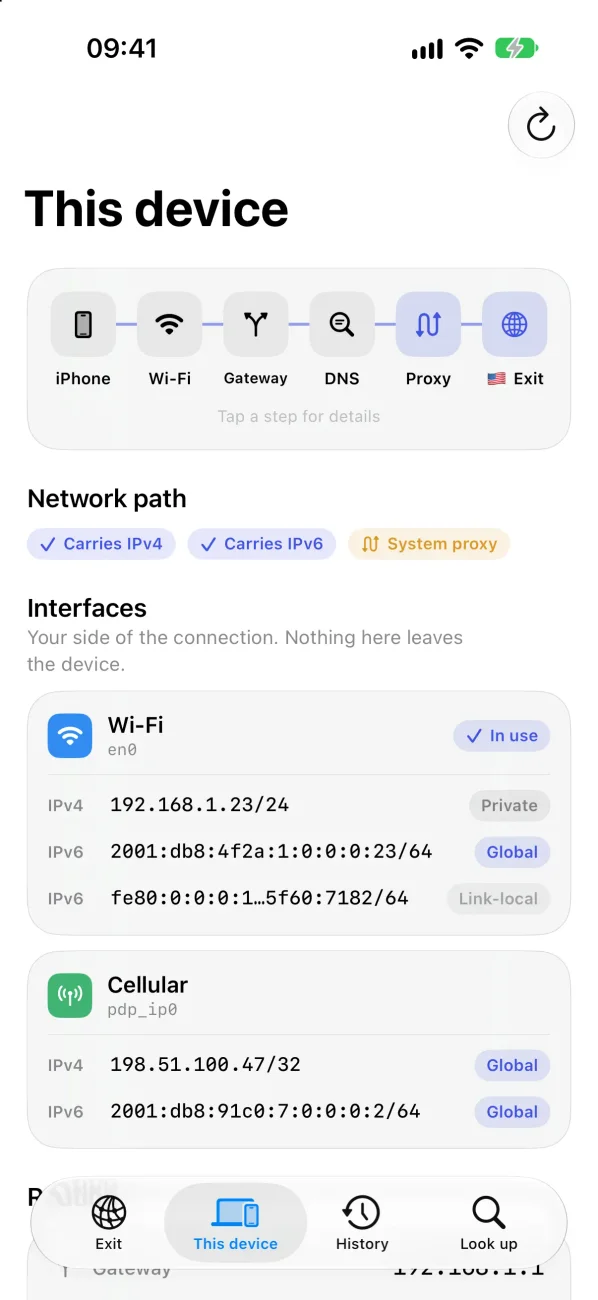
Your side of the connection, drawn as a path: device — interface — tunnel, if there is one — gateway — DNS — exit. Then every interface that has an address, with each address labelled global, private or link-local, and the path's own flags: IPv4, IPv6, expensive, Low Data Mode. No permission asked; nothing here leaves the device.
LOOK UP ANY ADDRESS
Type an IP address or a domain: country, network, reverse DNS, whether it answers on port 443, and its place on the map — against the same offline databases.
SHARE IT
One tap turns the exit into a card made for a chat: the address large, the country and network, a map of where it surfaces, the time, and the app’s name. Privacy mode masks the address and drops the map before anything leaves.
TOLD WHEN IT CHANGES
Turn on alerts and NanoIP notifies you when it notices a different exit — best effort, whenever iOS lets it check.
APPLE WATCH
Your exit on the wrist: the address, where it surfaces and the latest changes, sent from your iPhone. Four complications and a Control Center control. Free, like every widget.
WIDGETS, EVERY SIZE, FREE
Small, medium and large on the Home Screen. Circular, rectangular and inline on the Lock Screen. StandBy on the nightstand. A one-tap control in Control Centre. Every size is free, and stays free.
RESOLVED ON THE DEVICE
Country and network are looked up in a database that ships inside the app. Your address is not sent anywhere to be identified. No account, no ads, no tracking, no subscription.
IPv4 AND IPv6, SIDE BY SIDE
Most tools show one of them. NanoIP shows both — and when one is missing it says which is true: that this network does not carry it, or that nothing answered. Those are different facts and they deserve different words.
KNOW YOUR EXIT
NanoIP reads the local network path to tell whether this device is going out through a VPN or a proxy, and labels an exit that belongs to a hosting network. It describes what it sees. It never tells you that you are “safe” or “at risk”.
PRIVACY MODE
Mask the second half of every address — everywhere, or only where a screen can be read over your shoulder. Copying still gives you the whole address.
SIX APPEARANCES
System is free. Dot, Passport, Boarding Pass, Terminal and Aurora are one optional purchase. Each is a different layout and typeface, not just a different colour, so they stay recognisable even where the system flattens colour away. You can try them for 24 hours before deciding. One purchase unlocks them on iPhone, iPad, Mac and Apple TV; Apple Watch has its own design.
CITY LOOKUP, IF YOU WANT IT
Off unless you turn it on. When on, NanoIP asks its own server for the city, time zone and network type behind your address. It is the only request that ever carries your address off the device, and it is yours to switch on.
One purchase, no subscription. Questions or ideas are welcome — the address is in Settings.
What’s new
Version 1.0.8 · Oct 28, 2026
New
• Optimized for iPhone Duo: on the inner display, Exit, This device, History and Look up show two columns, one on each side of the fold.
Improved
• Service availability on the Exit page now shows every service and its result at a glance.
• The status line and the connection chain in This device now show the network you are actually using, such as Wi-Fi or Cellular.
• Now available in Korean.
• Fixed several display issues.
App privacy
What 恒俭 董 declares on the App Store about how this app handles data.
-
Data not collected
The developer does not collect any data from this app.
Privacy practices may vary, for example with the features you use or your age.
Information
- Seller
- 恒俭 董
- Category
- Developer Tools
- Version
- 1.0.8
- Updated
- Oct 28, 2026
- Released
- Sep 19, 2026
- Size
- 21.7 MB
- Requires
- iOS 18.0 or later
- Age rating
- 4+
- Price
- Free
- In-app purchases
- Yes
- Languages
- English, French, German, Japanese, Korean, Russian, Simplified Chinese, Spanish, Traditional Chinese
- Copyright
- © 2026 levi
You might also like
-
 Subscribedin Agent LabTrain AI Agents/Compare Models
-
 Pi CompanionRemote for the Pi coding agent
-
 42 Editor: Code & Text EditorEdit code, config & CSV files
-
 San Fransymbols: SF SymbolsAdvanced SF Symbols viewer
-
 Python Coding: IDE Editor AppRun Code Offline, Learn & Play
-
 Network Scanner: Scan LAN IPsScan All IPs & Ports on LAN
-
 Lotse: AI Coding AgentPull requests from your phone
-
 Uptime MateMonitor uptime on your wrist
-
 AI Agent Builder ArchitectBuild AI agents the right way
-
 Weights & BiasesMonitor training runs anywhere