
Narabe: Comparison Tables
Make lists, share images
Designed for iPhone
In-app purchases
- Age rating4+
- CategoryProductivity
- Developeratsuko imai
- LanguagesJapanese+ 30 more
- Size12.2 MB
Links to the official App Store page
Download.org hosts no file of Narabe: Comparison Tables. The button opens its official App Store page, published by atsuko imai. Listing last checked on Nov 12, 2026.
Screenshots
About
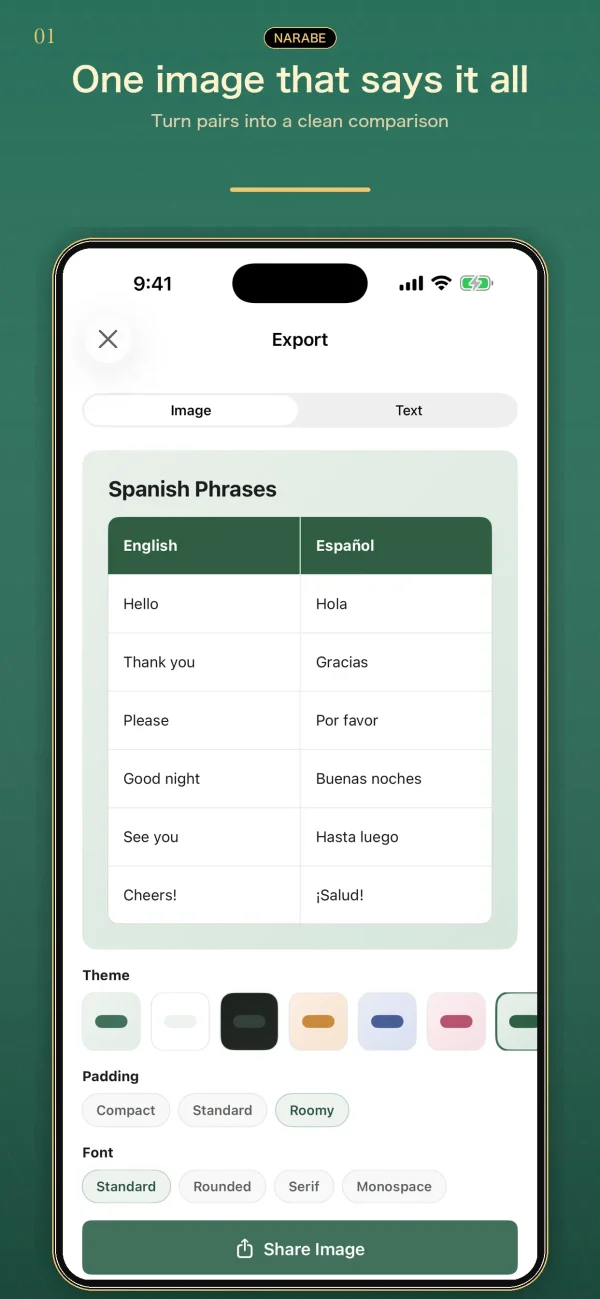
Turn the information you want to compare into a table you can share. Narabe puts your own words side by side: product specifications, pros and cons, vocabulary and meanings, or before-and-after notes.
WRITE AND ARRANGE
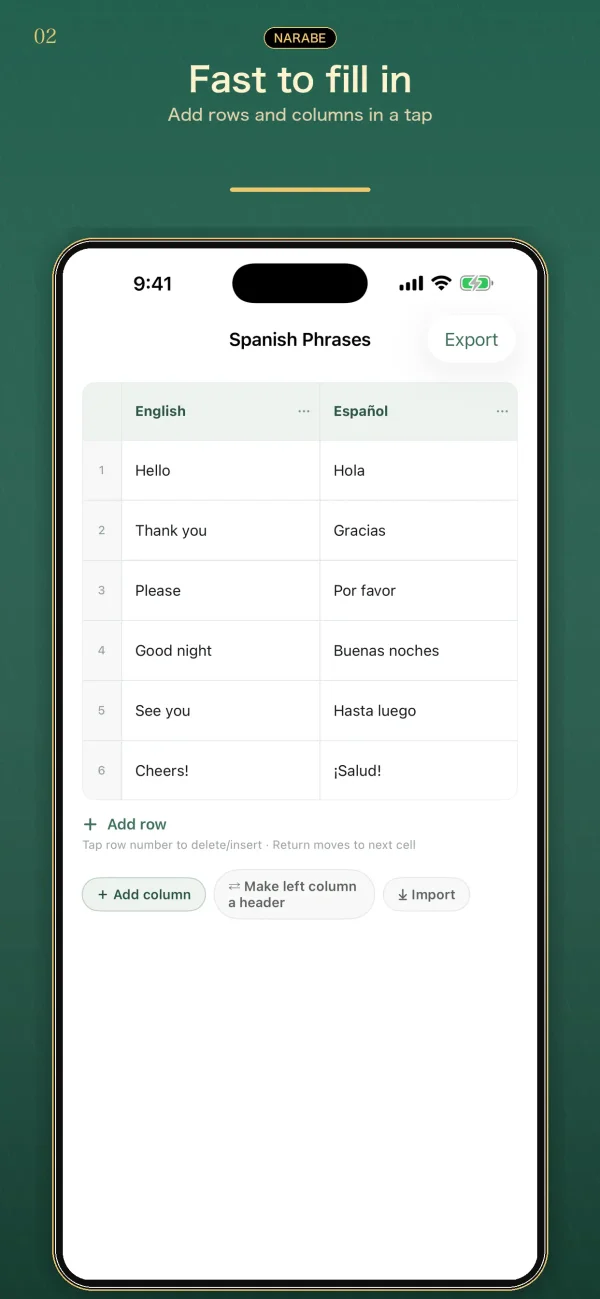
Enter text in cells and add rows. Keep paired information in two columns, then edit it as your notes change. You supply the content; Narabe does not look up products or translate words for you.
CHOOSE HOW TO SHARE
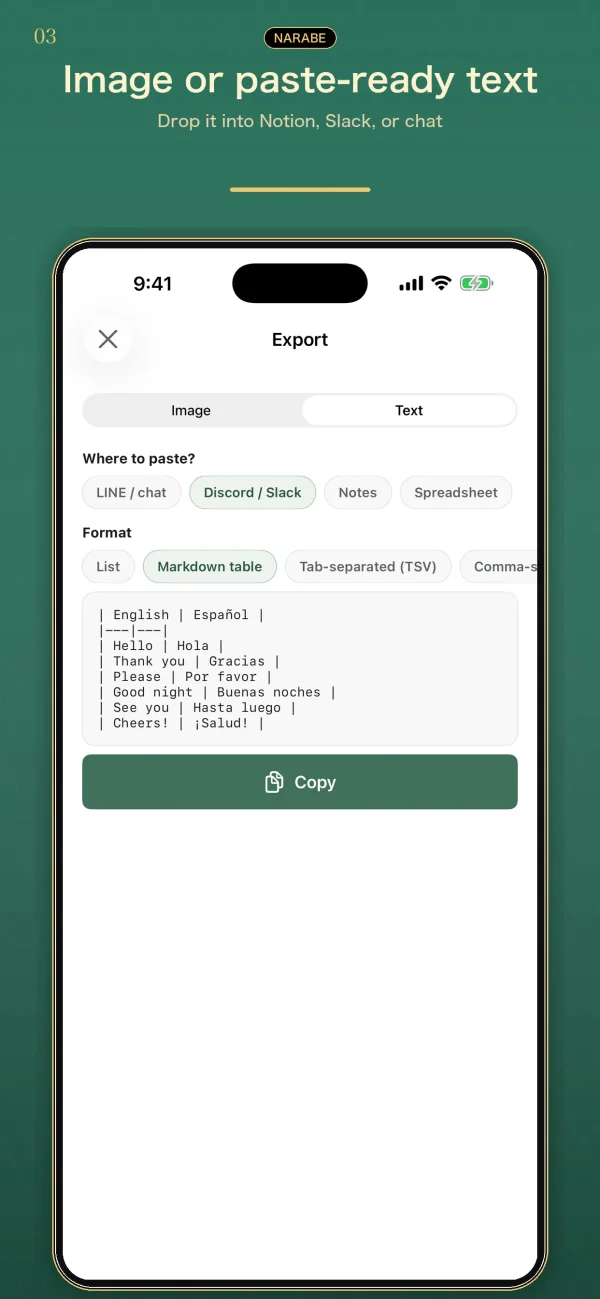
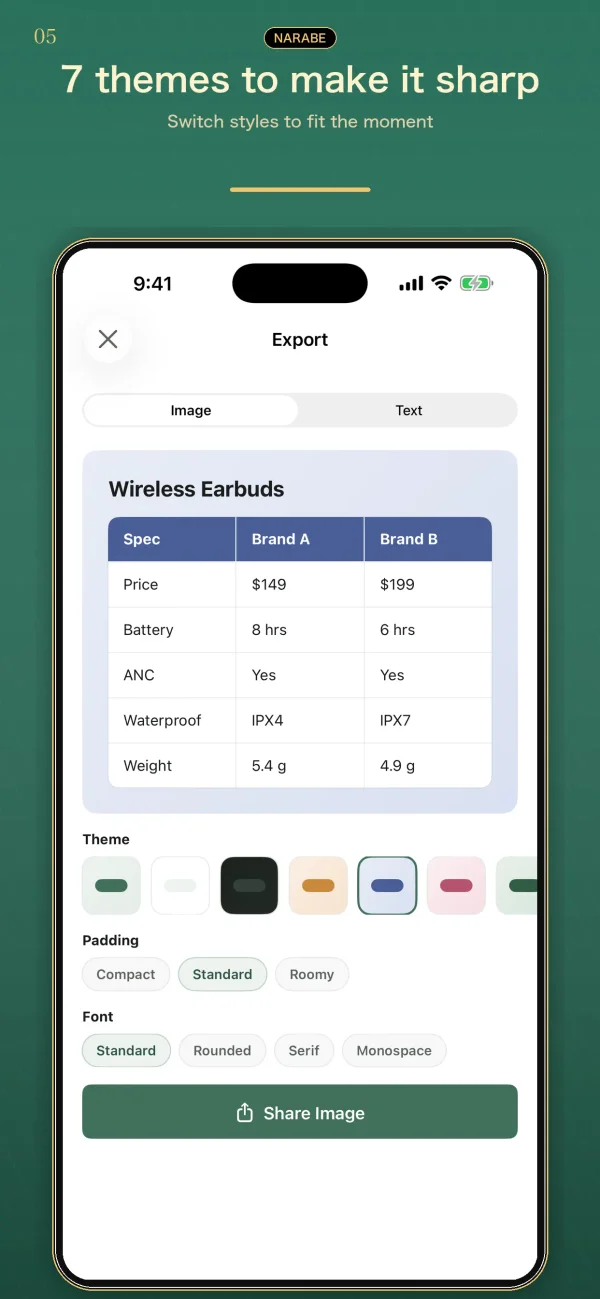
Export the table as an image, or copy text in a list, Markdown, CSV or TSV format. Choose a format supported by the destination. How pasted text appears depends on the receiving app; aligned text and box-style tables need a monospaced font.
MAKE YOUR NEXT COMPARISON
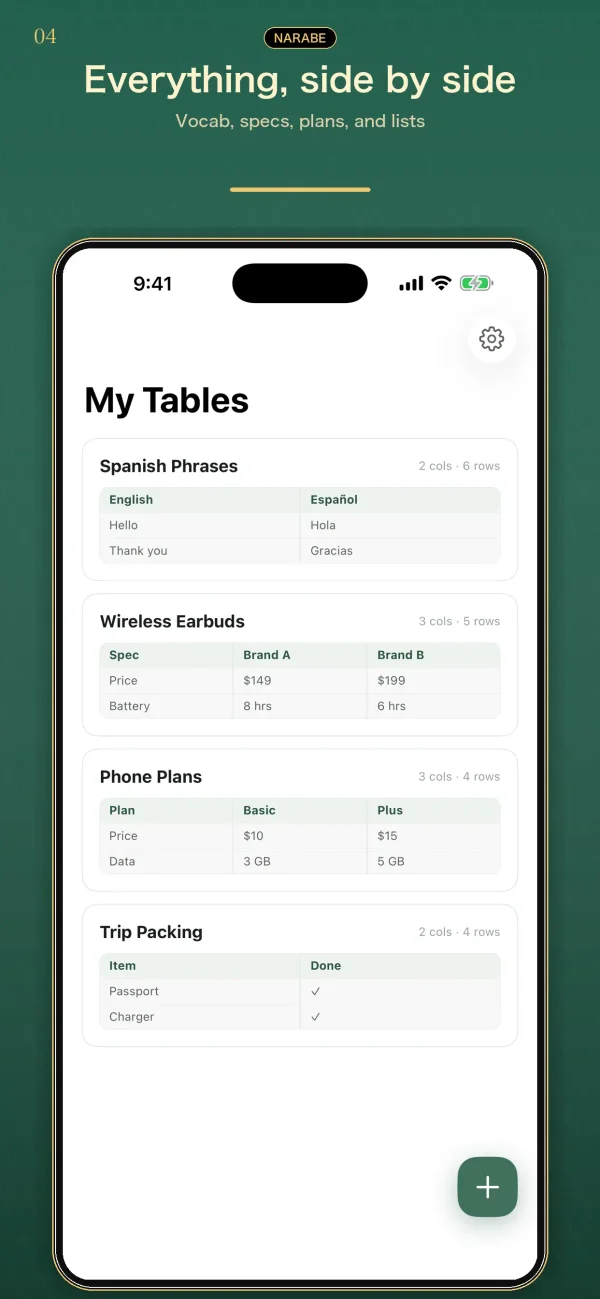
Put candidate products beside their specifications, record advantages and drawbacks, or build a bilingual vocabulary list. Saved tables stay available in the app for later editing.
FREE AND PRO
The free version includes two columns, basic themes, and standard-resolution image export with a watermark. Ads may appear. Pro unlocks three or more columns, additional themes and fonts, higher-resolution images, watermark removal and an ad-free experience. See the purchase screen for the available offer and price.
Privacy Policy: https://kazusa703.github.io/privacy.html
Terms of Use: https://kazusa703.github.io/terms.html
Support: https://kazusa703.github.io/support.html
What’s new
Version 1.3.0 · Nov 7, 2026
• Now with 9 table types. Swipe on the home screen to choose “Pairs・Compare”, “Number grid”, “Color comparison”, “Settlement”, “Attendance”, “Rank”, “Changes”, “Simple table”, “List with images”. Resume editing from each type’s history.
• “Settlement”, “Attendance”, “Rank”, “Changes” are designed for messages you can paste straight into messaging apps. Totals, headcounts and ranks are calculated automatically.
• “Simple table” is a two-column table with black text on white. Drag the vertical divider on the export screen to freely adjust column widths.
• “List with images” arranges numbers, images and text in a list. Add a photo or emoji to each row. In messages, choose whether to represent photos with ■ or leave them out.
• See examples as messages; edit full screen with image and message previews.
• Try 16 free colors with live previews. Export color columns wide or tall.
• Format study notes for sharing: alignment, lines, separators, ①②③ bullets and text presets.
• Preview multiline CSV/TSV imports before confirming, then undo if needed. Retry failed saves or exports.
• A monochrome look, a new introduction and a tap outside the text field to dismiss the keyboard.
App privacy
What atsuko imai declares on the App Store about how this app handles data.
-
Data used to track you
May be used to track you across apps and websites owned by other companies.
- Location
- Identifiers
- Usage data
-
Data not linked to you
May be collected but is not linked to your identity.
- Location
- Identifiers
- Usage data
Privacy practices may vary, for example with the features you use or your age.
Information
- Seller
- atsuko imai
- Category
- Productivity
- Version
- 1.3.0
- Updated
- Nov 7, 2026
- Released
- Jun 10, 2026
- Size
- 12.2 MB
- Requires
- iOS 18.0 or later
- Age rating
- 4+
- In-app purchases
- Yes
- Languages
- Japanese, Arabic, Italian, Indonesian, Ukrainian, Dutch, Greek, Croatian, Swedish, Spanish, Thai, Czech + 19 more
- Copyright
- © 2026 aikotoba
You might also like
-
 Boardnize: Visual ListsCards, Tags & Tier Boards
-
 TaskSync - Custom Memo AppTemplate-Based Efficient Memo
-
 EisenflowTalk. Task. Tidy.
-
 MindMap: AI Diagrams, Mind MapXmind: Brainstorm Visual Ideas
-
 KnowTreeStructured Notes
-
 BruSynkProductivity
-
 Decision Log - Track DecisionsDecide with clarity.
-
 Humm: Encrypted AI Voice NotesSpeak freely. We never see it.
-
 Namewright: Web Novel NamesFantasy name & title generator
-
 MyBinaryRecordsYour BOtrading becomes easy.