- Age rating4+
- CategoryTravel
- DeveloperChristian Drapatz
- LanguagesEnglish+ 1 more
- Size17.9 MB
Links to the official App Store page
Download.org hosts no file of Navigate Back. The button opens its official App Store page, published by Christian Drapatz. Listing last checked on Nov 10, 2026.
Screenshots

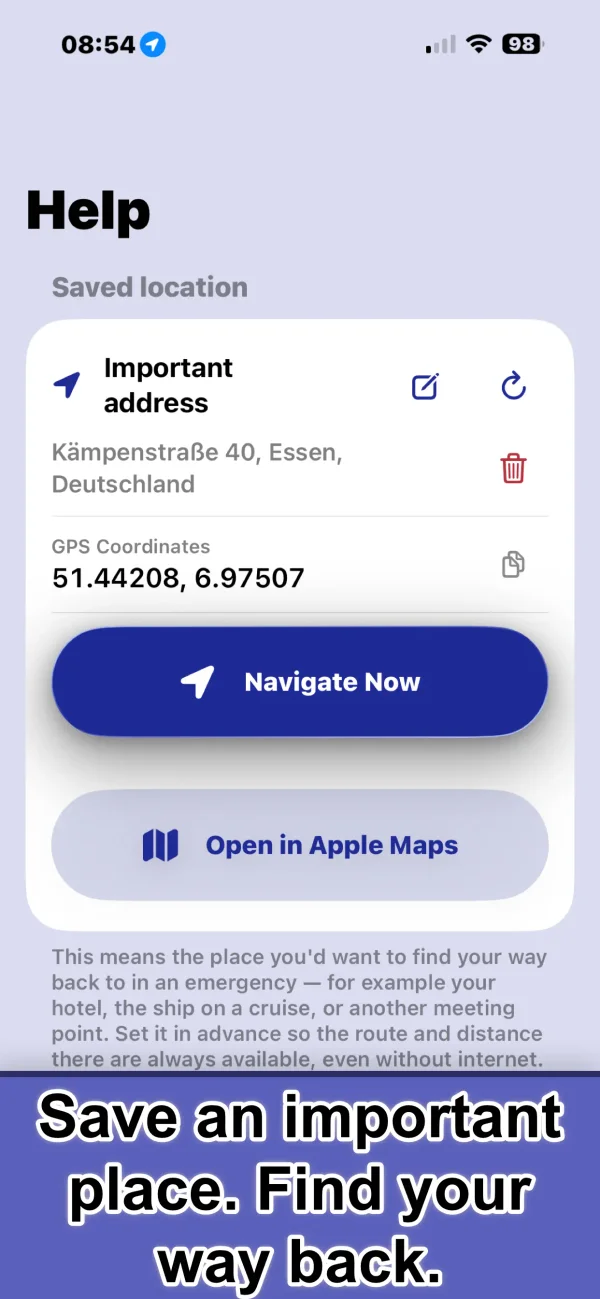

About
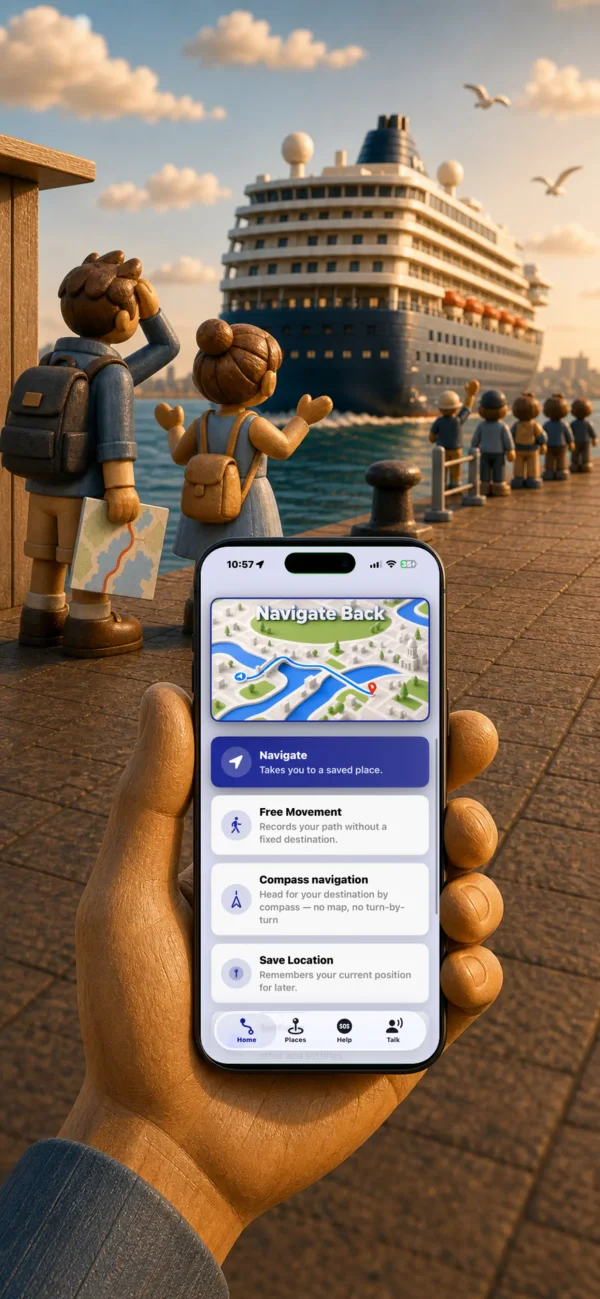
Explore an unfamiliar city, wander through narrow streets—and suddenly you no longer know where your cruise ship is docked, where the bus is waiting, or where your hotel is. Navigate Back was created for exactly these situations.
SAVE PLACES AND PLAN TRIPS
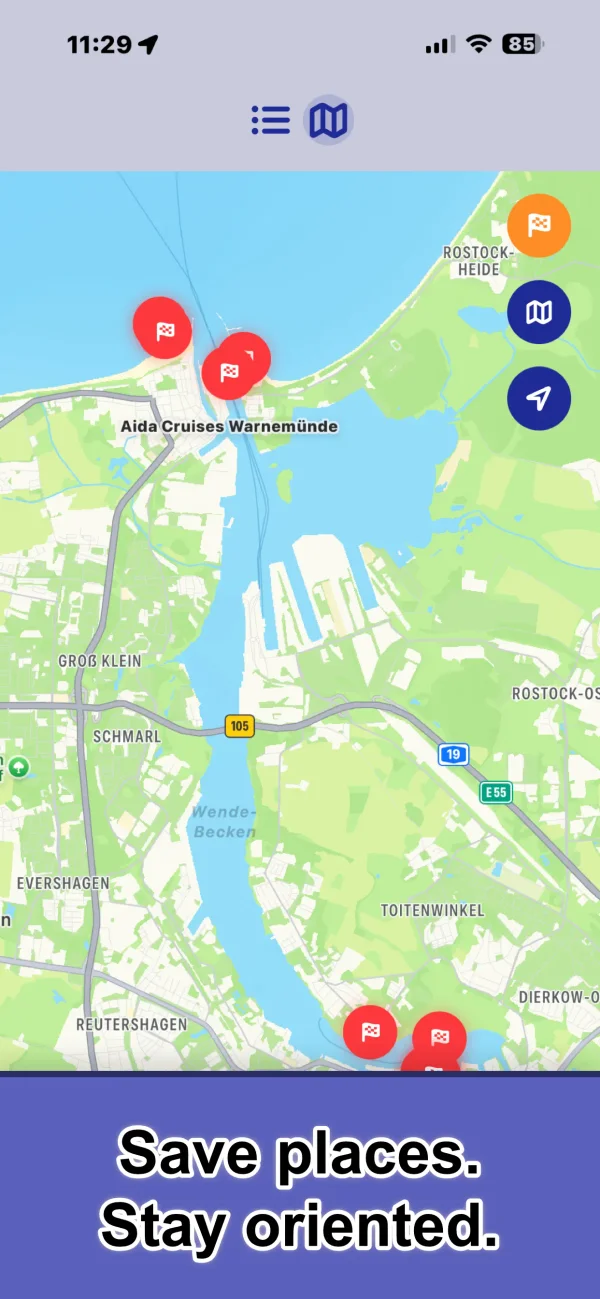
Save hotels, berths, meeting points, destinations, or the location of your car. Add an address, GPS coordinates, notes, and important contacts. Prepare your trips at home on your iPhone or iPad.
THREE WAYS TO EXPLORE
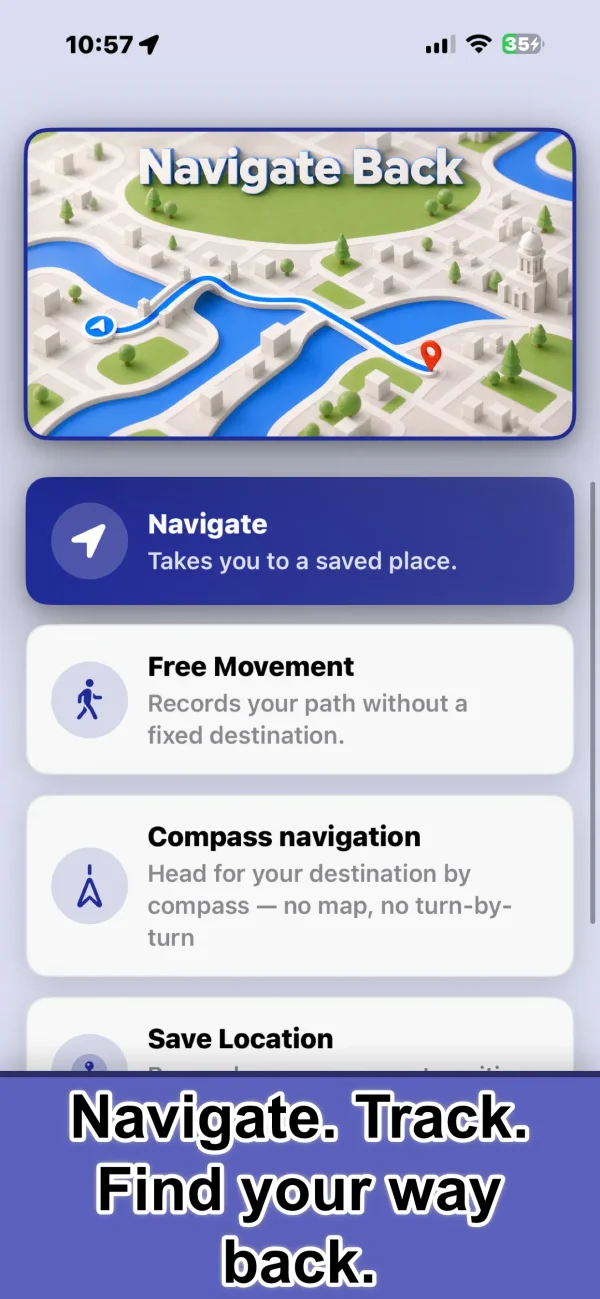
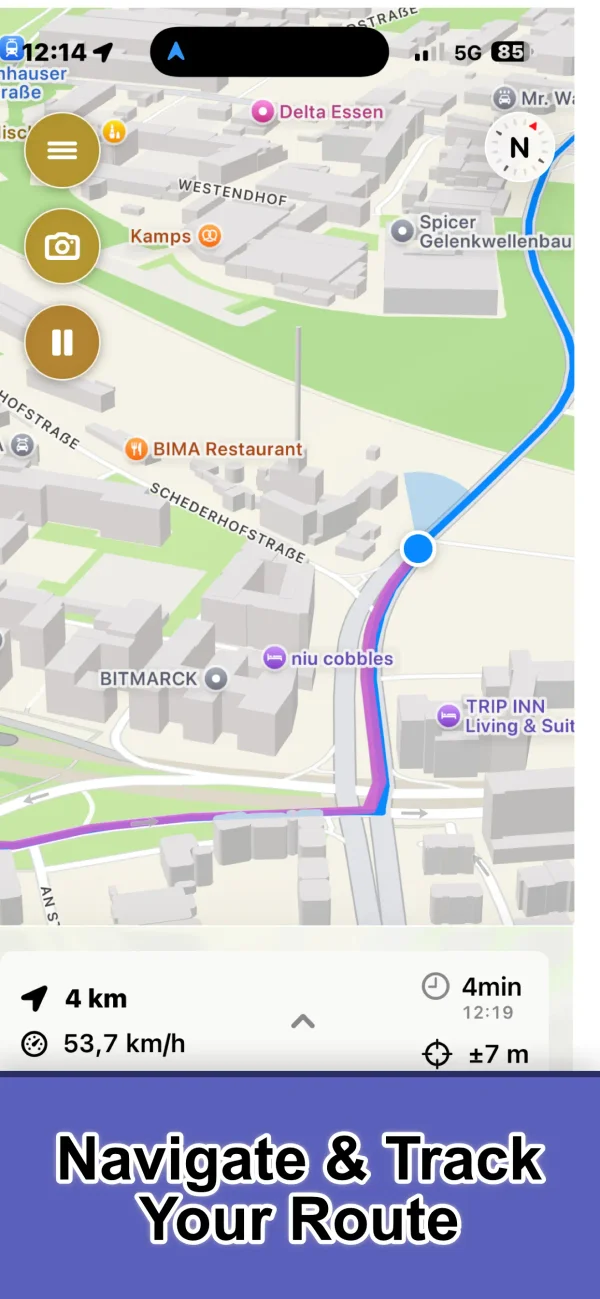
Map Navigation: Choose a saved place, an address, or GPS coordinates. Navigate Back provides turn-by-turn directions—on foot, by bicycle, by car, or by public transport. Your journey is recorded along the way, and the outbound and return trips can be saved as separate tracks.
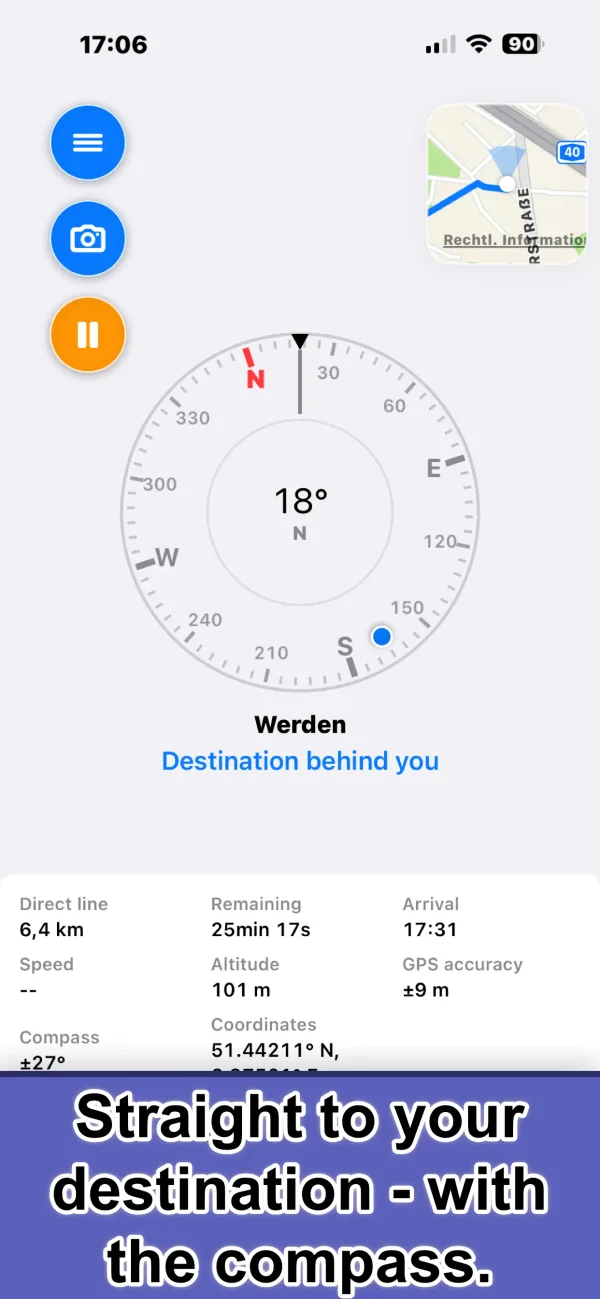
Compass Navigation: When there is no suitable road network, the app shows the direct direction to your destination, along with the distance, estimated arrival time, and other information. Ideal for trips away from marked paths, across open terrain, or on the water. Your actual path is recorded automatically and saved as a separate route.
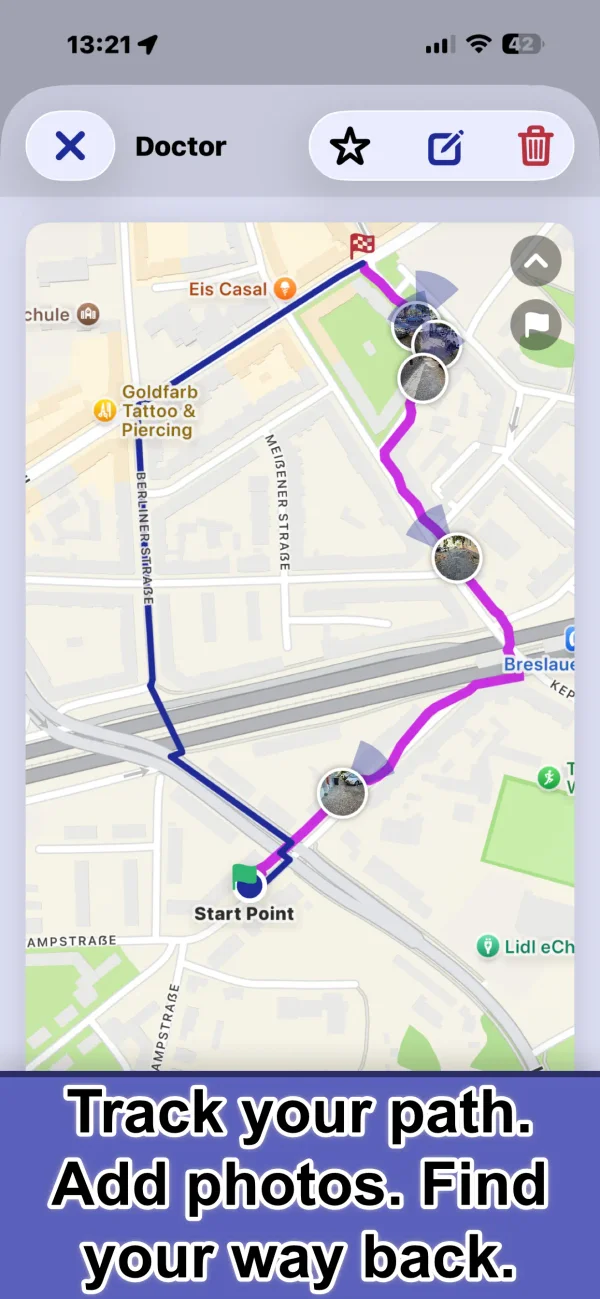
Free Movement: No destination and no directional guidance—simply start walking, running, or riding. Navigate Back automatically records your path. Ideal for bike rides, hikes, walks, and exploratory trips where the journey itself matters.
PHOTOS, MARKERS, AND TRIP DETAILS
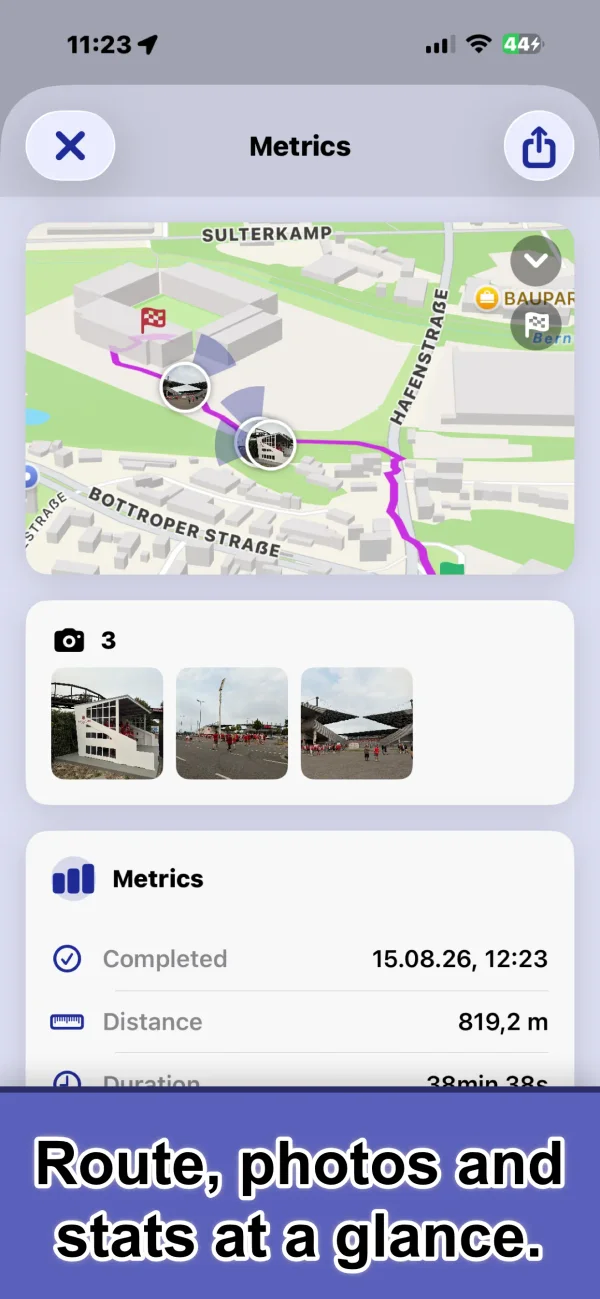
Add markers along the way and link photos to your route. After your trip, view details such as distance, duration, pace, elevation profile, steps, and more. You can also use your recorded track to help retrace your journey.
STAY ORIENTED OFFLINE
Using GPS and the compass, you can determine your current position, direction, and distance to your destination—even without a cellular connection. The app transfers all relevant destination data directly to Apple Maps for navigation. If the required maps have been downloaded in advance, navigation is also available offline.
CONTACTS AND TRANSLATION ASSISTANCE
Save phone numbers for tour guides, bus drivers, the ship’s reception desk, or family members. The conversation feature translates spoken or typed text and can read the translation aloud.
Navigate Back is not an emergency, rescue, or maritime navigation service. In immediate danger, contact the local emergency services. When on the water, always use the required navigation equipment.
COMPANION APP FOR APPLE WATCH
On Apple Watch, you can view previously saved destinations and routes, use the compass to check direction and distance, and call important contacts. You can also start navigation on the paired iPhone.
New places, contacts, and routes must be created in the iPhone or iPad app. The Watch app does not provide independent route planning or turn-by-turn navigation and requires a compatible iPhone with Navigate Back installed.
PRIVACY
No account, no registration, and no advertising or cross-app tracking. Location and route data are used only for features you initiate and are stored locally. When synchronization is enabled, the data is synced between your devices through your personal iCloud account.
Navigate Back gives you the freedom to explore—and helps you find your way back later.
Learn more about the story behind the app and all its features:
https://www.onetwoapps.com/en/navigateBack.html
What’s new
Version 1.1 · Sep 7, 2026
New in version 1.1
• Cycling, bus and train: bike trips are now calculated as real cycling routes, bus and train follow the road network. Previously everything was calculated as a walking route.
• Automatic route recalculation can now be switched off and configured separately for each mode of transport. There is also a new refresh button right on the map.
• The map view of your places now has the same filter and add bar as the list, and shows your recorded tracks as well.
• When deleting, you can now choose whether to remove only the filtered entries or really all of them.
• In Conversation, tapping read-aloud a second time stops playback.
• Choosing a destination now respects the filter set in your places list.
Fixed
• Rare crash right at app launch
• The speed display stayed on the last measured value while standing still
• The offline notice did not disappear once the connection was back
• The last point of the elevation profile was incorrectly shown as 0 m
If you like the app, we would really appreciate a 5-star review.
You can find more information on our homepage.
App privacy
What Christian Drapatz declares on the App Store about how this app handles data.
-
Data not collected
The developer does not collect any data from this app.
Privacy practices may vary, for example with the features you use or your age.
Information
- Seller
- Christian Drapatz
- Category
- Travel
- Version
- 1.1
- Updated
- Sep 7, 2026
- Released
- Aug 21, 2026
- Size
- 17.9 MB
- Requires
- iOS 18.0 or later
- Age rating
- 4+
- Price
- $2.99
- Languages
- English, German
- Copyright
- © Christian Drapatz
You might also like
-
 Dog forestDog forests in Denmark
-
 Etappe – Travel CompanionPlanner for every kind of trip
-
 Plazes: Audio City GuideSelf-guided audio tours
-
 Mein HafentagTravel
-
 Waypoint: Outdoor NavigationFind Your Way Back Offline
-
 ezypack: Packing List & To-DoTravel Checklist & Organizer
-
 Traviary: Travel JournalCountries, trips & memories
-
 Atlas Photo Map of TravelsMemories & places you've been
-
 Südsteiermark TourenTravel
-
 Krakow Guide and Audio ToursTravel guide from local expert