NDOT — Bead Pattern Studio
Design, build & print charts
Designed for iPhone, iPad
Free · In-app purchases
- Age rating4+
- CategoryGraphics & Design
- DeveloperNING LI
- LanguagesEnglish+ 5 more
- Size3.9 MB
Links to the official App Store page
Download.org hosts no file of NDOT — Bead Pattern Studio. The button opens its official App Store page, published by NING LI. Listing last checked on Nov 17, 2026.
Screenshots
About
NDOT is an offline-first studio for fuse-bead patterns — from drawing a design dot by dot to placing real beads against the chart, in one app.
DESIGN
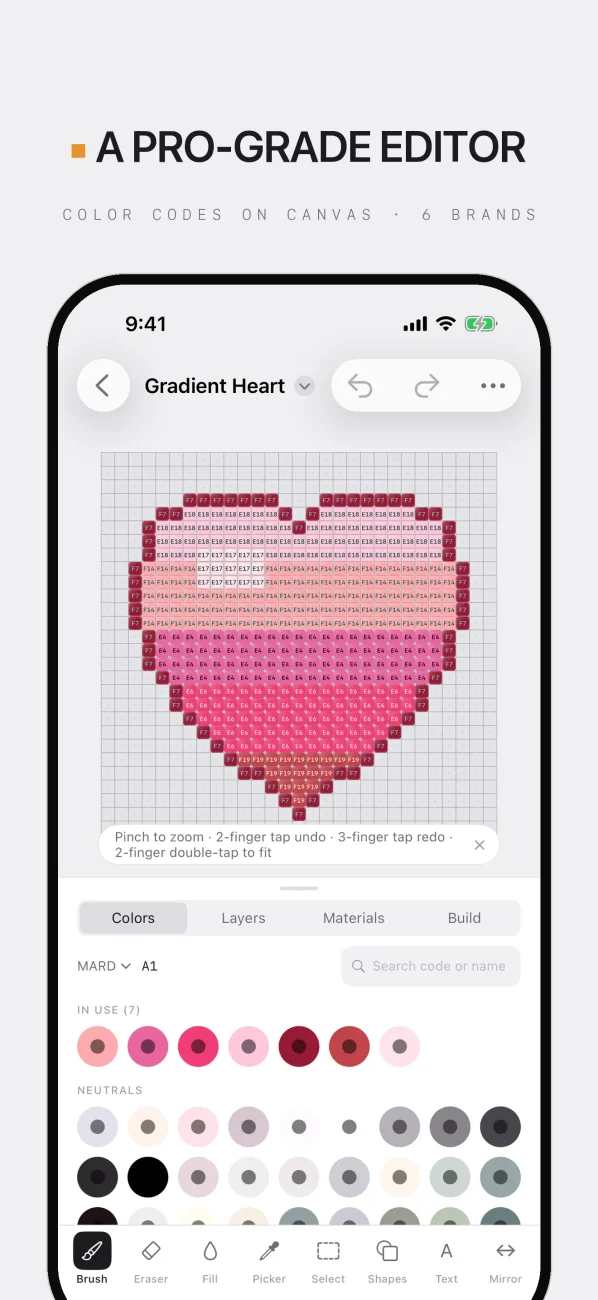
• A pro-grade editor: brush, eraser, fill, eyedropper, selection, line/rectangle/ellipse, mirror, layers
• Real color codes from six brands: Perler, Hama, Artkal, MARD, CoCo, DoDo — 900+ colors in production
• Custom palettes: build your own from the beads you actually own
• Text tool with bitmap fonts, CJK included
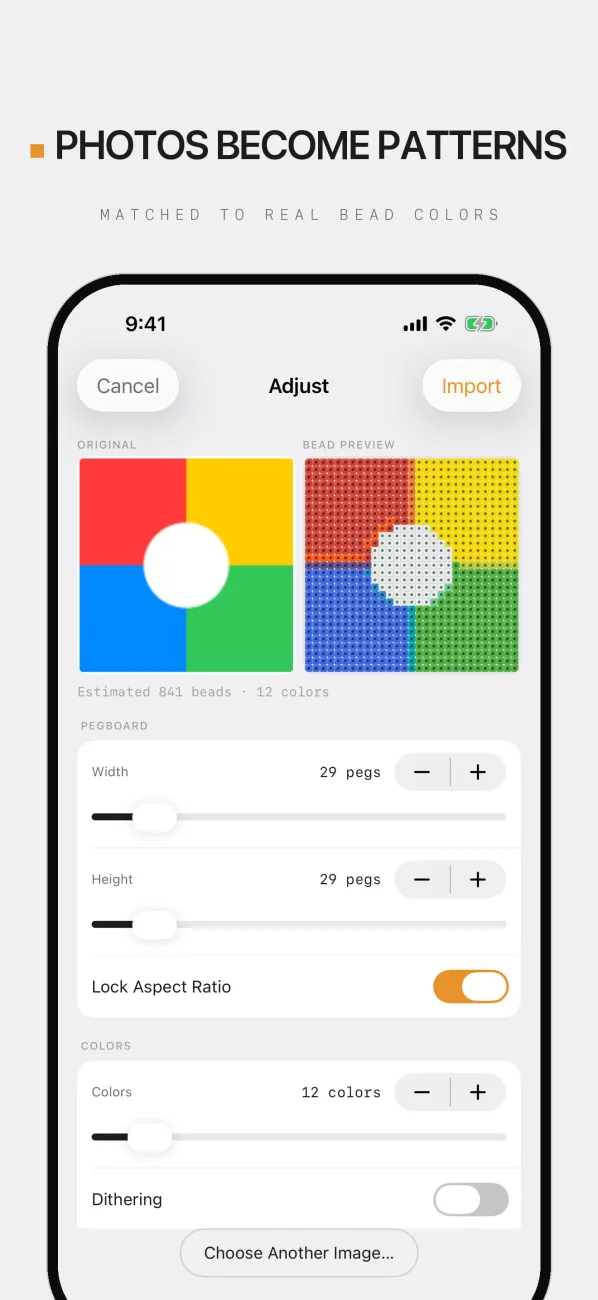
• Photo import: auto-matched to the nearest real bead colors, optional dithering
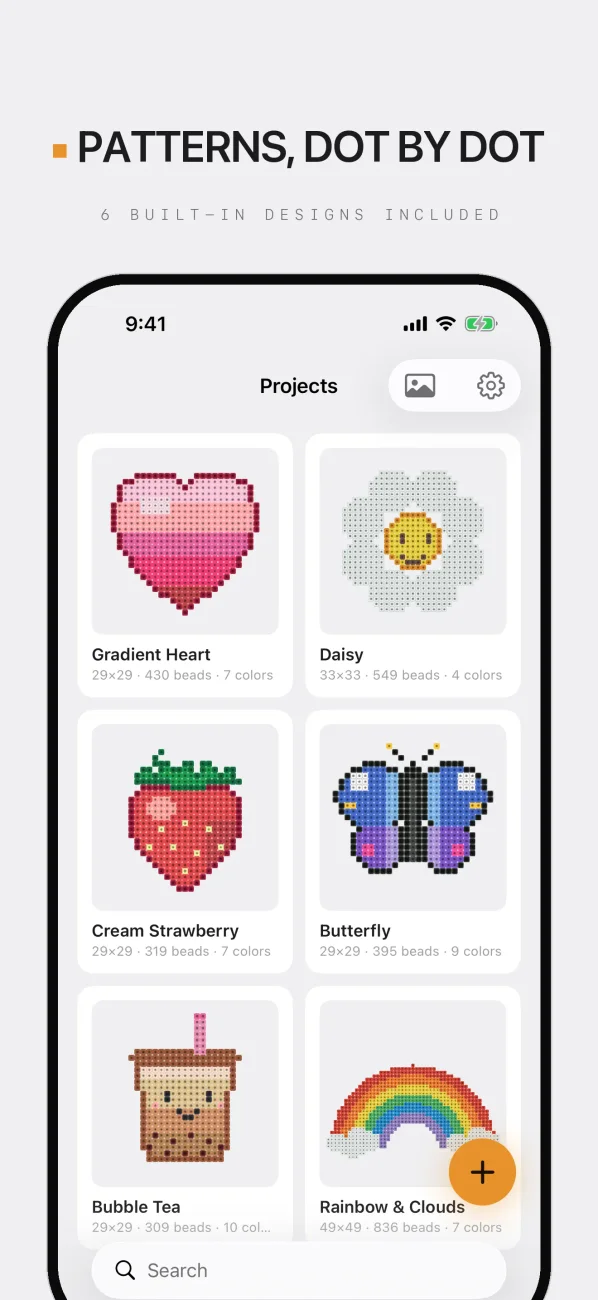
• 6 built-in designs, ready to edit, build, or delete
BUILD
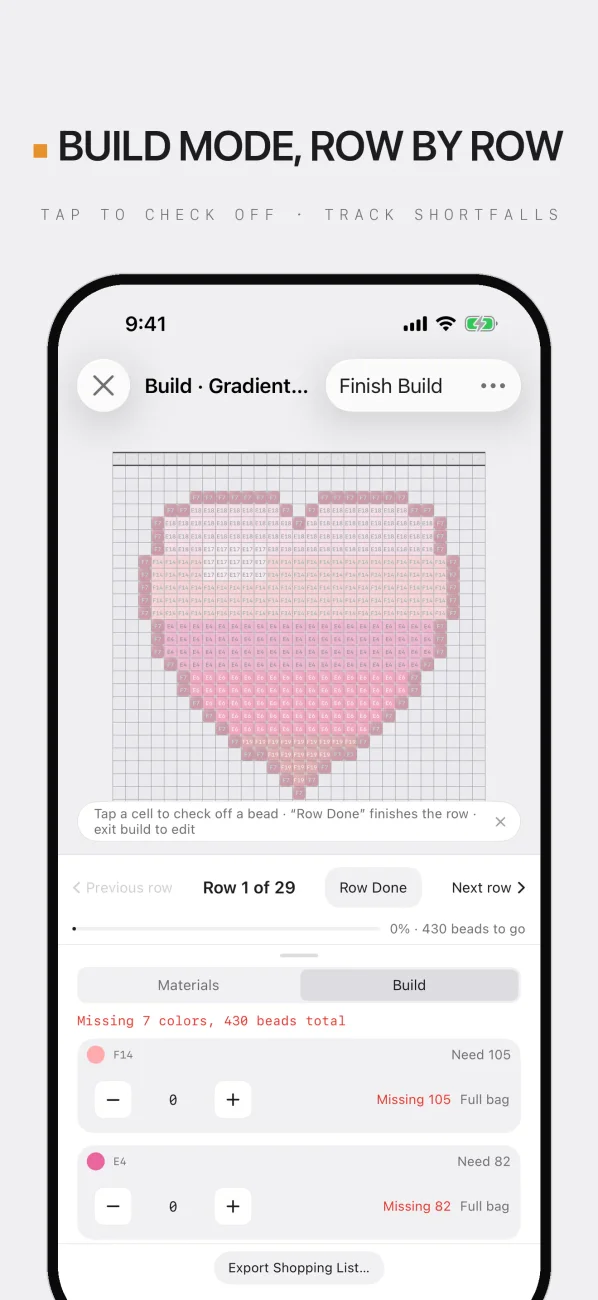
• Build mode: row by row, tap a cell for every bead you place — never lose your spot
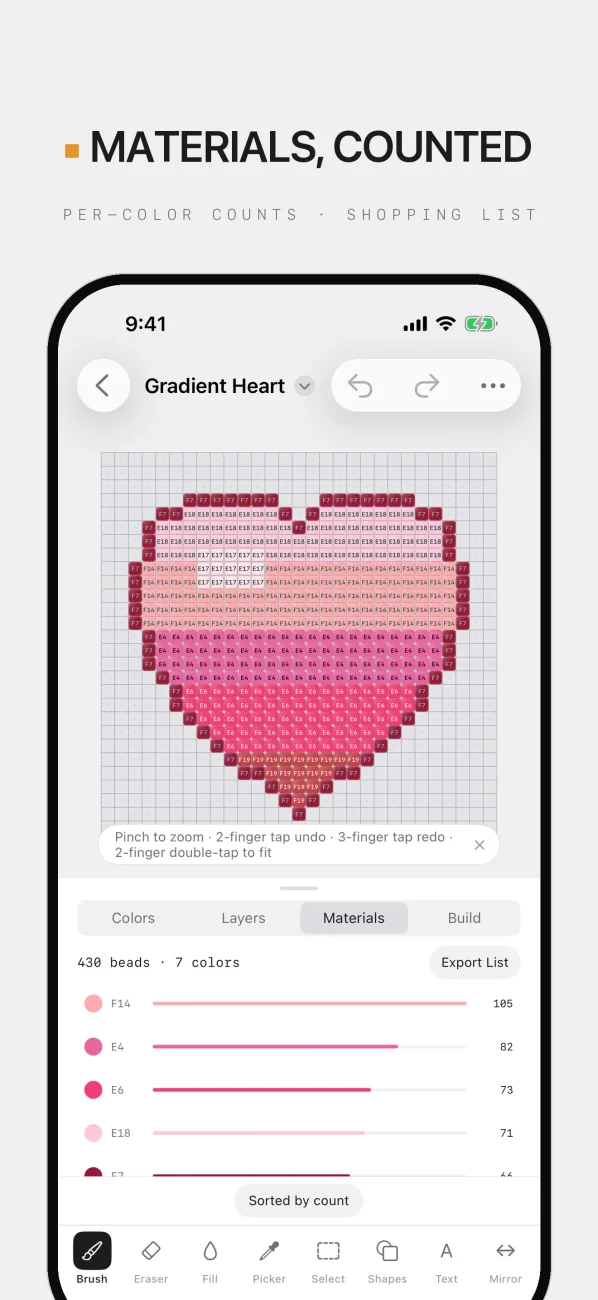
• Materials counted automatically: per-color totals and what's still missing
• Bead inventory & shopping list: know what to buy, down to a bead
• Board splitting: large patterns paginate per physical pegboard with alignment marks
EXPORT
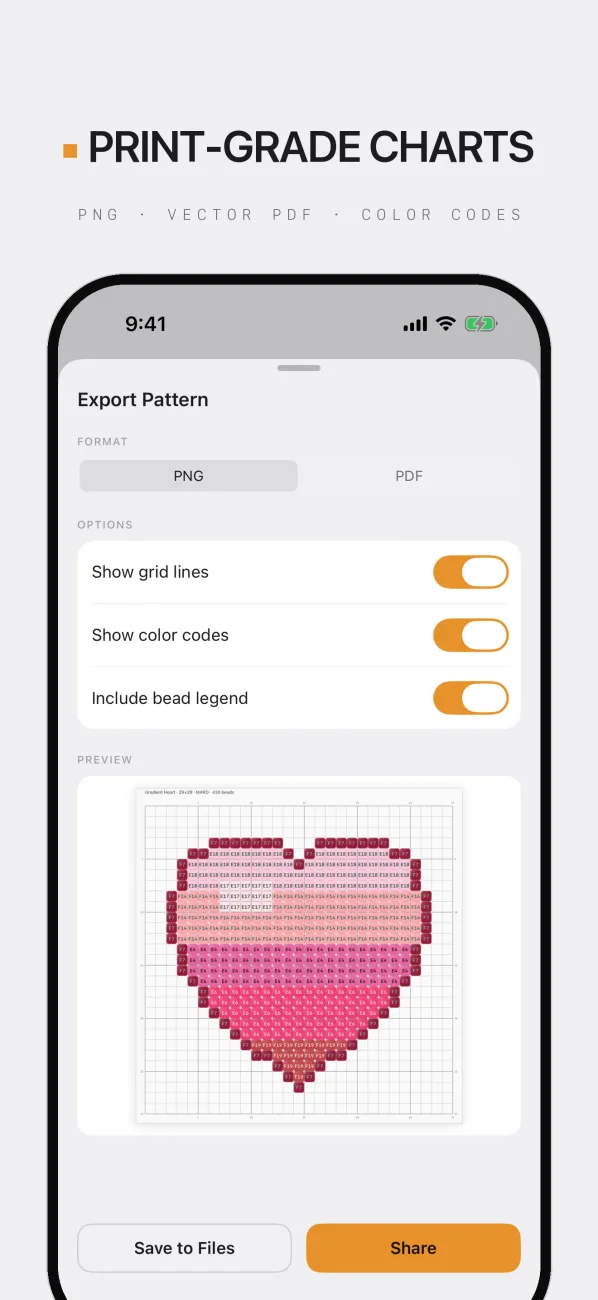
• PNG at print-grade resolution, with optional grid and color codes
• Vector PDF: crisp at any zoom; color or codes-only for B&W printing; optional materials page
MADE FOR IPAD
• Three-pane workspace: canvas, colors, layers and materials on one screen
• Apple Pencil hover preview, palm rejection, drag-and-drop import
PRIVACY & PURCHASE
• Fully offline, collects no data; iCloud sync lives in your own iCloud Drive
• The free version designs and exports PNG; Pro is a single one-time purchase — no subscription, Family Sharing supported
Brand names are used solely to describe color-code compatibility; NDOT is not affiliated with these brands.
What’s new
Version 1.2 · Aug 19, 2026
• Color-code labels on the canvas — every bead shows its code while you build (toggle in the ⋯ menu)
• Text tool: vertical layout added, and CJK glyph orientation fixed
• Search your project list
• The screen stays awake in build mode
• Dark beads are now clearly visible in dark mode, on canvas and in thumbnails
• A new rainbow app icon, refined iPad panels, and many small polish fixes
App privacy
What NING LI declares on the App Store about how this app handles data.
-
Data not collected
The developer does not collect any data from this app.
Privacy practices may vary, for example with the features you use or your age.
Information
- Seller
- NING LI
- Category
- Graphics & Design
- Version
- 1.2
- Updated
- Aug 19, 2026
- Released
- Aug 16, 2026
- Size
- 3.9 MB
- Requires
- iOS 17.0 or later
- Age rating
- 4+
- Price
- Free
- In-app purchases
- Yes
- Languages
- English, French, German, Japanese, Korean, Simplified Chinese
- Copyright
- © 2026 NDOT
You might also like
-
 Pixel Design: Fuse BeadsPhoto to pattern, place & iron
-
 Perler Bead StudioHama & Fuse Bead Patterns
-
 AI Fuse Bead Pattern MakerPerler, Hama & Kandi Templates
-
 Quore:Moments & CraftGraphics & Design
-
 DotMaker StudioTouch-first Pixel Art Editor
-
 Dotli: Bead Art StudioRelaxing pixel craft & photos
-
 BeadPixel: Bead Pattern StudioPhoto & Emoji Fuse Bead Art
-
 Breeze Pixel ArtPixel Art Editor & Creator
-
 Bead Pattern - Pixel Art MakerPhoto Converter, Colors & PDF
-
 拼豆记Graphics & Design