
- Age rating4+
- CategoryUtilities
- Developer路 林
- LanguagesEnglish+ 21 more
- Size111.9 MB
Links to the official App Store page
Download.org hosts no file of Needless Clock. The button opens its official App Store page, published by 路 林. Listing last checked on Nov 12, 2026.
Screenshots



About
14 living, animated clock worlds for your desk and bedside.
Fish, birds, ants, cars, calligraphy and more turn real time into motion.
Made for iPhone, iPad, Mac and Apple TV.
No account, no ads and no third-party tracking. The clocks run on your device.
People do not open Needless Clock merely to find out the time.
More often, they want the glowing screen beside them to grow quiet without becoming empty: something to glance at between tasks, a little light at night, time passing without hurrying anyone along.
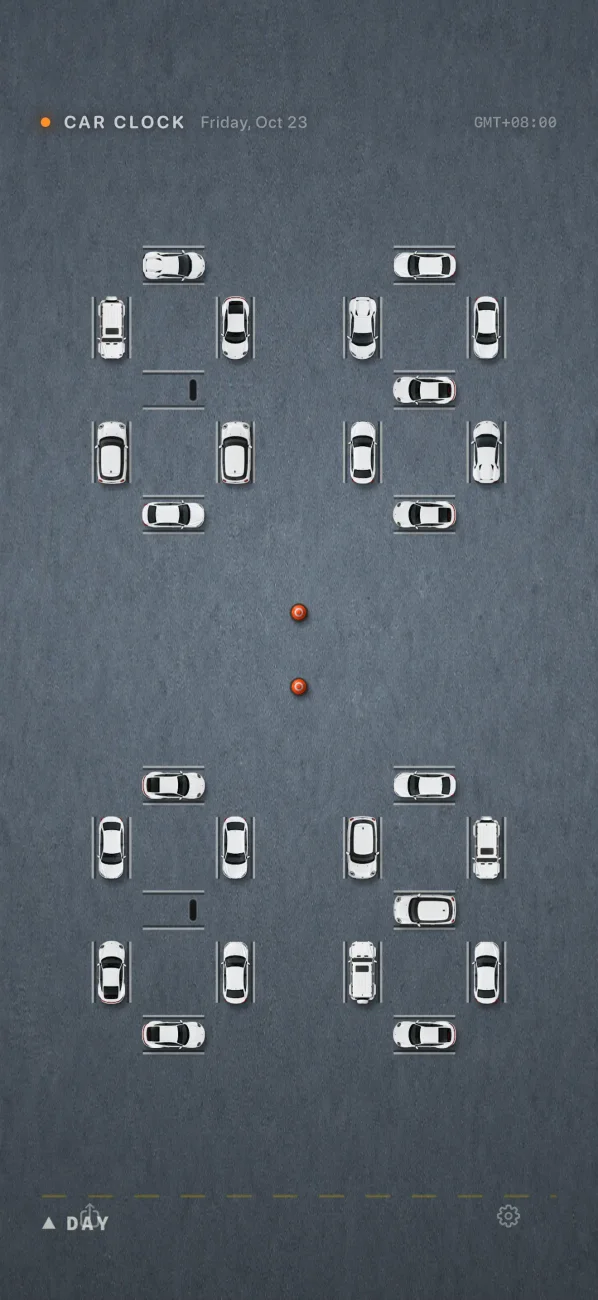
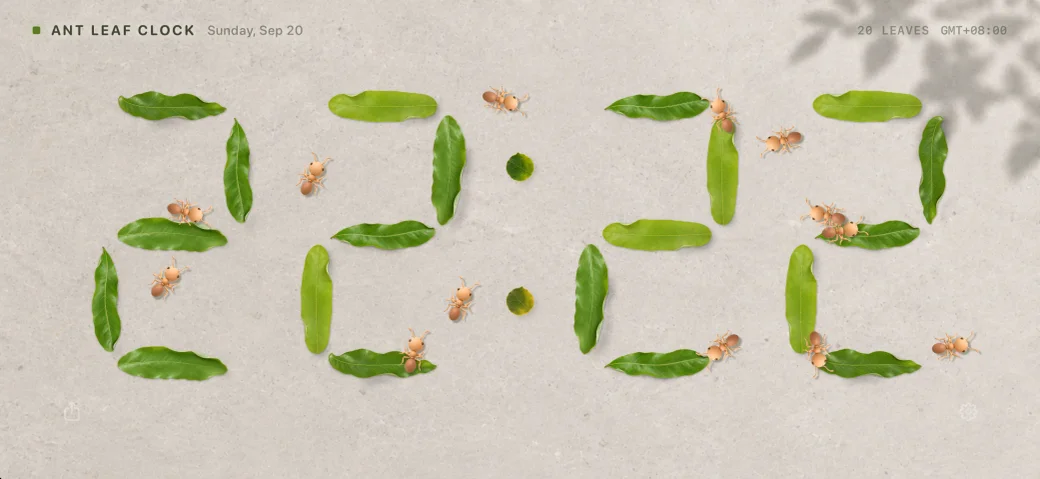
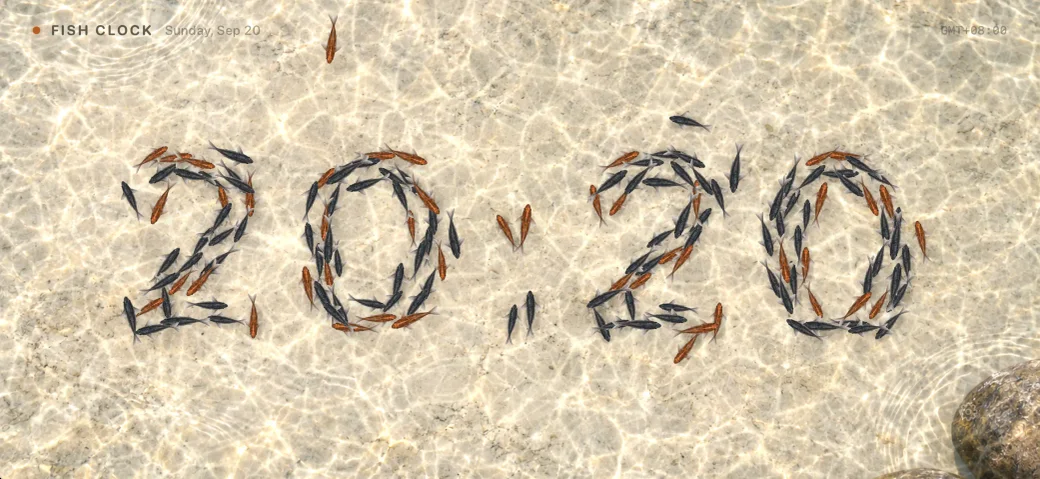
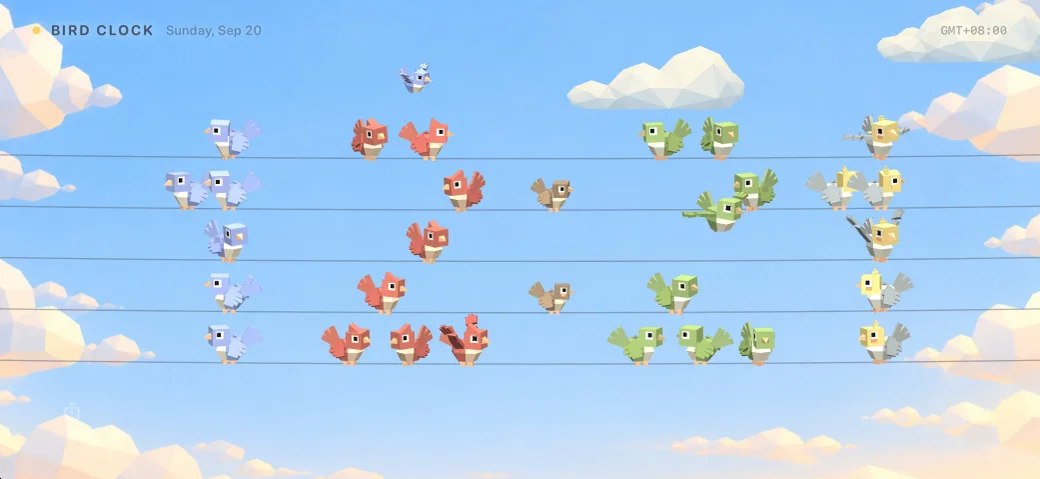
Needless Clock is a collection of living, animated clocks. They all keep the same real time, but each inhabits a world of its own. Fish turn through water, birds arrive from far away, ants hurry under the weight of a treat, cars follow the painted lines of a car park, and a brush writes numerals in water. At the turn of a minute the picture wakes; once everything has found its place, only small movements, wings, shadows and breathing remain.
TIME HAS FOURTEEN PLACES TO GO
Fish gather into figures. Touch the water and those nearby scatter, then swim home along their own curved paths.
Birds perch on five wires. Some leave at the next minute, others find a new place, and now and then a distant bird crosses the clouds. Tap once and the sky sinks beneath the sea, the flock becoming fish of different forms.
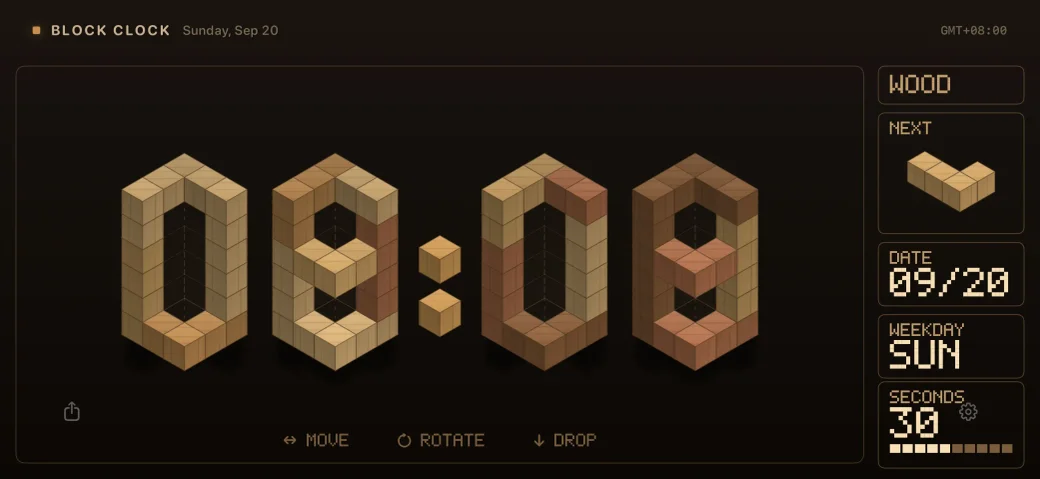
Ants carry biscuits, rock sugar, dried fish, winter-melon candy and leaves. Cars pull into bays. Metal blocks fall one by one. These digits are not displayed; they are made.
Lotus Pond, Starry Night and Auspicious Cranes share one frame: brushstrokes paint the time across the water, and cranes fly out of the painting to form the figures.
White sand crabs climb out of their burrows and line up as figures, while a few red crabs wander the beach, slipping into a burrow or strolling past.
Water runs from a brush onto stone and disappears first from the finest ends of the strokes. Oracle bone, bronze, seal and clerical scripts sit beside the hands of Wang Xizhi, Yan Zhenqing and Huang Tingjian, letting one numeral travel through centuries.
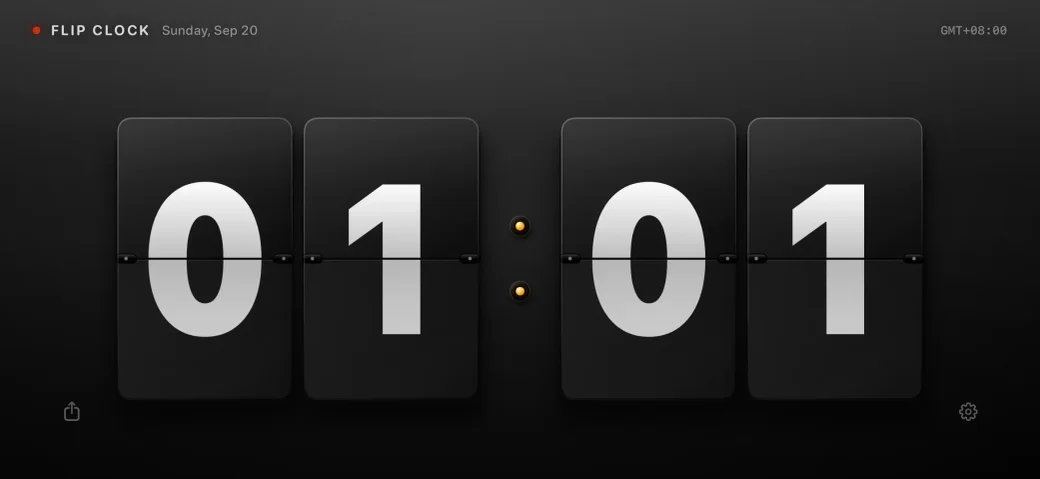
A gnomon casts its shadow among the twelve Earthly Branches, its length changing through the twenty-four solar terms. There is also a wall of cooperating clock faces, a luminous word clock, figures revealed by paper and shadow, and mechanical flaps that fall like those once heard in stations and airports.
GOOD JUST LEFT THERE
Swipe to move between clocks. Tap to change a material, colour or world. Or choose a few favourites and let them rotate by themselves, from every minute to every hour.
At night the display can dim on your schedule. Keep the screen awake, or hide the title, date and time zone until only time remains. It belongs on an iPhone stand, across an iPad, beside a Mac workspace, or spread quietly over the television in a living room.
A MOMENT YOU CAN TAKE WITH YOU
On supported devices, Share waits for the next minute. It keeps the stillness before the change and stops after the movement has come to rest, making a short clock film to save or send.
No account, no advertising and no third-party tracking. The clocks and their calculations stay on the device. Location is off by default and, if enabled, is used only to let the car park grow dark near your own sunset.
Supports Reduce Motion and VoiceOver. Made for iPhone, iPad, Mac and Apple TV.
All clocks now support portrait and landscape on iPhone and iPad, including upside-down portrait.
May it do more than tell the time. May it keep the time with you for a while.
New: a staircase clock with three architectural designs.
Home Screen widgets offer 10 clock styles, with a design and time zone for each widget. Update timing is managed by the system.
What’s new
Version 2.2 · Nov 7, 2026
New: a staircase clock with three architectural designs.
Home Screen widgets offer 10 clock styles, with a design and time zone for each widget. Update timing is managed by the system.
App privacy
What 路 林 declares on the App Store about how this app handles data.
-
Data not collected
The developer does not collect any data from this app.
Privacy practices may vary, for example with the features you use or your age.
Information
- Seller
- 路 林
- Category
- Utilities
- Version
- 2.2
- Updated
- Nov 7, 2026
- Released
- Sep 3, 2026
- Size
- 111.9 MB
- Requires
- iOS 17.0 or later
- Age rating
- 4+
- Price
- Free
- Languages
- English, Danish, Dutch, Finnish, French, German, Indonesian, Italian, Japanese, Korean, Norwegian Bokmål, Polish + 10 more
- Copyright
- © 2026 Lu Lin
You might also like
-
 BRC ClassicTime Simplified for Humans
-
 Simple Digital Clock 2018Simple clock on your desk
-
 HoralumeAnimated Night Clock & Alarm
-
 Just Nice ClockUtilities
-
 Momentous ClockMake every minute momentous
-
 Flux Clock - Beauty in FluxMinimalist Clock & Focus Timer
-
 Winnie ClockMinimal Clock
-
 Clock WatchingIt's your time.
-
 Brutal Time: Typographic ClockDesk clock & StandBy widgets
-
 Mic's ClockIt tells the time - that's it!