
Neko Translator
AI Manga Translator
Designed for iPhone, iPad, Mac, iPod touch
Free
- Age rating4+
- CategoryUtilities
- Developer禹 梁
- LanguagesEnglish
- Size68.4 MB
Links to the official App Store page
Download.org hosts no file of Neko Translator. The button opens its official App Store page, published by 禹 梁. Listing last checked on Nov 15, 2026.
Screenshots


About
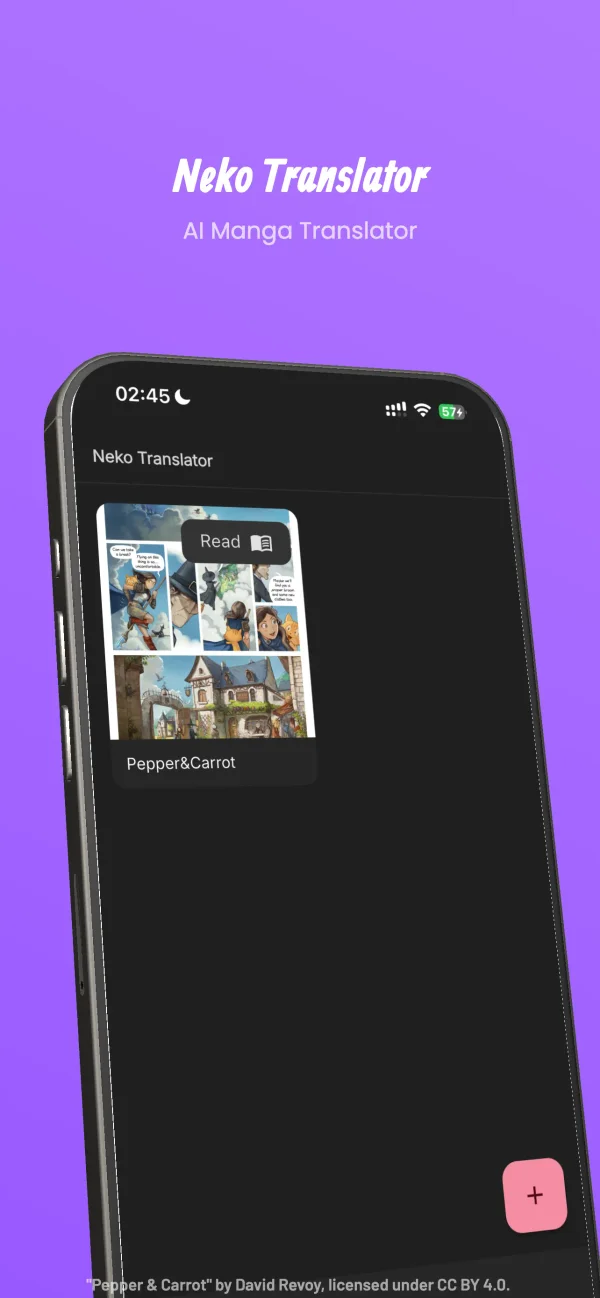
Neko Translator - A professional AI-powered tool for automatically translating manga/comic images — from extracting dialogue, to summarizing each page's context with a multimodal model, to fine-grained translation by a large language model. Run the whole pipeline automatically in batches, or refine it box by box manually, then export or read with a single tap.
Automated translation pipeline: Text-box detection → text recognition (OCR) → scene-context parsing → translation. All four steps are independently controllable, and each can be skipped or re-run as needed.
Text-box detection / OCR: Automatically outlines dialogue and text regions in the image, with support for manually adding boxes, running OCR individually, reordering, and more.
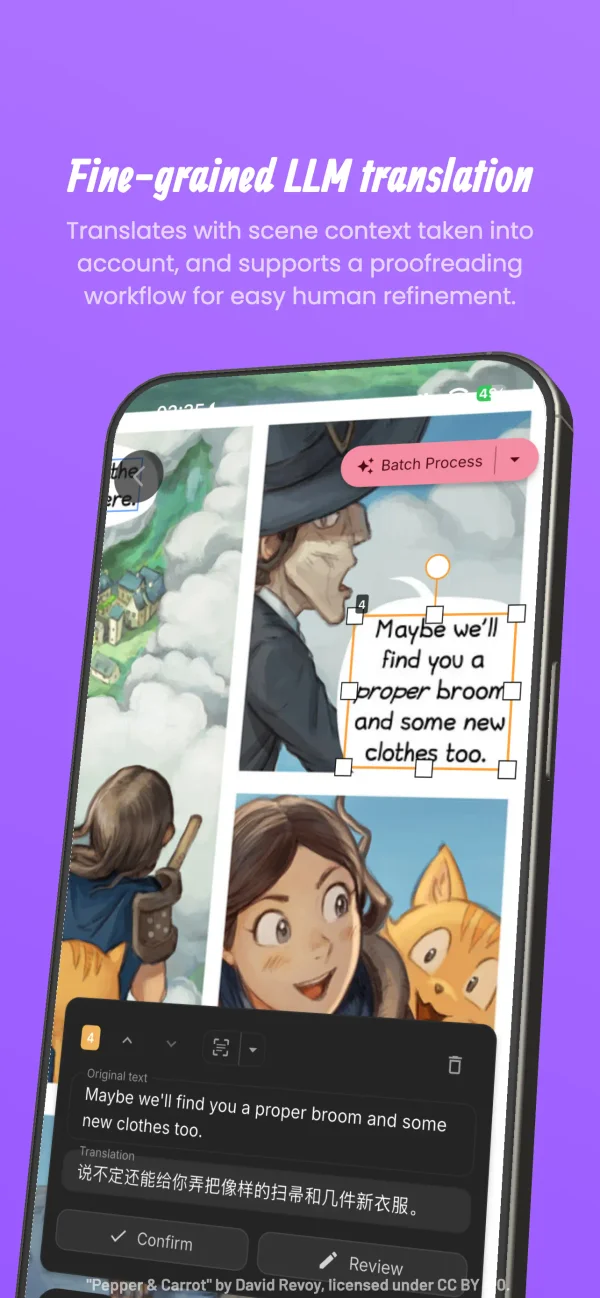
Fine-grained LLM translation: Translates with scene context taken into account, and supports a proofreading workflow for easy human refinement.
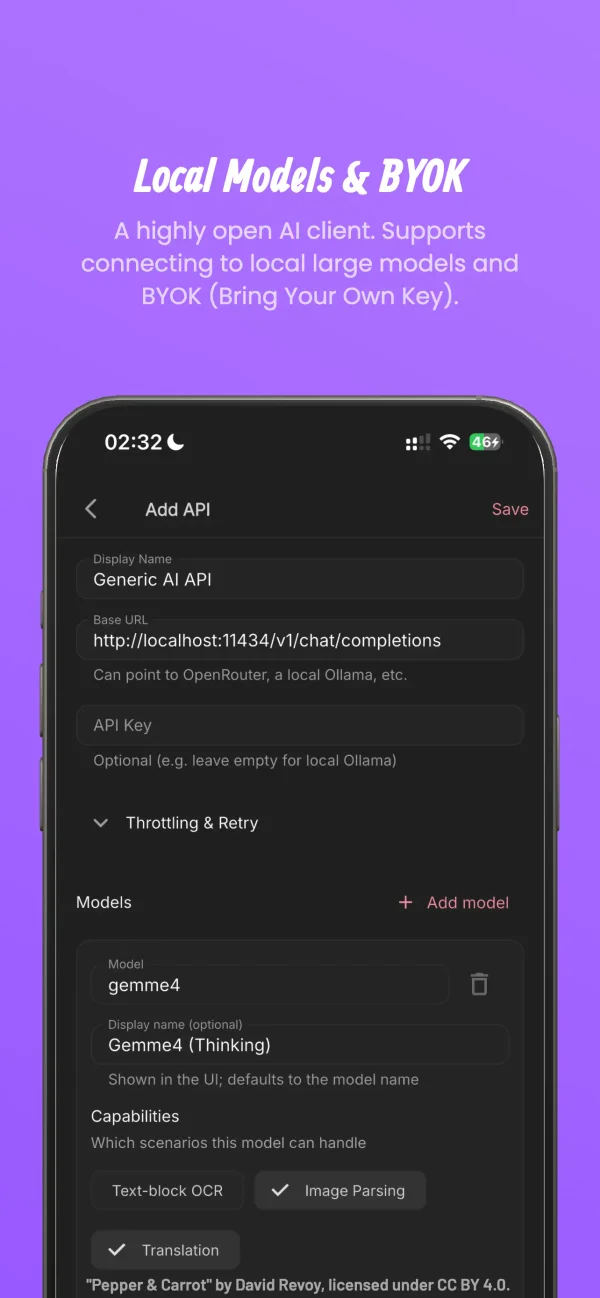
Bring your own AI provider: Compatible with the OpenAI API, so you can connect a local Ollama, OpenRouter, and more. Model, concurrency, rate limits, and retries are all customizable, and your API key is stored only in your device's secure local storage.
Glossary support: Keep character names and proper nouns translated consistently, with "do not translate" and "banned terms" options to ensure consistent wording throughout the book.
Scene-context analysis: Parses the image content and uses the source text and summaries of adjacent pages as context, so the AI keeps dialogue coherent from page to page.
Batch processing: Select multiple pages and chapters at once for automatic queued processing, with real-time progress and automatic retries on failure.
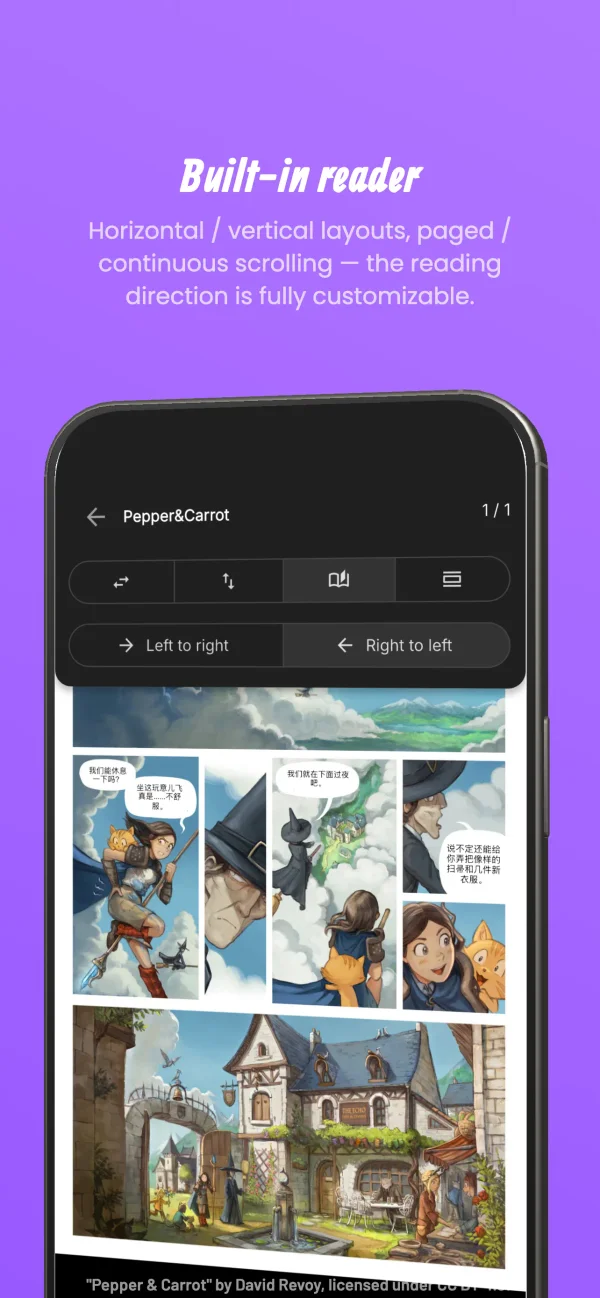
Built-in reader: Horizontal / vertical layouts, paged / continuous scrolling — the reading direction is fully customizable.
One-tap export: Export to LabelPlus TXT, or package everything together with the original images as a ZIP, making the follow-up typesetting work easy.
What’s new
Version 1.5.1 · Oct 27, 2026
- Fixed the app becoming unusable after a data update was unexpectedly interrupted during an upgrade; affected devices recover once updated
App privacy
What 禹 梁 declares on the App Store about how this app handles data.
-
Data not linked to you
May be collected but is not linked to your identity.
- Usage data
Privacy practices may vary, for example with the features you use or your age.
Information
- Seller
- 禹 梁
- Category
- Utilities
- Version
- 1.5.1
- Updated
- Oct 27, 2026
- Released
- Jun 25, 2026
- Size
- 68.4 MB
- Requires
- iOS 15.0 or later
- Age rating
- 4+
- Price
- Free
- Languages
- English
- Copyright
- © 2026 梁禹
You might also like
-
 Suki - Screen TranslatorManga, Photo & Screenshot
-
 Torii Image TranslatorAI Manga and Manhwa Translator
-
 Manga Translator: Read ManhwaTranslate Pictures & Comics
-
 Sumi: AI Manga TranslatorTranslate raw manga in Safari
-
 EasyComix: Manga TranslatorWebtoon & Manhwa Translator
-
 IchigoReader - Translate MangaTranslate Manga Automatically
-
 Manga Translator – MangraTranslate Manga and Manhwa
-
 Manga TranslatorIsManga - Translate Raw Manga
-
 Screen Translator-TapTranslateTranslate Screen with a Tap
-
 Cereal Translator: Screen ScanGame/Manga/Realtime Translate