
- Age rating4+
- CategoryProductivity
- DeveloperHyunwoo Lee
- LanguagesEnglish+ 1 more
- Size4.4 MB
Links to the official App Store page
Download.org hosts no file of Nestly - Notes & Memories. The button opens its official App Store page, published by Hyunwoo Lee. Listing last checked on Nov 17, 2026.
Screenshots
About
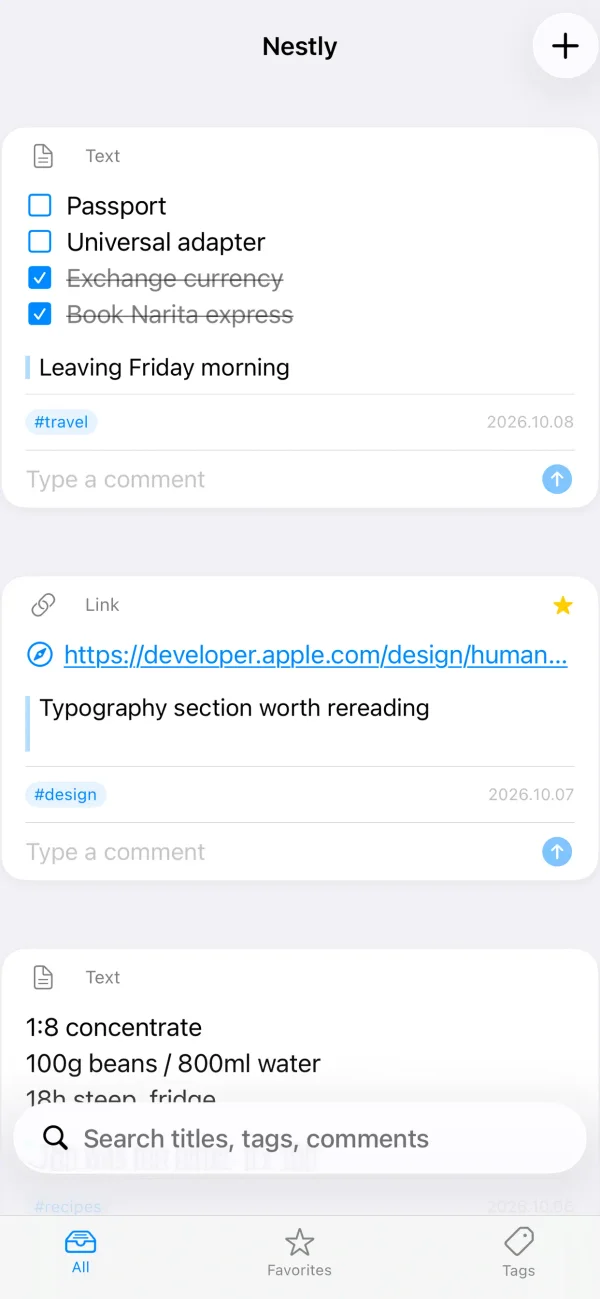
Paste once, leave one line. Nestly turns whatever you copy into a small, tidy memory: a screenshot, a link, a WiFi password, a packing list. No accounts, no folders to organize. Save it, tag it, and move on.
■ SAVE ANYTHING IN SECONDS
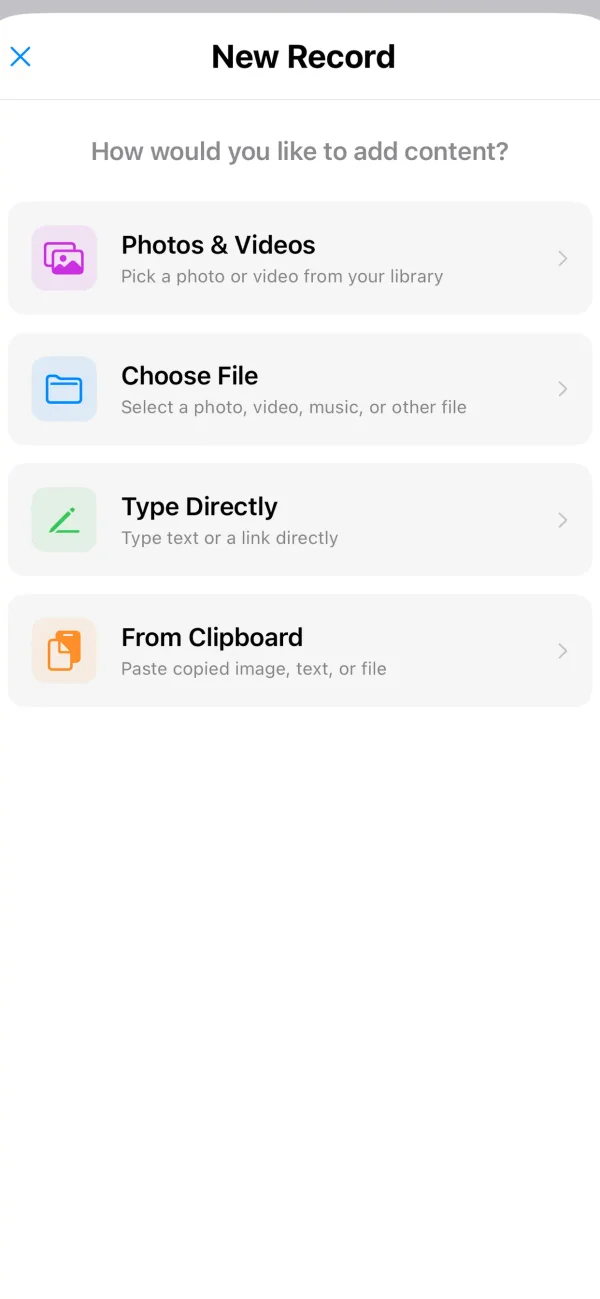
· From Clipboard: paste an image, text, or link you just copied. The type is detected automatically.
· Photos & Videos: pick from your library.
· Choose File: import photos, videos, music, and more.
· Type Directly: jot down text or paste a URL.
■ ONE LINE OF THOUGHT
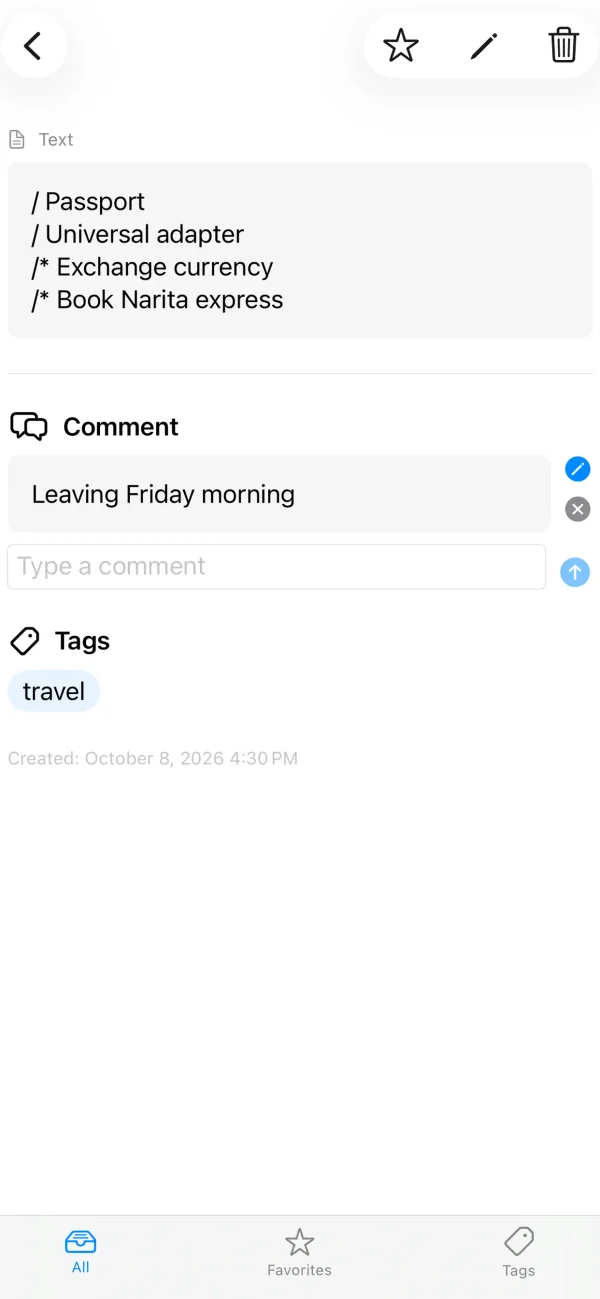
Every record keeps a comment thread of short notes. Write why it matters, a reminder, or the one thing you will forget otherwise.
■ CHECKLISTS THAT ACTUALLY CHECK
Lines starting with "/" become checkboxes. Tap to strike them through. Perfect for packing lists and quick step notes.
■ FIND IT LATER
· Tags: group records your way (#travel, #design, #recipes).
· Favorites: star what you need often.
· Search across text, tags, and comments. Instantly.
■ PRIVATE BY DESIGN
Everything stays on your device. Works fully offline.
Perfect for you if you collect recipes, save links to read later, keep passwords out of your camera roll, or just want a tiny personal archive that gets out of your way.
※ Nestly includes banner ads to keep the app free.
What’s new
Version 1.03 · Oct 12, 2026
What's New in 1.03
· New source picker in the create screen: choose Photo, File, Direct input, or Clipboard.
· Clipboard import: paste images, text, or links copied from Safari. The type is detected automatically and saved in one tap.
· UI and stability improvements.
App privacy
What Hyunwoo Lee declares on the App Store about how this app handles data.
-
Data not collected
The developer does not collect any data from this app.
Privacy practices may vary, for example with the features you use or your age.
Information
- Seller
- Hyunwoo Lee
- Category
- Productivity
- Version
- 1.03
- Updated
- Oct 12, 2026
- Released
- Jul 1, 2026
- Size
- 4.4 MB
- Requires
- iOS 26 or later
- Age rating
- 4+
- Price
- Free
- Languages
- English, Korean
- Copyright
- © 없음
You might also like
-
 Quick Capture & Notes - QeptBrain Dump, Lists, To Do, Memo
-
 Cheetah NoteQuick notes, widgets, Watch
-
 Arch Calendar: Time BlockingPlan Your Day with Time Blocks
-
 Daily Planner - Day OrganizerPlan your day in one drag
-
 Pomodoro Focus Timer: OneThingStudy & Work & Personal Growth
-
 Seclog - Private Feed JournalSocial Style Diary & Memo Note
-
 GUGA-HyperboardNotebook + Board + Card = GUGA
-
 todo mate: To-Do List, RoutineDaily Planner & Habit Tracker
-
 Bluink eID-Me Digital IDDigital ID & Verification
-
 Polaris Viewer - PDF, DocumentMobile Optimized Docs Reader