
Net Analyze Defender
Network Ping Speed Test&Tools
Designed for iPhone, iPad
Free · In-app purchases
- Age rating4+
- CategoryUtilities
- Developer杰 刘
- LanguagesEnglish+ 1 more
- Size16.5 MB
Links to the official App Store page
Download.org hosts no file of Net Analyze Defender. The button opens its official App Store page, published by 杰 刘. Listing last checked on Nov 12, 2026.
Screenshots
About
**Net Analyze Defender** is a network diagnostics and toolkit app for everyday and power users. It helps you check connection status, latency, and connectivity on iPhone and iPad.
**Core Features**
• **Home Network Status**
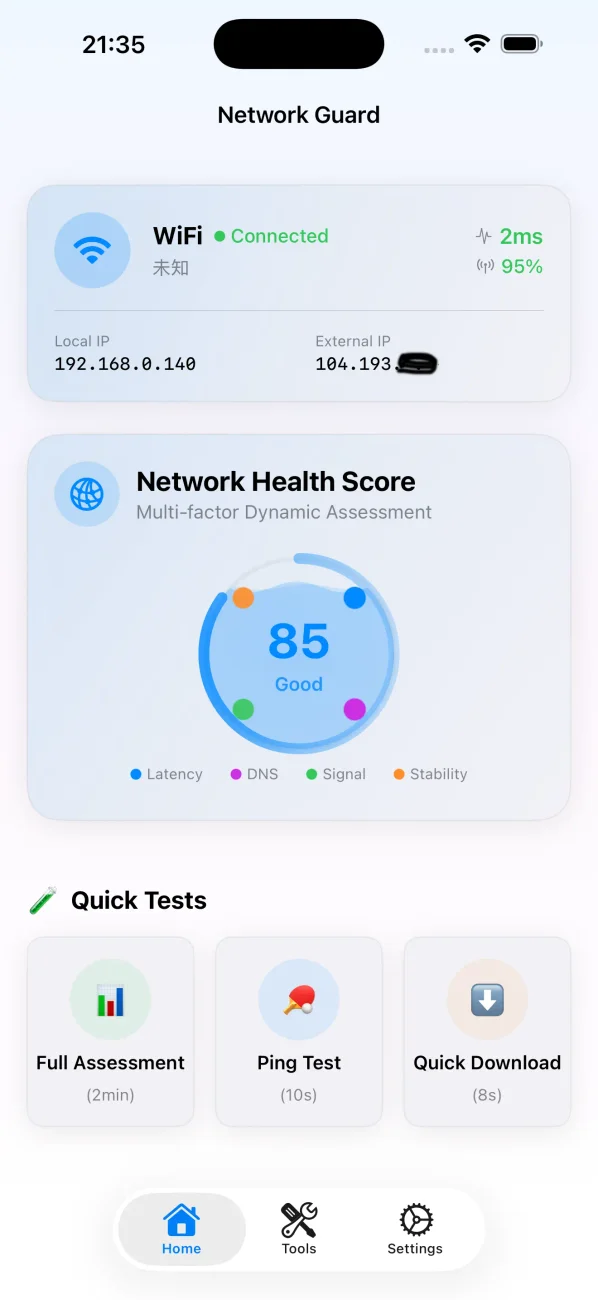
Live connection type (WiFi / Cellular), latency (from real ICMP ping), signal strength, and local / external IP. A health score combines latency, DNS, and signal for a quick overview.
• **Quick Tests**
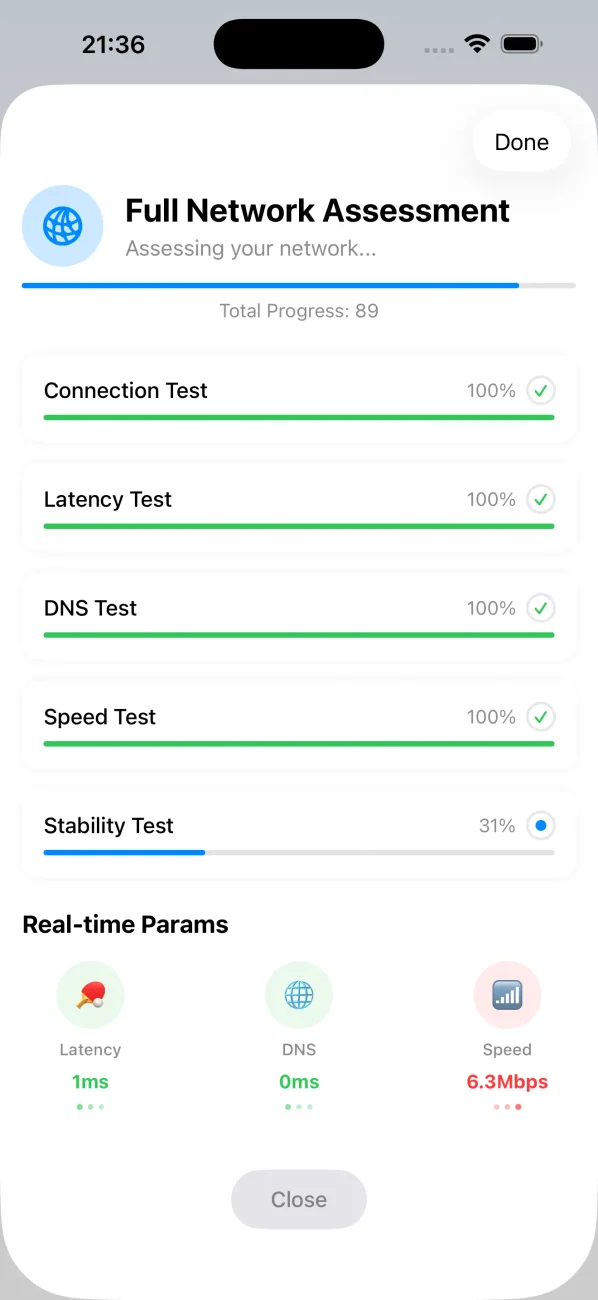
- **Full Assessment**: Multi-round tests for connectivity, latency (ICMP ping), DNS resolution, download speed, and stability (packet loss), with an overall score and report.
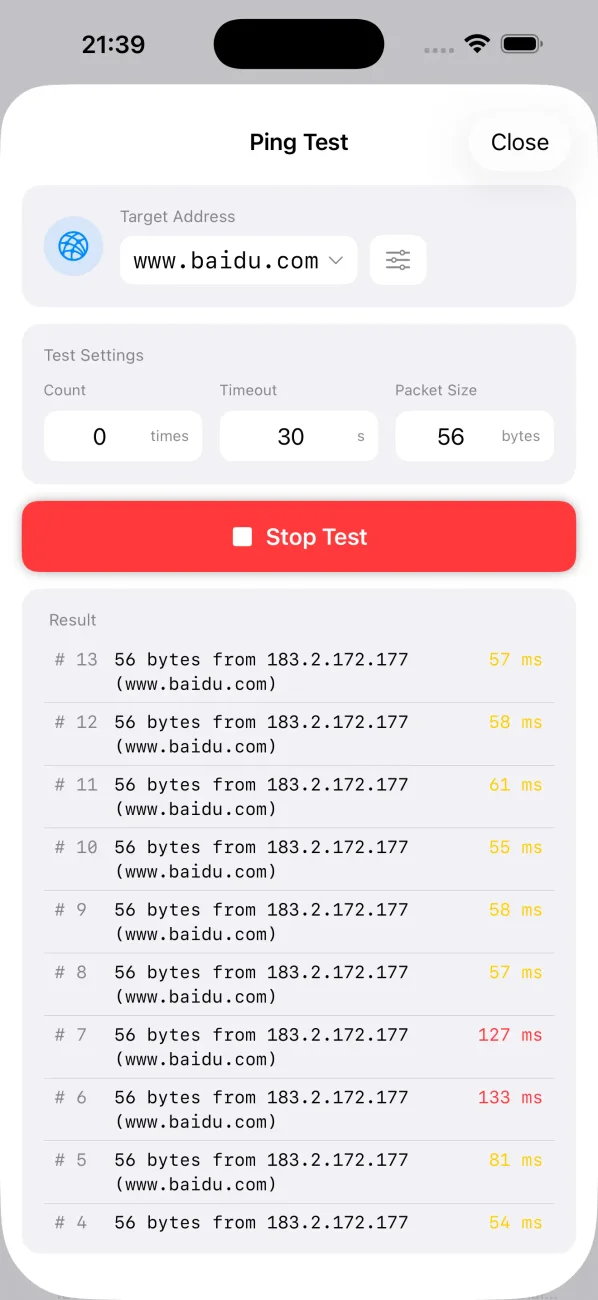
- **Ping Test**: Custom target and count; real ICMP ping (SimplePing) with latency and packet loss stats.
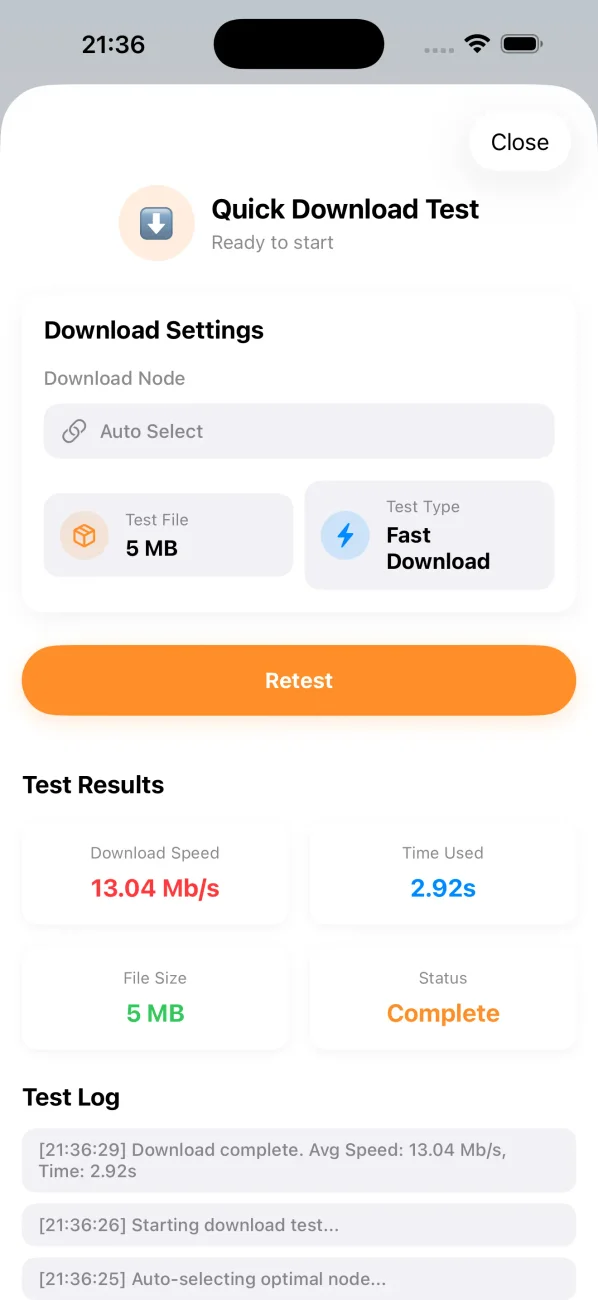
- **Download Speed**: Measure current download bandwidth.
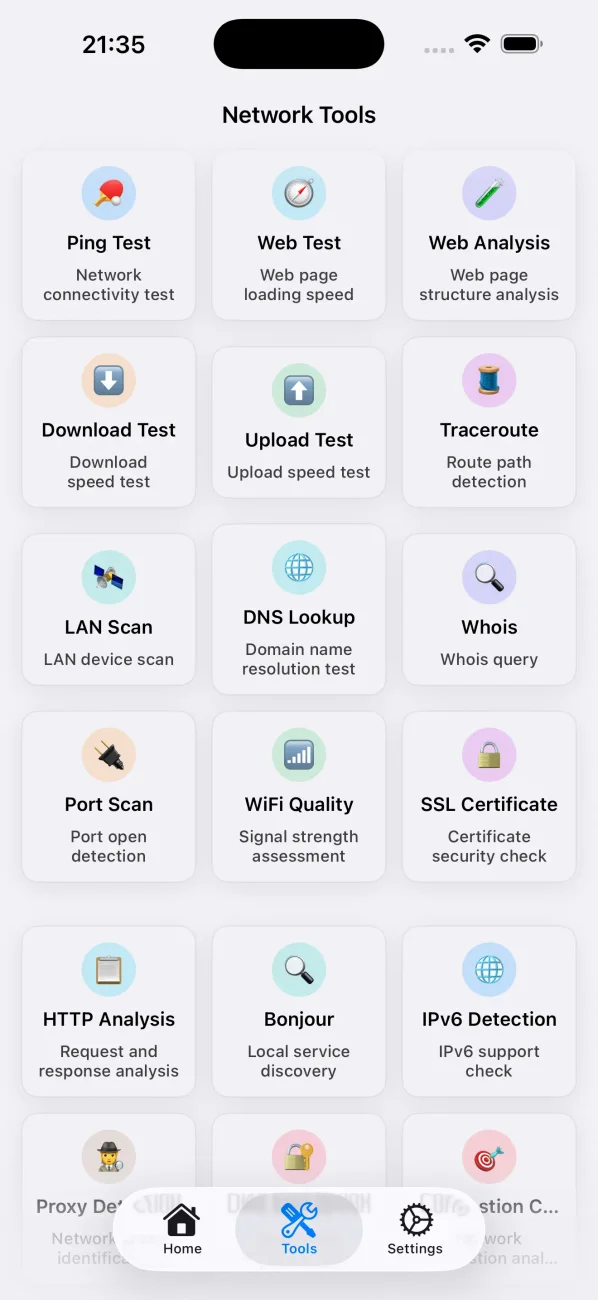
• **Pro Tools (Toolbox)**
- **Ping**: ICMP ping to any host or domain with RTT and statistics.
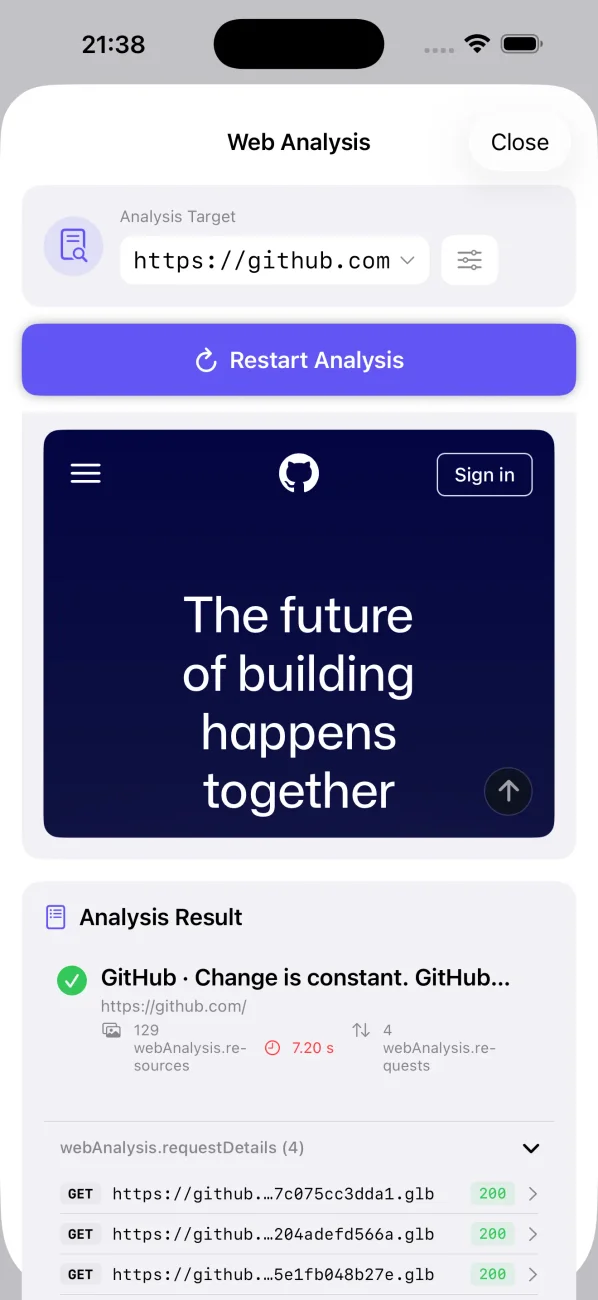
- **Web Test / Web Analysis**: Page load time or request and resource analysis.
- **Download / Upload**: HTTP bandwidth tests.
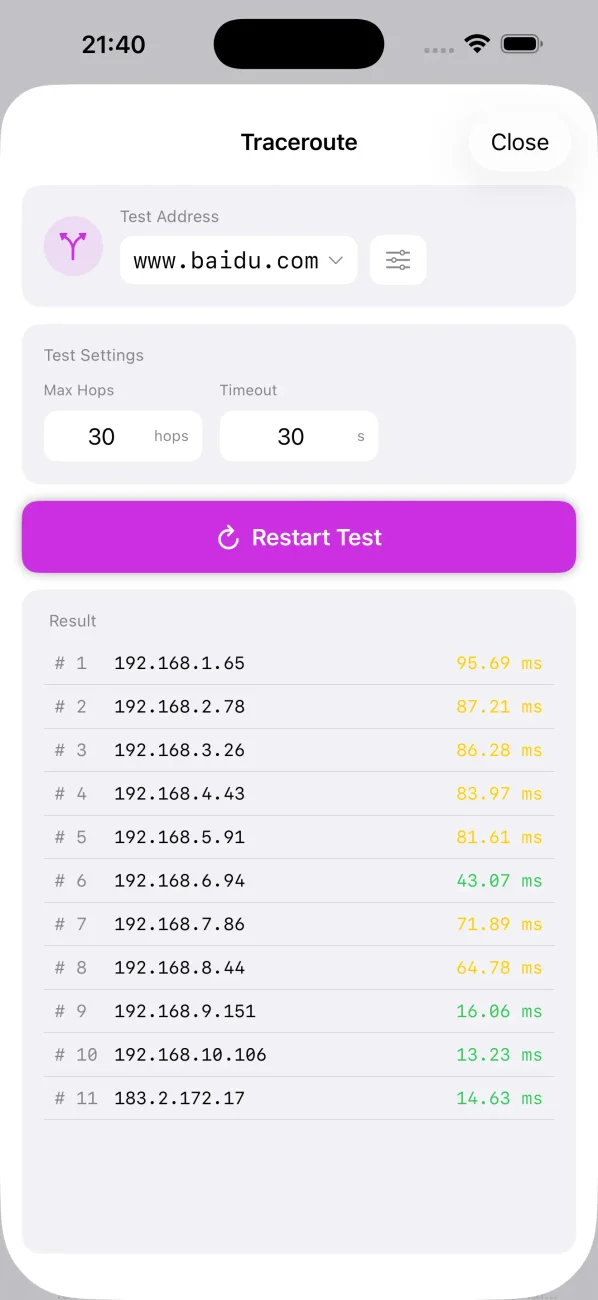
- **Traceroute**: See each hop to the target.
- **LAN Scan**: Discover devices, open ports, and response times on your network.
- **DNS**: Resolve domain names to IPs and more.
- **Whois**: Domain registration lookup.
- **Port Scan**: Check open ports on a host.
- **WiFi Info**: Current WiFi details.
- **SSL Certificate**: View site SSL certificate info.
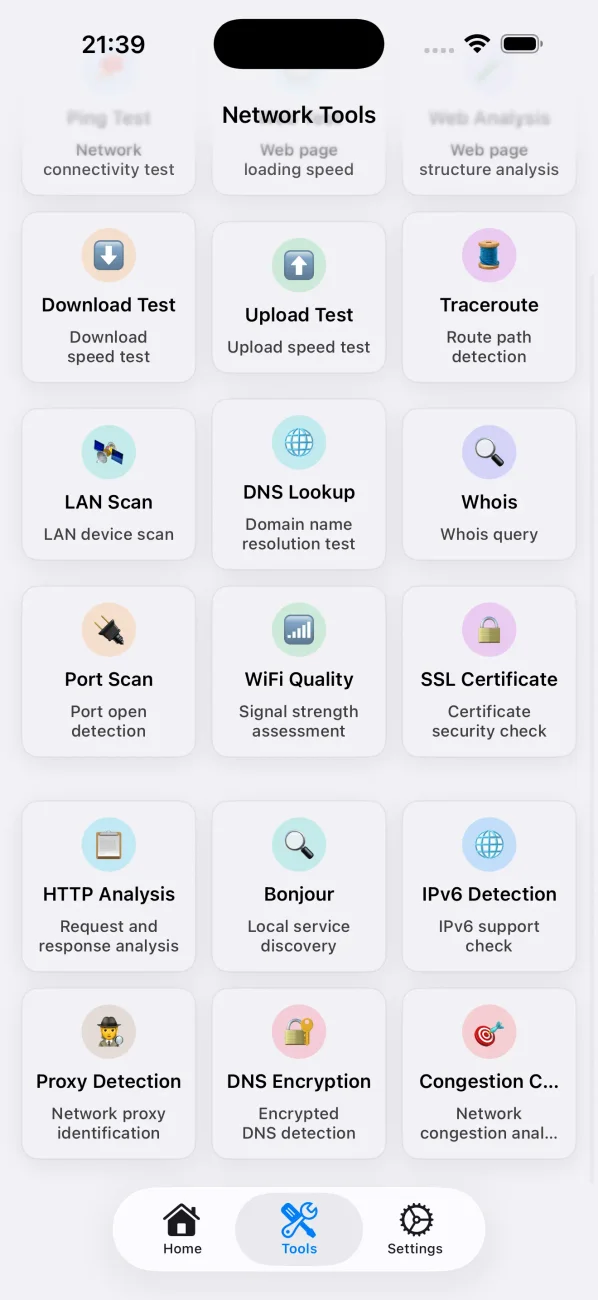
- **HTTP Analysis**: Request/response headers and more.
- **Bonjour**: Discover Bonjour services on the LAN.
- **IPv6**: IPv6 connectivity check.
- **Proxy**: System proxy detection.
- **DoH (DNS over HTTPS)**: Encrypted DNS resolution test.
- **Congestion**: Compare idle vs loaded latency to gauge congestion.
**More**
• **Simplified Chinese / English** in-app language switch.
• Free tier has limited daily uses per tool; subscribe to Pro for unlimited access and ad-free experience.
• Latency and stability use real ICMP ping when possible; if ICMP is blocked, HTTP fallback is used so the home screen and full assessment still show meaningful latency.
Ideal for network admins, developers, and anyone who wants to understand or troubleshoot their network.
【Terms of Use (EULA)】
https://www.apple.com/legal/internet-services/itunes/dev/stdeula/
What’s new
Version 4.0.1 · Feb 7, 2026
• Home network health score now uses real ping and DNS tests instead of simulated data.
• Full assessment and quick Ping test use ICMP (SimplePing); HTTP fallback for latency when ICMP is blocked.
• Default ping targets changed to domains for better compatibility.
• Fixed quick Ping and full assessment latency/stability tests sometimes not completing (retain PingService until done).
• Home status card latency synced with health score; fixed 0ms display after HTTP fallback.
• Clearer logs when ping has no response, with HTTP fallback so a usable latency value is still shown.
App privacy
What 杰 刘 declares on the App Store about how this app handles data.
-
Data not collected
The developer does not collect any data from this app.
Privacy practices may vary, for example with the features you use or your age.
Information
- Seller
- 杰 刘
- Category
- Utilities
- Version
- 4.0.1
- Updated
- Feb 7, 2026
- Released
- Apr 7, 2015
- Size
- 16.5 MB
- Requires
- iOS 16.6 or later
- Age rating
- 4+
- Price
- Free
- In-app purchases
- Yes
- Languages
- English, Simplified Chinese
- Copyright
- © Zasoft
You might also like
-
 NetTools - Network AnalyzerPro Network Toolkit
-
 Network Analyzer Scanner NettyAR Wifi Speed Test & Security
-
 NetWizard: Scan & AnalyzeNetwork Analysis Tool
-
 SniffertonKeep track of devices.
-
 Ultimate Network ToolsUltimate Network Tools
-
 XDiscoveryNetwork Device Finder
-
 EasyNet: Network Scanner ToolPing, LAN, BLE & SSH Analyzer
-
 TEMS™ OnDeviceKNOW YOUR NETWORK™
-
 Network Monitor ∞ IP TrackerLive Connection & VPN Status
-
 Best NetToolsA Good Network Utility