
- Age rating4+
- CategoryProductivity
- DeveloperKohei Ishikawa
- LanguagesEnglish
- Size9.2 MB
Links to the official App Store page
Download.org hosts no file of Netacho: One-Line Idea Notes. The button opens its official App Store page, published by Kohei Ishikawa. Listing last checked on Nov 17, 2026.
Screenshots

About
Netacho is a notebook for the things you want to talk about later and the ideas that pop into your head, saved in just a few words.
Something funny happens, but when you finally see your friends, it's gone. A great idea comes to you, but it slips away while you're trying to write it all out. Netacho helps you hold on to those small moments.
All you need is a short phrase that will jog your memory later. Like a comedian's notebook of material, you can slowly build up everyday stories, conversation topics, dreams, realizations, and pages worth keeping.
JUST A FEW WORDS
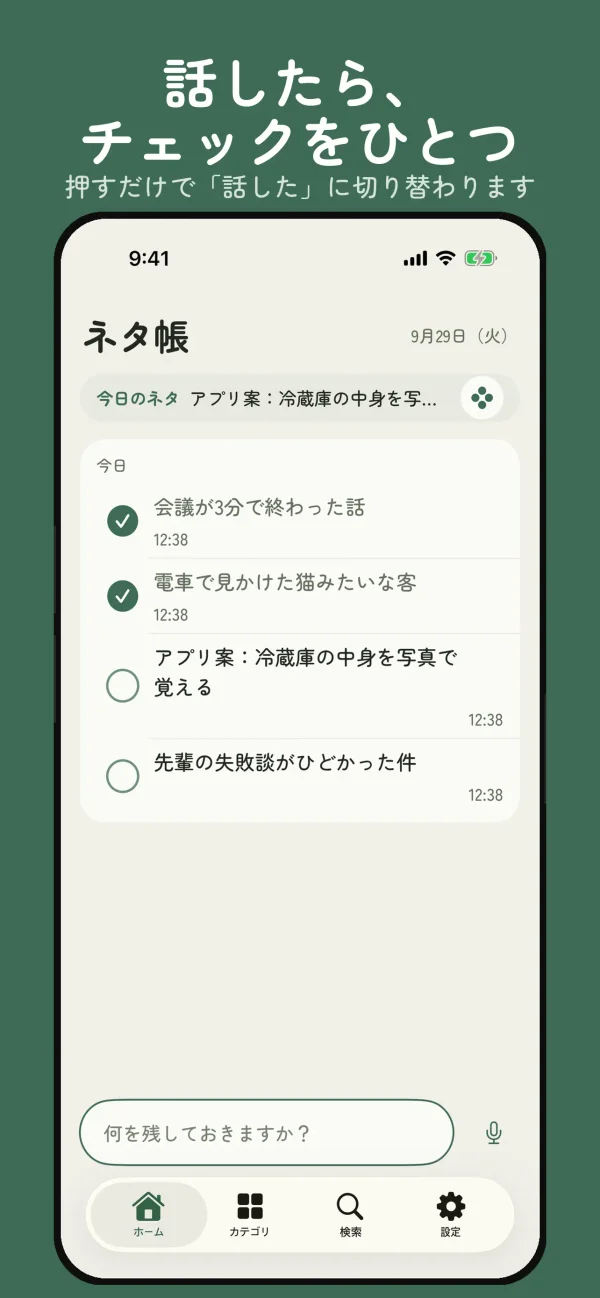
The input field sits at the bottom of the screen, so you can write with one hand and save with a single tap. You can also dictate by voice.
ONE TAP WHEN YOU'VE TOLD IT
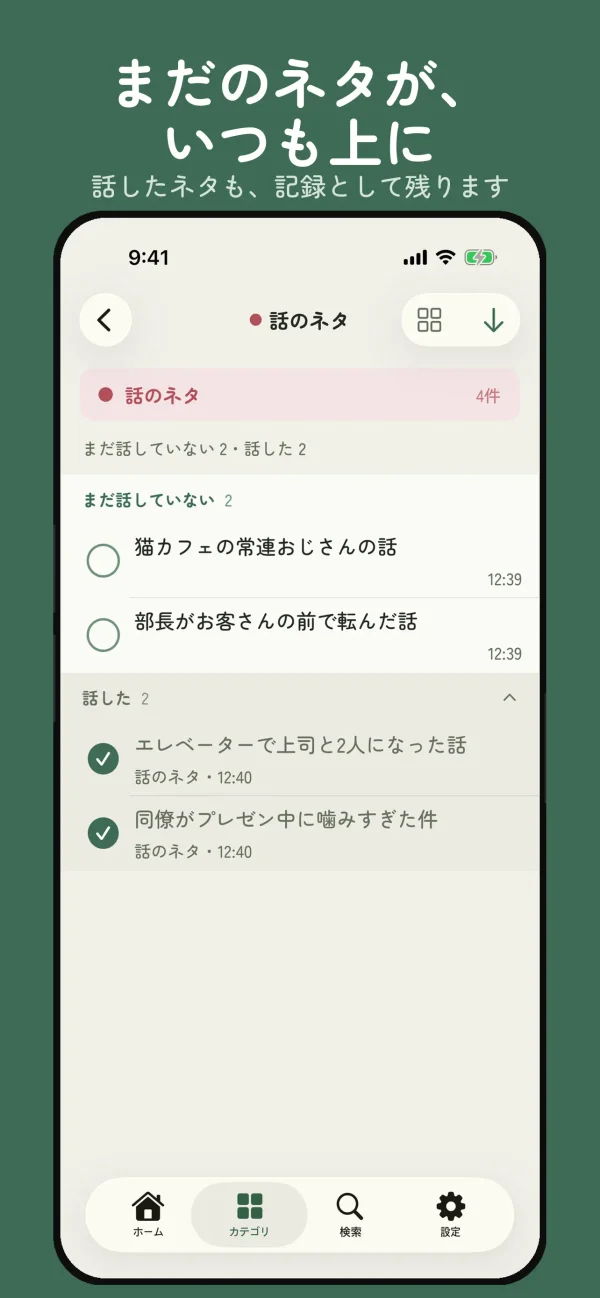
Tap the circle next to any note to mark it as told. Untold topics and ones you've already shared stay clearly apart, so you're less likely to tell the same story twice.
BROWSE BY CATEGORY
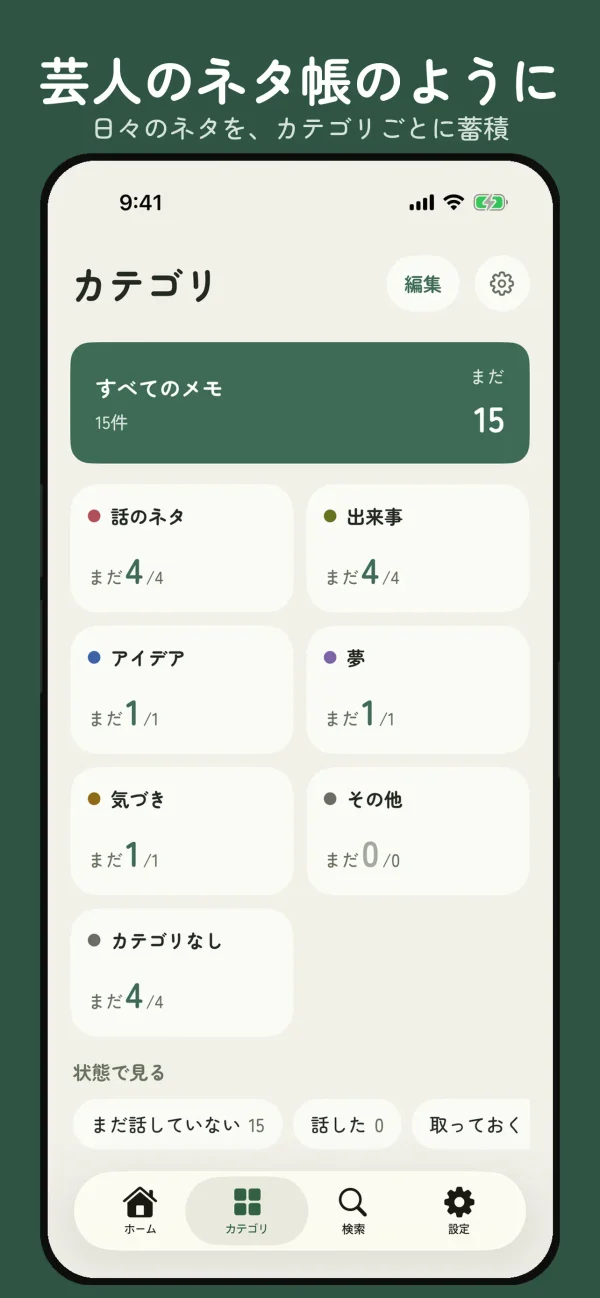
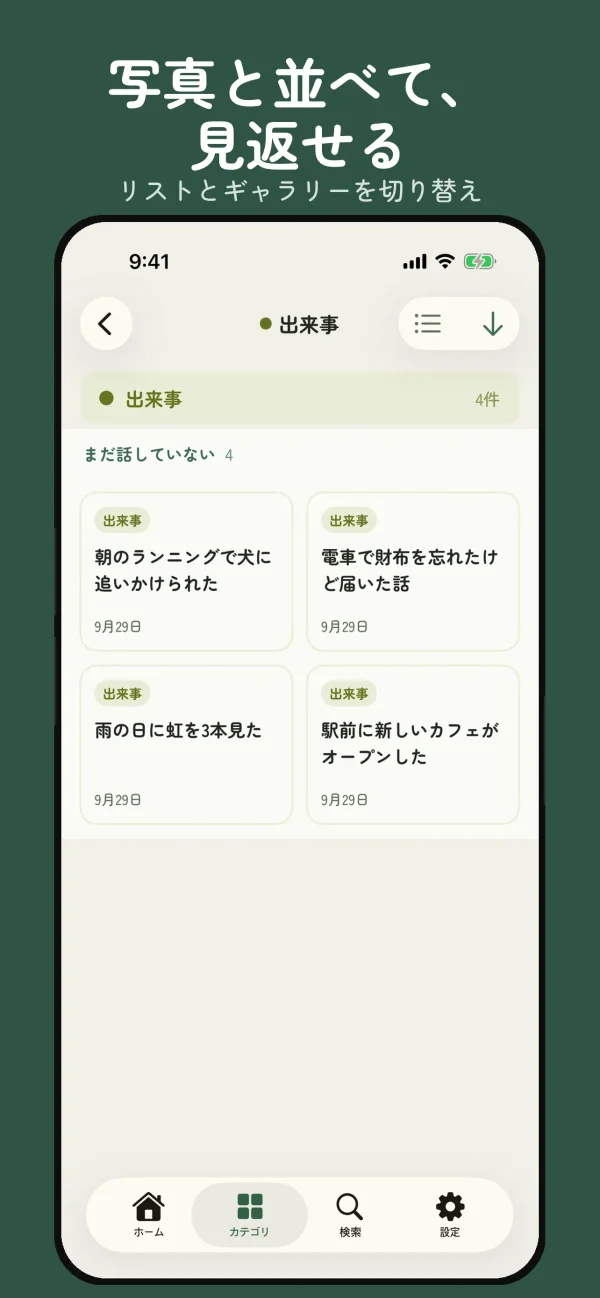
Each category shows how many topics you haven't told yet, next to the total. Open one, and your untold notes are always at the top, with favorites first. Notes with photos can be viewed side by side in gallery view.
FLIP THROUGH LIKE A NOTEBOOK
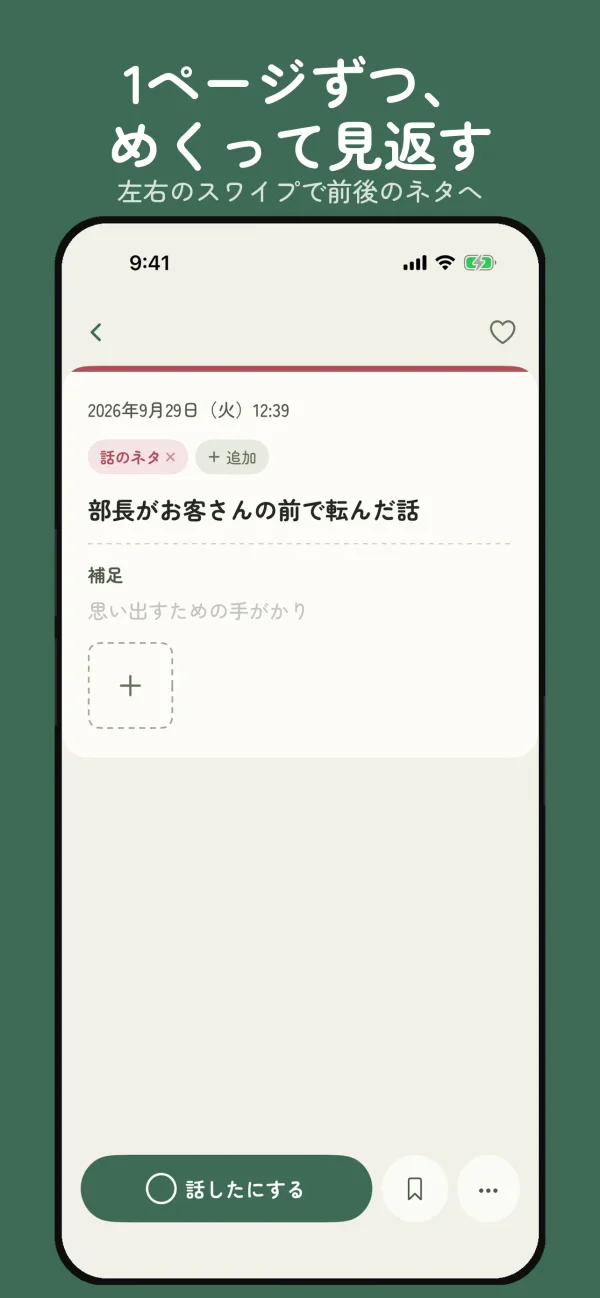
Each note opens like a page in a notebook. Swipe left or right to move to the next one, and edit the text right where it is. Changes are saved automatically.
ORGANIZE YOUR WAY
Add your own categories and pick from eight colors to tell them apart. A note can belong to more than one category. You can even create your own statuses, like "In progress," to fit the way you work.
RIGHT FROM YOUR HOME SCREEN
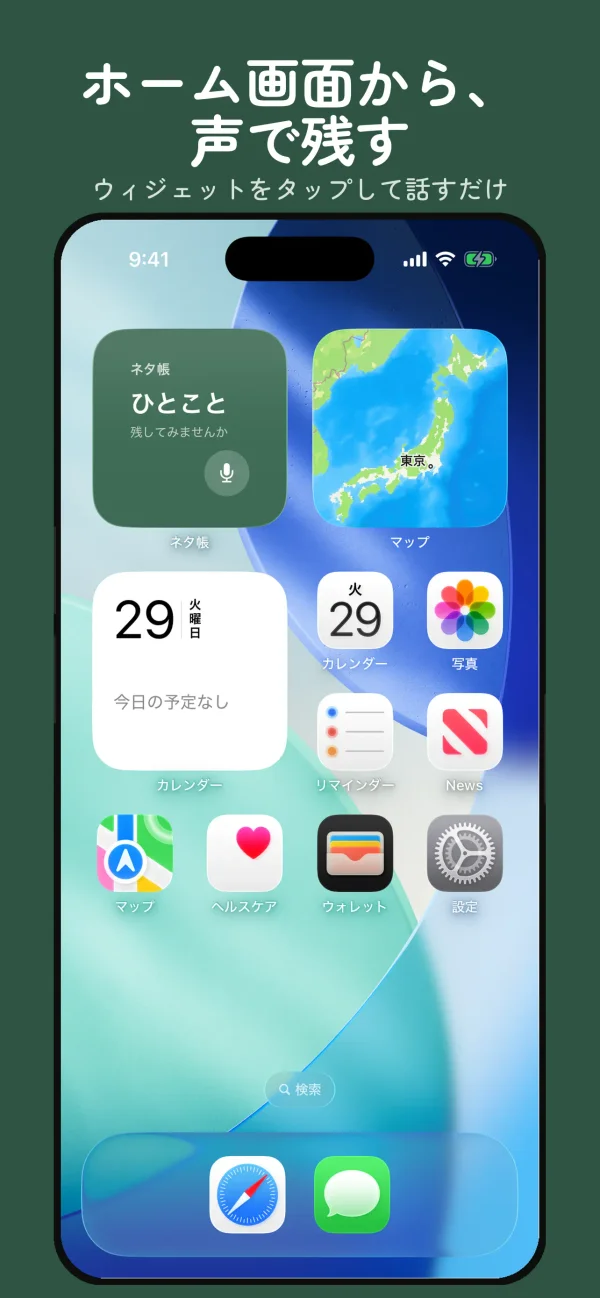
Tap the widget to save a note by voice. The widget also shows how many untold topics you have.
LINKS AND PHOTOS TOO
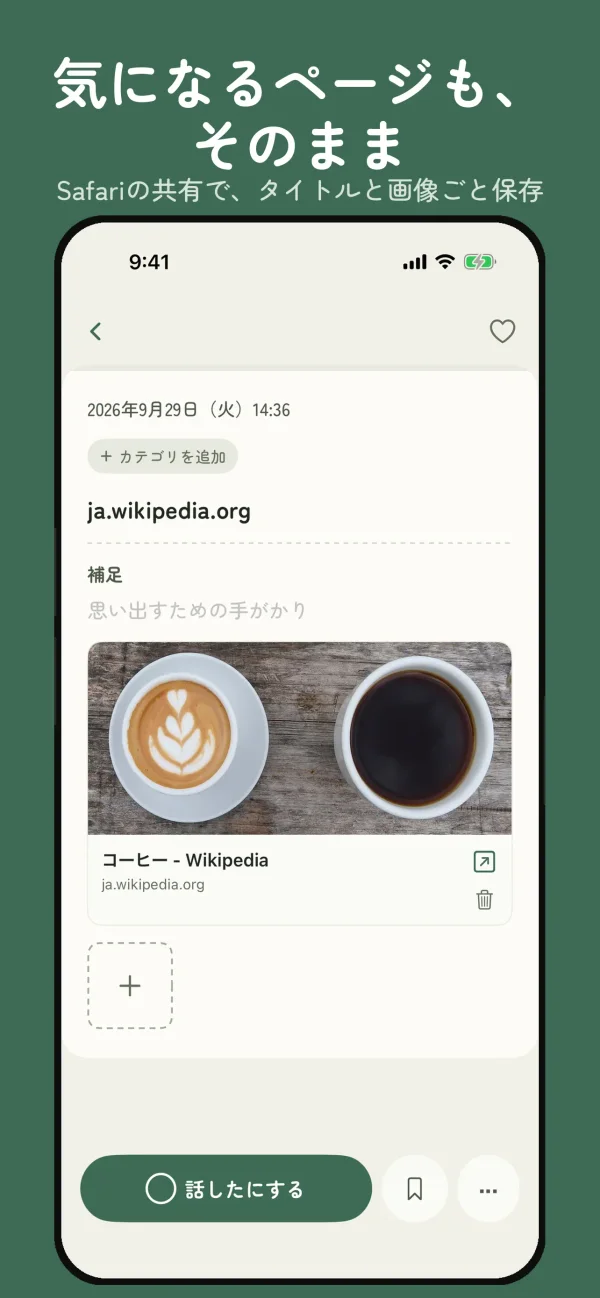
Share any page from Safari to save it instantly, with its title and thumbnail captured automatically. You can attach up to five photos to a note.
All your notes are stored on your iPhone.
Every day is full of small moments that photos miss and thoughts that live only in your head. Save them in a few words before they fade.
What’s new
Version 3.1.1 · Nov 10, 2026
Fixed an issue where long notes and their details were not fully displayed when opened.
App privacy
What Kohei Ishikawa declares on the App Store about how this app handles data.
-
Data not collected
The developer does not collect any data from this app.
Privacy practices may vary, for example with the features you use or your age.
Information
- Seller
- Kohei Ishikawa
- Category
- Productivity
- Version
- 3.1.1
- Updated
- Nov 10, 2026
- Released
- Aug 13, 2026
- Size
- 9.2 MB
- Requires
- iOS 17 or later
- Age rating
- 4+
- Languages
- English
- Copyright
- © 2026 Margherita Works by Kohei Ishikawa
You might also like
-
 Creation Note - 創作メモ・アイデア整理Productivity
-
 Idea Notes - Quick CaptureProductivity
-
 Memo - Quick NotesFast notes with checklists
-
 ToDoBuff ~ToDo×SchedulingProductivity
-
 Hanashitane: Talk Topic NotesThings to talk about next time
-
 漫画製作スケジュールProductivity
-
 Atode - Todoタスク管理Productivity
-
 APLOWBS - WBS Task ManagerTodo Planner: Projects & Tasks
-
 Tiny Feats: Done ListA journal of small wins
-
 Markdown Editor & NotesMemo, To-Do, Journal & Viewer