
NetBlade: IP & Network Scanner
Who's on my WiFi, ports & SSH
Designed for iPhone, iPad
Free · In-app purchases
- Age rating4+
- CategoryUtilities
- DeveloperCarmelina Cafaro
- LanguagesEnglish+ 41 more
- Size32.3 MB
Links to the official App Store page
Download.org hosts no file of NetBlade: IP & Network Scanner. The button opens its official App Store page, published by Carmelina Cafaro. Listing last checked on Nov 24, 2026.
Screenshots
About
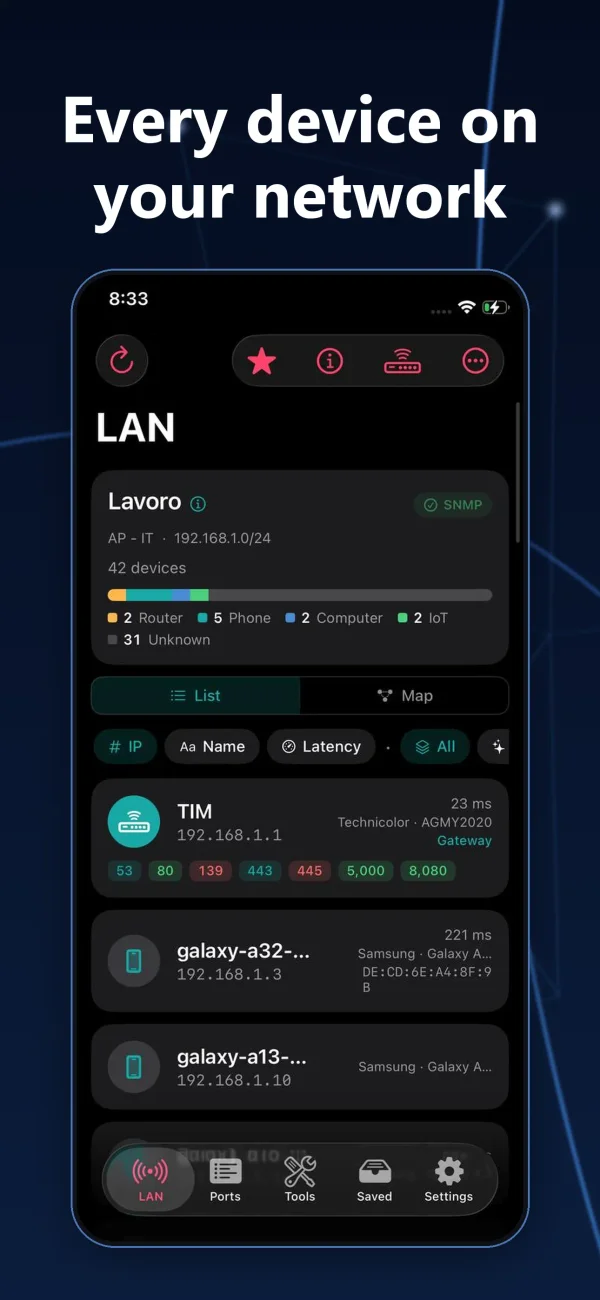
Who's on my WiFi? NetBlade finds every device on your network in seconds, then goes deeper: port scanner, speed test, ping, Windows PC inventory with nothing to install on it, and SSH. For home networks and IT pros alike. Your scans never leave the device.
▸ LAN SCANNER
Every device in seconds: address, hostname, latency, open ports and role (gateway, this device). Devices are remembered, with a NEW badge, custom names, notes, icons and tags. MAC and vendor come from your router's SNMP table: iOS lets no app read its neighbors' hardware addresses.
▸ WINDOWS INVENTORY, NO AGENT
Point NetBlade at a Windows PC and it reads the machine over WinRM — nothing to install on it. Hardware, disks, running services, installed programs with their versions, updates, local accounts and admins, autostart, network adapters. And the defenses: antivirus and whether it is really running, firewall profile by profile, BitLocker per volume, TPM. Linux hosts answer over SSH.
▸ KNOWN VULNERABILITIES
For every program it can name exactly, NetBlade compares the installed version with a digitally signed list of known flaws, downloaded at most once a day and checked on the phone — worst first, with the CVSS score and a link to the entry. Nothing about the machine leaves the device: not its programs, its name or who is signed in.
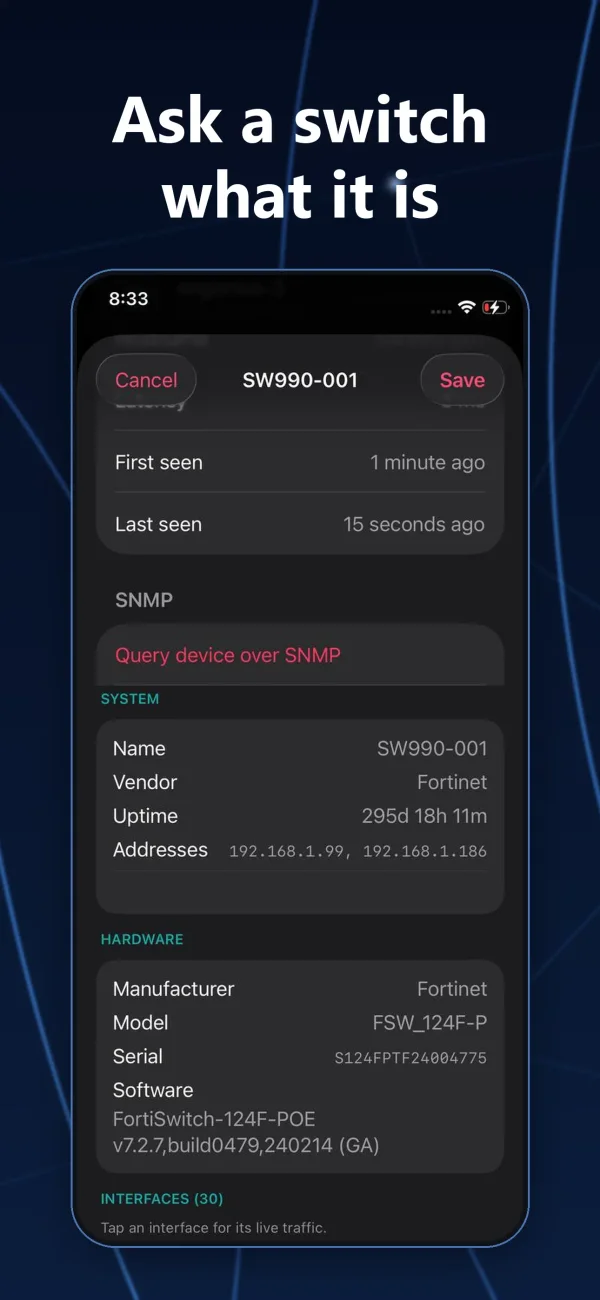
▸ SNMP, PROPERLY
v1, v2c and v3 with USM authentication and privacy. Printers (toner, page count), NAS and servers (storage, CPU), switches — including the bridge tables that map what is plugged into which port.
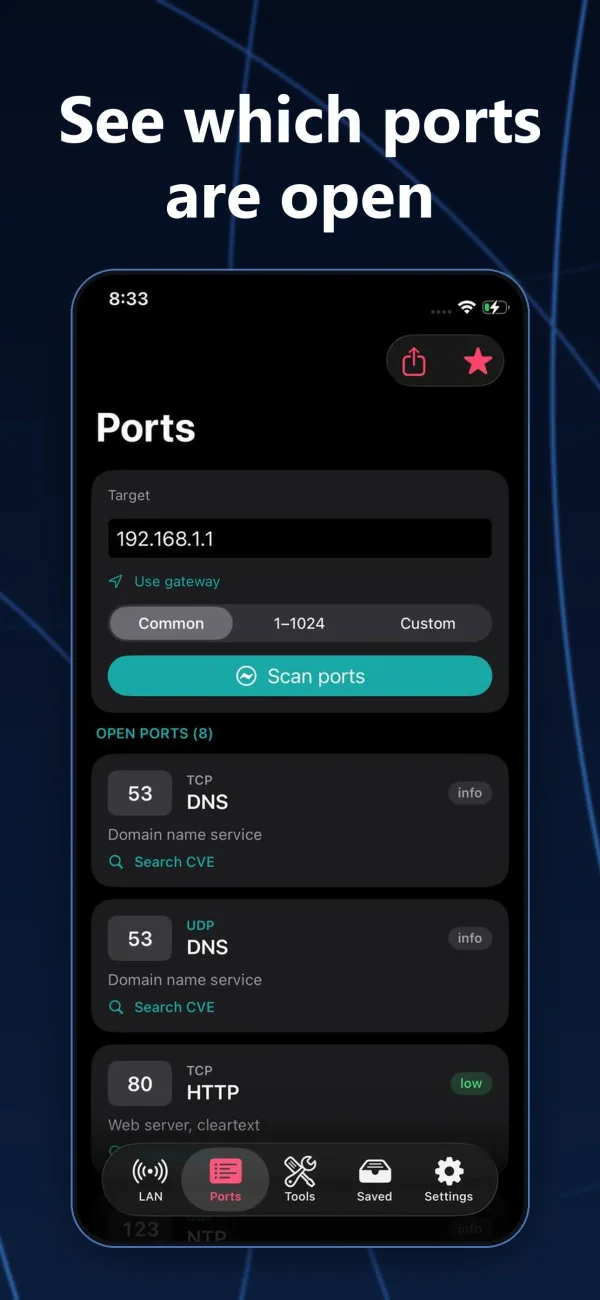
▸ PORT SCANNER
TCP scan with service names, descriptions and a risk rating, plus real UDP probes (DNS, NTP, TFTP, mDNS, NetBIOS, SNMP).
▸ SSH, SFTP AND FTPS
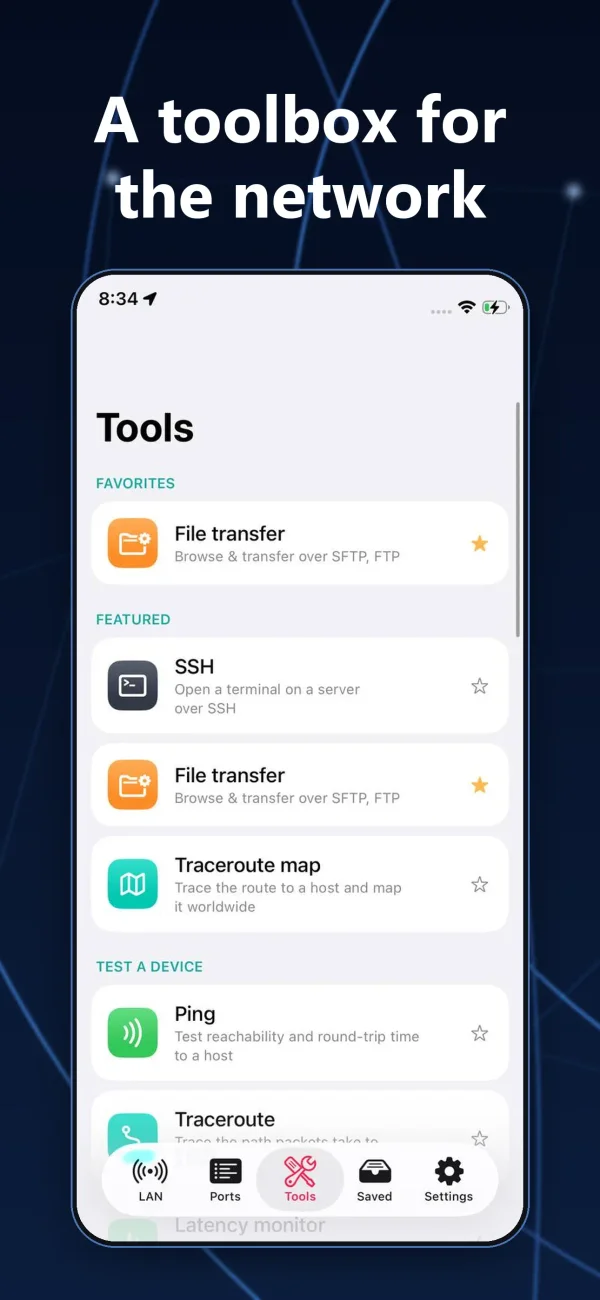
A terminal for your servers and switches, with saved hosts. Move files over SFTP, FTP or FTPS — the server's certificate is pinned the first time.
▸ DIAGNOSTICS
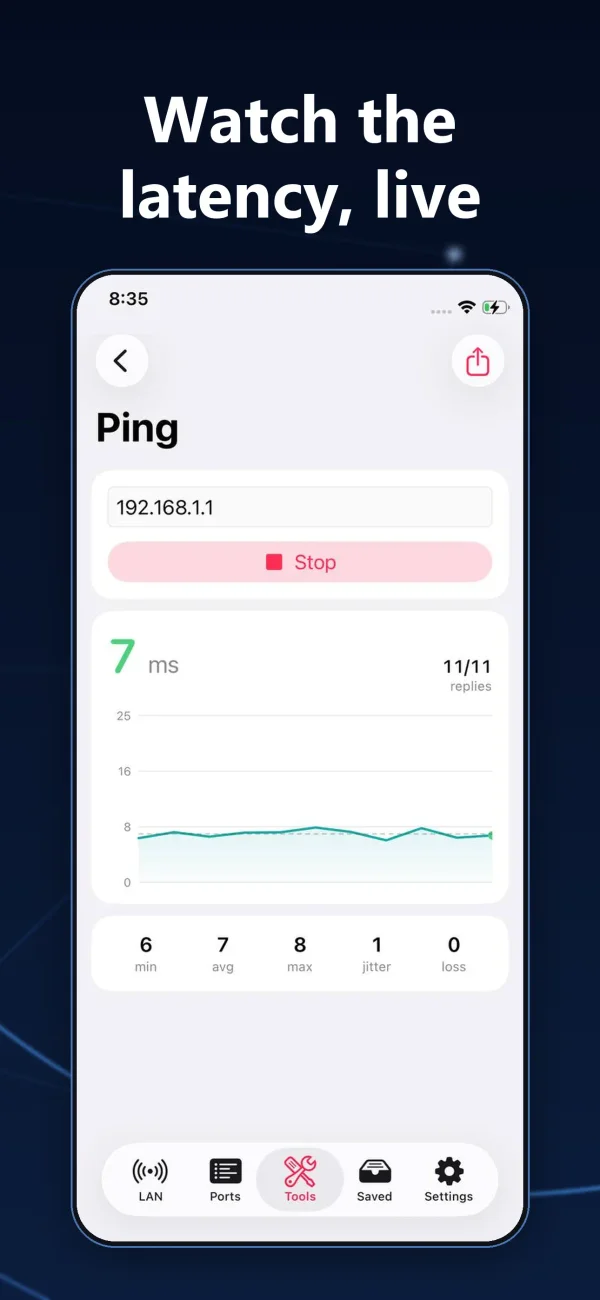
Ping and a latency monitor that draw the connection live: minimum, average, maximum, jitter and every lost packet. Traceroute on a map. DNS records, WHOIS, TLS inspector, subnet calculator, speed test, Wake-on-LAN, Bluetooth LE scanner, public IP and provider.
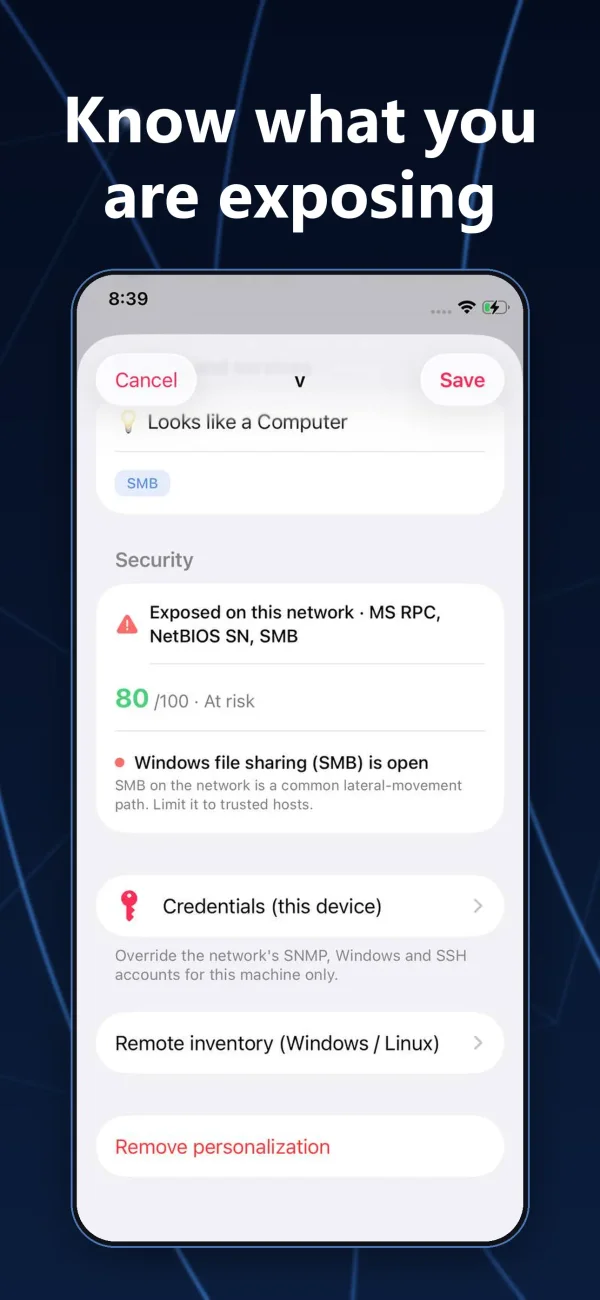
▸ SECURITY CHECKS
A network score with the reason for every point lost and how to fix it. Hostile-network check for the café Wi-Fi. LAN threat scan. Router security: UPnP port mappings and a check for factory-default logins.
Cameras & smart devices: finds IP cameras (ONVIF too) and flags video or management open without a password, Telnet, admin pages without HTTPS and cameras exposed to the internet. It never tries passwords.
Full report (PDF): grade, risky services, PC defenses and known flaws in one document.
▸ WHAT THIS APP DOES NOT DO ON iPHONE
Two things are missing on purpose, because iOS cannot do them honestly: a Wi-Fi analyzer (no public API lists nearby access points) and background monitoring (the system decides if and when a background task runs, and never says). The per-network timeline answers when you open the app.
NETBLADE PRO
NetBlade is free with ads. The scan, the device list, ports, ping, traceroute, DNS, the speed test, SNMP, the network score and backup are free. Pro adds the work: Windows and Linux inventory, the vulnerability details, SSH, file transfer, the latency and host monitors, the details of router security, threat scan and camera check, the full report and exports, unlimited saved networks.
A short video unlocks all of it for 24 hours. NetBlade Pro Lifetime is a one-time in-app purchase, at the price shown in the App Store, that unlocks everything for good and removes the ads. No subscription.
Terms of use: https://www.apple.com/legal/internet-services/itunes/dev/stdeula/
PRIVACY
NetBlade works offline. Scans are stored only on your device and never uploaded. The only traffic that leaves is what you ask for: public IP, certificate transparency, vulnerability check. Optional app lock with Face ID, Touch ID or a passcode.
NetBlade is for networks and devices you own or are explicitly authorized to test.
What’s new
Version 1.0.6 · Nov 23, 2026
• Asset sheet: a well-formatted PDF with everything known about a device — identity, ports, and the full Windows or Linux inventory (Pro).
• Manual gateway: set your router's address by hand for each saved network, for setups the app can't detect.
• A new opening: the shield draws itself and its circuits light up.
• More reliable scans.
• Port scanner: clear errors for wrong hosts, an updated risk table, readable versions, and many fixes.
App privacy
What Carmelina Cafaro declares on the App Store about how this app handles data.
-
Data used to track you
May be used to track you across apps and websites owned by other companies.
- Identifiers
- Usage data
-
Data not linked to you
May be collected but is not linked to your identity.
- Location
- Identifiers
- Usage data
- Diagnostics
Privacy practices may vary, for example with the features you use or your age.
Information
- Seller
- Carmelina Cafaro
- Category
- Utilities
- Version
- 1.0.6
- Updated
- Nov 23, 2026
- Released
- Nov 5, 2026
- Size
- 32.3 MB
- Requires
- iOS 17.0 or later
- Age rating
- 4+
- Price
- Free
- In-app purchases
- Yes
- Languages
- English, Bengali, Bulgarian, Catalan, Croatian, Czech, Danish, Dutch, Estonian, Filipino, Finnish, French + 30 more
- Copyright
- © 2026 Innovatek Software
You might also like
-
 Live Tech ToolkitAudio & video test tools
-
 FieldNOC: Network ToolsSubnet Calculator, Ping & SSH
-
 Penknife – Utility ToolkitPrivate tools in your pocket
-
 LanScan ProLan Scanner for IPv4 and IPv6.
-
 Network IP Scanner ToolboxNetwork Scanner & Tools
-
 NetScope: IP & LAN ToolkitScan, diagnose and inventory
-
 AGD RemoteControl AdGuard DNS in one app
-
 Storage Cleaner |Extra Storage & Photo Cleaner
-
 AirTransfer: Files & ClipboardFast & Secure File Sharing
-
 MentisODNUtilities