
NetGraph-WiFi Graphs
Wi‑Fi Survey
Designed for iPhone, iPad, Mac
$0.99 · In-app purchases
- Age rating4+
- CategoryUtilities
- Developer灿灿 李
- LanguagesEnglish+ 1 more
- Size9.0 MB
Links to the official App Store page
Download.org hosts no file of NetGraph-WiFi Graphs. The button opens its official App Store page, published by 灿灿 李. Listing last checked on Nov 18, 2026.
Screenshots


About
NetGraph is a professional Wi-Fi site survey and heatmap app for network engineers, IT teams, installers, and low-voltage integrators.
From floor plans and field measurements to visual analysis and client-ready reports, NetGraph helps you find weak coverage, channel interference, roaming issues, latency, packet loss, and other network problems in one organized workflow.
PROJECTS & FLOOR PLANS
• Organize survey data by customer, project, and floor
• Import floor plans from Photos or Files
• Calibrate plan scale and choose the site type and survey precision
• Define target Wi-Fi networks and manage sample points and measurements
• Place routers, access points, and wireless controllers directly on the plan
• Import, export, and archive project packages
• Open project files created with earlier versions of NetGraph
ON-SITE SURVEYS
• Capture measurements immediately or plan sample points in advance
• Create, move, and manage sample points on the floor plan
• Add photos and notes, and flag locations that need to be surveyed again
• Show each point's name or its current metric value
• Keep every measurement tied to its real location for easier review and comparison
WI-FI DIAGNOSTICS
On Mac, NetGraph provides deeper Wi-Fi scanning and RF analysis, including:
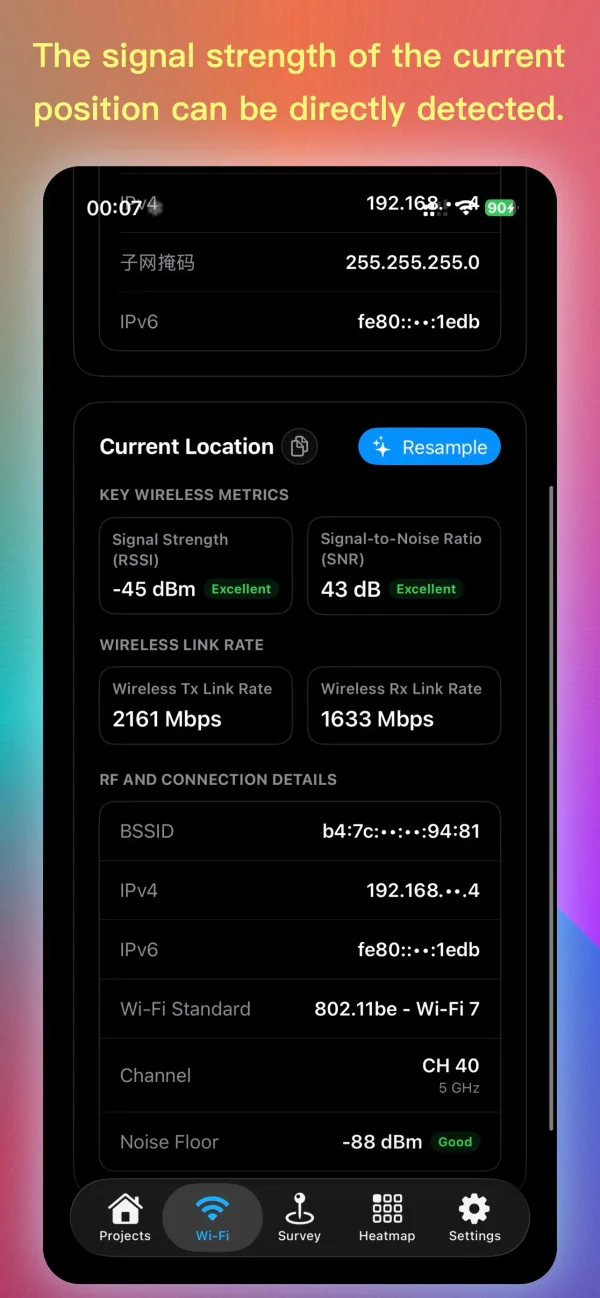
• Signal strength, signal-to-noise ratio, and noise
• Channel, band, BSSID, and link rate
• Wi-Fi standard, security, and IP details
• Nearby access points, channel utilization, and interference conditions
On iPhone and iPad, an optional Shortcut can collect enhanced Wi-Fi details during mobile surveys.
NETWORK PERFORMANCE TESTING
Measure real-world network performance in addition to wireless signal quality:
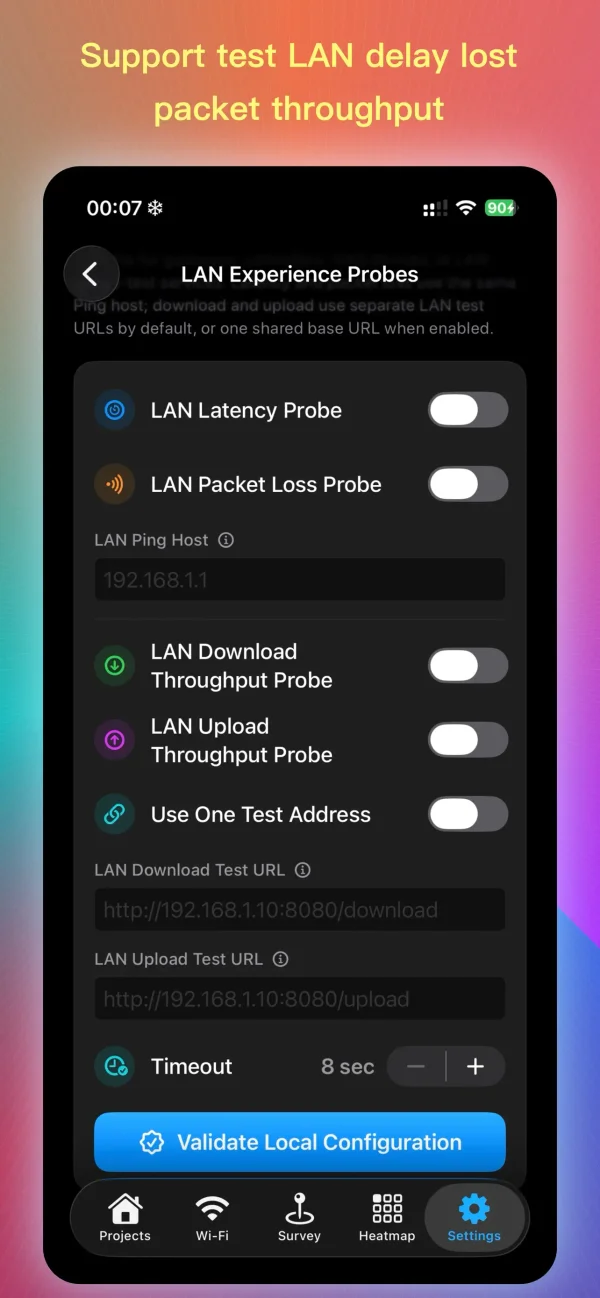
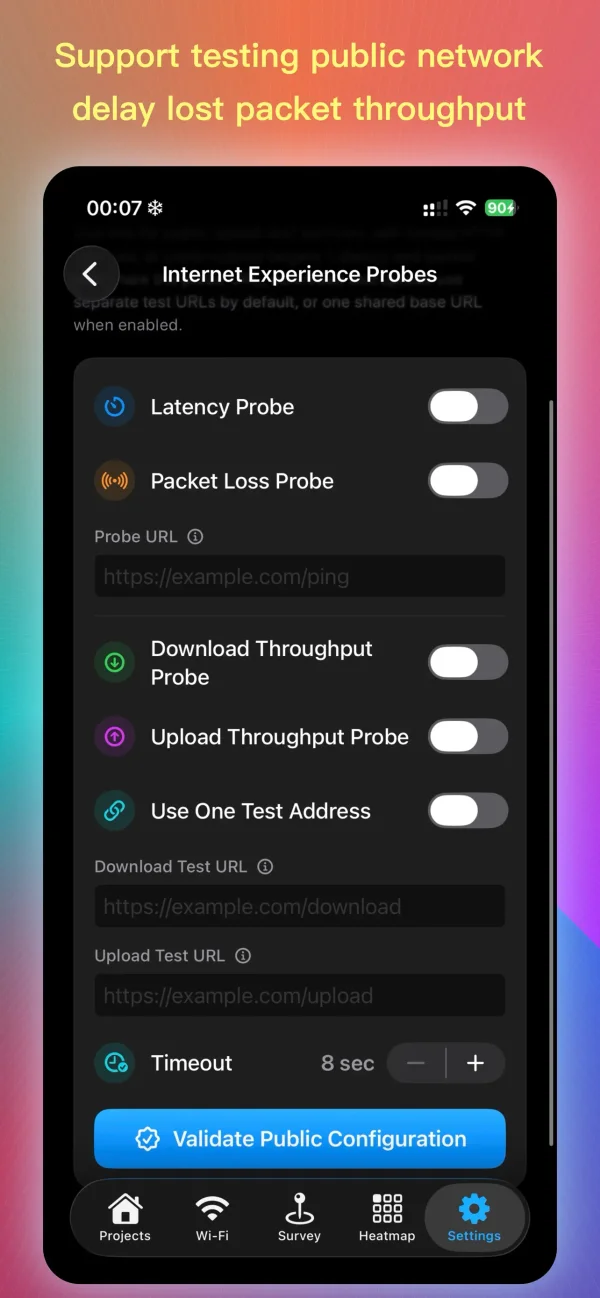
• Internet and local network latency
• Packet loss
• Download throughput
• Upload throughput
Configure separate Internet or LAN test targets to help determine whether an issue comes from Wi-Fi coverage, the local network, or the upstream connection.
WI-FI ROAMING TESTS
• Observe transitions between access points
• Track AP changes, latency, packet loss, and connection events
• Save and review previous roaming sessions
• Export roaming results as PDF
Ideal for multi-AP environments such as offices, hotels, schools, retail spaces, and warehouses.
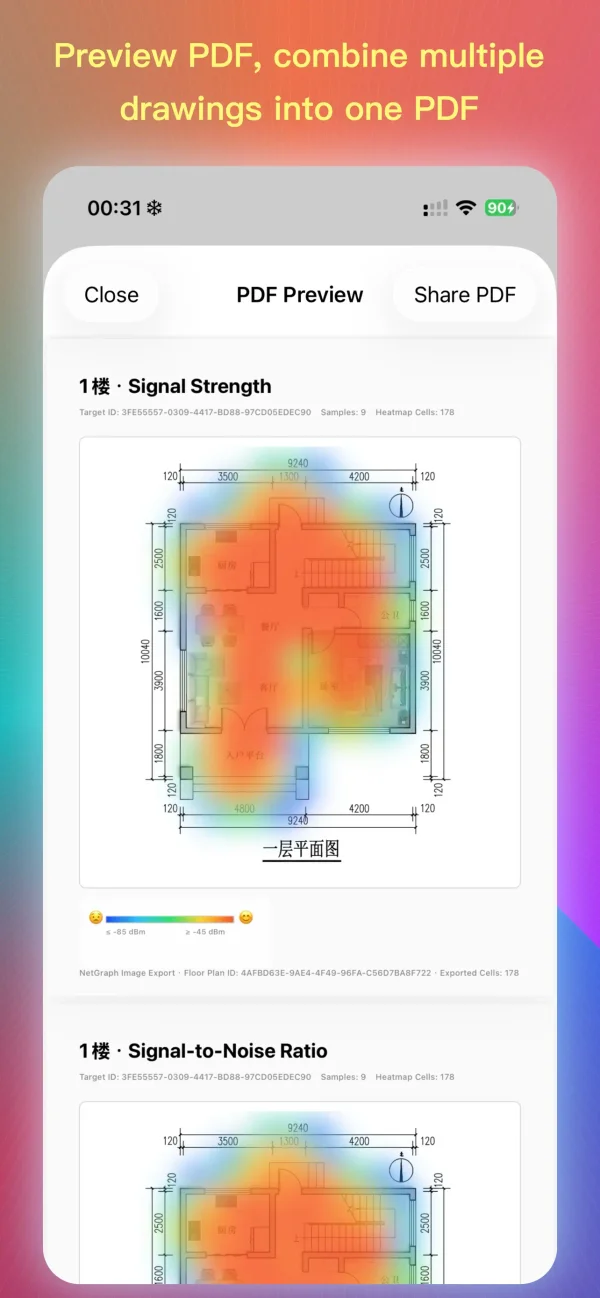
MULTI-METRIC HEATMAPS
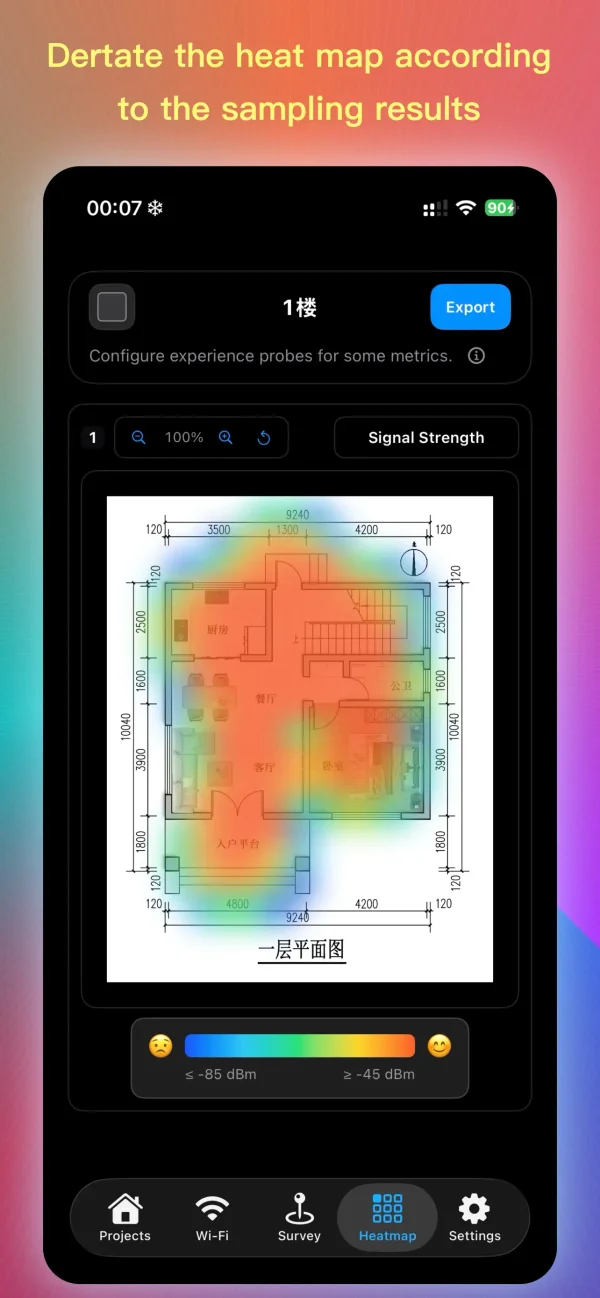
Turn floor plans and survey measurements into heatmaps for signal strength, SNR, noise, link rate, download and upload throughput, latency, packet loss, and more.
• Compare multiple metrics side by side
• View plain-language explanations for each metric
• Customize heatmap color palettes
• Label points with their names
• Label points with the metric shown on the current heatmap
• Hide points completely for a clean heatmap view
PNG & PDF EXPORT
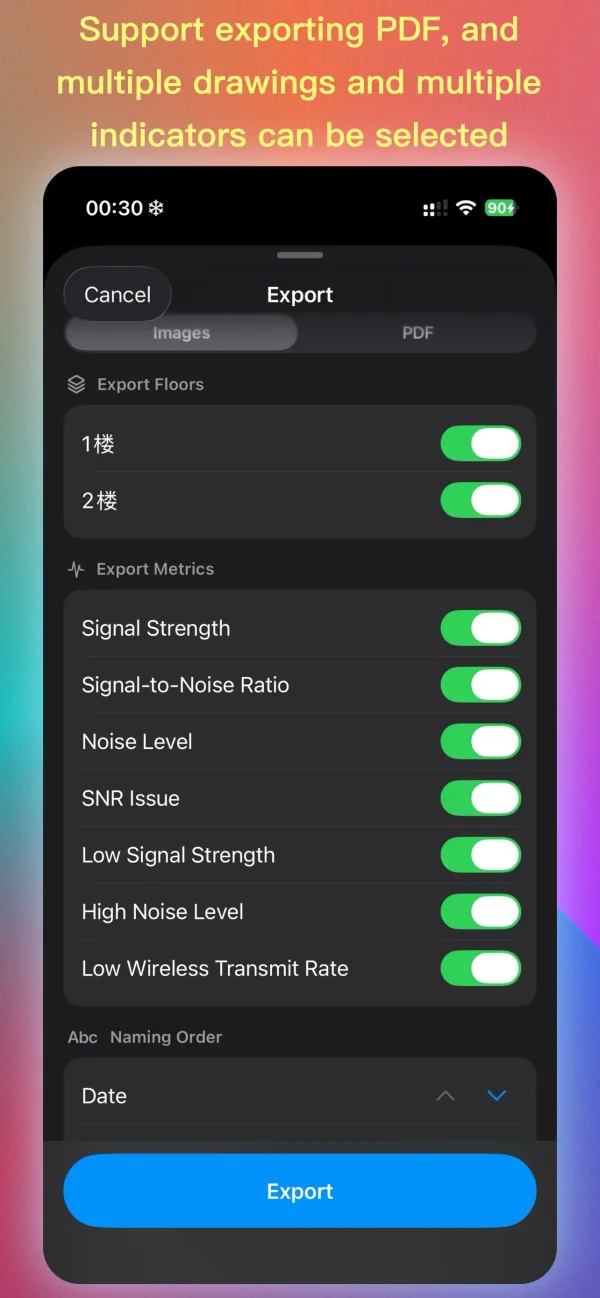
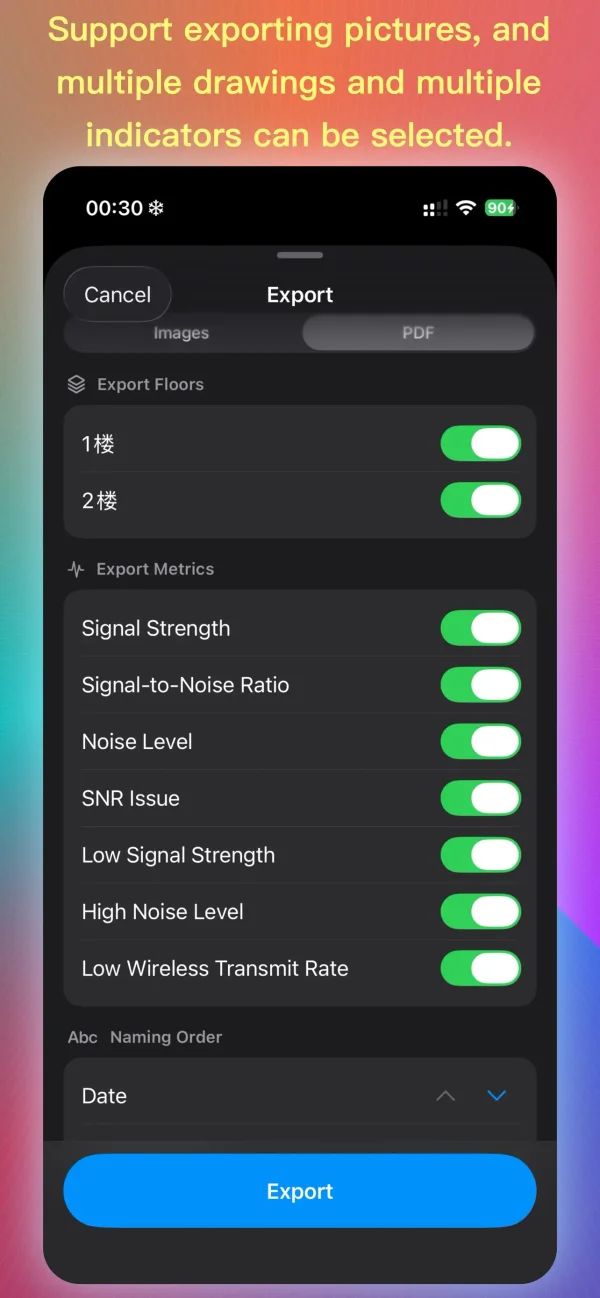
• Export heatmaps as PNG images
• Create multi-page PDFs covering multiple floors and metrics
• Generate a separate image or PDF page for each floor and metric combination
• Choose the floors, metrics, and filename order
• Show or hide sample points, network devices, and metric explanations
• Display point names or the metric value for the current export page
BUILT FOR MAC, IPHONE & IPAD
The complete project, survey, performance testing, roaming, heatmap, and export workflow is available across Mac, iPhone, and iPad, with controls tailored to each device.
Mac adds more comprehensive Wi-Fi scanning, channel utilization, and nearby interference analysis. iPhone and iPad make it easy to walk the site, collect measurements, verify fixes, and present results in the field.
NetGraph supports English and Simplified Chinese, as well as Dark Mode, bringing Wi-Fi surveying, troubleshooting, and reporting together in one clear workflow.
Terms of Use (EULA):
https://www.apple.com/legal/internet-services/itunes/dev/stdeula/
Terms of Service:
https://silentblankpage.github.io/NetGraph-terms.html
What’s new
Version 1.0.5 · Aug 27, 2026
This update gives Free users more room to test their home Wi‑Fi.
The sampling point limit on each floor plan has increased from 5 to 10.
Check more rooms, including the living room, bedrooms, home office, and more, without upgrading.
Build a more complete picture of your home’s Wi‑Fi coverage and spot areas with weak signal or poor performance.
We hope this makes it easier for more families to complete a useful home Wi‑Fi survey with NetGraph.
App privacy
What 灿灿 李 declares on the App Store about how this app handles data.
-
Data not collected
The developer does not collect any data from this app.
Privacy practices may vary, for example with the features you use or your age.
Information
- Seller
- 灿灿 李
- Category
- Utilities
- Version
- 1.0.5
- Updated
- Aug 27, 2026
- Released
- Jun 9, 2026
- Size
- 9.0 MB
- Requires
- iOS 18.0 or later
- Age rating
- 4+
- Price
- $0.99
- In-app purchases
- Yes
- Languages
- English, Simplified Chinese
- Copyright
- © Leon Lee
You might also like
-
 小窗弹幕Utilities
-
 MusicPocket - 音乐口袋Utilities
-
 TimePulseHabit, Mood & Streak Tracker
-
 Dark Light: Web Theme SwitchDark or Light? You decide!
-
 Sale Countdown & Deal TimerPrecise Clock & Float Timer
-
 Wooden Fish: Relax & FocusTap muyu, white noise & calm
-
 Aura Notes AIRecord, Transcribe, Summarize
-
 Toopee - 情侣互动游戏编辑器Utilities
-
 XYZMoney-玲珑记账智能语音记账,轻松掌控财务!
-
 Paws CarePet Health & Reminder Tracker