
Network Lab
LAN Scanner, Ping & DNS
Designed for iPhone, iPad
Free · In-app purchases
- Age rating4+
- CategoryUtilities
- DeveloperMichael Lauer
- LanguagesEnglish+ 1 more
- Size41.4 MB
Links to the official App Store page
Download.org hosts no file of Network Lab. The button opens its official App Store page, published by Michael Lauer. Listing last checked on Nov 16, 2026.
Screenshots



About
Network Lab is a privacy-first LAN scanner and network toolbox for iPhone, iPad and Apple silicon Mac.
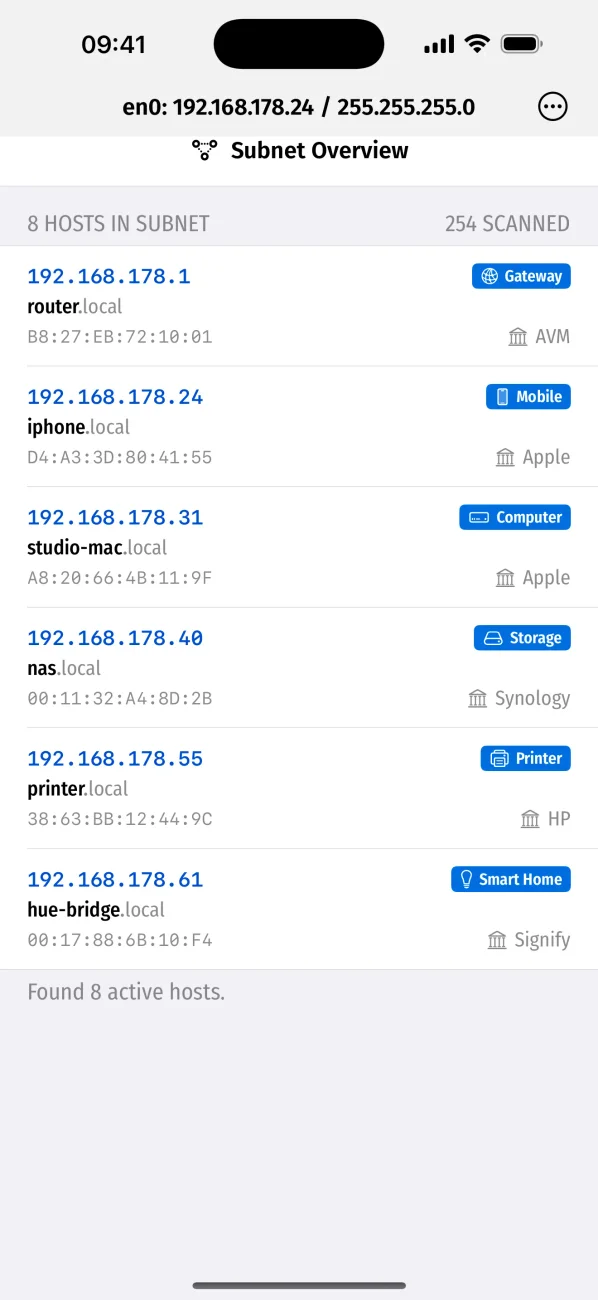
Use it to discover devices on your Wi-Fi or wired network, inspect Bonjour and Zeroconf services, monitor favourite hosts and troubleshoot common connectivity problems without creating an account or uploading scan data to a cloud service.
What Network Lab helps with:
- Scan your local subnet and identify active hosts
- Browse Bonjour / Zeroconf services and service records
- Inspect IP addresses, MAC addresses, vendors, ports and host details where available
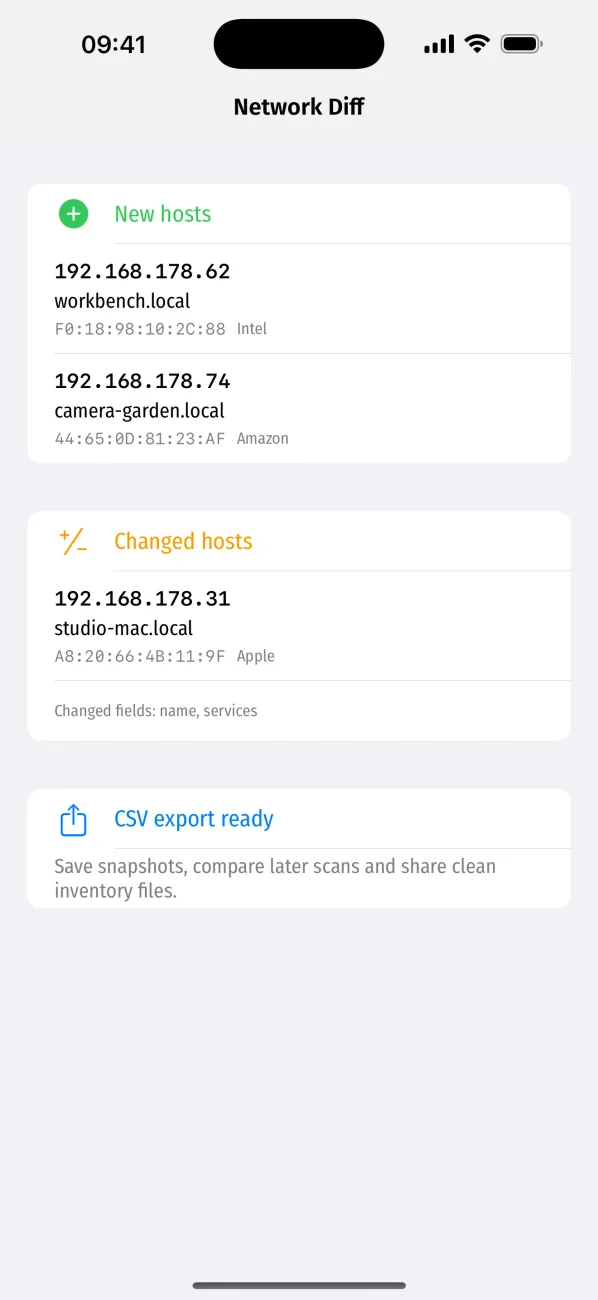
- Save network snapshots, compare scans and export results as CSV
- Monitor favourite hosts for reachability
- Run ping, traceroute, DNS lookup, whois and bandwidth tests
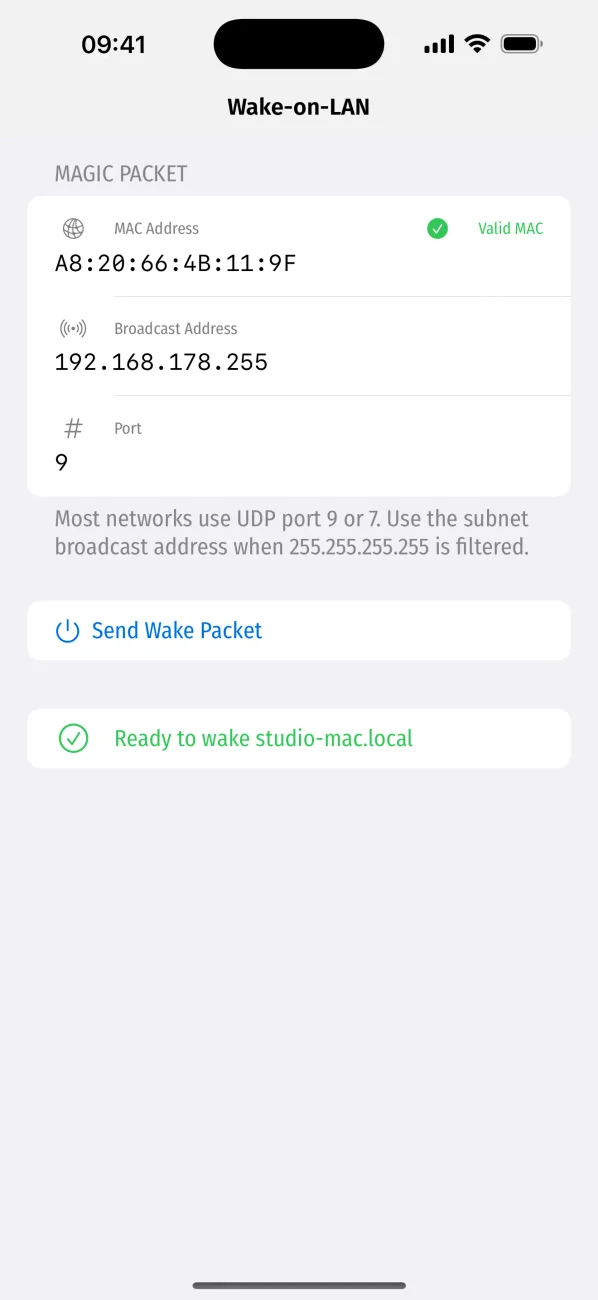
- Send Wake-on-LAN magic packets to sleeping devices
- Open SSH sessions to known hosts
Network Lab is built for home labs, small offices, developers, admins and curious users who want a clear view of their own network. The core LAN scanner stays available for free, while Pro unlocks the extended diagnostic tools.
What’s new
Version 1.2 · Nov 15, 2026
Network Lab 1.2 makes scans faster, more visual and easier to understand.
New in this version:
- Network map: see your subnet as an interactive map, not just a list
- Large networks such as public Wi-Fi are scanned around your device first – the entire subnet is still available on request
- Client isolation notice: explains why train, hotel or airport Wi-Fi shows no other devices
- More accurate device detection: roles from Apple device models, better Bonjour matching and more MAC addresses
- Add favourites by IP address or hostname
- Scan progress with an estimated remaining time
- More precise bandwidth test
- New app icon and refreshed launch screen
App privacy
What Michael Lauer declares on the App Store about how this app handles data.
-
Data not collected
The developer does not collect any data from this app.
Privacy practices may vary, for example with the features you use or your age.
Information
- Seller
- Michael Lauer
- Category
- Utilities
- Version
- 1.2
- Updated
- Nov 15, 2026
- Released
- Aug 27, 2025
- Size
- 41.4 MB
- Requires
- iOS 18.0 or later
- Age rating
- 4+
- Price
- Free
- In-app purchases
- Yes
- Languages
- English, German
- Copyright
- © 2026 Dr. Lauer IT
You might also like
-
 DR-NetToolsNetwork monitoring tool
-
 Playback for EosCue status for live events
-
 AlphaProbeScan Wi‑Fi & home networks
-
 DR-SoundMeterDecibel meter & noise levels
-
 LAN InsightScanner LAN e subnet IPv4
-
 DR-TerminalSSH, Telnet, SCP & SFTP client
-
 energieSmartUtilities
-
 Convert IT - All UnitsWork & Personal Conversion
-
 ECUconnectUtilities
-
 AVCommanderBuild UI & Control AV Devices