
- Age rating4+
- CategoryProductivity
- DeveloperImane Tavakoli
- LanguagesFrench+ 3 more
- Size90.3 MB
Links to the official App Store page
Download.org hosts no file of Nevven. The button opens its official App Store page, published by Imane Tavakoli. Listing last checked on Nov 22, 2026.
Screenshots



About
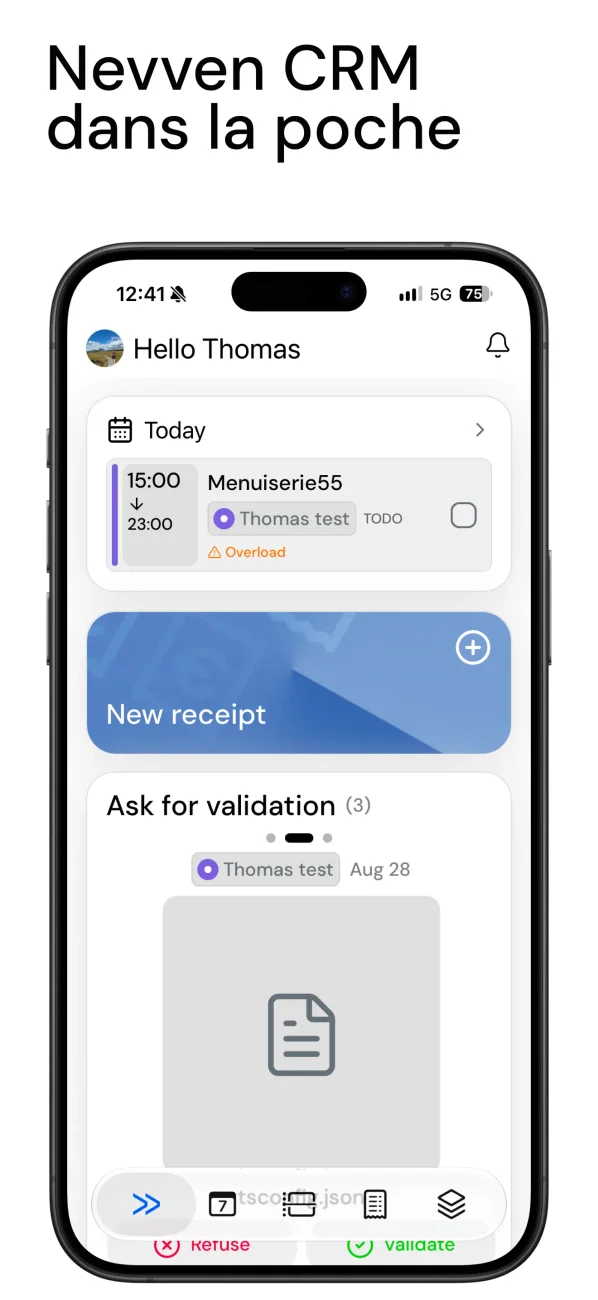
Boost your productivity with Nevven, the mobile version of the Nevven CRM, designed for professionals in the field. Track your projects, manage your tasks, log your hours and expenses — all from your smartphone.
Key Features:
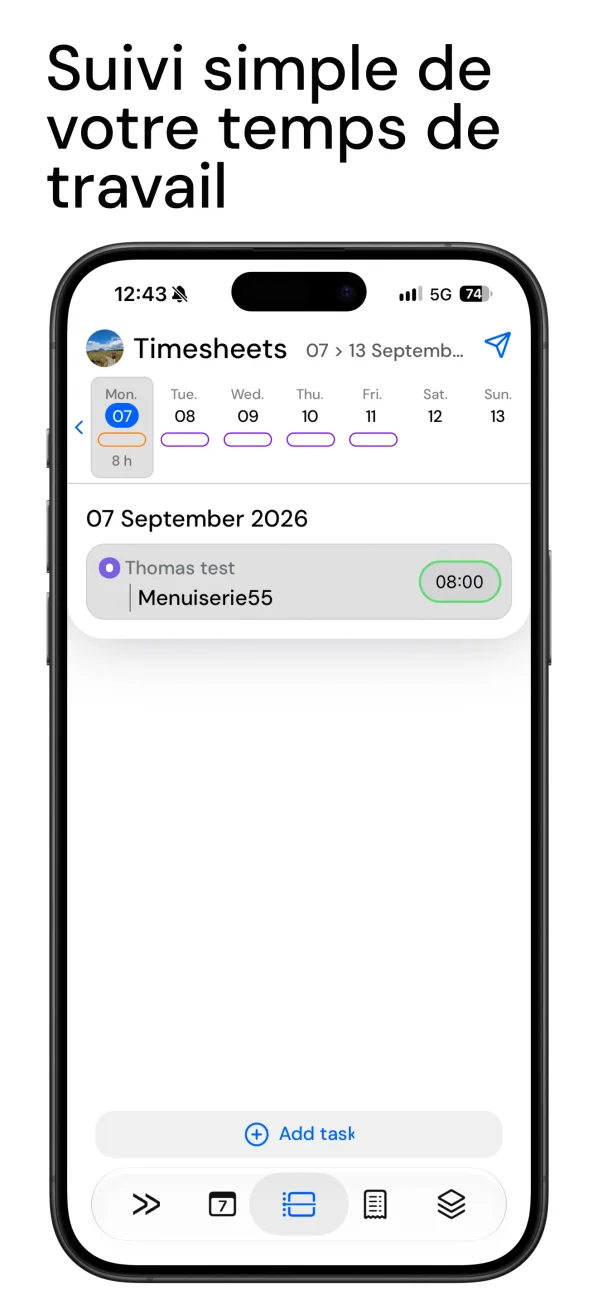
• Time tracking: Log your weekly hours in just a few seconds.
• Expense reports: Scan receipts and easily track your spending.
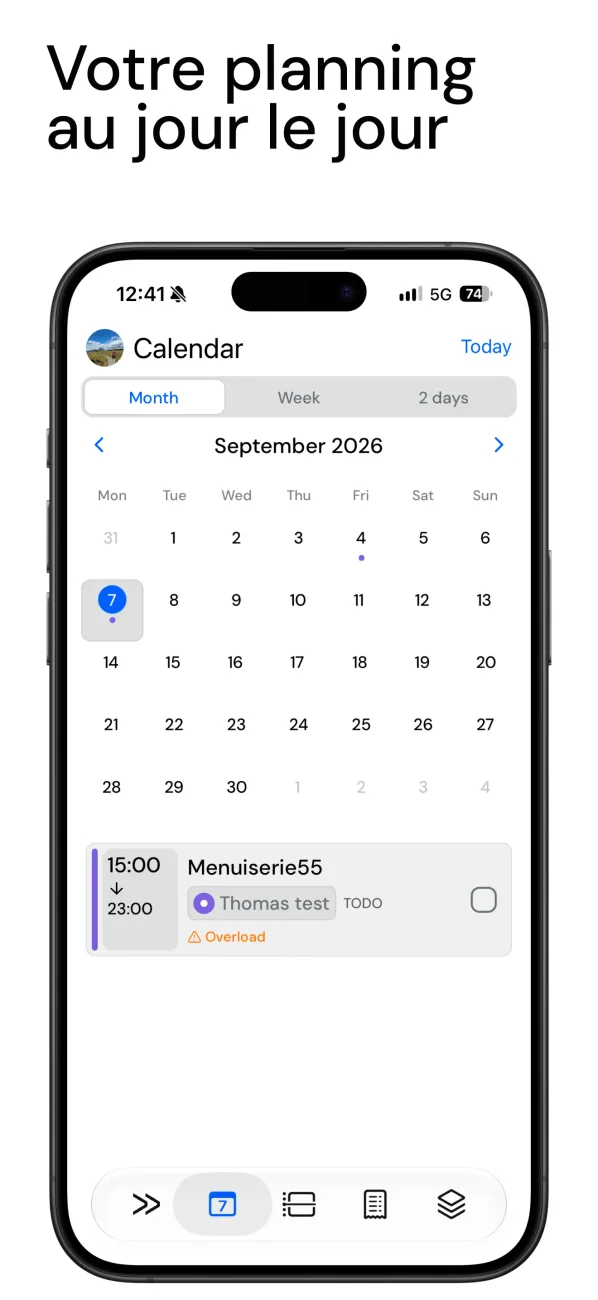
• Project management: Check the progress of all your projects at any time.
• Tasks & assignments: Quickly view what needs to be done and what’s in progress.
• Secure access: Log in to your Nevven account easily and securely.
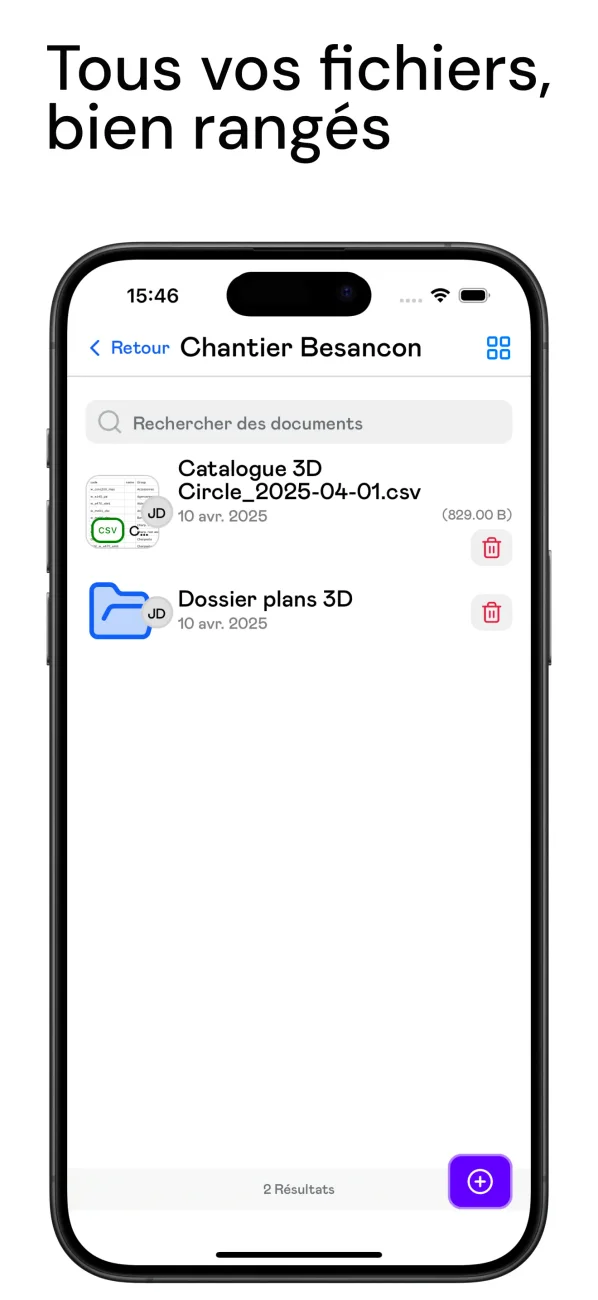
• Document sharing: Centralize key files for each project.
• Summary view: Instantly access essential information about your jobs and assignments.
Designed for mobility:
Whether you’re at the office, on the road, or at a job site, Nevven keeps you connected to your data and your team — effortlessly.
What’s new
Version 2.4.0 · Nov 19, 2026
Accounts: CRM in your pocket
- New "Accounts" tab: client profiles featuring interactions, deals, quotes, invoices, contacts, locations, and documents.
- Make calls, send messages, or get directions with a single tap; create new accounts directly from the app.
- New "Favorite Accounts" widget for the app home screen and your iPhone home screen.
Tasks
- Redesigned task view: includes status, dates, assignees, description, checklists, attachments, location, and dependencies.
- Take a photo or scan a document to add it as an attachment.
- Duplicate tasks, notify assignees, or add tasks to a timesheet.
Projects
- Create projects, filter and sort lists, and access project dashboards and tasks.
- View project locations on a map, with a "Get Directions" button.
Scheduling
- Timesheets are now integrated into the "Hours" view within the scheduling section, including the ability to import your scheduled slots for the day.
- View the schedule of individual team members.
Messaging and Document Management
- Voice notes in the messaging system.
- Offline access to documents, document scanning, and sorting/filtering options.
Notifications
- Filter notifications, mark all as read, and customize which types you receive.
Company
- New page containing company information.
Improvements
- Expanded offline functionality, bug fixes for Android and iPhone, and a more polished interface.
App privacy
What Imane Tavakoli declares on the App Store about how this app handles data.
-
Data linked to you
May be collected and linked to your identity.
- Contact info
- User content
Privacy practices may vary, for example with the features you use or your age.
Information
- Seller
- Imane Tavakoli
- Category
- Productivity
- Version
- 2.4.0
- Updated
- Nov 19, 2026
- Released
- May 15, 2025
- Size
- 90.3 MB
- Requires
- iOS 16.4 or later
- Age rating
- 4+
- Languages
- French, German, English, Italian
- Copyright
- © 2026 Caddev SAS
You might also like
-
 Wit GrainsProductivity
-
 Hunch: App Idea GeneratorOn-device AI for side projects
-
 BTP MobileProductivity
-
 My Contacts Cloud AppYour centralized contacts
-
 Elipce PlateformeProductivity
-
 RGM BTPProductivity
-
 GesworkProductivity
-
 Catalogue Digital - CKToolsProductivity
-
 RebusPlanProductivity
-
 eProject Timesheet ProjectsWorking Hours Holidays Request