
Newmonth: Zero-Based Budgeting
Envelope budget in your iCloud
Designed for iPhone, iPad
Free
- Age rating4+
- CategoryFinance
- DeveloperBogdan-Florin Vlad
- LanguagesEnglish+ 1 more
- Size12.0 MB
Links to the official App Store page
Download.org hosts no file of Newmonth: Zero-Based Budgeting. The button opens its official App Store page, published by Bogdan-Florin Vlad. Listing last checked on Nov 27, 2026.
Screenshots


About
How much can you spend today? Not your balance, but what's actually free after rent, November's insurance, and the trip you're saving for. Newmonth answers that with one number, and keeps it honest when plans change.
KNOW WHAT'S SAFE TO SPEND
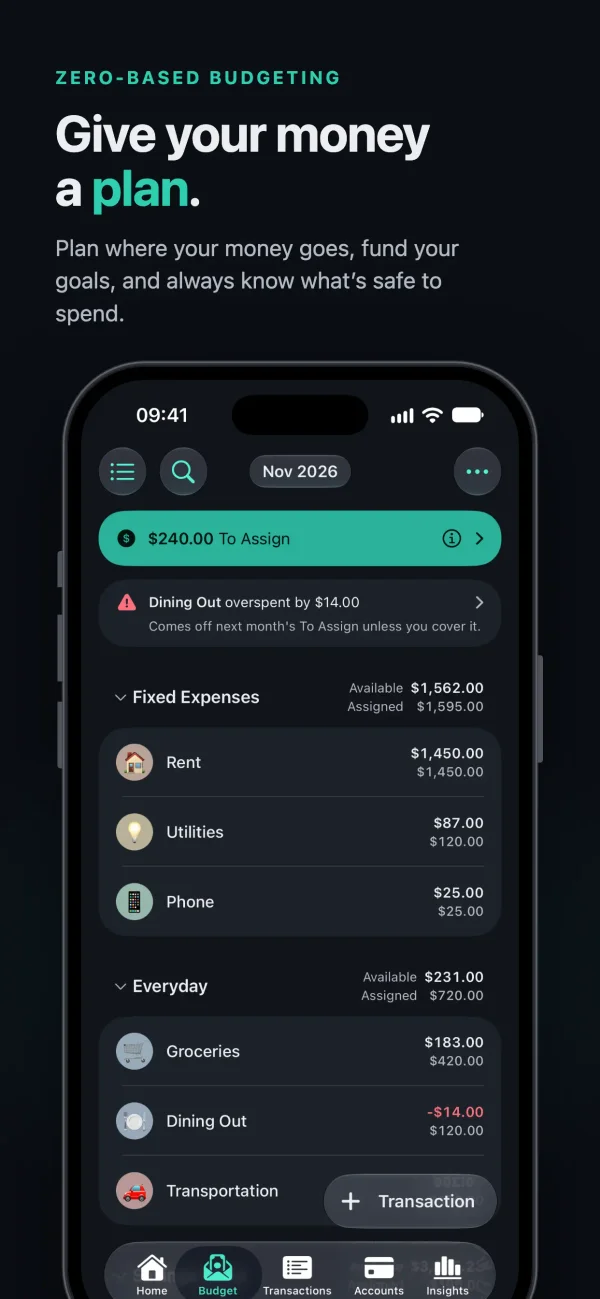
Zero-based budgeting in one sentence: plan where every amount goes before you spend it. Assign your income to categories until To Assign reads zero. From then on, each category's Available is the honest answer to "can I afford this?".
YOUR MONEY NEVER LEAVES YOUR ICLOUD
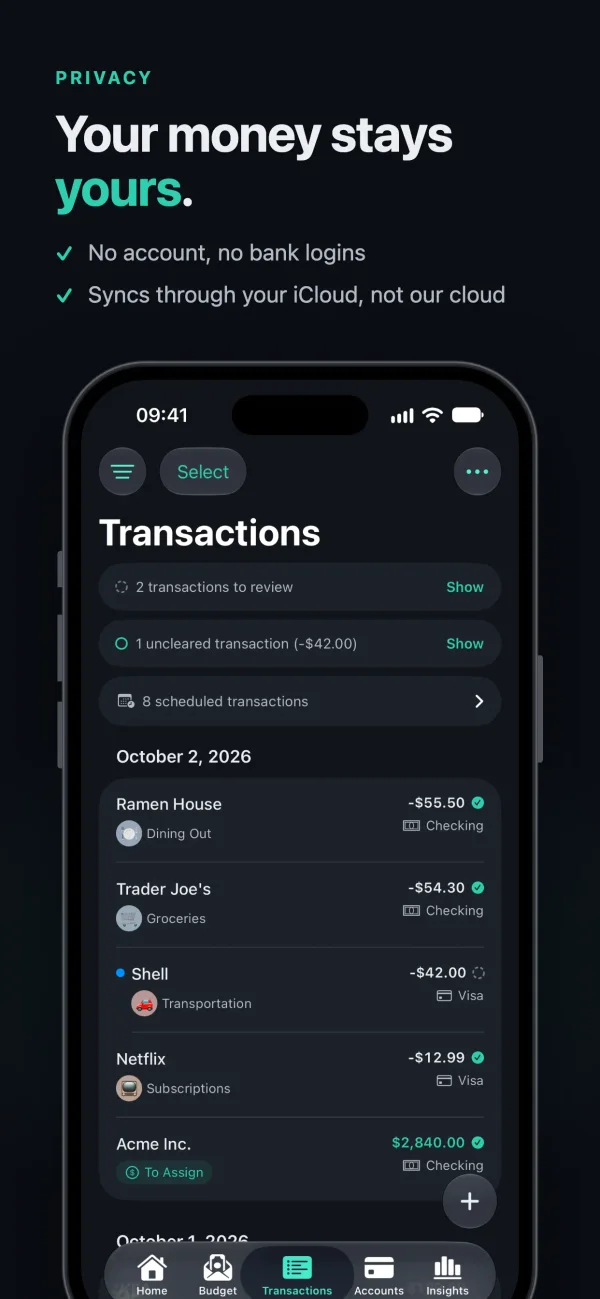
No account to create. No bank logins. No servers, because there are none. Your budget lives on your iPhone and iPad and syncs through your own iCloud, where nobody else can read it. Bring your budget over from YNAB, straight from your account or from an export, import statements as CSV, OFX, or CAMT, and export everything whenever you like. No lock-in.
PRICING
Newmonth is free today. Paid plans arrive with a future update, for less than a coffee a month, and if you're here before then, you get 3 months free. Pick a yearly or monthly subscription, or a one-time purchase that's yours for good; without one, the app keeps working read-only, and exporting your data always stays free. Details: newmonth.app/pricing
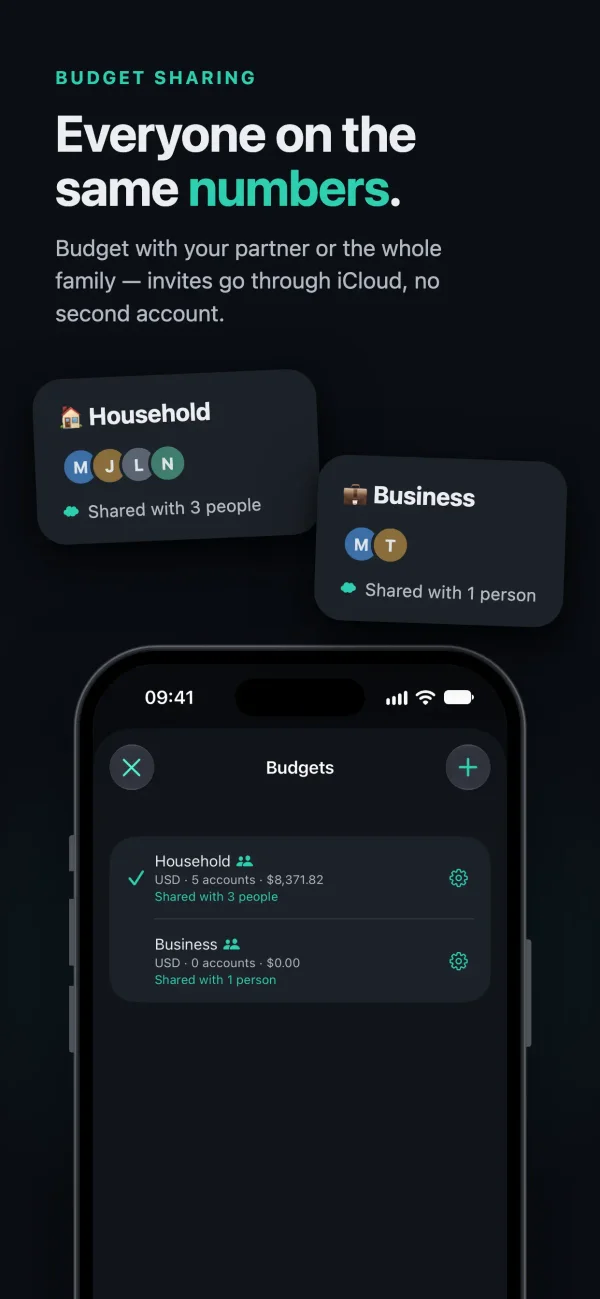
BUDGET TOGETHER, WITHOUT THE "WHO BOUGHT THIS?"
Share your plan with a partner through iCloud: you both see the same numbers, live, on your own devices. Give each account an owner, and every device opens new transactions on the right account and remembers payees per person. Every transaction shows who entered it, Assignment History who moved money, and Home what your partner added.
ADD A PURCHASE BEFORE YOU LEAVE THE SHOP
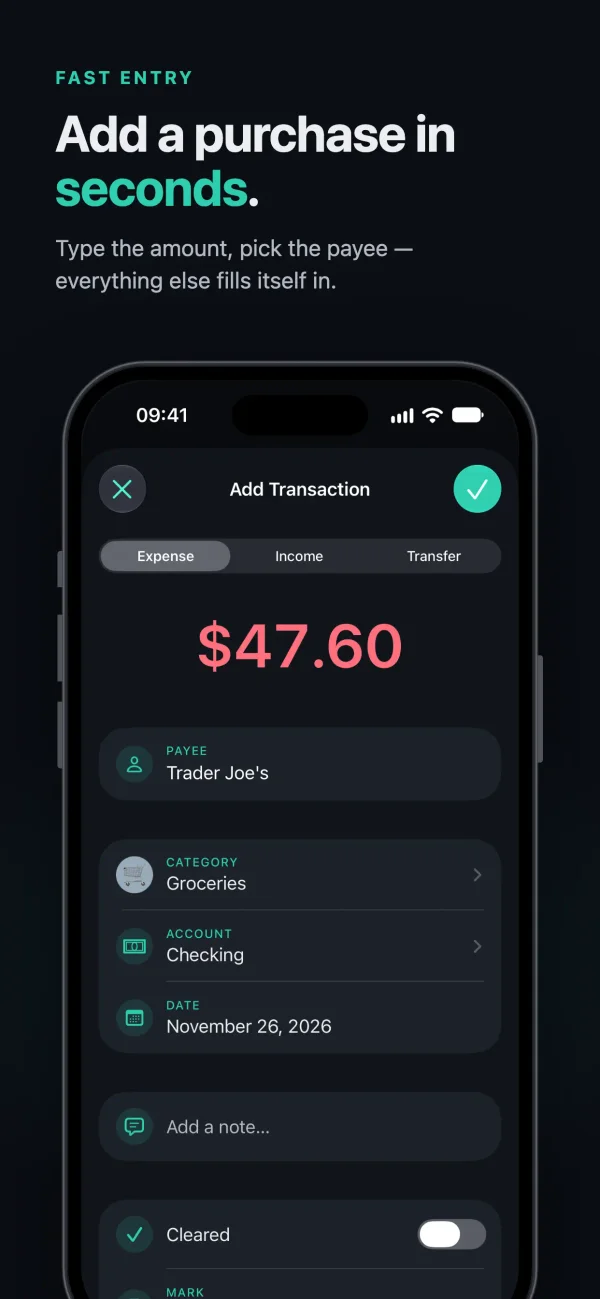
• Under five taps: type the amount, pick the payee, and the category and account fill in from last time
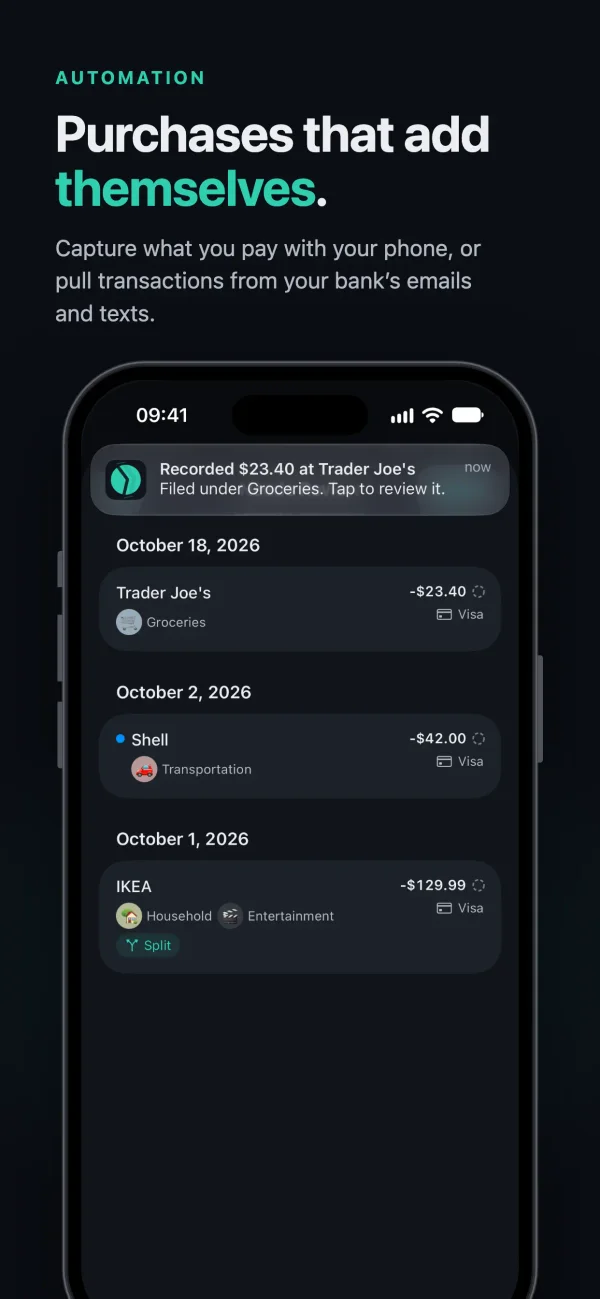
• Paid with Apple Pay? A one-time Shortcuts automation drops every tap into your budget, category included
• Does your bank email or text you about payments? A Shortcuts automation forwards those alerts to Newmonth and they become transactions, no bank login needed
• Bills that repeat post themselves on schedule, so you only enter what's new
OPEN THE APP, SEE WHAT'S LEFT TO DO
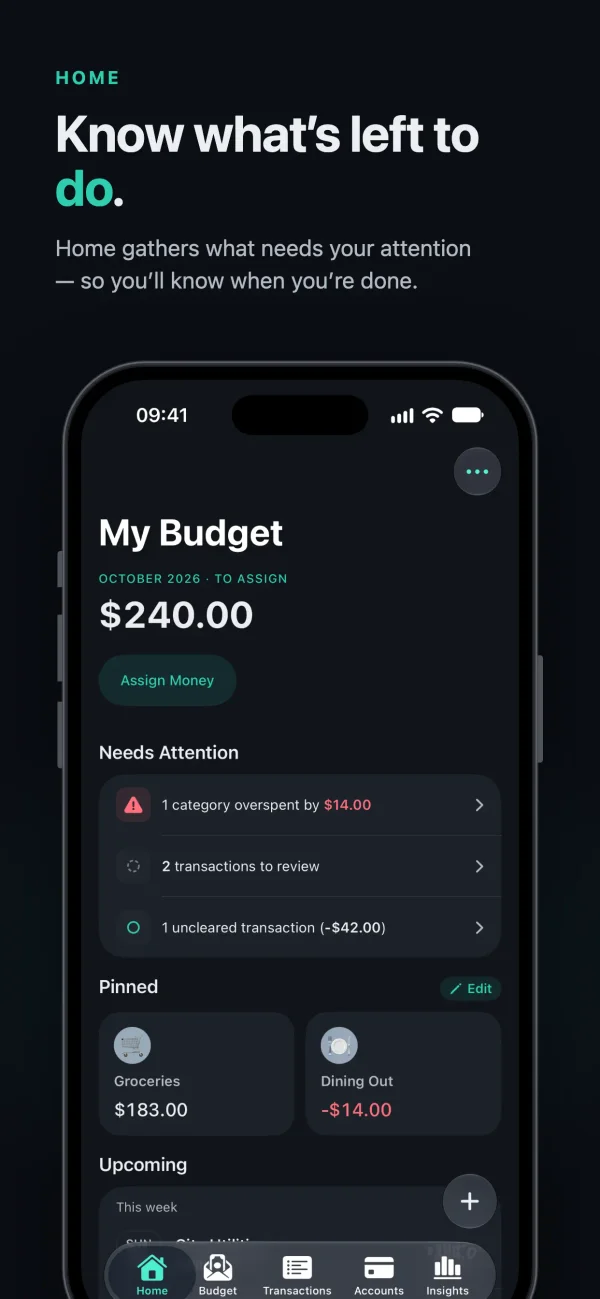
Home shows what to do next: what's still to assign, what needs attention (overspending, underfunded goals, a statement ready to pay, transactions to review), and what's due this month.
SAVE AT YOUR OWN PACE
Five kinds of goals: monthly, weekly, yearly, a savings balance, or needed by a date. Each one shows how far along you are.
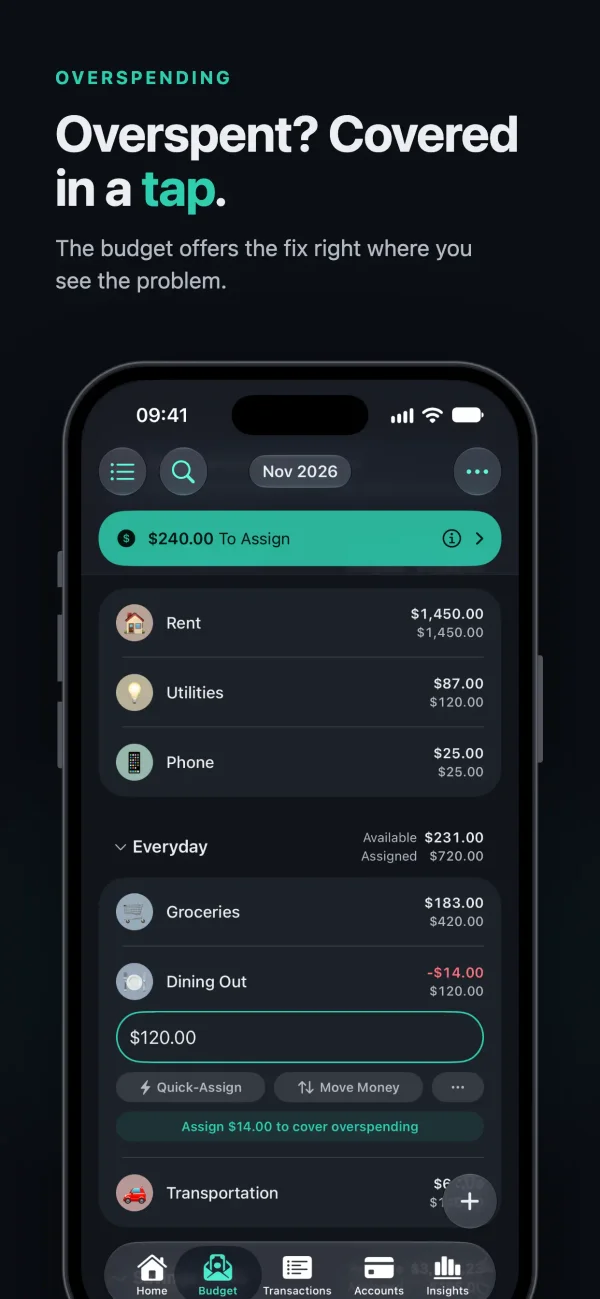
OVERSPENT? FIX IT WHERE YOU SEE IT
The moment a category goes over, the fix is right there: cover it from another category or from To Assign, one tap. Assigning works the same way: tap Assign Money, pick a category, type (a calculator is built in), and watch To Assign count down; nothing is saved until you finish. Or apply a rule: Underfunded, last month, or your twelve-month average. Each previews its total. Over-assigned? One tap takes back what sits beyond your goals.
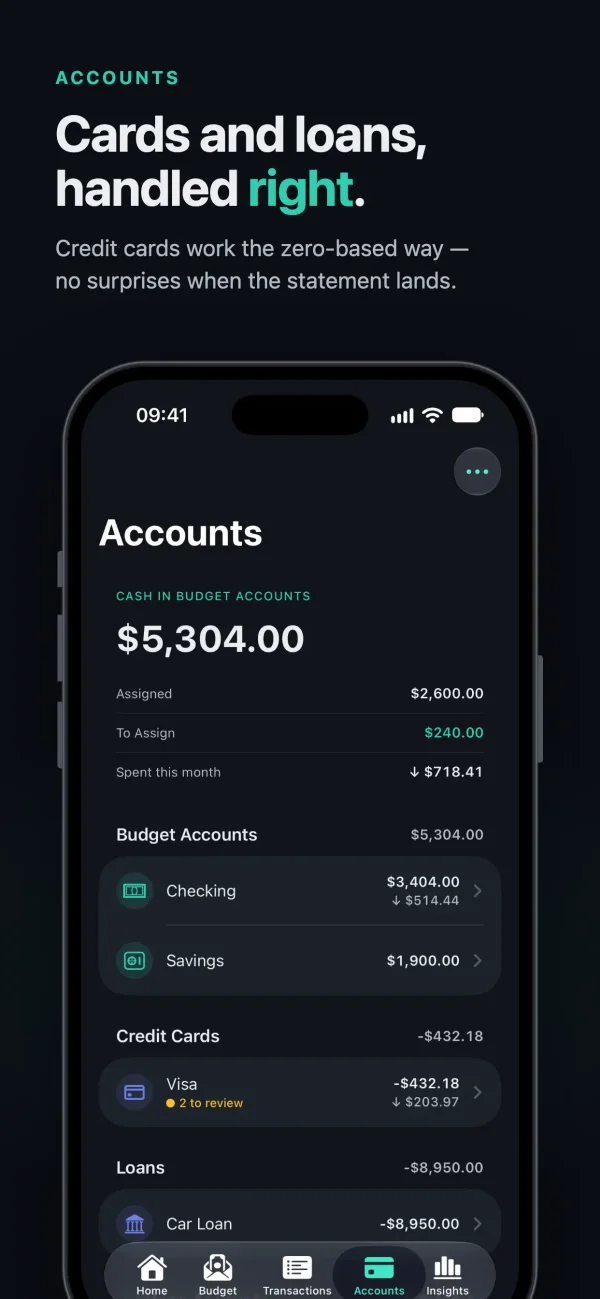
CREDIT CARDS WITHOUT THE HEADACHE
A credit card is just another account: spend from the category, pay the card with a transfer. If your categories are positive, the cash for the bill is already there. Every card's payments category, under Credit Card Payments, sets money aside per purchase and shows what's not covered. A statement ready to pay shows up on Home. Loans, cash, savings, investments with their gains, and net-worth tracking accounts live alongside.
SEE WHERE YOU STAND
Spending trends, category breakdowns, how many months ahead you live, and the odd fact your budget has been quietly collecting about you.
POWERFUL UNDERNEATH, SIMPLE ON TOP
Under the calm surface is the whole method: splits, transfers, scheduled transactions, marks, reconciliation against your real statements. On iPad, it spreads into columns and sidebars. Most of the effort went into making sure you rarely notice: simple enough for the person in your household who'd rather not budget, complete enough to trust with your financial data.
What’s new
Version 0.15.0 · Nov 26, 2026
• Every credit card now has its own payments category, showing how much of what you owe is covered.
• A card's screen shows where the card stands and how its month adds up.
• Overspent on a card? Now you can leave it on the card.
• Pay off a card by a date you choose.
• Assignment History shows where a category's money came from, and in a shared budget, who moved it.
Plus fixes for card statements, Move Money, bank imports, Insights and larger iPhones.
App privacy
What Bogdan-Florin Vlad declares on the App Store about how this app handles data.
-
Data not collected
The developer does not collect any data from this app.
Privacy practices may vary, for example with the features you use or your age.
Information
- Seller
- Bogdan-Florin Vlad
- Category
- Finance
- Version
- 0.15.0
- Updated
- Nov 26, 2026
- Released
- Aug 25, 2026
- Size
- 12.0 MB
- Requires
- iOS 26.0 or later
- Age rating
- 4+
- Price
- Free
- Languages
- English, German
- Copyright
- © 2026 Bogdan-Florin Vlad
You might also like
-
 Scout: Family BudgetForecast bills & net worth
-
 Good Envelope: Budget PlannerEnvelope budgeting made simple
-
 Budget Envelope Planner: PlaZero-Based Cash Budgeting
-
 BFF: Your Budget CompanionEasy Expense & Savings Tracker
-
 BudgetingBuddiBudgets by day, week, or year
-
 Expense Tracker - PLYVAGive every coin a job
-
 Spendly: Track Your ExpensesExpense Tracker
-
 Effortless BudgetBudget well. Splurge better.
-
 Allot: Zero-Based BudgetYNAB without the subscription.
-
 CashMap — Envelope BudgetTrack spending privately