
- Age rating4+
- CategoryTravel
- DeveloperJean Bovet
- LanguagesEnglish+ 3 more
- Size13.3 MB
Links to the official App Store page
Download.org hosts no file of Next Departure. The button opens its official App Store page, published by Jean Bovet. Listing last checked on Nov 17, 2026.
Screenshots

About
Next Departure displays the next departure times for a specific public transportation stop in Switzerland toward a destination:
• Next Departure relies on the phone's location to display the most relevant stop.
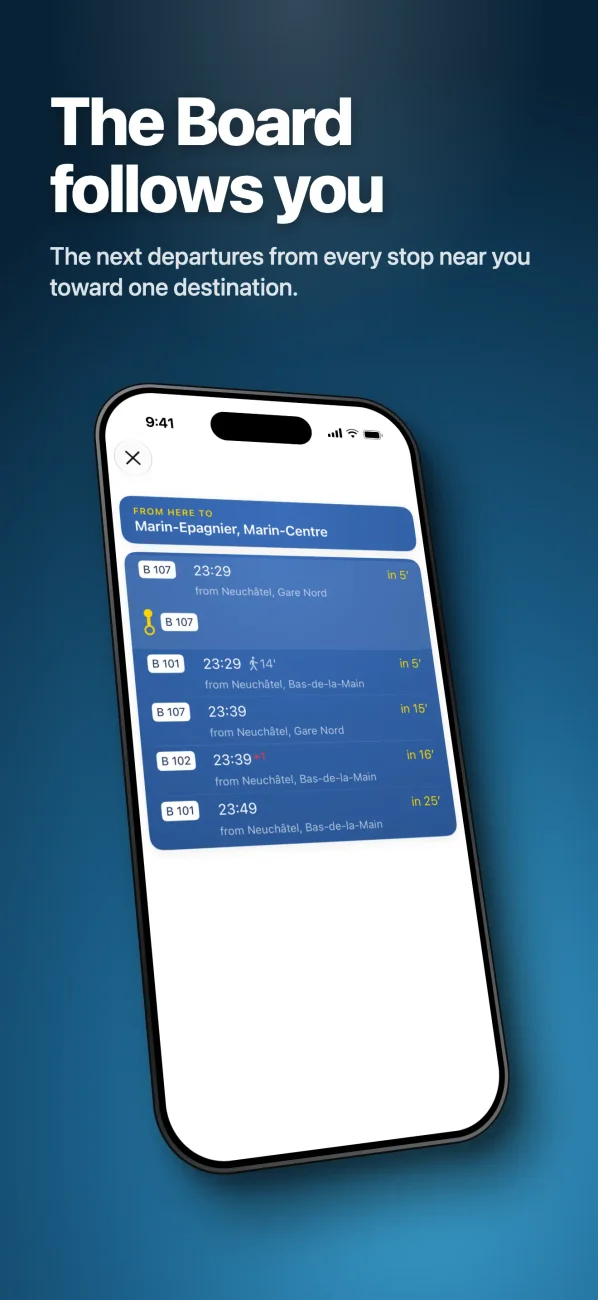
• The Board lists the next departures from every stop near you toward a destination.
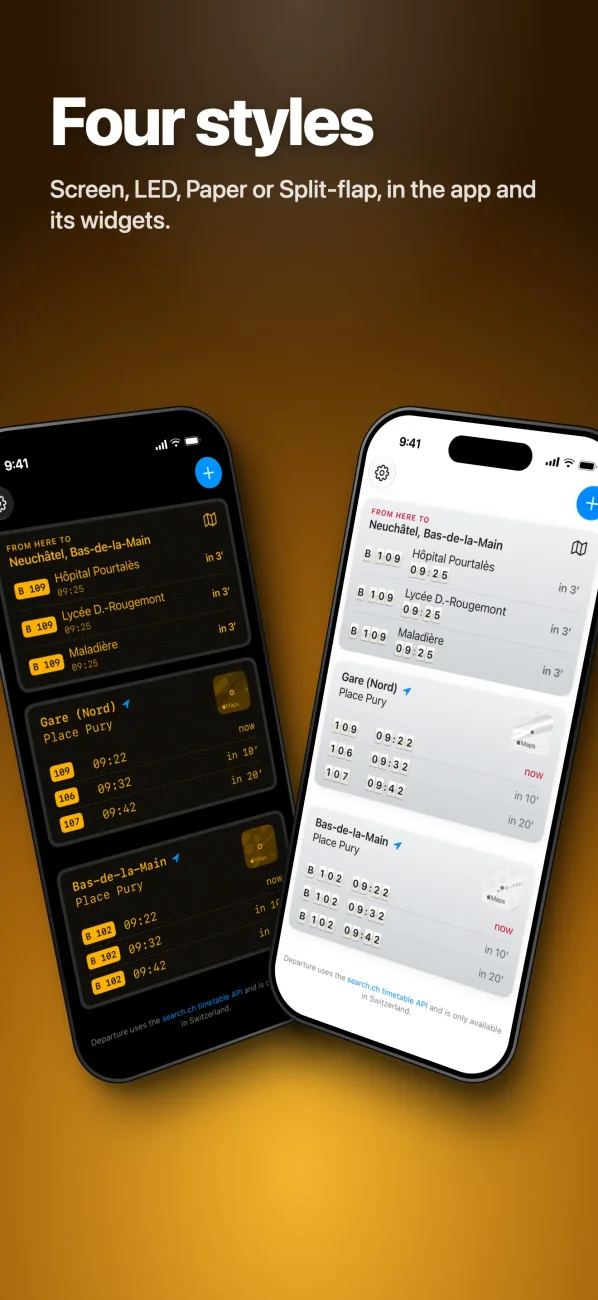
• Four styles for your trips, the Board and the widgets: Screen, LED, Paper and Split-flap.
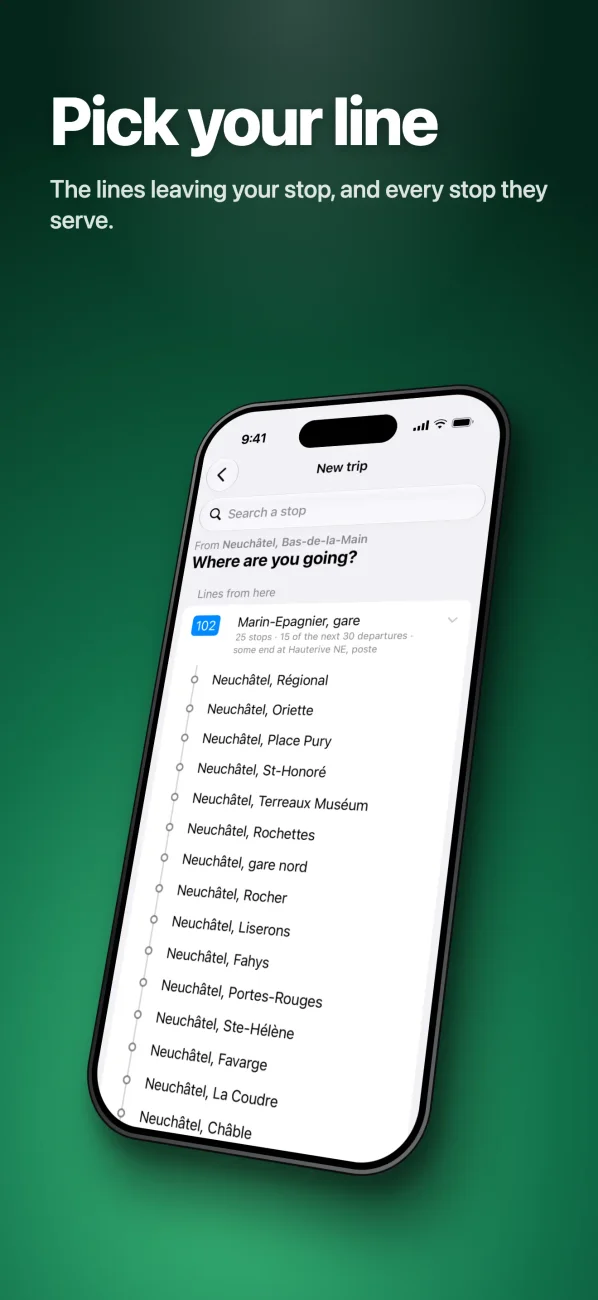
• When you add a trip, see the lines leaving your stop and every stop they serve.
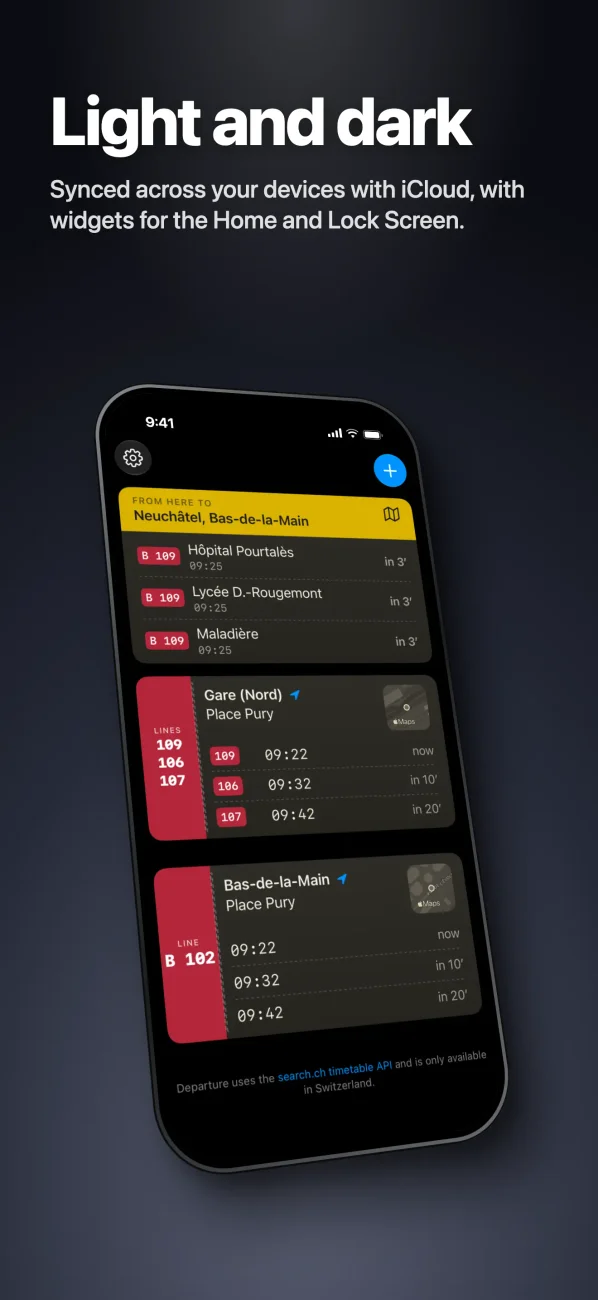
• Home Screen and Lock Screen widgets, and an Apple Watch app.
• All stops are synchronized across devices using iCloud.
Next Departure uses the search.ch timetable API (https://search.ch/timetable/api/help) and is only available in Switzerland.
What’s new
Version 2.0 · Oct 27, 2026
- A new look: choose between four styles (Screen, LED, Paper and Split-flap) for your trips, the Board, the details screens and the Home Screen widgets
- New app icon: the yellow bus sign on the blue of a station screen
- Departures are shown as rows everywhere, each with the line, the time and the minutes to go
- Getting started is simpler: the first screen offers the Board or your first trip, and a new trip goes from the stops near you to where you are going, then shows a summary before you add it
- When you choose a destination, the app lists the lines leaving your stop; open one to see its stops
- A + at the top adds a trip or the Board, and the gear opens the new Settings: the style, the order of your trips, and how long a bus that has left stays on screen
- A bus that should have left reads "left" and is dimmed, in case it is running late
- The Board stays at the top while your trips scroll beneath it, shows three departures, and tells you when it is loading or when loading failed
- The Board keeps updating while you travel, and asks for your location when it needs it
- The Lock Screen widget shows the times of the next three departures
- In dark mode, your trips and the Board stand out from the background
- iPhone Duo: folded, the app fits the outer display; open, it shows your trips on the left and the Board or a trip's departures on the right
- Widget settings are now in French, German and Italian
- Fixed crashes when leaving the app while it syncs with iCloud
- Fixed editing or deleting a trip sometimes changing another trip when iCloud brought the same trip twice
- Fixed deleting a trip after changing the order removing a different trip
- Fixed the Board staying on grey rows, and a new Board not showing after you deleted the previous one
App privacy
What Jean Bovet declares on the App Store about how this app handles data.
-
Data not collected
The developer does not collect any data from this app.
Privacy practices may vary, for example with the features you use or your age.
Information
- Seller
- Jean Bovet
- Category
- Travel
- Version
- 2.0
- Updated
- Oct 27, 2026
- Released
- May 13, 2024
- Size
- 13.3 MB
- Requires
- iOS 17.0 or later
- Age rating
- 4+
- Price
- Free
- Languages
- English, French, German, Italian
- Copyright
- © 2026 Jean Bovet
You might also like
-
 Raily | Train TrackerLive delays & arrival alerts
-
 Time for Coffee!Real-time departure info
-
 Raily: Swiss DeparturesTrain, Bus & Tram: Live
-
 NextTrain Bay AreaReal-time departure tracker
-
 Fahrplan4UNavigation
-
 PampukoReal-time schedules.
-
 NextBus OV Live DeparturesCompare stops in your area
-
 Live Departures - TransitDeparture times CH & DE, live
-
 MyCityRailLive train departures